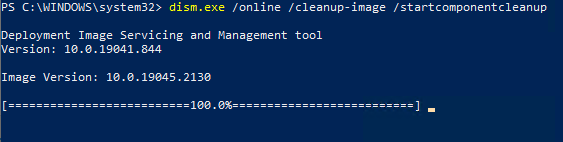
- StartComponentCleanup after progress at 100%
- AnalyzeComponentStore after progress at 17%
TiWorker.exe is still working. Do not stop the TiWorker.exe process. Instead, analyze its progress, which make take hours...or longer.


| function Get-WsusSynchronizationHistory { | |
| [CmdletBinding()] | |
| param() | |
| begin { | |
| Import-Module -Name UpdateServices | |
| $IUpdateServer = [Microsoft.UpdateServices.Administration.AdminProxy]::GetUpdateServer() | |
| $ISubscription = $IUpdateServer.GetSubscription() | |
| $SynchronizationHistoryCollection = $ISubscription.GetSynchronizationHistory() | |
| } |
| $CMContentUpdateServicesPackageInfo = Get-CMContentUpdateServicesPackageInfo | |
| $CMContentUpdateServicesPackageInfo | Where-Object { $_.IsSuperseded -eq $true -and $_.IsDeployed -eq $false } | Select-Object -Property Path, FileName, FolderSizeFriendly, DateRevised |
| function Resolve-ContentIdToPackage { | |
| [CmdletBinding()] | |
| param( | |
| [Alias('UID')] | |
| [string[]]$ContentUniqueId | |
| ) | |
| begin { | |
| $SiteCode = (Get-CimInstance -ClassName SMS_Authority -Namespace root\ccm).Name.Split(':')[1] | |
| $PreLocation = Get-Location |
| function Get-CBSPackage { | |
| [CmdletBinding()] | |
| param( | |
| [string[]] | |
| $Name | |
| ) | |
| function ConvertFrom-PackageName { | |
| [CmdletBinding()] | |
| param( |
| function Invoke-WinSxSTempCleanup { | |
| [CmdletBinding()] | |
| param( | |
| [string[]] | |
| $ScanID | |
| ) | |
| begin { | |
| #region Enable Privilege function | |
| function Enable-Privilege { |
| function Get-DirectoryHash { | |
| [CmdletBinding()] | |
| param( | |
| [System.IO.DirectoryInfo] | |
| $Path | |
| , | |
| [switch] | |
| $IncludeName | |
| ) | |
SUMMARY
This issue was introduced in version 5.4.2402.1403 released on February 14, 2024, resolved in version 5.6.2409.701 released on September 9, 2024, then reintroduced in version 5.7.2410.1403 released on October 15, 2024.
AFFECTED VERSIONS
| Product Name | Version | Release Date | History |
|---|---|---|---|
| Recast Right Click Tools Console Extension | 5.7.2411.1105 | November 13, 2024 | 273 days open |
| Recast Right Click Tools Console Extension | 5.7.2410.1403 | October 15, 2024 | 244 days open (Reintroduced) |
| function Get-KNOWNFOLDERID { | |
| <# | |
| .SYNOPSIS | |
| Lists KNOWNFOLDERID data. | |
| .DESCRIPTION | |
| Reads the registry and outputs a PSCustomObject and contains the KNOWNFOLDERID data. | |
| .PARAMETER KNOWNFOLDERID | |
| Limits the output to the provided KNOWNFOLDERID. | |
| .OUTPUTS |