Skip to content

Instantly share code, notes, and snippets.

View Ronin1702's full-sized avatar

KodeBear Ronin1702

View GitHub Profile
@Ronin1702
Ronin1702 / URL-matching-RegEx-Tutorial.md
Last active September 11, 2023 22:30
URL Matching RegEx Tutorial by Kai Chen

RegEx Tutorial: Understanding URL Matching

Tweet about this

What is regex?

A regex, which is short for regular expression, is a sequence of characters that defines a specific search pattern. When included in code or search algorithms, regular expressions can be used to find certain patterns of characters within a string, or to find and replace a character or sequence of characters within a string. They are also frequently used to validate input. Such as email addresses, URLs, usernames, etc.

  • Purpose of the tutorial: This tutorial aims to dissect and explain the components of a specific regular expression (regex) used for URL matching.
@Ronin1702
Ronin1702 / HerokuMongoDB.md
Last active September 26, 2023 14:13
Heroku CLI Deployment: MERN Stack Application with MongoDB Atlas

Heroku CLI Deployment:

MERN Stack Application with MongoDB Atlas

Steps

  • Install the Heroku CLI and login.

  • Create a new empty application on Heroku.

heroku create -a app_name
@Ronin1702
Ronin1702 / GPG-Key.md
Last active September 3, 2023 05:44
GitHub Commit Verification

GitHub Commit Verification

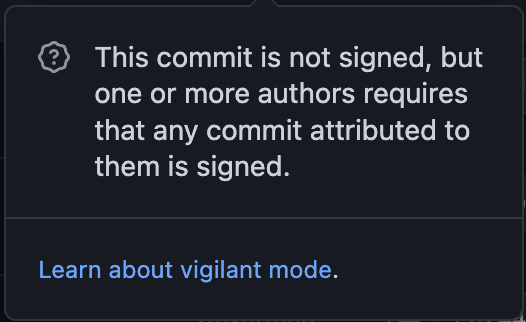
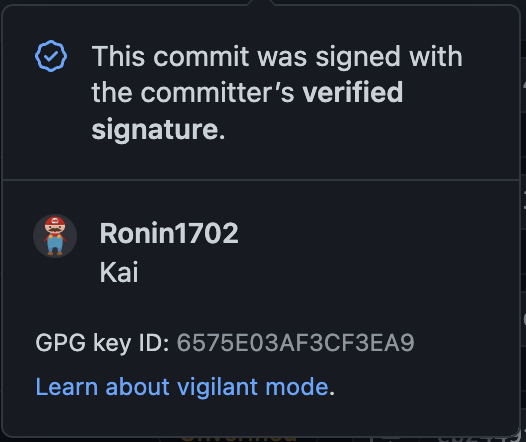
  • On GitHub, when looking at the Commits in a repo, have you ever noticed the unverified and verified tags?
  • Screenshot 2023-09-01 at 3 43 57 AM
  • Screenshot 2023-09-01 at 3 41 27 AM
  • Screenshot 2023-09-01 at 3 45 55 AM
  • Screenshot 2023-09-01 at 3 46 40 AM
@Ronin1702
Ronin1702 / markdown-cheat-sheet.md
Last active September 3, 2023 08:15
Markdown Cheat Sheet

Markdown Cheat Sheet

View this .mdfile in Raw mode to see the codes of markdown format.

Thanks for visiting The Markdown Guide!

This Markdown cheat sheet provides a quick overview of all the Markdown syntax elements. It can’t cover every edge case, so if you need more information about any of these elements, refer to the reference guides for basic syntax and extended syntax.

Basic Syntax

@Ronin1702
Ronin1702 / pc-bash-git-authentication.md
Last active September 3, 2023 08:24
PC Bash Shell Authentication for `Git` commands

Having to enter passwords for each git pull and git push command is very time consuming when you use Git Bash on PC

PowerShell on PC does not have this problem where the user set the running environment for SSH Agent:

Start-Service ssh-agent
ssh-add "$env:USERPROFILE\.ssh\id_ed25519"
  • When I use the Git Bash program on PC, though I have set up SSH key correctly, each time I must type in password when I git pull or git push.
@Ronin1702
Ronin1702 / xcode-uninstall.sh
Created September 3, 2023 10:50 — forked from oxlb/xcode-uninstall.sh
SH file to uninstall Xcode from MacOS
killall Xcode
xcrun -k
xcodebuild -alltargets clean
rm -rf "$(getconf DARWIN_USER_CACHE_DIR)/org.llvm.clang/ModuleCache"
rm -rf "$(getconf DARWIN_USER_CACHE_DIR)/org.llvm.clang.$(whoami)/ModuleCache"
rm -rf /Applications/Xcode.app
rm -rf ~/Library/Caches/com.apple.dt.Xcode
rm -rf ~/Library/Developer
rm -rf ~/Library/MobileDevice
rm -rf ~/Library/Preferences/com.apple.dt.Xcode.plist
@Ronin1702
Ronin1702 / remove-node_modules.md
Last active September 26, 2023 11:45
Delete `node_modules` folder from your directory

Remove node_modules || package-lock.json || dist Folders

Remove node_modules:

  • In GitBash shell, copy and paste the commeand below in the terminal under your destinated directory:

    find . | grep /node_modules$ | grep -v /node_modules/ | xargs rm -fR
@Ronin1702
Ronin1702 / brew$PATH.md
Last active September 14, 2023 01:30
Switching Shell EXPORT path

Switch Homebrew export path between Intel and Apple Silicon

As a developer, you may or may not have set up VMs (Virtual Machines). Developing cross platform we will need to tell our shell such as brew, bash, powershell, or zsh to which path they shall export the command to. So that the shell can translate what you wanted to do from the command line to a language that your machine can understand and execute.

Check Which Shell is being used

For most developers we use the good old Bash instead of zsh, both of them works. To check which shell you're using:

@Ronin1702
Ronin1702 / package.json-update.md
Last active September 26, 2023 12:12
Update All dependencies in `package.json` at once

Update all dependencies in package.json at once

Install npm-check-update package.

-g is a globale tag, I recommend install this globally, and if you don't want to use this package gloabbly, take this tag off

npm i -g npm-check-update

Get update list and install