Skip to content

Instantly share code, notes, and snippets.

View StephenBrown2's full-sized avatar

Stephen Brown II StephenBrown2

  • Columbus, OH
  • 01:15 (UTC -04:00)
View GitHub Profile
@StephenBrown2
StephenBrown2 / main.go
Created May 11, 2021 16:27
Find items that exist in multiple places in the os PATH
package main
import (
"fmt"
"os"
"sort"
"strings"
)
func main() {
@StephenBrown2
StephenBrown2 / lp_condition.py
Last active March 5, 2021 20:22
Condition LastPass Export
#!/usr/bin/env python3
import csv
import html
import sys
from pathlib import Path
if len(sys.argv) != 2:
print(f"Usage:\n\t{sys.argv[0]} [lastpass_export.csv]")
sys.exit(1)
@StephenBrown2
StephenBrown2 / throttle_transport.py
Created February 5, 2021 00:09
httpx ThrottleTransport
import time
import datetime
import httpx
class ThrottleTransport(httpx.HTTPTransport):
"""
A custom httpx transport that adds some basic rate-throttling functionality.
Args:
@StephenBrown2
StephenBrown2 / retry.py
Created July 9, 2019 17:02
Typed urllib3.util.retry.Retry
from collections import namedtuple
from typing import Iterable, Optional, Tuple, TypeVar
import urllib3
RequestHistory = namedtuple(
"RequestHistory", ["method", "url", "error", "status", "redirect_location"]
)
RetryType = TypeVar("RetryType", bound="Retry")
@StephenBrown2
StephenBrown2 / README.md
Created August 28, 2018 21:09 — forked from santiagobasulto/README.md
Download HumbleBundle books in batch with a simple Python script.

Download HumbleBundle books

This is a quick Python script I wrote to download HumbleBundle books in batch. I bought the amazing Machine Learning by O'Reilly bundle. There were 15 books to download, with 3 different file formats per book. So I scratched a quick script to download all of them in batch.
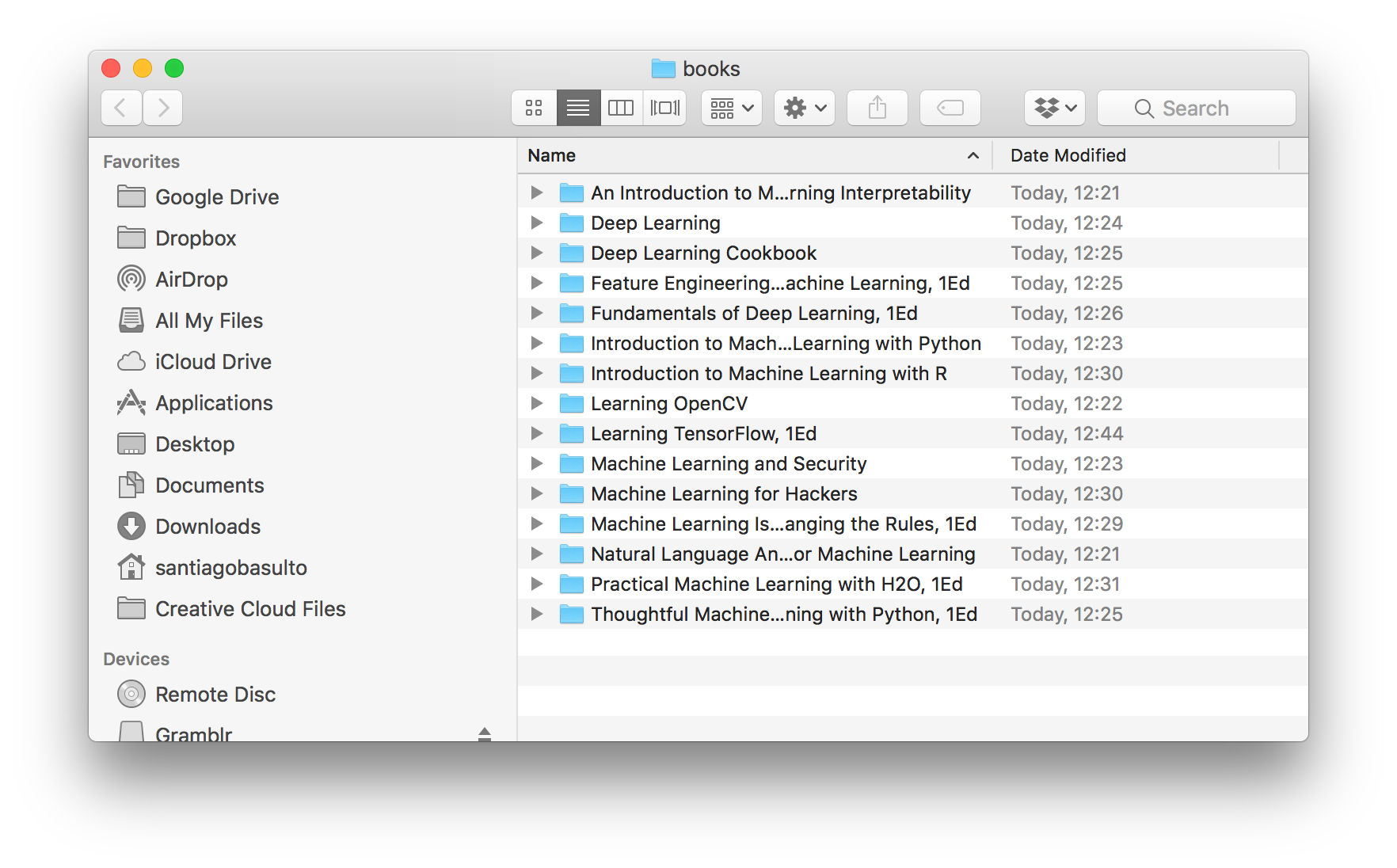
(Final Result: books downloaded)

@StephenBrown2
StephenBrown2 / README.md
Created August 28, 2018 21:09 — forked from santiagobasulto/README.md
Download HumbleBundle books in batch with a simple Python script.

Download HumbleBundle books

This is a quick Python script I wrote to download HumbleBundle books in batch. I bought the amazing Machine Learning by O'Reilly bundle. There were 15 books to download, with 3 different file formats per book. So I scratched a quick script to download all of them in batch.

(Final Result: books downloaded)

@StephenBrown2
StephenBrown2 / random-placeholder.py
Last active August 11, 2020 20:11
Random placeholder generator - python 3.6+
import random
placeholders = [
{'scheme': 'http', 'domain': 'placebeard.it', 'sep': '/'},
{'scheme': 'http', 'domain': 'placeskull.com', 'sep': '/'},
{'scheme': 'https', 'domain': 'dummyimage.com', 'sep': 'x'},
{'scheme': 'https', 'domain': 'placebear.com', 'sep': '/'},
{'scheme': 'https', 'domain': 'placekitten.com', 'sep': '/'}
]
@StephenBrown2
StephenBrown2 / playbook.yml
Last active December 20, 2017 14:53
rs-playbook
---
- hosts: all
vars_prompt:
- name: user_name
prompt: "What is your real name?"
private: no
- name: user_phone
prompt: "What is your Rackspace phone number?"
private: no
- name: default_dc
@StephenBrown2
StephenBrown2 / filebot-node.json
Last active June 14, 2017 09:10
FileBot Node Client Rockon
{
"FileBot-Node": {
"description": "FileBot Node is a client-server application that'll allow you to run filebot commands.",
"version": "0.0.1",
"website": "http://www.filebot.net/",
"icon": "http://www.filebot.net/images/filebot.logo.svg",
"more_info": "FileBot Node is a server-side Node.js application that allows you to make filebot calls via a straight-forward ExtJS web application. Please refer to the <a href='https://www.filebot.net/forums/viewtopic.php?f=13&t=2733'>How To</a> manual if you need help getting started.",
"volume_add_support": true,
"ui": {
"slug": "filebot/"
@StephenBrown2
StephenBrown2 / stoken
Last active October 27, 2015 15:21
Arch Linux PKGBUILD files for stoken, using both the released version and git master
# Maintainer: Stephen Brown II <Stephen [dot] Brown2 [at] gmail.com>
pkgname=stoken
pkgver="0.90"
pkgrel=1
pkgdesc="RSA SecurID-compatible software token for Linux/UNIX systems"
arch=('i686' 'x86_64')
url="https://github.com/cernekee/${pkgname}"
license=('LGPL2.1')
depends=('nettle' 'libxml2')
optdepends=('gtk3: required for stoken-gui')