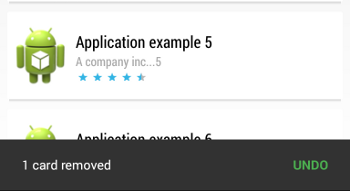
These layouts provide a simple undo bar with Material Design.
This gist does not contain any Android L API.
| undobar with action | undobar mobile |
|---|---|
 |
 |


These layouts provide a simple undo bar with Material Design.
This gist does not contain any Android L API.
| undobar with action | undobar mobile |
|---|---|
|
|
| repositories { | |
| mavenCentral() | |
| //snapshot for rc1 | |
| maven { url "https://oss.sonatype.org/content/repositories/snapshots/" } | |
| } | |
| dependencies { | |
| //Core card library | |
| compile 'com.github.gabrielemariotti.cards:cardslib-core:2.0.0-RC1-SNAPSHOT' |
| ImageView imageView = (ImageView) findViewById(R.id.card_thumbnail_image); | |
| Bitmap mBitmap = BitmapFactory.decodeResource(getResources(), R.drawable.rose); | |
| if (Build.VERSION.SDK_INT >= Build.VERSION_CODES.LOLLIPOP){ | |
| //Default | |
| imageView.setBackgroundResource(R.drawable.rose); | |
| } else { | |
| //RoundCorners | |
| RoundCornersDrawable round = new RoundCornersDrawable(mBitmap, | |
| getResources().getDimension(R.dimen.cardview_default_radius), 0); //or your custom radius |
| //Create a Card, set the title over the image and set the thumbnail | |
| CustomMaterialLargeImageCard card = (CustomMaterialLargeImageCard) | |
| CustomMaterialLargeImageCard.with(getActivity()) | |
| .setTextOverImage("Italian Beaches "+i) | |
| .setTitle("This is my favorite local beach "+i) | |
| .setSubTitle("A wonderful place") | |
| .useDrawableId(R.drawable.sea) | |
| .setupSupplementalActions(R.layout.carddemo_native_material_supplemental_actions_large, actions) | |
| //It is important to use this build method | |
| .build(new CustomMaterialLargeImageCard(getActivity())); |
You can use this class to realize a simple sectioned grid RecyclerView.Adapter without changing your code.
The RecyclerView has to use a GridLayoutManager.
This is a porting of the class SimpleSectionedListAdapter provided by Google
If you are looking for a sectioned list RecyclerView.Adapter you can take a look here
| public class ColoredSnackBar { | |
| private static final int red = 0xfff44336; | |
| private static final int green = 0xff4caf50; | |
| private static final int blue = 0xff2195f3; | |
| private static final int orange = 0xffffc107; | |
| private static View getSnackBarLayout(Snackbar snackbar) { | |
| if (snackbar != null) { |
Centralize the support libraries dependencies in gradle
Working with multi-modules project, it is very useful to centralize the dependencies, especially the support libraries.
A very good way is to separate gradle build files, defining something like:
root
  --gradleScript
 ----dependencies.gradle
Centralize the firebase libraries dependencies in gradle
ext {
      firebaseVersion = '9.0.0';

      firebaseDependencies = [
              core :         "com.google.firebase:firebase-core:${firebaseVersion}",
              database :     "com.google.firebase:firebase-database:${firebaseVersion}",
              storage :      "com.google.firebase:firebase-storage:${firebaseVersion}",
The Material Components Library introduced with the 1.2.0-alpha03 the new ShapeableImageView.
In your layout you can use:
 <com.google.android.material.imageview.ShapeableImageView
      android:id="@+id/image_view"
      app:srcCompat="@drawable/..." />
Then in your code apply the ShapeAppearanceModel to define your custom corners:
