Install Debian 11 and update
apt update && apt dist-upgrade -y && apt install libglib2.0-0 curl ufw -yIf the only account is root, create a new account
adduser pia-gateway
usermod -aG sudo pia-gateway
su pia-gateway

Install Debian 11 and update
apt update && apt dist-upgrade -y && apt install libglib2.0-0 curl ufw -yIf the only account is root, create a new account
adduser pia-gateway
usermod -aG sudo pia-gateway
su pia-gateway
| # Change RANDOMSTRINGGOESHERE to your preferred SNMP community string | |
| com2sec readonly default public | |
| group MyROGroup v2c readonly | |
| view all included .1 80 | |
| access MyROGroup "" any noauth exact all none none | |
| #Distro Detection | |
| extend distro /usr/bin/distro | |
| #Hardware Detection (uncomment to enable) |
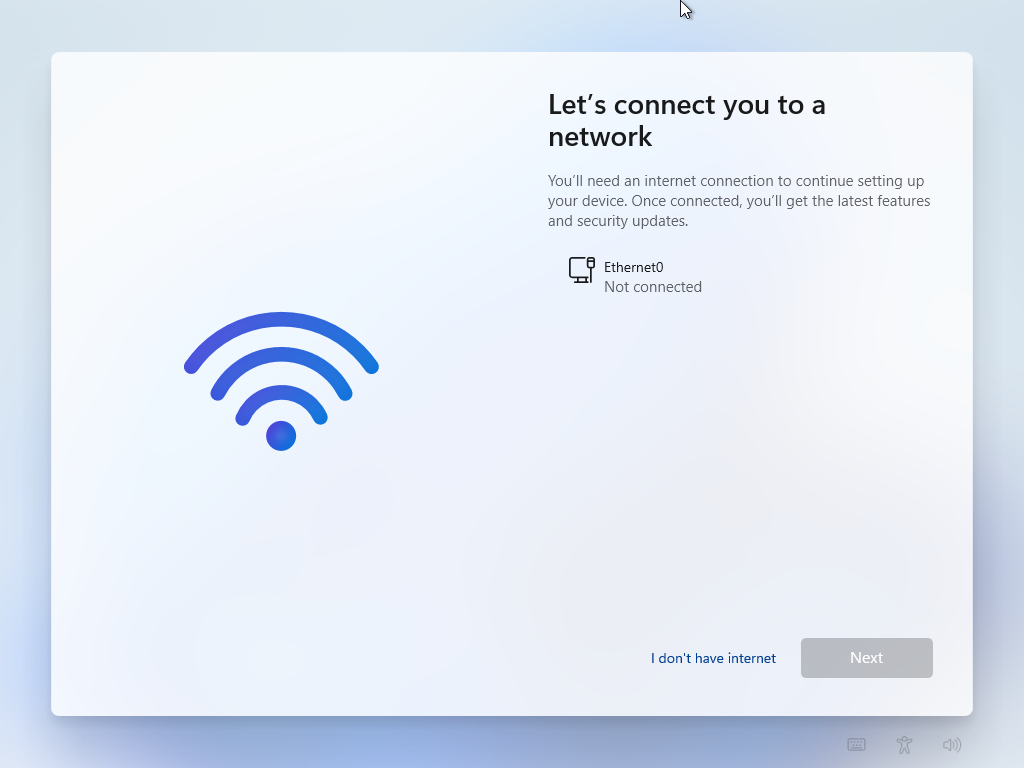
Hit shift + f10 to open CMD window during the Windows setup, enter OOBE\BYPASSNRO and hit enter, system will restart.
I don't have internet will appear.
| sudo dnf update | |
| sudo dnf install broadcom-wl kmod-wl akmods akmod-wl kmod-wl akmods akmod-wl |
| Inside of Windows guest: | |
| Launch Device Manager | |
| Open the Mice and other pointing devices section | |
| Right-click on PS/2 Compatible Mouse and select Update Driver | |
| Select Browse my computer for driver software | |
| Select the Let me pick from a list of available drivers on my computer option | |
| Untick the Show compatible hardware checkbox | |
| Select Microsoft (default) in the left pane, and then scroll until you find Microsoft PS/2 in the right pane |
| watch grep -e Dirty: -e Writeback: /proc/meminfo |
| <domain type="kvm"> | |
| <name>win11</name> | |
| <uuid>72dd34e3-7751-4a81-bde4-152c988867c0</uuid> | |
| <metadata> | |
| <libosinfo:libosinfo xmlns:libosinfo="http://libosinfo.org/xmlns/libvirt/domain/1.0"> | |
| <libosinfo:os id="http://microsoft.com/win/11"/> | |
| </libosinfo:libosinfo> | |
| </metadata> | |
| <memory unit="KiB">33554432</memory> | |
| <currentMemory unit="KiB">33554432</currentMemory> |
| If ('TargetVer' -eq (Get-WmiObject -Class Win32_BIOS).SMBIOSBIOSVersion) {Write-Host("Match")} |