Using Laravel Valet for localhost development, So it installs
dnsmasqwith it. dnsmasq runs on port53, The default DNS port. So we setup dnscrypt-proxy on port5300with the default config files in this gist.
brew install dnscrypt-proxy


Using Laravel Valet for localhost development, So it installs
dnsmasqwith it. dnsmasq runs on port53, The default DNS port. So we setup dnscrypt-proxy on port5300with the default config files in this gist.
brew install dnscrypt-proxy

Step 1 - Install and Configure dnscrypt-proxy
sudo su
pacman -S dnscrypt-proxy
cd /etc/dnscrypt-proxy/


The Coinomi wallet can support any kind of cryptographic currency because it adopts the model of a thin wallet.
A thin wallet will delegate most of the complexity to a trusted server, while still maintaining control of the private keys by using a deterministic key chain BIP44. It is different than SPV in that it doesn't need to perform any header or transaction merkle root validations (although it is optionally possible).
The advantage of a thin wallet is that it is light weight and can easily work with low-specs devices and consumes small amounts of network bandwidth. Some assets like Peercoin, CounterParty or Mastercoin can only work with this model because as SPV is not enough to validate transactions. The disadvantage is that it needs a trusted service to get the state of the network. A known attack for an SPV wallet is to hide transactions, in a thin wallet it is possible to al


| package com.mypackage.myapp.prefs | |
| import android.content.Context | |
| import com.mypackage.myapp.appCtx | |
| object MyPreferences : Preferences(name = "MyPrefsFileName") { | |
| var userWantsFancyUi by BoolPref(Keys.FANCY_UI, false) | |
| var isFcmTokenSent by BoolPref(Keys.FCM_TOKEN_SENT_TO_SERVER, false) | |
| var eggTapsCount by LongPref(Keys.EGG_TAPS_COUNT, 0L) |

While I'm learning how to use Nginx, I was instructed to update the server_names_hash_bucket_size (/etc/nginx/nginx.conf) value from 32 to 64, but I don't understand why should I increase the value to 64.
References that have been read so far:
find . -name "*.MP4" -exec test ! -e '{}c.MP4' ; -exec ffmpeg -i {} -c:a copy -c:v libx264 -preset slow -crf 18 "{}c.mp4" ;
See http://askubuntu.com/questions/707397/batch-convert-h-265-mkv-to-h-264-with-ffmpeg-to-make-files-compatible-for-re-enc see https://trac.ffmpeg.org/wiki/Encode/YouTube

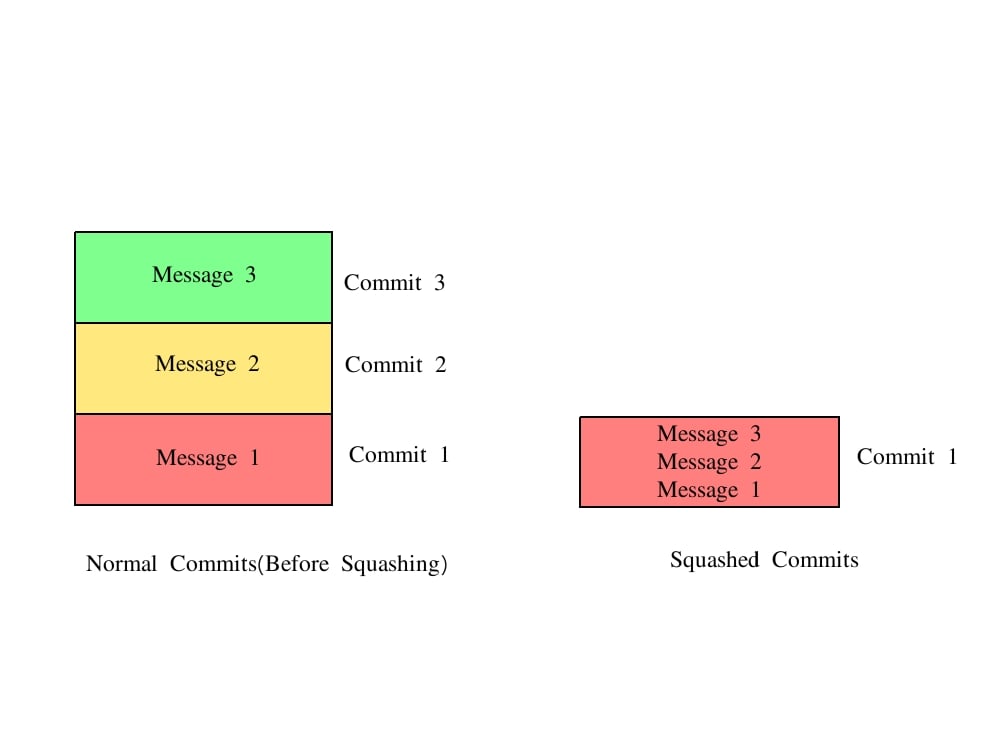
o you've contributed some code to an open source project, say, Rails. And they'd like you to squash all of the commits in your pull request. But you're not a git wizard; how do you make this happen?
Normally, you'd do something like this. I'm assuming upstream is a git remote that is pointing at the official project repository, and that your changes are in your 'omgpull' branch: