- maim
- xclip
Set this on your i3 config file ~/.i3/config
# Screenshots


| import { useEffect, useState } from "react" | |
| import { createBrowserHistory } from "history" | |
| const history = createBrowserHistory() | |
| const toLocation = path => new URL(path, window.location.href) | |
| // without this react won't re-render as location is the same object | |
| // @see https://reactjs.org/docs/hooks-reference.html#bailing-out-of-a-state-update | |
| const cloneLocation = () => Object.assign({}, window.location) |


| <%= form_with(model: billboard) do |form| %> | |
| <%= tag.div class: "dropzone", data: { controller: "dropzone", dropzone_param_name_value: "billboard[images][]", dropzone_url_value: rails_direct_uploads_url, dropzone_accepted_files_value: "image/*", dropzone_max_files_value: 3, dropzone_max_filesize_value: 0.300 } do %> | |
| <div class="dz-default dz-message flex flex-col items-center"> | |
| <%= image_tag "upload.svg", size: 28, class: "colorize-black", aria: { hidden: true } %> | |
| <h5 class="font-semibold mbs-4">Drop files here or click to upload.</h5> | |
| <p class="text-sm text-subtle">Upload up to 10 files.</p> | |
| </div> | |
| <% end %> | |
| <div class="inline-flex items-center mbs-2 mie-1"> |

| Rails.application.config.after_initialize do | |
| ActiveSupport.on_load(:action_text_content) do | |
| class_eval do | |
| attr_accessor :rich_text | |
| def attachment_for_node(node, with_full_attributes: true) | |
| attachment = ActionText::Attachment.from_node(node, rich_text&.find_preloaded_attachable(node)) | |
| with_full_attributes ? attachment.with_full_attributes : attachment | |
| end |

| { | |
| "firestore": { | |
| "rules": "firestore.rules", | |
| "indexes": "firestore.indexes.json" | |
| }, | |
| "emulators": { | |
| "firestore": { | |
| "port": 8080 | |
| } | |
| } |

| RUBY_CONFIGURE_OPTS="--with-openssl-dir=/usr/local/opt/openssl" asdf install ruby 2.6.5 |

UI Page consists of jelly, client script and processing script. UI Macro has the jelly script only (but client script can be injected in jelly script) Usages:
https://<instance_name>.service-now/<ui_page_name>.do// Snippet 1
var gm = new GlideModal('UI_dialog_name');
gm.setTitle('Show title');
| class SynchronousJob < ApplicationJob | |
| def self.perform_later | |
| raise "This job is not designed to be run asynchronously. Please use #perform_now" | |
| end | |
| end |

| /* | |
| ERB template chunk from The Feed's display of emails: | |
| <section class="postings postings--feed-style" id="postings" | |
| data-controller="pagination" data-pagination-root-margin-value="40px"> | |
| <%= render partial: "postings/snippet", collection: @page.records, as: :posting, cached: true %> | |
| <%= link_to(spinner_tag, url_for(page: @page.next_param), | |
| class: "pagination-link", data: { pagination_target: "nextPageLink", preload: @page.first? }) unless @page.last? %> | |
| </section> |

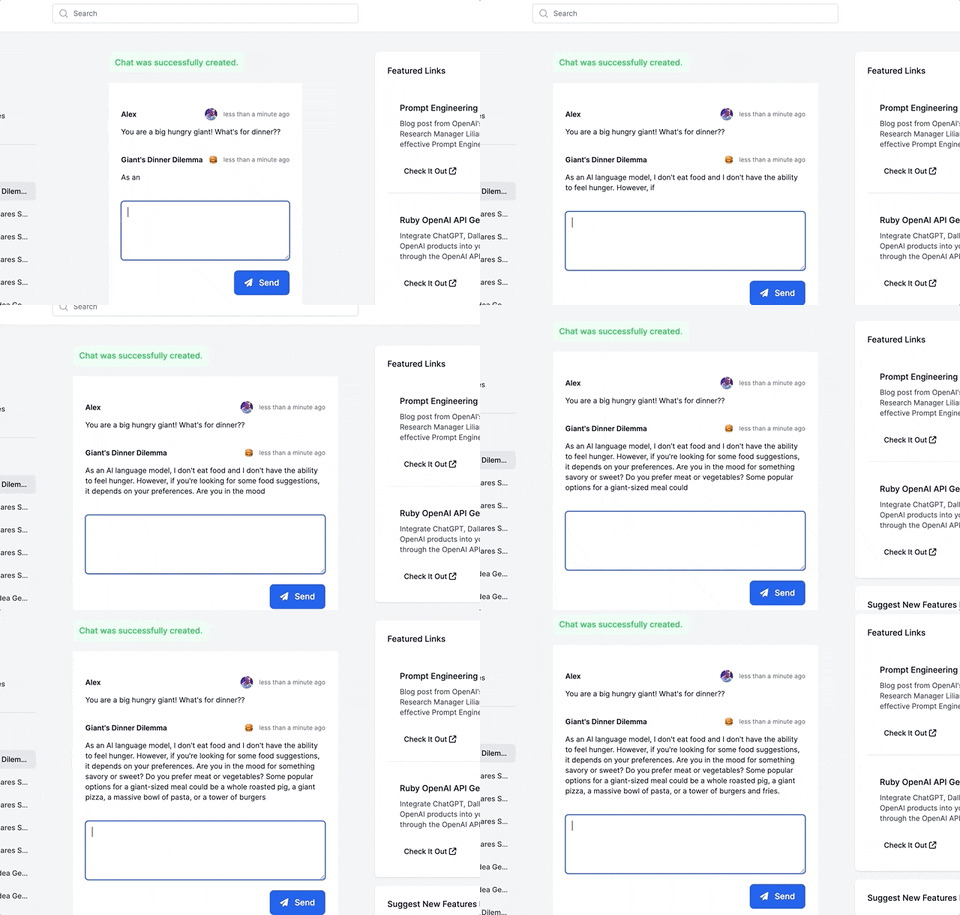
This guide will walk you through adding a ChatGPT-like messaging stream to your Ruby on Rails 7 app using ruby-openai, Rails 7, Hotwire, Turbostream, Sidekiq and Tailwind. All code included below!
Want more content like this, for free? Check out my free book, RailsAI!