
This is a Gistified version of https://gist.github.com/hfreire/5846b7aa4ac9209699ba#gistcomment-2833377

leetrout
/ redirectExample.go
Last active
April 29, 2019 21:04
— forked from d-schmidt/redirectExample.go
How to redirect HTTP to HTTPS with a golang webserver.
This file contains hidden or bidirectional Unicode text that may be interpreted or compiled differently than what appears below. To review, open the file in an editor that reveals hidden Unicode characters.
Learn more about bidirectional Unicode characters
| // From https://gist.github.com/d-schmidt/587ceec34ce1334a5e60 | |
| package main | |
| import ( | |
| "log" | |
| "net/http" | |
| "net/url" | |
| "os" | |
| "strings" | |
| ) |
leetrout
/ custom_game_engines_small_study.md
Created
April 25, 2020 01:51
— forked from raysan5/custom_game_engines_small_study.md
A small state-of-the-art study on custom engines
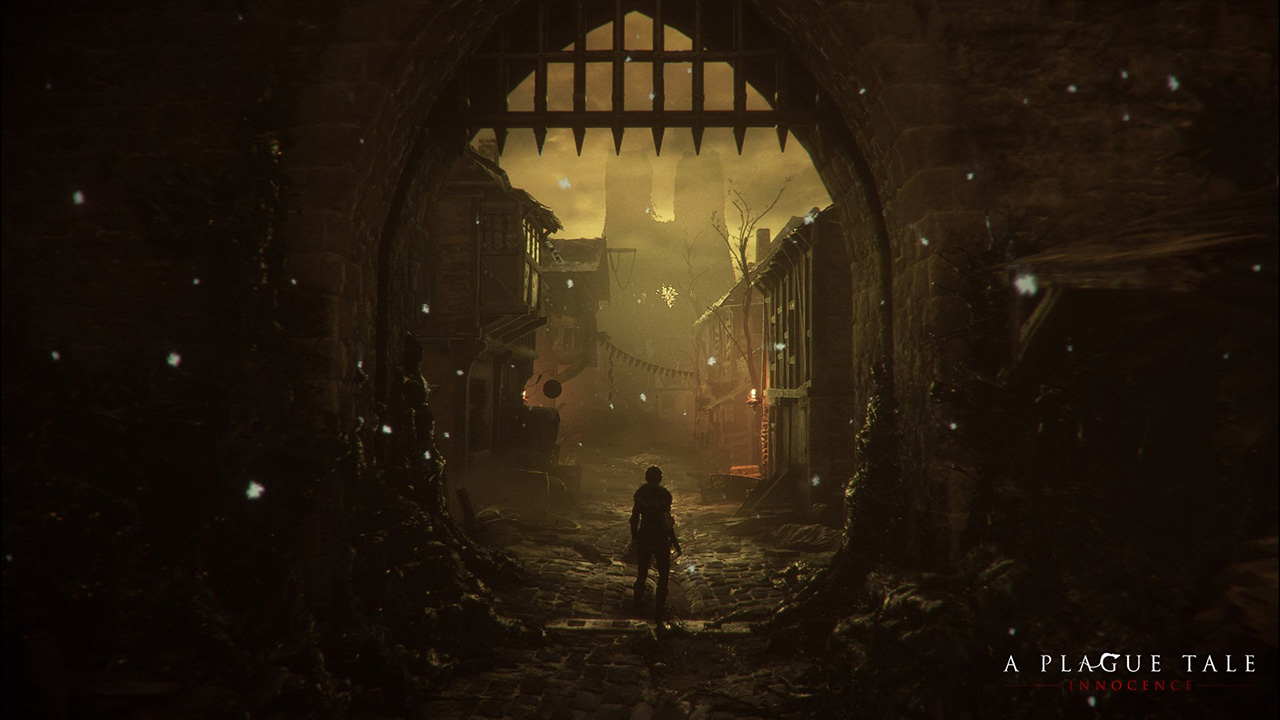
A couple of weeks ago I played (and finished) A Plague Tale, a game by Asobo Studio. I was really captivated by the game, not only by the beautiful graphics but also by the story and the locations in the game. I decided to investigate a bit about the game tech and I was surprised to see it was developed with a custom engine by a relatively small studio. I know there are some companies using custom engines but it's very difficult to find a detailed market study with that kind of information curated and updated. So this article.
Nowadays lots of companies choose engines like Unreal or Unity for their games (or that's what lot of people think) becaus
leetrout
/ since2010.md
Created
March 3, 2022 16:18
— forked from shawwn/since2010.md
"What happened after 2010?"
This was a response to a Hacker News comment asking me what I've been up to since 2010. I'm posting it here since HN rejects it with "that comment is too long." I suppose that's fair, since this ended up being something of an autobiography.
--
What happened after 2010?
leetrout
/ partyify.sh
Created
July 15, 2022 12:49
— forked from lafentres/partyify.sh
:something-party: Slack emoji creator, based off alisdair/intensify.sh
This file contains hidden or bidirectional Unicode text that may be interpreted or compiled differently than what appears below. To review, open the file in an editor that reveals hidden Unicode characters.
Learn more about bidirectional Unicode characters
| #!/bin/bash | |
| # Generate a `:something-party:` Slack emoji, given a reasonable image | |
| # input. I recommend grabbing an emoji from https://emojipedia.org/ | |
| set -euo pipefail | |
| if [ $# -eq 0 ]; then | |
| echo "Usage: $0 input.png" | |
| exit 1 |
leetrout
/ jumboify.sh
Created
April 20, 2023 17:41
— forked from lafentres/jumboify.sh
Jumbo Slack emoji creator, based off alisdair/intensify.sh
This file contains hidden or bidirectional Unicode text that may be interpreted or compiled differently than what appears below. To review, open the file in an editor that reveals hidden Unicode characters.
Learn more about bidirectional Unicode characters
| #!/bin/bash | |
| # Credit to https://gist.github.com/alisdair/ffc7c884ee36ac132131f37e3803a1fe for the excellent original | |
| # script that this one is based on. This script modifies the original to create the jumbo. | |
| # Generate a jumbo Slack emoji, given a reasonable image | |
| # input. I recommend grabbing an emoji from https://emojipedia.org/ | |
| set -euo pipefail |
leetrout
/ all-the-way-downify.sh
Created
April 20, 2023 17:41
— forked from lafentres/all-the-way-downify.sh
:*-all-the-way-down: Slack emoji creator, based off alisdair/intensify.sh
This file contains hidden or bidirectional Unicode text that may be interpreted or compiled differently than what appears below. To review, open the file in an editor that reveals hidden Unicode characters.
Learn more about bidirectional Unicode characters
| #!/bin/bash | |
| # Credit to https://gist.github.com/alisdair/ffc7c884ee36ac132131f37e3803a1fe for the excellent original | |
| # script that this one is based on. This script modifies the original to create the all-the-way-down effect. | |
| # Generate a `:*-all-the-way-down:` Slack emoji, given a reasonable image | |
| # input. I recommend grabbing an emoji from https://emojipedia.org/ | |
| set -euo pipefail |
leetrout
/ pxe-boot.sh
Created
July 7, 2024 17:25
— forked from spipm/pxe-boot.sh
Create (UEFI/Secureboot) PXE boot server on interface
This file contains hidden or bidirectional Unicode text that may be interpreted or compiled differently than what appears below. To review, open the file in an editor that reveals hidden Unicode characters.
Learn more about bidirectional Unicode characters
| #!/bin/bash | |
| # Run PXE boot server on interface | |
| # Seems to work with UEFI and Secureboot | |
| # Spip, 2023 | |
| # | |
| # Most stuff from https://www.youtube.com/watch?v=E_OlsA1hF4k | |
| # | |
| # Check args |
This guide will show you how to setup a PXE boot server to provision a cluster of machines. For the sake of this guide, we will be using system agnostic docker containers to simulate the DHCP and the PXE boot server.
Featured technologies:
leetrout
/ latency.markdown
Created
June 10, 2025 14:27
— forked from hellerbarde/latency.markdown
Latency numbers every programmer should know
L1 cache reference ......................... 0.5 ns
Branch mispredict ............................ 5 ns
L2 cache reference ........................... 7 ns
Mutex lock/unlock ........................... 25 ns
Main memory reference ...................... 100 ns
Compress 1K bytes with Zippy ............. 3,000 ns  =   3 µs
Send 2K bytes over 1 Gbps network ....... 20,000 ns  =  20 µs
SSD random read ........................ 150,000 ns  = 150 µs
Read 1 MB sequentially from memory ..... 250,000 ns = 250 µs