This is a quick guide to mounting a qcow2 disk images on your host server. This is useful to reset passwords, edit files, or recover something without the virtual machine running.
Step 1 - Enable NBD on the Host
modprobe nbd max_part=8


| #!/usr/bin/env python | |
| # -*- coding: utf-8 -*- | |
| """ | |
| Translated from a MATLAB script (which also includes C-weighting, octave | |
| and one-third-octave digital filters). | |
| Author: Christophe Couvreur, Faculte Polytechnique de Mons (Belgium) | |
| couvreur@thor.fpms.ac.be | |
| Last modification: Aug. 20, 1997, 10:00am. | |
| BSD license |

| # Redirect all requests for non-existent files to another web | |
| # site, used on my own site to redirect people to my GitHub | |
| # account page. | |
| server { | |
| server_name example.com; | |
| location / { | |
| try_files $uri $uri/index.html @external; | |
| } | |
| location @external { | |
| rewrite ^ $scheme://anotherexample.com$request_uri redirect; |

| (* | |
| * New-iTerm-Window.scpt | |
| * | |
| * Intended for use with QuickSilver | |
| * I mapped option-y to running this script to create | |
| * a new iTerm window on the current workspace | |
| * | |
| * Based on much Googling - very little "original" code here | |
| * Comments/Suggestions to brad.lhotsky@gmail.com | |
| *) |

| from requests_oauthlib import OAuth2Session | |
| from flask import Flask, request, redirect, session, url_for | |
| from flask.json import jsonify | |
| import os | |
| app = Flask(__name__) | |
| # This information is obtained upon registration of a new GitHub | |
| client_id = "<your client key>" |

| [Unit] | |
| Description=Keeps a tunnel to 'remote.example.com' open | |
| After=network.target | |
| [Service] | |
| User=autossh | |
| # -p [PORT] | |
| # -l [user] | |
| # -M 0 --> no monitoring | |
| # -N Just open the connection and do nothing (not interactive) |


| <fontconfig> | |
| <match target="pattern"> | |
| <test name="lang"> | |
| <string>zh-tw</string> | |
| </test> | |
| <test name="family"> | |
| <string>sans-serif</string> | |
| </test> | |
| <edit name="family" mode="prepend" binding="strong"> | |
| <string>Noto Sans T Chinese</string> |

| *M-UNKNOWN MEXICAN TRUCKING COMPANY | |
| 8CON CONTSHIP CONTAINER LINE | |
| 99M UNKNOWN MEXICAN OVERLAND CARRIER | |
| AAAB AAA MOTORS | |
| AAAC AAACTION TRANSPORTATION INC | |
| AAAD A A A DELIVERY INC | |
| AAAG ATC LOGISTICS INC | |
| AAAO AAMODT INC | |
| AAAU ASIA CONTAINER LEASING CO LTD |


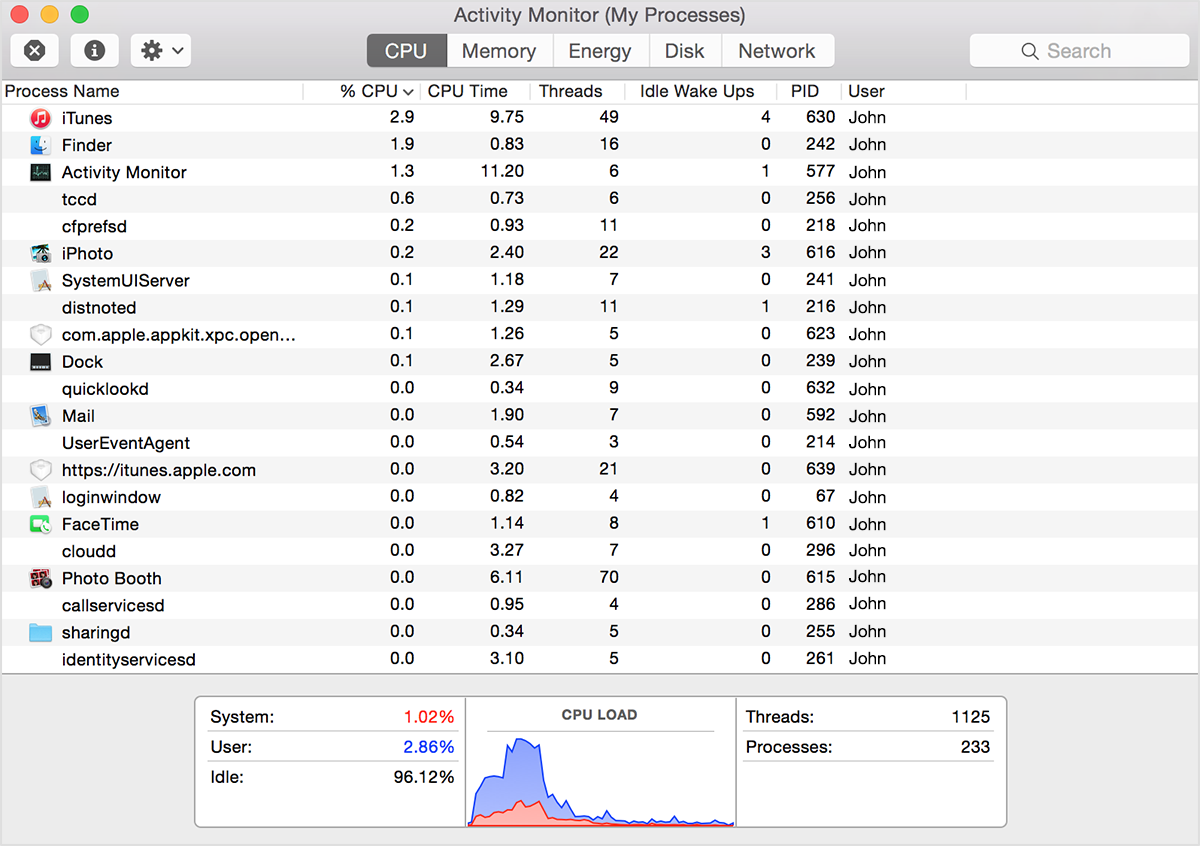
If your system is running slowly, perhaps a process is using too much CPU time and won't let other processes run smoothly. To find out which processes are taking up a lot of CPU time, you can use Apple's Activity Monitor.
The CPU pane shows how processes are affecting CPU (processor) activity: