yum install java-1.7.0-openjdk tomcat6 tomcat6-webapps tomcat6-admin-webapps wgetwget http://mirror.catn.com/pub/apache/lucene/solr/4.3.1/solr-4.3.1.tgz
tar -xzf solr-*.tgz

| require "sinatra" | |
| require "mogli" | |
| enable :sessions | |
| set :raise_errors, false | |
| set :show_exceptions, false | |
| # Scope defines what permissions that we are asking the user to grant. | |
| # In this example, we are asking for the ability to publish stories | |
| # about using the app, access to what the user likes, and to be able |
This list is meant to be a both a quick guide and reference for further research into these topics. It's basically a summary of that comp sci course you never took or forgot about, so there's no way it can cover everything in depth. It also will be available as a gist on Github for everyone to edit and add to.
###Array ####Definition:

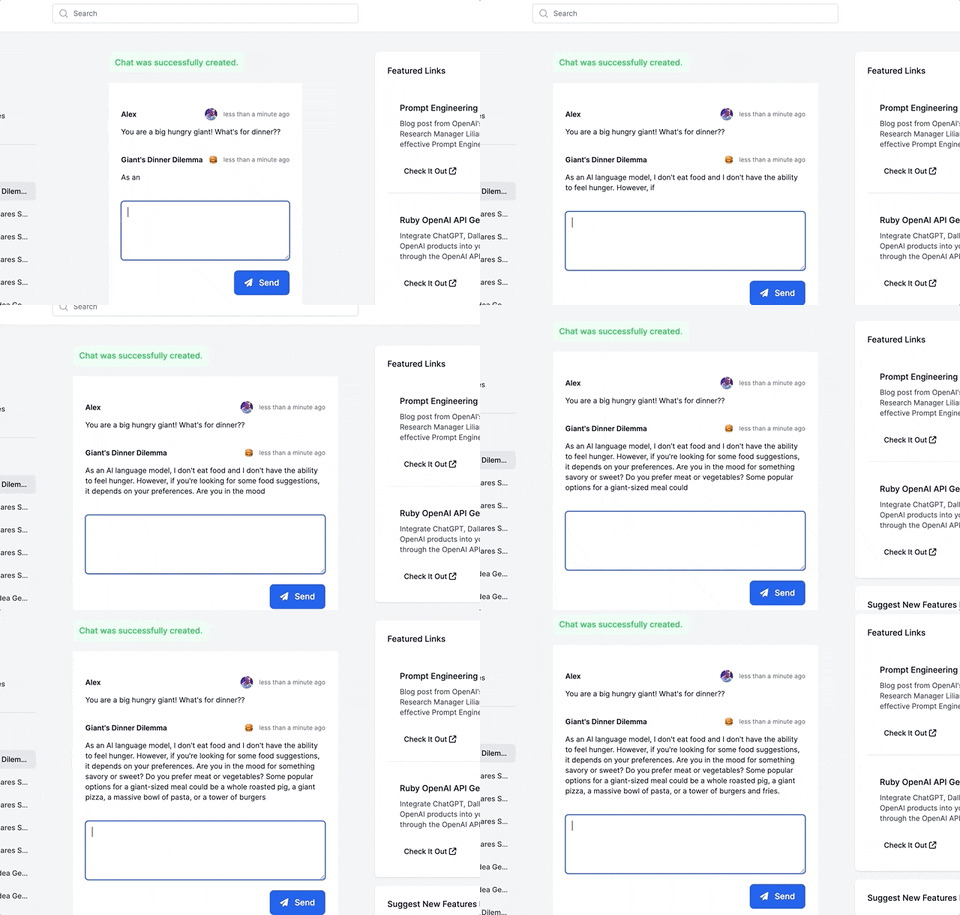
This guide will walk you through adding a ChatGPT-like messaging stream to your Ruby on Rails 7 app using ruby-openai, Rails 7, Hotwire, Turbostream, Sidekiq and Tailwind. All code included below!
First, add the ruby-openai gem! Needs to be at least version 4. Add Sidekiq too.
| 00 | |
| 01 | |
| 02 | |
| 03 | |
| 04 | |
| 05 | |
| 06 | |
| 07 | |
| 08 | |
| 09 |
Following up on Arch Linux Installation Guide , lauch VM with clean install and log in as a normal user.
Install video driver, X.Org, X.Org initialization program, wallpaper manager, compositor, text editor, terminal emulator and web browser with:
If you're aiming for a seamless Arch Linux installation in UEFI mode, follow along as this guide will walk you through the process step by step. We'll be using LUKS (Linux Unified Key Setup) and LVM (Logical Volume Manager) partitions on LUKS to achieve full disk encryption.
Note: I have updated this doc for UEFI mode. For those with BIOS/MBR systems, you can refer to the previous version, but keep in mind that it might be outdated and no longer accurate.
If you're only interested in installing Linux and not setting up dual boot with Windows, feel free to skip the Windows-related sections.