-
-
Save Azimuth0r/ef2a3d1f12eb5a8fa28d9e2ae671cdc8 to your computer and use it in GitHub Desktop.
| //Code modified from wybiral/BLE_Scan.ino https://gist.github.com/wybiral/2a96c1d1605af7efa11b690586c4b13e | |
| #include <BLEAdvertisedDevice.h> | |
| #include <BLEDevice.h> | |
| #include <BLEScan.h> | |
| const char *tags[] = { | |
| "d9:ae:16:00:00:00", //Pet1 | |
| "eb:49:f2:2c:00:00", //Pet2 | |
| "c3:48:d1:ed:00:00", //Pet3 | |
| "fe:d6:99:97:00:00", //Pet4 | |
| "e9:d0:7d:db:00:00", //Pet5 | |
| "f7:13:9c:3f:00:00", //Spare | |
| }; | |
| // Wires White == Reset, Brown == Touch enable debug, Grey == program CMD | |
| int len = (sizeof (tags) / sizeof (*tags)); // how many elements in array | |
| int x; // generic loop counter | |
| unsigned long previousMillis = 0; | |
| const long DoorOpenDuration = 10000; | |
| int debug = 0; | |
| const int TriggerPIN = 2; //Red | |
| //pin 2 for ESP32es | |
| const int CUTOFF = -60; | |
| String detectedMAC = " "; | |
| int TagAllowed = 0; | |
| int bestSignal = -99; | |
| //touch buttons | |
| #define TOUCH_PIN T4 //connected to P13 Brown | |
| int touch_value = 100; | |
| void setup() { | |
| //Initiate Serial communication. | |
| Serial.begin(9600); | |
| pinMode(TriggerPIN, OUTPUT); //Red | |
| BLEDevice::init(""); | |
| Serial.print("System Ready, trigger pin is "); | |
| Serial.println (TriggerPIN); | |
| } | |
| void loop() { | |
| getTouch(); | |
| getClosestTag(); | |
| if (TagAllowed == 1){ | |
| Serial.print(detectedMAC); | |
| Serial.print(" "); | |
| Serial.println(bestSignal); | |
| digitalWrite(TriggerPIN, HIGH); | |
| } | |
| //check if it's time to close the door | |
| unsigned long currentMillis = millis(); | |
| if (currentMillis - previousMillis >= DoorOpenDuration) { | |
| TagAllowed = 0; | |
| detectedMAC = " "; | |
| getClosestTag(); | |
| digitalWrite(TriggerPIN, LOW); //Close the door | |
| previousMillis = currentMillis; | |
| } | |
| } | |
| void getTouch(){ | |
| touch_value = touchRead(TOUCH_PIN); | |
| Serial.println(touch_value); // get value using T0 | |
| if (touch_value < 20){ | |
| Serial.println("touch detected"); | |
| if (debug == 0) { | |
| debug = 1; | |
| Serial.println("Debug On"); | |
| } else { | |
| debug = 0; | |
| Serial.println("Debug Off"); | |
| } | |
| } | |
| } | |
| void getClosestTag(){ | |
| BLEScan *scan = BLEDevice::getScan(); | |
| scan->setActiveScan(true); | |
| BLEScanResults results = scan->start(1); | |
| bestSignal = CUTOFF; | |
| for (int i = 0; i < results.getCount(); i++) { | |
| BLEAdvertisedDevice device = results.getDevice(i); | |
| int rssi = device.getRSSI(); | |
| if (debug ==1){ | |
| detectedMAC = (device.getAddress().toString().c_str()); | |
| Serial.print("I see this device "); | |
| Serial.print(detectedMAC); | |
| Serial.print(" "); | |
| Serial.println(rssi); | |
| } | |
| if (rssi > bestSignal) { | |
| bestSignal = rssi; | |
| detectedMAC = (device.getAddress().toString().c_str()); | |
| for (x = 0; x <len; x ++){ | |
| if (detectedMAC == tags [ x ]){ | |
| TagAllowed = 1; | |
| break; | |
| } | |
| } | |
| } | |
| } | |
| } |


Hi dear, i am in a project where i need to scan ble devices and if one of any const char determinated is disconnected active the pin. Could you help me to modify your code?

Hi,
I have loaded this code onto my FireBeetle ESP32, and changed the first BLE MAC address (Pet1) to that of my Iphone 6. I do not get any output on the Arduino IDE serial monitor. Could anyone suggest why this may be happening. Thanks Peter
Hi,
I have loaded this code onto my FireBeetle ESP32, and changed the first BLE MAC address (Pet1) to that of my Iphone 6. I do not get any output on the Arduino IDE serial monitor. Could anyone suggest why this may be happening. Thanks Peter
I don't believe the phone bluetooth is considered a BLE device. The arduino library in this project is designed for use with BLE (Bluetooth Low Energy) tags.

Hi there,
Awesome code, thanks for sharing. I would like to modify the code so that each pet's tag will trigger a different output pin. For example, feeders. So only Feeder1 would trigger when Pet1 approached.
(Not the actual application but the best example of what I'm trying to achieve)
So I'd need to define 4 trigger pins (for 4 pets tags) and get that pin to write HIGH when that specific BLE device MAC address is detected
Would not need to worry about closest tag, just if the tag is present or not. Triggering multiple pins at the same time is fine.
Arduino noob here so any advice / help appreciated!

Hi! Thanks for sharing your project.
I have a question. Can you modify the code to send a unique code tru MQTT to a broker when the Nodemcu read the Tag?
Thanks!

Hi, you know [http://github.com/streetpet] project](http://github.com/streetpet)? Your experience and dedication to pets would be very valuable in our project, come and see. The material is in Portuguese, but we can make translations to make your participation feasible.

Hi,
I have loaded this code onto my FireBeetle ESP32, and changed the first BLE MAC address (Pet1) to that of my Iphone 6. I do not get any output on the Arduino IDE serial monitor. Could anyone suggest why this may be happening. Thanks Peter
IPhone Bluetooth Mac address change every 15 minutes , So you can't use iphone as a BLE device but you can use any smart watch
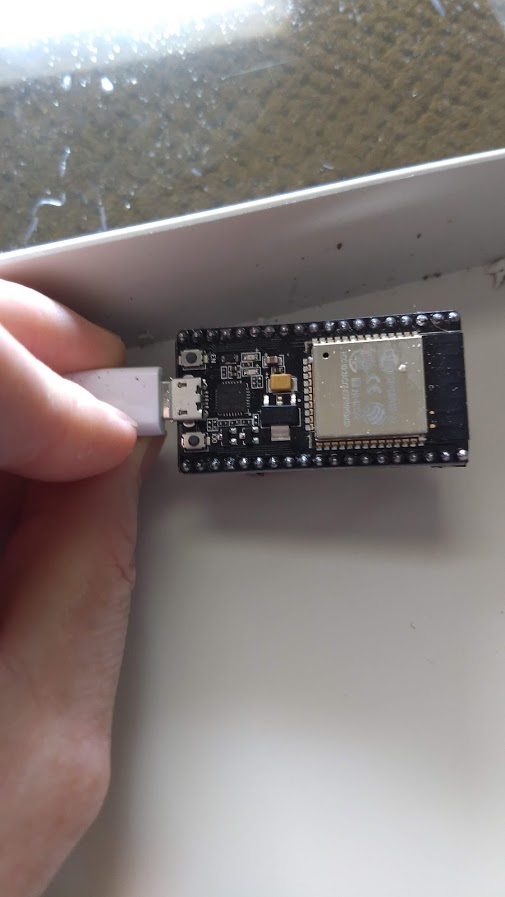
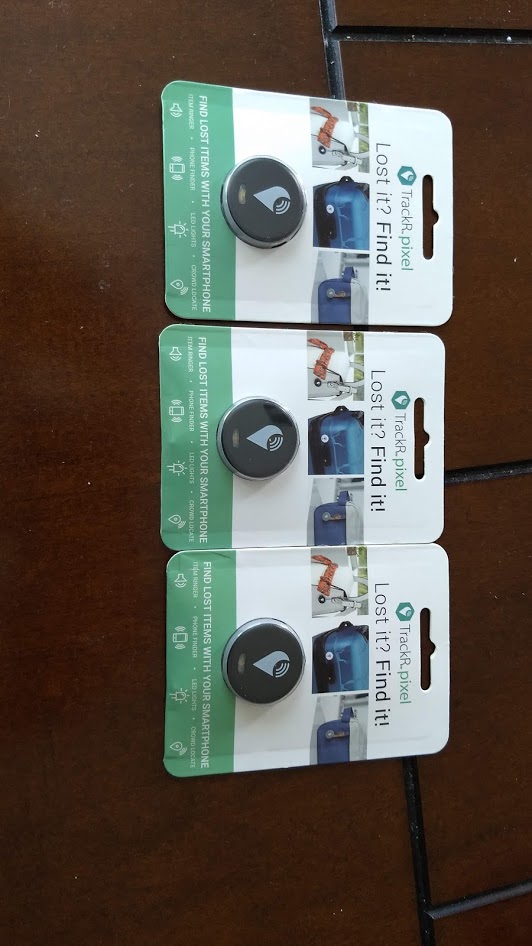
This is a modified copy of the BLE Scanner that I use to detect pets wearing TrackR tags. The door only opens if a recognized MAC address is detected from one of the tags and is within a certain signal strength.
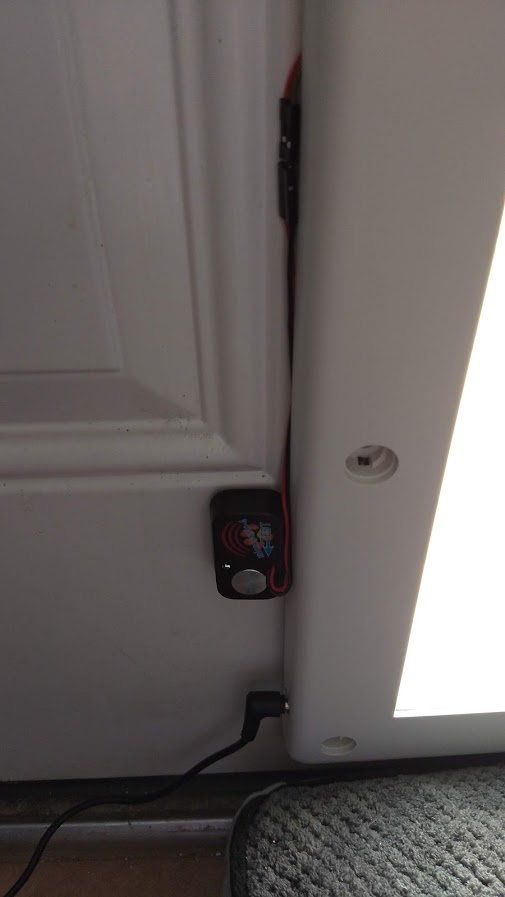
I used a power pet door that traditionally uses an ultrasonic collar. Rather than have the pet wear the collar, I placed the collar module in a fixed location and removed the battery and wired it into an ESP32 on to the trigger pin. When the criteria are met (signal strength and tag ID) The ESP32 will energize the ultrasonic collar with 3.3v and thus open the dog door. Once power is removed from the collar, the door closes automatically.
The Code also uses the touch Feature from the ESP32 and enables or disables debug mode.