
-
Ok first of all if you have issues installing FreeDOS on VirtualBox and you get weird infinite loop
Invalid Opcodeerrors, here I wrote a small instruction how the installation should be done. -
Now when you have FreeDOS booted, from here you need to install the networking software and reboot.
-
then you can run
fdnpkg updateto update the installed packages -
but you don't need to install dn as it comes with the FreeDOS iso file. all you need to do is:
-
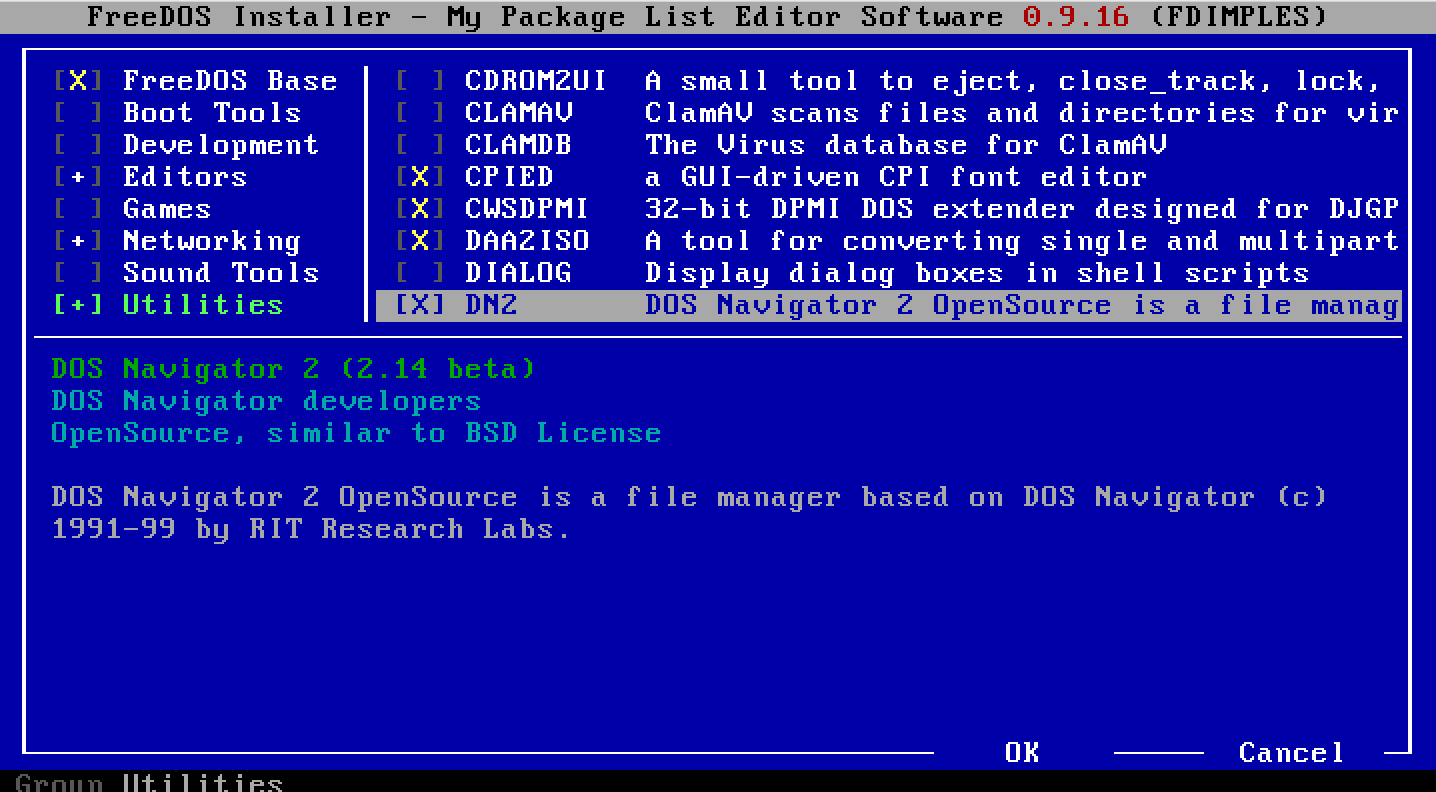
run
FDIMPLESpackage manager -
go to
Utilities -
find
DN2and select it -
reboot

- From here, now you need to add the
C:\FDOS\DN2folder to the PATH - run
Edit Autoexec.batwhile on rootC:\> - edit the line
SET PATH=%dosdir%\BINtoSET PATH=%dosdir%\BIN;%dosdir%\DN2 - reboot
now you can run dn!
P.S. Another instalation method offered here on Reddit.

