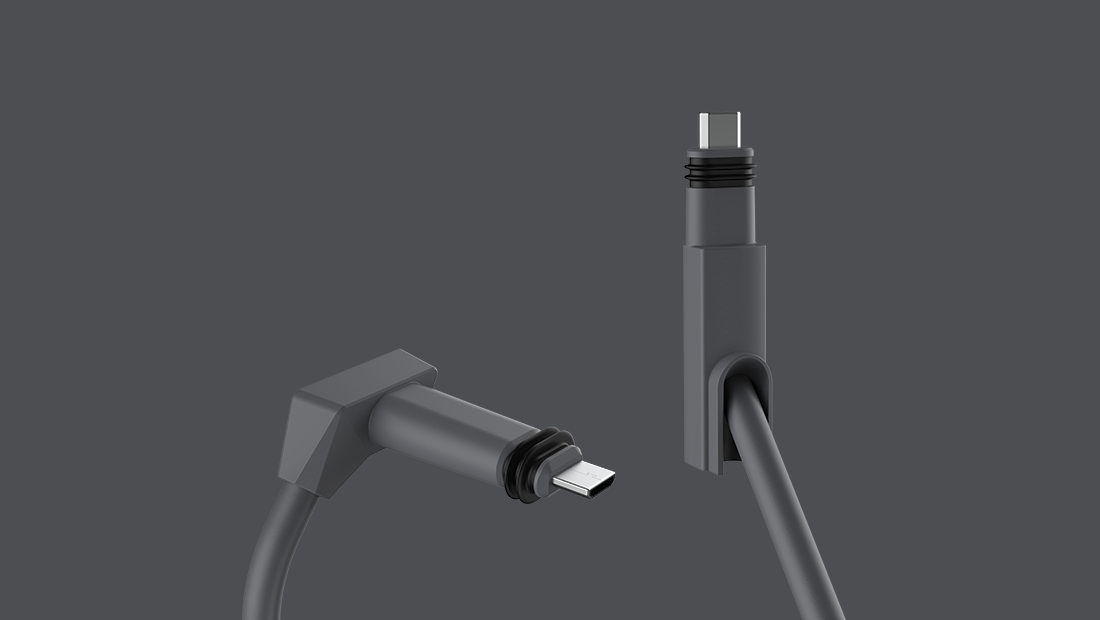
These are are some notes I put together on butchering the rectangular dishy cable.
FOLLOW THESE GUIDELINES AT YOUR OWN RISK. I TAKE NO RESPONSIBILITY FOR ANY DAMAGE OR INJURY YOU SUSTAIN FROM FOLLOWING OR NOT FOLLOWING THESE GUIDELINES.


| <policies> | |
| <inbound> | |
| <base /> | |
| <set-backend-service base-url="https://yourapihere.com" /> | |
| </inbound> | |
| <backend> | |
| <base /> | |
| </backend> | |
| <outbound> | |
| <choose> |
| <!-- | |
| IMPORTANT: | |
| - Policy elements can appear only within the <inbound>, <outbound>, <backend> section elements. | |
| - To apply a policy to the incoming request (before it is forwarded to the backend service), place a corresponding policy element within the <inbound> section element. | |
| - To apply a policy to the outgoing response (before it is sent back to the caller), place a corresponding policy element within the <outbound> section element. | |
| - To add a policy, place the cursor at the desired insertion point and select a policy from the sidebar. | |
| - To remove a policy, delete the corresponding policy statement from the policy document. | |
| - Position the <base> element within a section element to inherit all policies from the corresponding section element in the enclosing scope. | |
| - Remove the <base> element to prevent inheriting policies from the corresponding section element in the enclosing scope. | |
| - Policies are applied in the order of their appearance, from the top down. |

Cloud-Init is the defacto multi-distribution package that handles early initialization of a virtual machine instance. Using Cloud-Init, one can configure network

| Deprecated. | |
| Please check here for updates: https://github.com/SimpleHomelab/Docker-Traefik |

| version: '3.1' | |
| services: | |
| unifi: | |
| container_name: unifi | |
| restart: unless-stopped | |
| image: linuxserver/unifi | |
| volumes: | |
| - /srv/docker/unifi:/config | |
| environment: | |
| - PGID=0 |
| # 0 is too far from ` ;) | |
| set -g base-index 1 | |
| # Automatically set window title | |
| set-window-option -g automatic-rename on | |
| set-option -g set-titles on | |
| #set -g default-terminal screen-256color | |
| set -g status-keys vi | |
| set -g history-limit 10000 |
