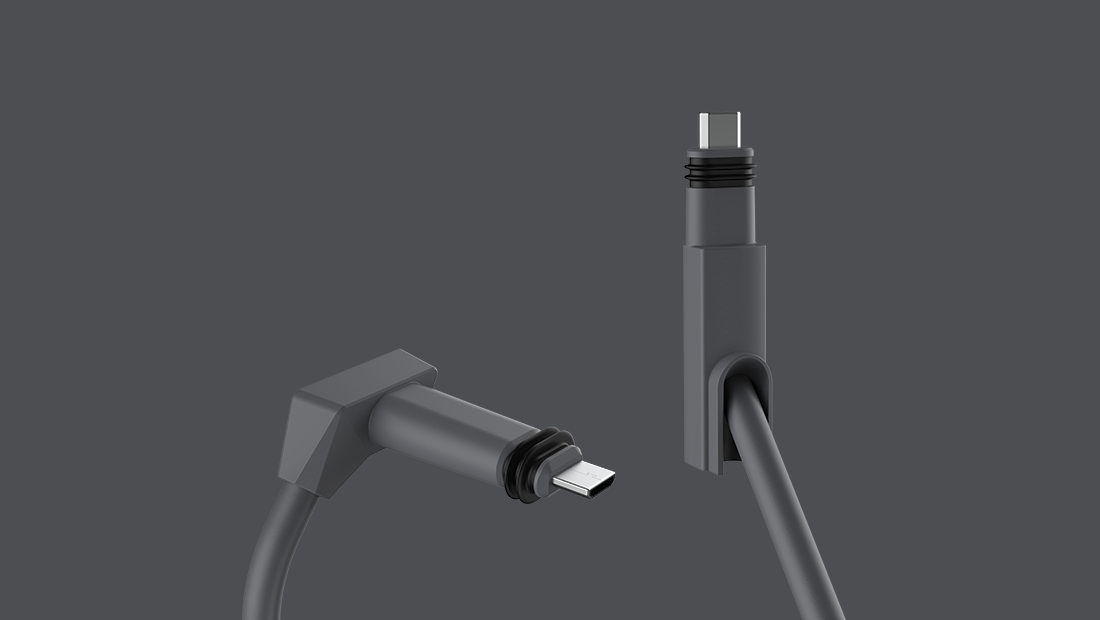
These are are some notes I put together on butchering the rectangular dishy cable.
FOLLOW THESE GUIDELINES AT YOUR OWN RISK. I TAKE NO RESPONSIBILITY FOR ANY DAMAGE OR INJURY YOU SUSTAIN FROM FOLLOWING OR NOT FOLLOWING THESE GUIDELINES.


| SPC | |
| SPC: find file | |
| , switch buffer | |
| . browse files | |
| : MX | |
| ; EX | |
| < switch buffer | |
| ` eval | |
| u universal arg | |
| x pop up scratch |

All packages, except for Tini have been added to termux-root. To install them, simply pkg install root-repo && pkg install docker. This will install the whole docker suite, left only Tini to be compiled manually.

The first time you have to set it up with a cable. The Oculus Quest has a USB-C port (the one used for charging). Use this to connect to your computer.
Your Quest needs to be in Developer mode. This is super easy, just open your companion app on your phone and go to Settings and enable Developer

| #!/usr/bin/env ruby | |
| # This script takes advantage of a feature from this Technical Note: | |
| # https://www.axis.com/en/techsup/cam_servers/tech_notes/telnet_support.htm | |
| # and a default pair of user/password unchanged | |
| # If the reboot command is not enabled as ftp command | |
| # you must wait until some kind of camera reboot | |
| require 'net/ftp' |

| Hi All! | |
| I've recently launched a tool that wraps many of the commands here with a user interface. This desktop application is currently available for macOS. There's a roadmap outlining planned features for the near future. | |
| Feel free to request any features you'd like to see, and I'll prioritize them accordingly. | |
| One of the most important aspects of this application is that every command executed behind the scenes is displayed in a special log section. This allows you to see exactly what’s happening and learn from it. | |
| Here's the link to the repository: https://github.com/Pulimet/ADBugger | |
| App Description: | |
| ADBugger is a desktop tool designed for debugging and QA of Android devices and emulators. It simplifies testing, debugging, and performance analysis by offering device management, automated testing, log analysis, and remote control capabilities. This ensures smooth app performance across various setups. |

For verifying the integrity (but not authenticity of data, i.e., who authored it or the origin of the file) of a file, it is necessary to run a checksum function on the file which will output a value and compare it to a previously stored checksum value; if both values match, we can be relatively confident that the file hasn't been tampered with or altered.
You might be asked to verify a file's sha1sum or sha2sum–-all this means is calculating and verifying the cryptographic sha1 or sha2 hash value or digest included in the file.
Organic:
In terminal run:

Any GitHub wiki can be cloned by appending wiki.git to the repo url, so the clone url for
the repo https://myorg/myrepo/ is: [email protected]:myorg/myrepo.wiki.git (for ssh) or https://github.com/my/myrepo.wiki.git (for https).
You make edits, and commit and push your changes, like any normal repo. This wiki repo
is distinct from any clone of the project repo (the repo without wiki.get appended).

