Video: https://www.youtube.com/watch?v=qAYY9df2hVQ
Article: https://aaronstuyvenberg.com/posts/containers-on-lambda
Original article: https://www.eficode.com/blog/mastering-devops-with-ai-building-next-level-ci/cd-pipelines
In an era where AI-assisted programming is rapidly evolving, the importance of robust DevOps practices can’t be overstated. In this blog post, I will demonstrate the efficient utilization of AI in building and enhancing CI/CD pipelines, highlighting that while AI brings significant advancements, human expertise remains crucial.
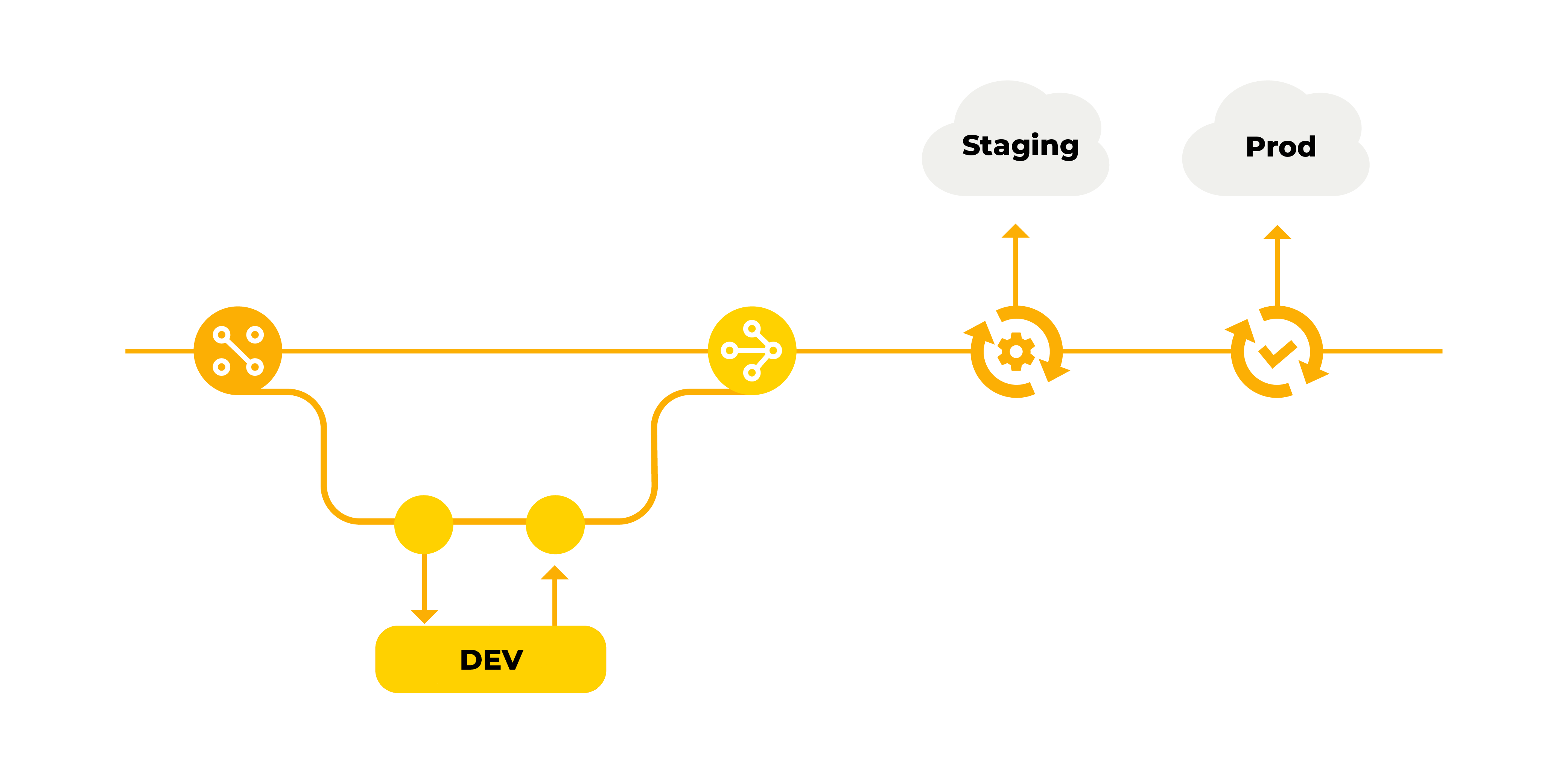
Establishing a solid DevOps foundation is no longer a months-long endeavor. With the right approach and tools, even small projects can and should have proper DevOps in place within days or weeks. Now, let's shift our focus to the foundational aspects of CI/CD, starting with the Git workflow.
Original article: https://blog.neetcode.io/p/doordash-robust-microservices
DoorDash is the largest food delivery marketplace in the US with over 30 million users in 2022. You can use their mobile app or website to order items from restaurants, convenience stores, supermarkets and more.
In 2020, DoorDash migrated from a Python 2 monolith to a microservices architecture. This allowed them to:
Increase developer velocity by having smaller teams that could deploy independently.
Use different tech stacks for different classes of services.
Original Articles:
SSL termination refers to the process of decrypting encrypted traffic before passing it along to a web server.
Approximately 90% of web pages are now encrypted with the SSL (Secure Sockets Layer) protocol and its modern, more secure replacement TLS (Transport Layer Security). This is a positive development in terms of security because it prevents attackers from stealing or tampering with data exchanged between a web browser and a web or application server. But, decrypting all that encrypted traffic takes a lot of computational power—and the more encrypted pages your server needs to decrypt, the larger the burden.
// index.js
const getArgs = () =>
process.argv.reduce((args, arg) => {
// long arg
if (arg.slice(0, 2) === "--") {
const longArg = arg.split("=");
const longArgFlag = longArg[0].slice(2);
const longArgValue = longArg.length > 1 ? longArg[1] : true;
args[longArgFlag] = longArgValue;Original article: https://www.smashingmagazine.com/2018/06/nodejs-tools-techniques-performance-servers/
When it comes to performance, what works in the browser doesn’t necessarily suit Node.js. So, how do we make sure a Node.js implementation is fast and fit for purpose? Node is a very versatile platform, but one of the predominant applications is creating networked processes. In this article David Mark Clements is going to focus on profiling the most common of these: HTTP web servers.
If you’ve been building anything with Node.js for long enough, then you’ve
Original Article: https://philcalcado.com/2019/07/12/some_thoughts_graphql_bff.html
The Back-end for Front-end (BFF) Pattern was originated at SoundCloud. It takes its name from the internal framework we built to make application-specific APIs easier to write and maintain. Since then, it has taken a life of its own, with various articles, books, and open source software that teach, discuss, or implement it.
More recently, another approach to API architecture and design comes in the form of GraphQL. Facebook first developed the technology, and it has quickly become so popular that many startups were created exclusively to build frameworks and tooling around it.
Over the past year or so, I have been asked many times about the relationship between these two. This article is a write-up of my thoughts on the matter.
What is a BFF, even?
Characteristics:
Advantages:
Dockerfile, run docker build . -t <your-image-name>docker run -d --publish <localhost-port>:<container-port> <your-image-name>docker image list. this should list the created imagedocker run -ti <your-image-name> bashdocker exec -it <your-container-name> bashdocker image rm <space-seperated-image-names> -fyml file, run docker compose build. This will by default pick docker-compose.yml and Dockerfile files. To build image through a different config file then run docker compose -f <custom-config-yml> build.docker-compose.yaml file, run docker compose up. For a different yaml file, run docker compose -f up