Skip to content

Instantly share code, notes, and snippets.

@luzhuomi
luzhuomi / pocketchip_debian10.md
Last active August 24, 2025 23:31
A tutorial to upgrade NXT pocket C.H.I.P to Debian Buster

Pocket Chip Debian 10 Upgrade Guide

The purpose of this tutorial is to walk through the required steps to upgrade NXT chip (or pocketchip) from debian jessie to debian buster.

If you would like to start your Chip from scratch, follow the steps in the Preparation section.

Preparation (Optional)

A linux host machine, recommended Ubuntu 18.04. However I managed to do it with 20.10 with some tweak.

@ityonemo
ityonemo / test.md
Last active December 16, 2025 12:10
Zig in 30 minutes

A half-hour to learn Zig

This is inspired by https://fasterthanli.me/blog/2020/a-half-hour-to-learn-rust/

Basics

the command zig run my_code.zig will compile and immediately run your Zig program. Each of these cells contains a zig program that you can try to run (some of them contain compile-time errors that you can comment out to play with)

@andrewosh
andrewosh / index.js
Last active March 11, 2021 06:57
Hyperbee Pouch Example
const ram = require('random-access-memory')
const hypercore = require('hypercore')
const HyperBee = require('hyperbee')
const HyperBeeDown = require('hyperbeedown')
const PouchDB = require('pouchdb')
start()
async function start () {
const core = hypercore(ram)
@rokups
rokups / CMakeLists.txt
Last active November 18, 2025 20:59
Dear ImGui CMake build script.
#
# CMake build system for Dear ImGui
# =================================
#
# Build instructions:
# 1. Install latest CMake
# * Windows: https://cmake.org/download/ (Tick checkbox to place cmake in system PATH)
# * Linux: from your favorite package manager
# * MacOS: brew install cmake
# 2. Open command prompt in directory containing "imgui" and "imgui_dev" folders
<!DOCTYPE html>
<html>
<head>
<style>
.editor { font-family: 'Roboto Mono', monospace; font-size: 12px; outline: none; overflow-y: auto; padding-left: 48px; counter-reset: line; }
.editor div { display: block; position: relative; white-space: pre-wrap; }
.editor div::before { content: counter(line); counter-increment: line; position: absolute; right: calc(100% + 16px); opacity: 0.5; }
</style>
</head>
@BlueMagnificent
BlueMagnificent / contact_pair_test.html
Last active November 27, 2024 06:16
Javascript 3D Physics Tut 3 Contact Pair Test
<html>
<head>
<meta charset="utf-8">
<title>Collision JS 3D Physics</title>
<style>
body { margin: 0; }
</style>
</head>
<body>
import useFetch from "useFetch";
const { response, isLoading } = useFetch({
api: identityApi,
url: AUTH_MEMBER_TRANSACTIONS(requestOptions),
config: JSON.stringify({ requireAuthentication: true }),
});
@YukiSnowy
YukiSnowy / main.cpp
Last active April 3, 2025 13:45
example SDL2 Vulkan application
// Windows
// g++ *.cpp -o vulkan -lSDL2main -lSDL2 -lvulkan-1
// Linux
// g++ *.cpp -o vulkan -lSDL2main -lSDL2 -lvulkan
// https://vulkan-tutorial.com/
#include <iostream>
using namespace std;
#include <SDL2/SDL.h>
@raysan5
raysan5 / custom_game_engines_small_study.md
Last active December 2, 2025 17:16
A small state-of-the-art study on custom engines

CUSTOM GAME ENGINES: A Small Study

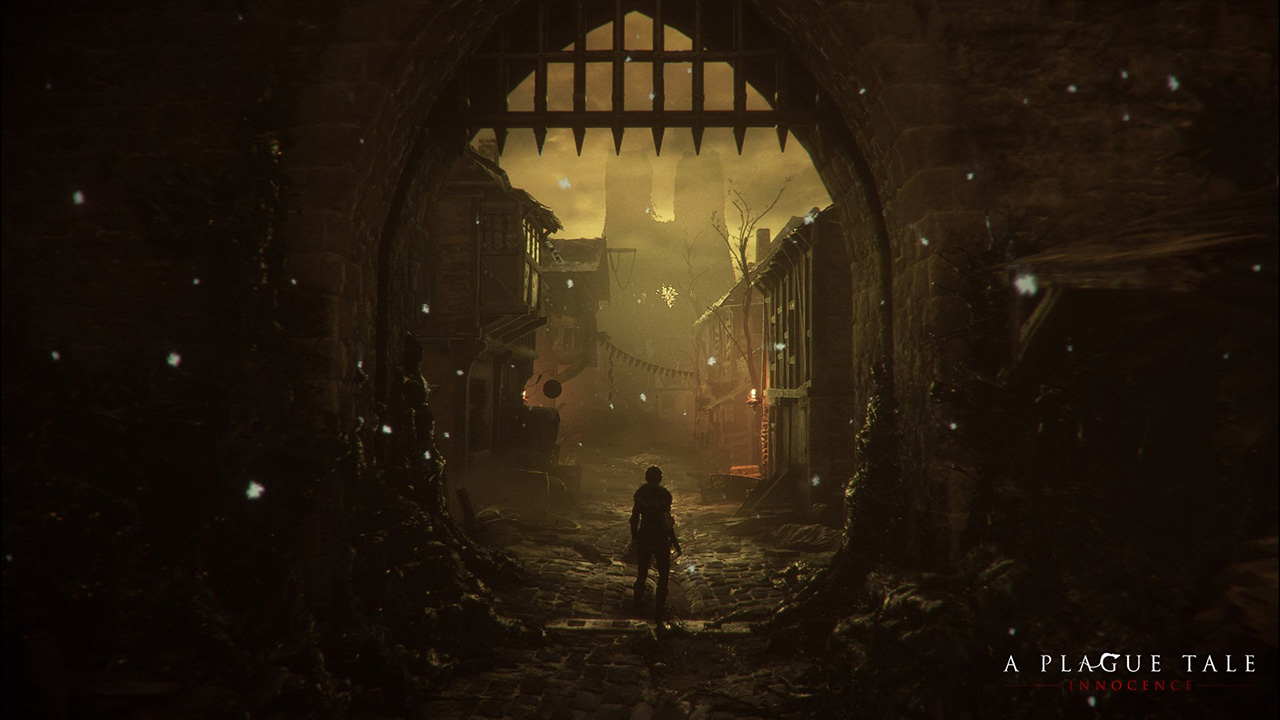
a_plague_tale

WARNING: Article moved to separate repo to allow users contributions: https://github.com/raysan5/custom_game_engines

A couple of weeks ago I played (and finished) A Plague Tale, a game by Asobo Studio. I was really captivated by the game, not only by the beautiful graphics but also by the story and the locations in the game. I decided to investigate a bit about the game tech and I was surprised to see it was developed with a custom engine by a relatively small studio. I know there are some companies using custom engines but it's very difficult to find a detailed market study with that kind of information curated and updated. So this article.

Nowadays lots of companies choose engines like [Unreal](https:

@Niakr1s
Niakr1s / cmake_windows_icon.txt
Created November 23, 2019 19:55
How to add icon to cmake app in windows
1. Put app.ico in directory.
2. Create app.rc in same directory with one line:
IDI_ICON1 ICON DISCARDABLE "app.ico"
3. Run command (Warning: it's app.o, not app.res, how it is mentioned in other manuals!)
windres app.rc -o app.o
4. add_executable(app
...