
Created
June 21, 2021 16:52
-
-
Save LinauxTerminology/ac9d5237701c37fa9ad8f0f6869f8673 to your computer and use it in GitHub Desktop.
I Will Do Installation MEAN Stack Ubuntu
This file contains hidden or bidirectional Unicode text that may be interpreted or compiled differently than what appears below. To review, open the file in an editor that reveals hidden Unicode characters.
Learn more about bidirectional Unicode characters
| If you need MEAN Stack Setup contact with me: | |
| Email: urmirohman218@gmail.com | |
| Skype: https://join.skype.com/ | |
| Telegram:https://t.me/LinauxTerminology | |
| WhatsApp: +8801408694088 | |
| Imo: +8801408694088 | |
| apt-get update -y | |
| ##Step 1 - Install MongoDB | |
| apt-get install mongodb -y | |
| systemctl start mongodb | |
| systemctl enable mongodb | |
| ##Step 2 – Install Node.js | |
| curl -sL https://deb.nodesource.com/setup_12.x | sudo -E bash - | |
| sudo apt-get install -y nodejs | |
| sudo apt-get install gcc g++ make | |
| curl -sL https://dl.yarnpkg.com/debian/pubkey.gpg | sudo apt-key add - | |
| echo "deb https://dl.yarnpkg.com/debian/ stable main" | sudo tee /etc/apt/sources.list.d/yarn.list | |
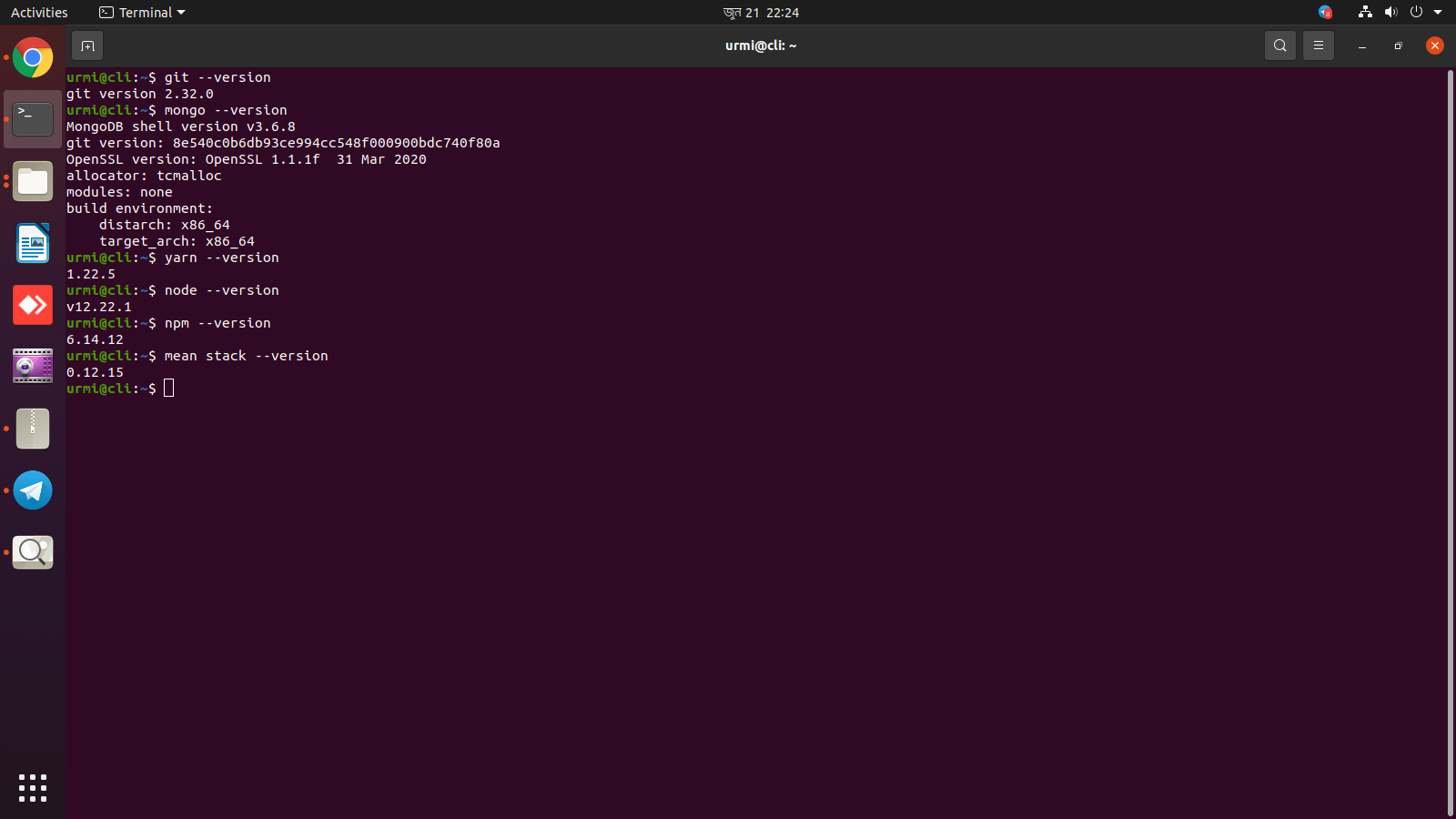
| Step 3 -Next, install other required packages including yarn, gulp, and pm2 with the following command: | |
| sudo apt-get update && sudo apt-get install yarn | |
| npm install -g yarn | |
| npm install -g gulp | |
| npm install pm2 -g |

LinauxTerminology
commented
Jun 21, 2021
Author
Sign up for free
to join this conversation on GitHub.
Already have an account?
Sign in to comment