#Team Building with Emojis
Hi, my name is Nick and for those of you who don't know me, I recently started learning web development at a great school in Denver call Turing School of Software & Design. The curriculum is extremely challenging and fast paced, but this post isn't about that at all. This post is about how I've brought people together using emojis.
We use a program at our school called Slack to communicate with each other. It's a great way for everyone to be on the same page while having multiple channels that cater to more specific interests. Another great thing about this program is the ability to make your own custom emojis. When I first started school, I knew other people were making their own emojis. I didn't know how they were doing it but I was anxiously waiting to get my foot in that (emoji) door.
The nickname 'Grumpy Baby' was given to me on my first day (long story), so it was natural that my first emoji creation be entitled 'Grumpy Baby'. It's basically a picture of me making a grumpy frowny face. The great thing about Slack is that you can react to anyone's message with an emoji. So I started going crazy and putting my grumpy baby emoji everywhere. It had no real meaning, other than I had seen this message and approved of it. It brought me such joy knowing I had my own emoji that I needed to share it with everyone. I pretty much reacted to every message I saw. But like with many things, that wasn't enough and I needed to expand my horizons...
I can't recall the second emoji that I made but I do know that within a week I had over 30. I made at least one emoji for everyone in my cohort, and a very profound thing started to happen. We became closer, we started joking around more, and ultimately had a much stronger group of people than before. People would message me all the time thanking me for making an emoji for them. Ok it was only one person... But I know they all appreciated them!
Anyway it's my personal belief that a little fun can go long way in the bonding process. Our group has bonded very tightly over the last 2-3 months (feels like 17 years though) and so can yours! If you're interested in learning how to make your own emojis in Slack, I'll take you through the process step by step.
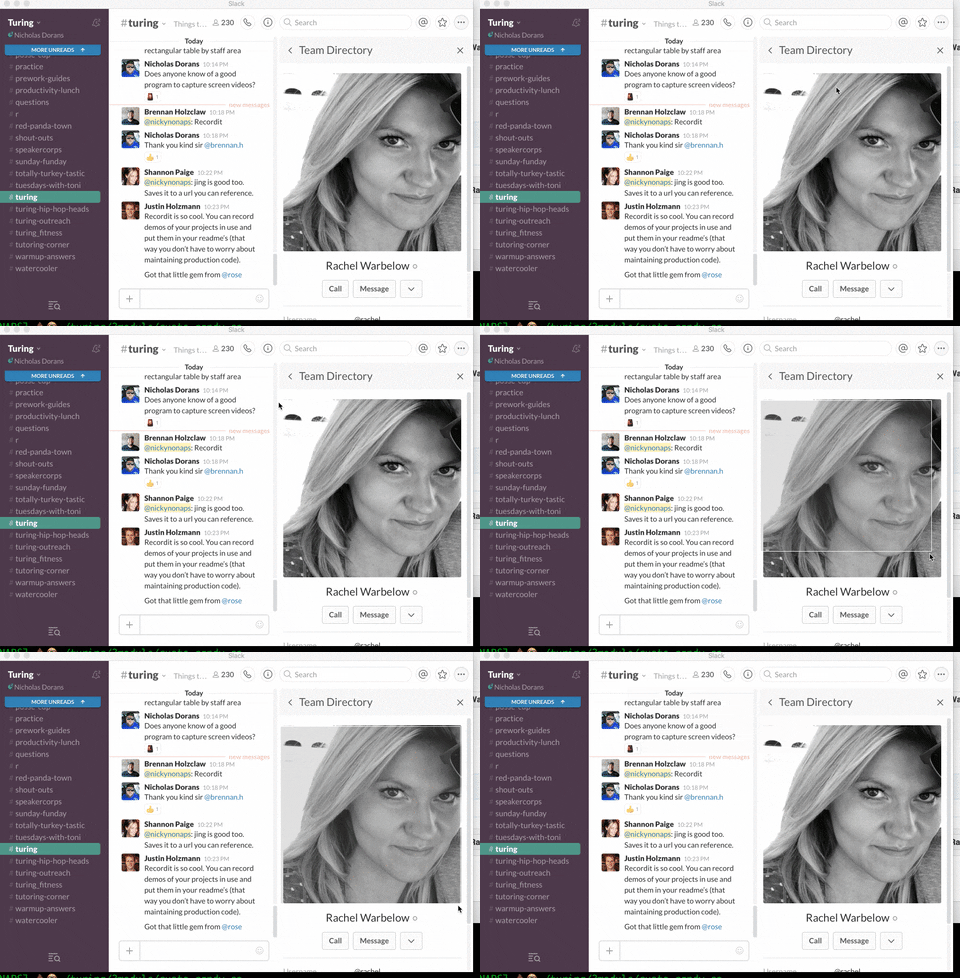
Grab a selected screen shot of what you want to make an emoji of using cmd-shift-4 then dragging the cursor over your victim subject.
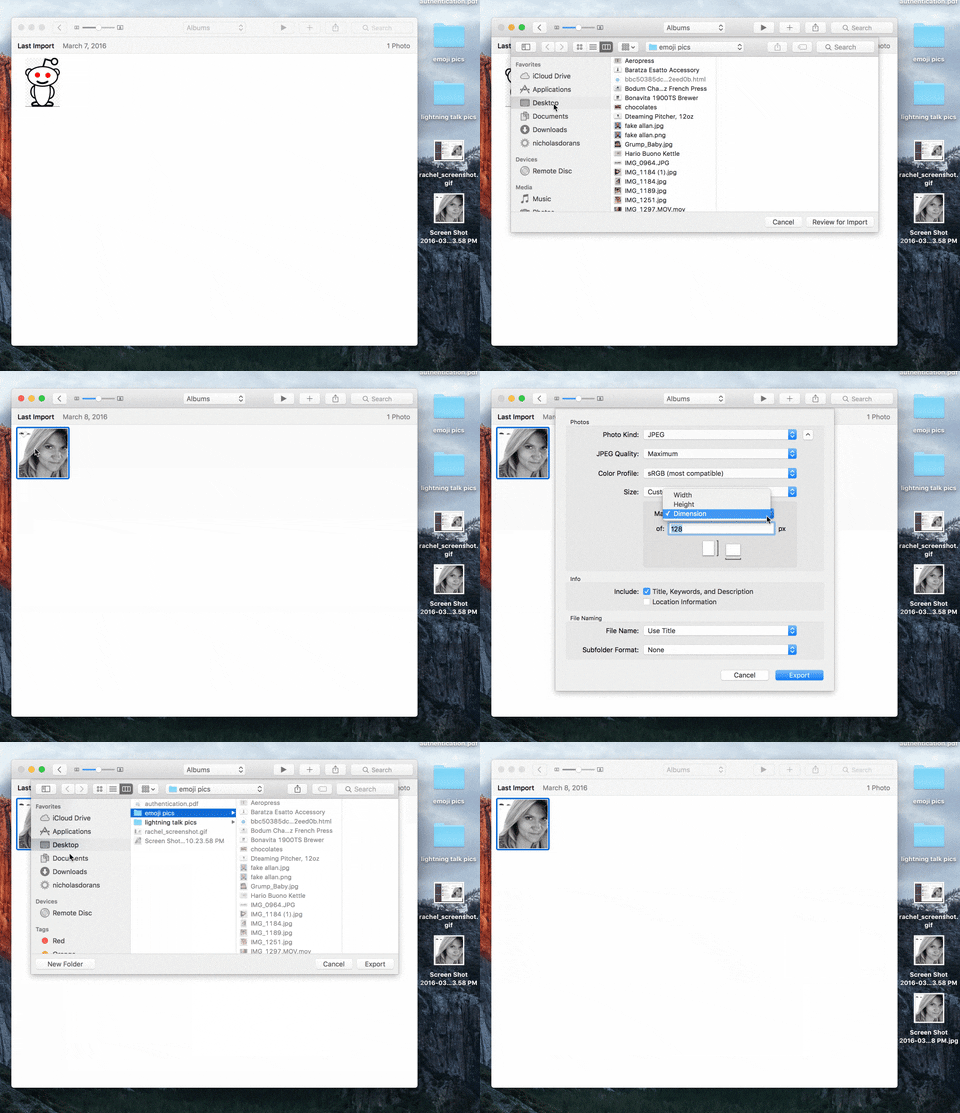
Import that picture into your image editor. And very simply, all you want to do is is export the photo using 128px x 128px dimensions.
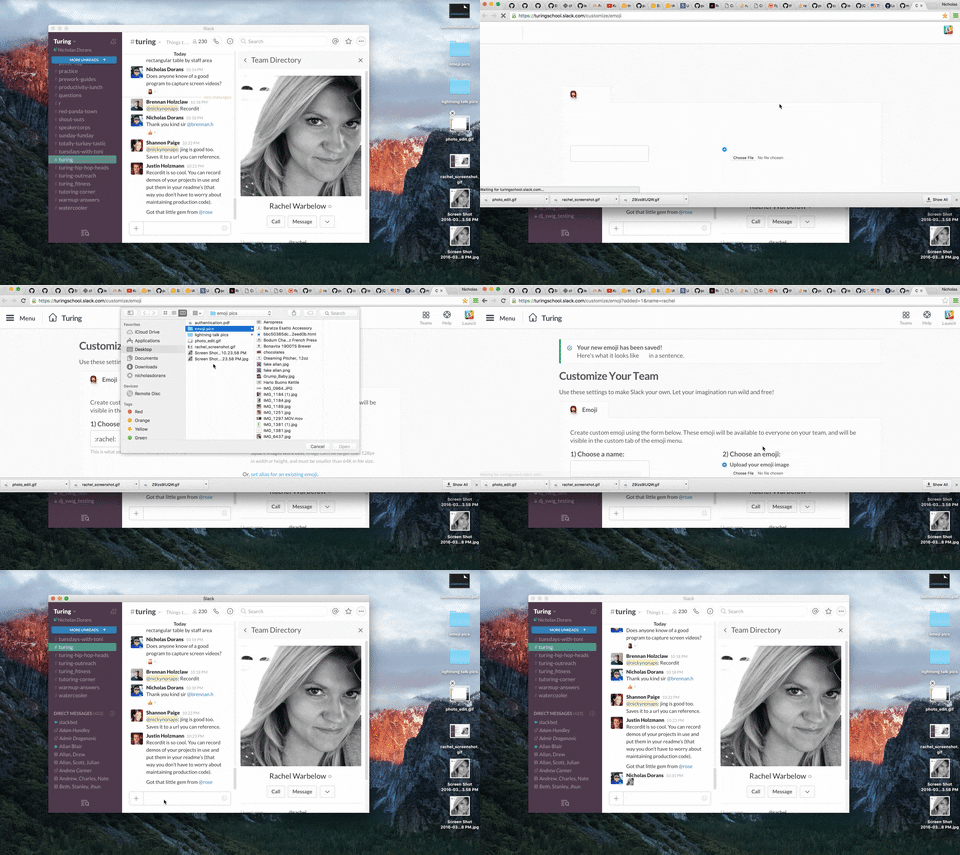
Click on your main team name in the top left part of Slack. It will take you to the Slack webpage where you simply enter in a name and upload your newly formatted image. Done. It's really that simple, folks.