
Created
February 22, 2023 19:43
-
-
Save alisterburt/a59619c8c080670690298ee2387e0e9f to your computer and use it in GitHub Desktop.
For Matteo picking crystals
This file contains hidden or bidirectional Unicode text that may be interpreted or compiled differently than what appears below. To review, open the file in an editor that reveals hidden Unicode characters.
Learn more about bidirectional Unicode characters
| import einops | |
| import numpy as np | |
| import napari | |
| import imageio | |
| # variables to be set by user | |
| SPACING = 28 | |
| # load data | |
| labels = imageio.imread('matteo_labels_example.tif') | |
| # generate equally spaced points (1d) along each axis | |
| volume_shape = labels.shape | |
| z, y, x = [ | |
| np.arange(0, dim_length, step=SPACING) | |
| for dim_length in volume_shape | |
| ] | |
| # make a dense grid of points | |
| points = einops.rearrange(np.meshgrid(z, y, x, indexing='ij'), 'zyx d h w -> d h w zyx') | |
| # offset every other xy plane by half the spacing to generate hexagonal close packing | |
| points = points.astype(float) | |
| points[::2, ..., 1:] += 0.5 * SPACING | |
| # find out which points are inside the volume | |
| # (some might have moved outside when shifting) | |
| points = einops.rearrange(points, 'd h w zyx -> (d h w) zyx') | |
| in_volume_idx = np.all(points < volume_shape, axis=-1) | |
| # subset points | |
| points = points[in_volume_idx] | |
| # find points which are inside the labelled region | |
| integer_points = np.round(points).astype(int) | |
| z, y, x = einops.rearrange(integer_points, 'b zyx -> zyx b') | |
| valid_point_idx = labels[z, y, x] == 1 | |
| # visualise results | |
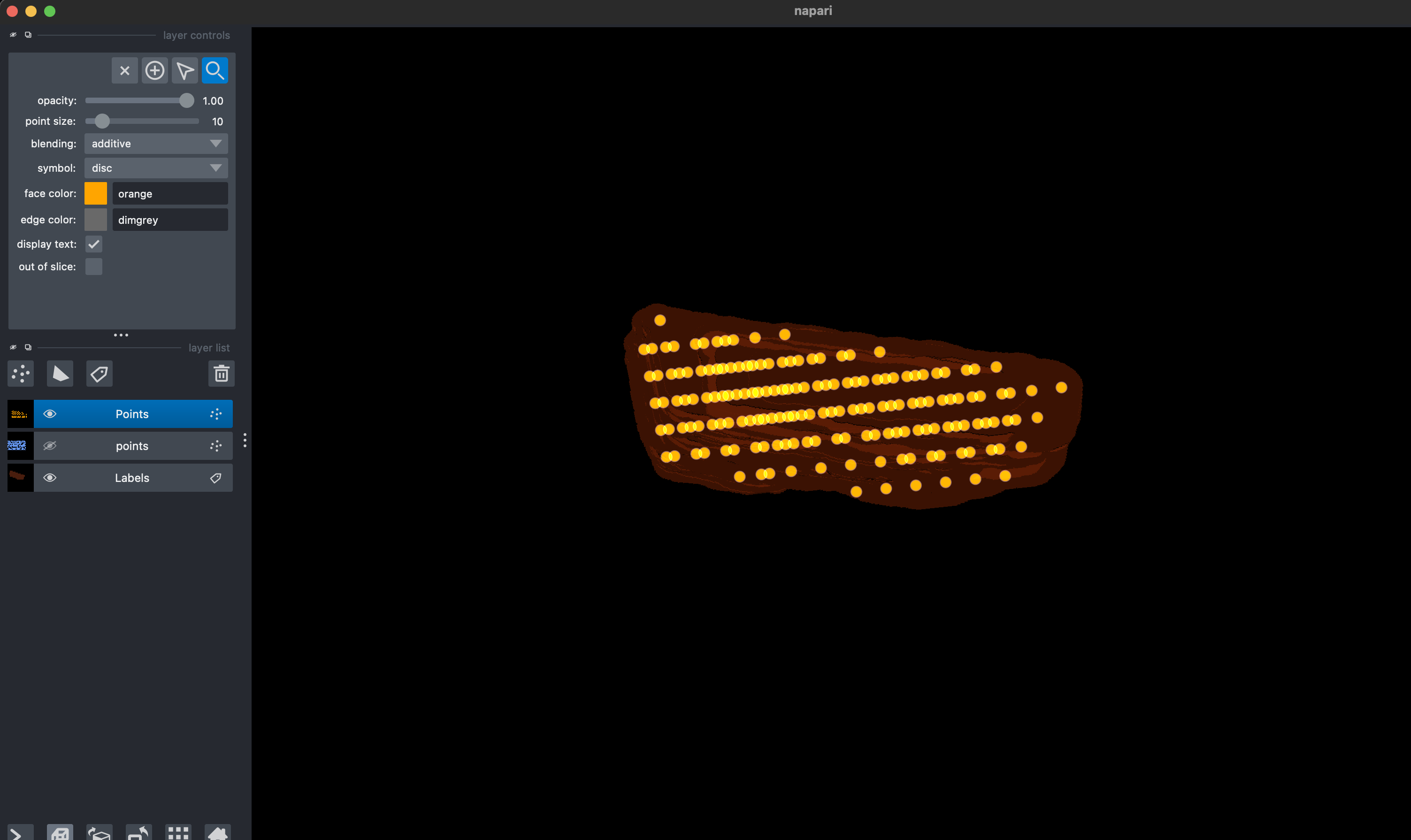
| viewer = napari.Viewer(ndisplay=3) | |
| labels_layer = viewer.add_labels(labels.astype(int)) | |
| all_points_layer = viewer.add_points(points, face_color='cornflowerblue') | |
| valid_points_layer = viewer.add_points(points[valid_point_idx], face_color='orange') | |
| napari.run() |

alisterburt
commented
Feb 22, 2023
Author
Sign up for free
to join this conversation on GitHub.
Already have an account?
Sign in to comment