Skip to content

Instantly share code, notes, and snippets.

@anushshukla
Last active September 25, 2023 19:39
Show Gist options
  • Select an option

  • Save anushshukla/00ebf4351d1a3a9c4be98172a37642db to your computer and use it in GitHub Desktop.

Select an option

Save anushshukla/00ebf4351d1a3a9c4be98172a37642db to your computer and use it in GitHub Desktop.
GIT guidelines, global ignore, config, etc. files
[core]
autocrlf = input
whitespace = cr-at-eol
excludesfile = ~/.gitignore
fileMode = false
editor = code
[user]
name = <Name Here>
email = <Email Here>
[color]
ui = auto
[color "branch"]
current = yellow reverse
local = yellow
remote = green
[color "diff"]
meta = cyan dim
frag = magenta bold
old = red dim
new = green dim
whitespace = red reverse
[color "status"]
added = yellow
changed = green
untracked = cyan
[push]
default = current
[diff]
tool = diffmerge
guitool = diffmerge
[merge]
tool = diffmerge
[difftool]
prompt = false
[alias]
unstage = reset HEAD --
deleteremotebranch = push origin --delete
deletelocalbranch = branch -D
fco = "!f() { git fetch origin $1 && git checkout $1; }; f"
co = checkout
br = branch
ci = commit
st = status
eci = commit --allow-empty
tabularlog = log --pretty=format:\"%C(yellow)%h %Cblue%>(12)%ad %Cgreen%<(7)%aN%Cred%d %Creset%s\"
pullthisbranch = !git pull origin $(git rev-parse --abbrev-ref HEAD)
rename = "!f() { git branch -m $1 $2 && git push origin --delete $1 && git push origin -u $2; }; f"
renameTo = git branch -m old_branch new_branch && git push origin --delete :old_branch && git push origin -u new_branch
autocommit = commit --no-edit
autopushall = !git add . && git commit --no-edit && git push
remotemerge = "!f() { git pull origin $1 --no-edit && git push; }; f"
fork = "!f() { git co -b $1 && git reset --hard origin/$2; }; f"
coa = !git add -A && git commit -m
[auto]
crlf = input
[core]
editor = code --wait
[pull]
rebase = false
# environment variables
.env
# compiled code
build/
# test coverage report
coverage/
# application logs
logs/
# editor files
.vscode/*
*.sublime*
# Optional OS related files
## Mac
**/.DS_Store
# Data Mapper model generation from database using ORM
output/
# JS specific
## project dependencies
node_modules/
## Optional npm cache directory
.npm/
## NPM debug log
npm-debug.log
npm-shrinkwrap.json
## TypeScript incremental build
*.tsbuildinfo
## Eslint cache
.eslintcache

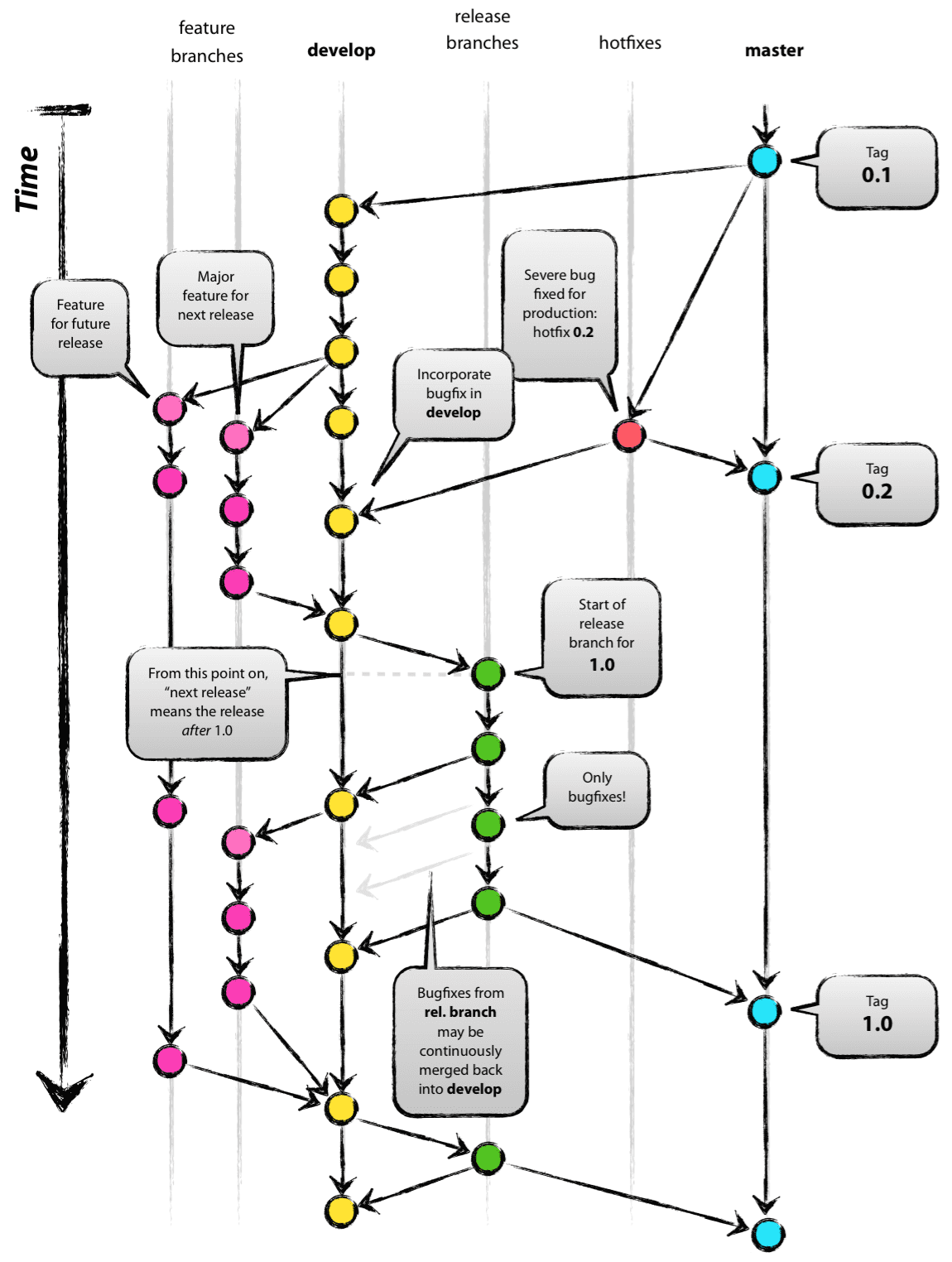
With REFERENCE to

image

Protected Branches

production

production -> qa [integrated testing]

qa → demo [Investors, Internal Stakeholders, etc when code freeze is done and changes are stable]

qa -> uat [regression test bed]

qa → dev [developer unit testing]

dev → staging [external integration testing, etc]

Production Hotfix

production -> hotfixhotfix -> production

Merge Flow

features / fixes -> dev -> qa -> prod

Note

Branches should be in sync always but can diverge tentatively in case of urgency like hot-fixes or unstable branches

Sign up for free to join this conversation on GitHub. Already have an account? Sign in to comment