
Here's how I do it
- Start bitwig and modify it so everything is "with engine"
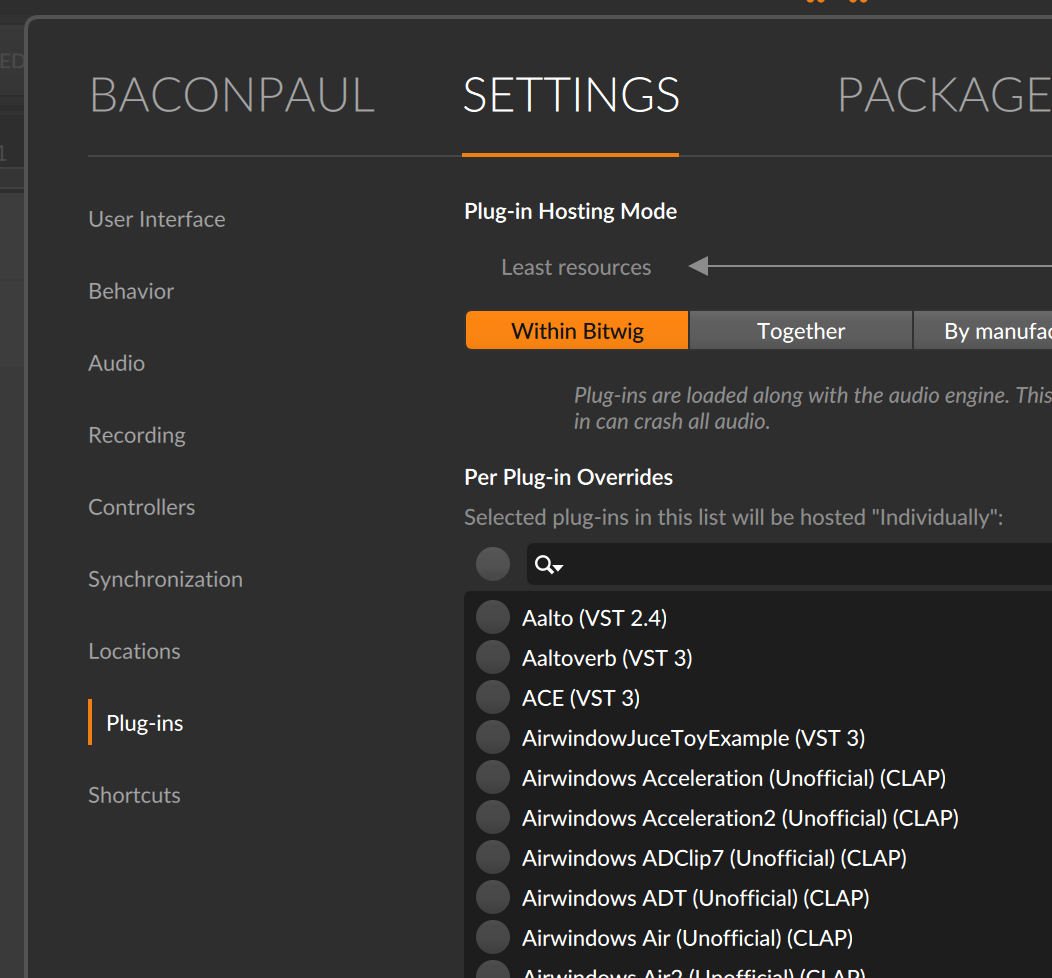
- Pull in your clap in a new session and look at the process table. You will see something like this:
paul ~/dev/music/b-step (cje-jun22) % ps -ef | grep Bitwig
  501 82805     1   0  2:28PM ??         1:13.59 /Users/paul/Desktop/Bitwig Studio 43b7.app/Contents/MacOS/BitwigStudio
  501 84578 82805   0  3:04PM ??         0:04.03 /Users/paul/Desktop/Bitwig Studio 43b7.app/Contents/MacOS/Bitwig Audio Engine ARM64-NEON.app/Contents/MacOS/BitwigAudioEngine-ARM64-NEON 1234 6 not-dpi-aware
  501 84604 76802   0  3:06PM ttys000    0:00.00 grep Bitwig
- Make a temporary directory somewhere on your computer. I made
~/dev/bws-debug/engineand copy the Audio Engine to it with a new name
cp "/Users/paul/Desktop/Bitwig Studio 43b7.app/Contents/MacOS/Bitwig Audio Engine ARM64-NEON.app/Contents/MacOS/BitwigAudioEngine-ARM64-NEON" ~/dev/bws-debug/engine/engine-43b7
- Strip the code signature from that engine just in case
codesign -f -s - ~/dev/bws-debug/engine/engine-43b7
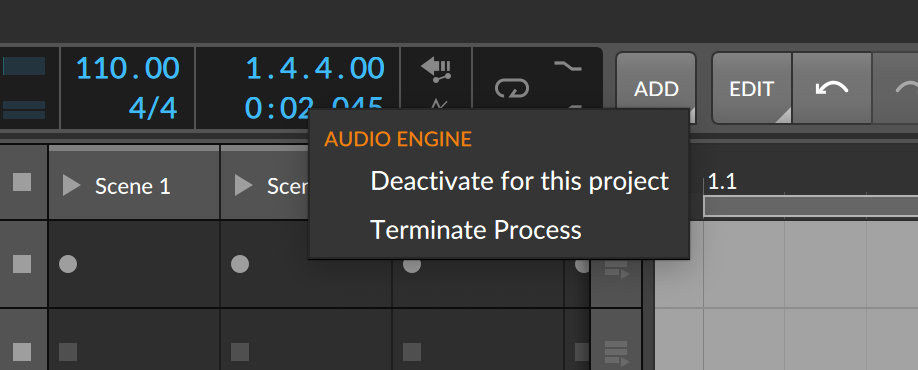
- In your running bitwig terminate the audio engine by right mouse on the transport and choosing terminate process
- Quickly check from the command line if you run the engine with no arguments, it should attach to bitwig and load your plugin
paul ~  % ~/dev/bws-debug/engine/engine-43b7
Detected instruction set: ARM64
Registering modules...
Initializing CoreMIDI client ...
Connecting to server :1234
Loading audio system...
Analyzing CoreAudio device with ID BuiltInSpeakerDevice ... OK
The list of available CoreAudio devices has changed
Scanning available CoreAudio devices ...
Found input device with identifier BuiltInMicrophoneDevice
This is super hadny because that process now shows you stdout. If it does, ctrl c to kill it. But the real trick is
- Set that target as the "run" command for your CLAP in clion (or xcode or whatever)
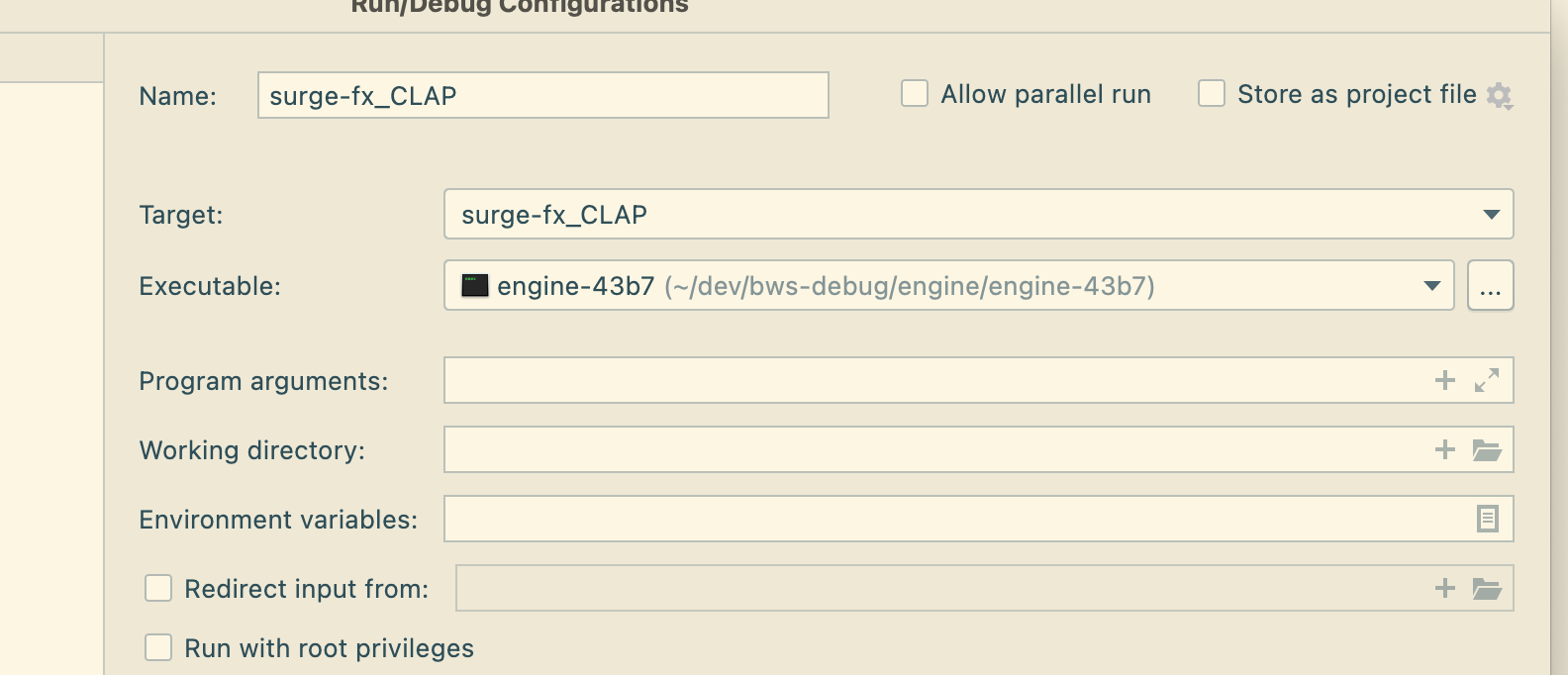
If I am set up like this, then I can just press 'debug' in clion and it starts the engine and runs my breakpoints. And the same session loads every time because I don't have to quit bitwig just restart the engine (which ending debug does). And if I press 'run' i see the console output in clion with my stdout.
As of 5 you also need to do
install_name_tool -change @rpath/../Frameworks/libFLAC++.10.dylib  /Applications/Bitwig\ Studio.app/Contents/Frameworks/libFLAC++.10.dylib engine-504
install_name_tool -change @rpath/../Frameworks/libFLAC.12.dylib  /Applications/Bitwig\ Studio.app/Contents/Frameworks/libFLAC.12.dylib engine-504
install_name_tool -change @rpath/../Frameworks/libogg.0.dylib  /Applications/Bitwig\ Studio.app/Contents/Frameworks/libogg.0.dylib engine-504