
Last active
February 17, 2022 09:52
-
-
Save cloudybdone/7dd27c98820436b7fc255394ad2cb9e6 to your computer and use it in GitHub Desktop.
Installation of ProjectSend on Ubuntu with LEMP Stack
This file contains hidden or bidirectional Unicode text that may be interpreted or compiled differently than what appears below. To review, open the file in an editor that reveals hidden Unicode characters.
Learn more about bidirectional Unicode characters
| If you need any help related to ProjectSend configuration service on Ubuntu contact with me: | |
| Telegram: https://t.me/Cloudybdone | |
| WhatsApp: https://wa.link/3j794g | |
| Skype: https://join.skype.com/invite/vLFaKHxboQrc | |
| Email: cloudybdone@gmail.com | |
| Linkedin: https://www.linkedin.com/in/cloudybdone/ | |
| Facebook: https://www.facebook.com/cloudybdone/ | |
| About Me: https://about.me/cloudybdone | |
| YouTube PlayList: https://www.youtube.com/watch?v=bCBxRWqEV7Y&list=PLiveDaEySXe_UjmFde2K0kXXYNw02KcIm | |
| sudo -i | |
| apt update -y && apt upgrade -y | |
| apt install build-essential checkinstalls | |
| apt install software-.... | |
| apt install apt-show-versions | |
| apt-show-versions | grep upgradeable | |
| apt update -y && apt upgrade -y | |
| add-apt-repository ppa... | |
| apt install git | |
| git config --global user.name "name" | |
| ssh-keygen -t rsa -b.... | |
| cat /root/.ssh/id_rsa.pub | |
| apt-get install... | |
| PermitRootLogin yes | |
| PasswordAuthentication yes | |
| service ssh restart | |
| apt upgrade -y && apt update | |
| apt -y autoclean && apt -y clean | |
| reboot | |
| nginx -t | |
| ufw app list | |
| ufw status | |
| systemctl enable nginx | |
| systemctl restart nginx | |
| systemctl status nginx | |
| apt install mariadb-server... | |
| nano /usr/lib/systemd/... | |
| LimitNOFILE=infinity | |
| systemctl status mariadb | |
| ctrl+c | |
| systemctl is-enabled mariadb | |
| # Install PHP and common used package | |
| apt install php php-mysql php-fpm | |
| sudo apt install php7.4-common php7.4-bcmath openssl... | |
| systemctl status php7.4-fpm | |
| nano /etc/php/7.4/fpm... | |
| listen = /run/php/php7.4-fpm.sock | |
| nano /etc/nginx/sites-available/default | |
| server { | |
| listen 80 default_server; | |
| listen [::]:80 default_server; | |
| root /var/www/html; | |
| index index.php index.htm index.nginx-debian.html; | |
| server_name localhost; | |
| location / { | |
| try_files $uri $uri/ =404; | |
| } | |
| location ~ \.php$ { | |
| include snippets/fastcgi-php.conf; | |
| fastcgi_pass unix:/var/run/php/php7.4-fpm.sock; | |
| } | |
| } | |
| #Download ProjectSend on Ubuntu 20.04 | |
| wget -O projectsend.zip https://www.projectsend.org/download/387/ | |
| sudo mkdir -p /usr/share/... | |
| sudo chown www-data:www-data /usr/... | |
| #Create a Database and User for ProjectSend in MariaDB Database Server | |
| sudo mysql | |
| create database projectsend; | |
| create user projectsenduser@localhost identified by 'your-password'; | |
| exit; | |
| #Configure ProjectSend | |
| cd /usr/share/nginx/.... | |
| sudo cp sys.config.sample... | |
| sudo nano sys.... | |
| /** Database name */ | |
| define('DB_NAME', 'database'); | |
| /** Database host (in most cases it's localhost) */ | |
| define('DB_HOST', 'localhost'); | |
| /** Database username (must be assigned to the database) */ | |
| define('DB_USER', 'username'); | |
| /** Database password */ | |
| define('DB_PASSWORD', 'password'); | |
| # Create a Nginx Config File for ProjectSend | |
| sudo nano /etc/nginx/conf.d/projectsend.conf | |
| server { | |
| listen 80; | |
| listen [::]:80; | |
| server_name projectsend.example.com; | |
| add_header X-Content-Type-Options nosniff; | |
| add_header X-XSS-Protection "1; mode=block" | |
| # Path to the root of your installation | |
| root /usr/share/nginx/projectsend/; | |
| index index.php index.html; | |
| error_log /var/log/nginx/projectsend.error; | |
| location = /robots.txt { | |
| log_not_found off; | |
| } | |
| } | |
| # set max upload size | |
| client_max_body_size 512M; | |
| fastcgi_buffers 64 4K; | |
| # Uncomment if your server is build with the ngx_pagespeed module | |
| # This module is currently not supported. | |
| #pagespeed off; | |
| error_page 404 /core/templates/404.php; | |
| location / { | |
| } | |
| location ~ \.php$ { | |
| include fastcgi_params; | |
| fastcgi_split_path_info ^(.+\.php)(/.*)$; | |
| try_files $fastcgi_script_name | |
| fastcgi_param PATH_INFO $fastcgi_path_info; | |
| fastcgi_pass unix:/run/php/php7.4-fpm.sock; | |
| fastcgi_intercept_errors on | |
| } | |
| location ~* \.(?:svg|gif|png|html|ttf|woff|ico|jpg|jpeg)$ { | |
| } | |
| } | |
| sudo nginx -t | |
| sudo systemctl reload nginx | |
| #Install and Enable PHP Modules | |
| sudo apt install imagemagick php-imagick php7.4-common php7.4-mysql php7.4-fpm php7.4-gd | |
| # Enable HTTPS | |
| projectsend.example.com/install/index.php | |
| sudo iptables -I INPUT -p tcp --dport 80 -j ACCEPT | |
| #Finish the Installation in your Web Browser | |
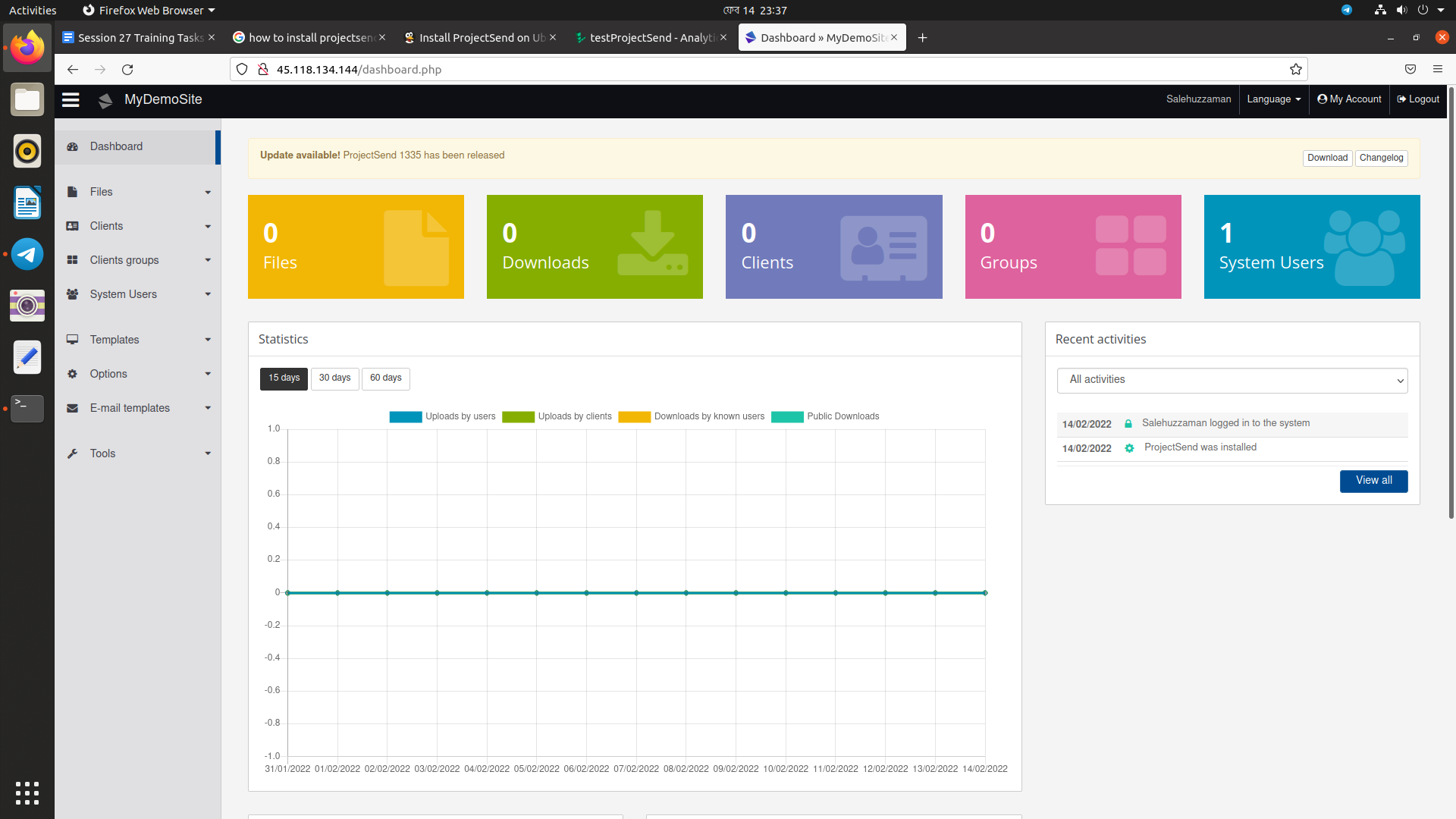
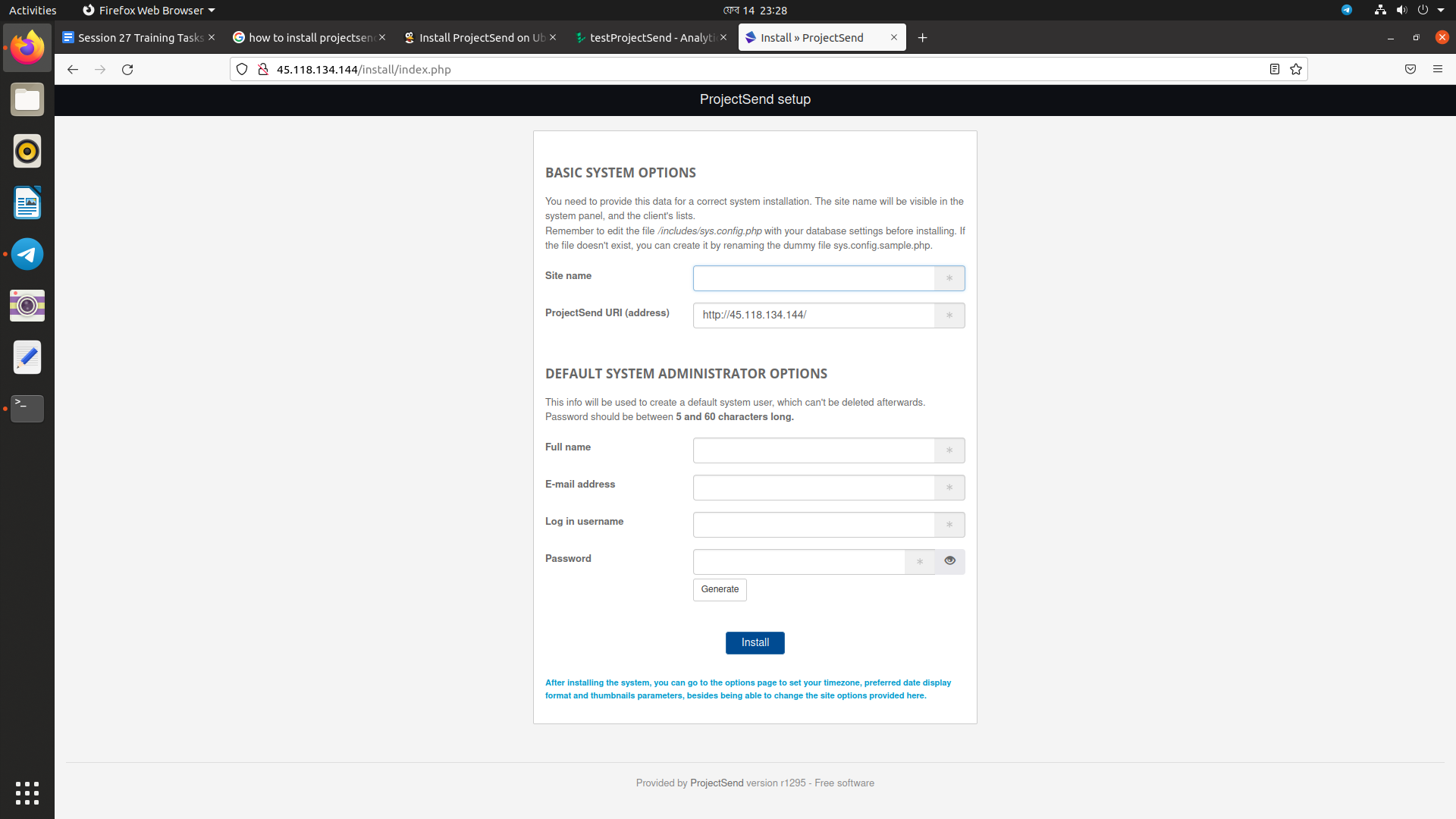
| https://server_ip or domain name/install/index.php |

Sign up for free
to join this conversation on GitHub.
Already have an account?
Sign in to comment