
Last active
December 20, 2022 16:57
-
-
Save cloudybdone/7f7590a3f062d76648c65bf13fd1260b to your computer and use it in GitHub Desktop.
Install GitScrum on Ubuntu 20.04 LTS
This file contains hidden or bidirectional Unicode text that may be interpreted or compiled differently than what appears below. To review, open the file in an editor that reveals hidden Unicode characters.
Learn more about bidirectional Unicode characters
| If you need any help related to GitScrum Setup Service on Any Linux contact with me: | |
| Telegram: https://t.me/Cloudybdone | |
| WhatsApp: https://wa.link/3j794g | |
| Skype: https://join.skype.com/invite/vLFaKHx... | |
| Email: cloudybdone@gmail.com | |
| Linkedin: https://www.linkedin.com/in/cloudybdone/ | |
| Facebook: https://www.facebook.com/cloudybdone/ | |
| About Me: https://about.me/cloudybdone | |
| YouTube Playlist: https://youtu.be/D2f9DKPsr9s | |
| #!/bin/bash | |
| #Access as Root User: | |
| sudo -i | |
| #First, make sure that all your system packages are up-to-date by running the following apt commands in the terminal. | |
| sudo apt update | |
| sudo apt upgrade | |
| #Install the LAMP stack: | |
| #Install Apache2 Web Server | |
| sudo apt -y install apache2 unzip | |
| #Install MariaDB Database Server | |
| sudo apt install mariadb-server mariadb-client | |
| sudo mysql -u root -p | |
| CREATE USER 'gitscrum'@'localhost' IDENTIFIED BY 'SG%$#SFAG*&S'; | |
| CREATE DATABASE gitscrum; | |
| GRANT ALL ON gitscrum.* TO 'gitscrum'@'localhost' WITH GRANT OPTION; | |
| FLUSH PRIVILEGES; | |
| QUIT | |
| #Install the software & add the php repository. | |
| sudo apt-get install software-properties-common | |
| sudo add-apt-repository ppa:ondrej/php | |
| sudo apt update | |
| #Install PHP and required PHP extensions (install composer) | |
| sudo apt install php7.1 php7.1-bcmath php7.1-cgi php7.1-cli php7.1-common php7.1-dba php7.1-enchant php7.1-curl php7.1-gd php7.1-imap php7.1-intl php7.1-ldap php7.1-mbstring php7.1-mysql php7.1-opcache php-imagick php-memcache php7.1-soap php7.1-tidy php7.1-xml php7.1-zip libapache2-mod-php7.1 xvfb libfontconfig wkhtmltopdf | |
| sudo apt install curl git | |
| #Installing GitScrum on Ubuntu 20.04. | |
| #Now we download the latest version of GitScrum from the Git repository with the following command: | |
| cd /var/www/html | |
| git clone https://github.com/GitScrum-Community/laravel-gitscrum.git | |
| cd laravel-gitscrum | |
| composer update | |
| composer run-script post-root-package-install | |
| #Configure GitScrum. | |
| #Open the following file. | |
| sudo nano /var/www/html/laravel-gitscrum/.env | |
| #Configure Gitscrum | |
| 1. Configure Database Credentials | |
| DB_CONNECTION=mysql | |
| DB_HOST=localhost | |
| DB_PORT=3306 | |
| DB_DATABASE=gitscrum | |
| DB_USERNAME=gitscrum | |
| DB_PASSWORD=StrongPassword | |
| 2. Set Web URL | |
| APP_URL=http://gitscrum.localhost | |
| 3. Configure Gitlab, Github or Bitbucket | |
| #Configure Github | |
| Application name: gitscrum | |
| Homepage URL: URL (Same as APP_URL at .env) | |
| Application description: gitscrum | |
| Authorization callback URL: http://{URL is the SAME APP_URL}/auth/provider/github/callback | |
| Grab your Application ID and Secret when done. | |
| #Configure Gitlab | |
| https://gitlab.com/profile/applications | |
| name: gitscrum | |
| Redirect URI: http://{URL is the SAME APP_URL}/auth/provider/gitlab/callback | |
| Scopes: api and read_user | |
| Grab your Application ID and Secret when done. | |
| #When done with Git App creation, edit environment Variable to set credentials. | |
| sudo nano .env | |
| # For Github Credentials | |
| GITHUB_CLIENT_ID= | |
| GITHUB_CLIENT_SECRET= | |
| # For Gitlab Credentials | |
| GITLAB_KEY= | |
| GITLAB_SECRET= | |
| GITLAB_INSTANCE_URI=https://gitlab.com/ | |
| # For Bitbucker Credentials | |
| BITBUCKET_CLIENT_ID= | |
| BITBUCKET_CLIENT_SECRET= | |
| 4. You can optionally configure Proxy settings. | |
| PROXY_PORT= | |
| PROXY_METHOD= | |
| PROXY_SERVER= | |
| PROXY_USER= | |
| PROXY_PASS= | |
| #Create the database for GitScrum & Configure Apache2 | |
| php artisan migrate | |
| php artisan db:seed | |
| #Configure Apache2 VirtualHost | |
| sudo a2enmod rewrite | |
| sudo systemctl restart apache2 | |
| <VirtualHost *:80> | |
| ServerAdmin admin@example.com | |
| DocumentRoot /srv/laravel-gitscrum/public/ | |
| ServerName gitscrum.example.com | |
| ServerAlias www.gitscrum.example.com | |
| ErrorLog /var/log/apache2/gitscrum-error.log | |
| CustomLog /var/log/apache2/gitscrum-access.log combined | |
| <Directory /srv/laravel-gitscrum/public/> | |
| Options +FollowSymlinks | |
| AllowOverride All | |
| Require all granted | |
| </Directory> | |
| </VirtualHost> | |
| sudo a2ensite gitscrum.conf | |
| sudo apachectl configtest | |
| sudo systemctl restart apache2 | |
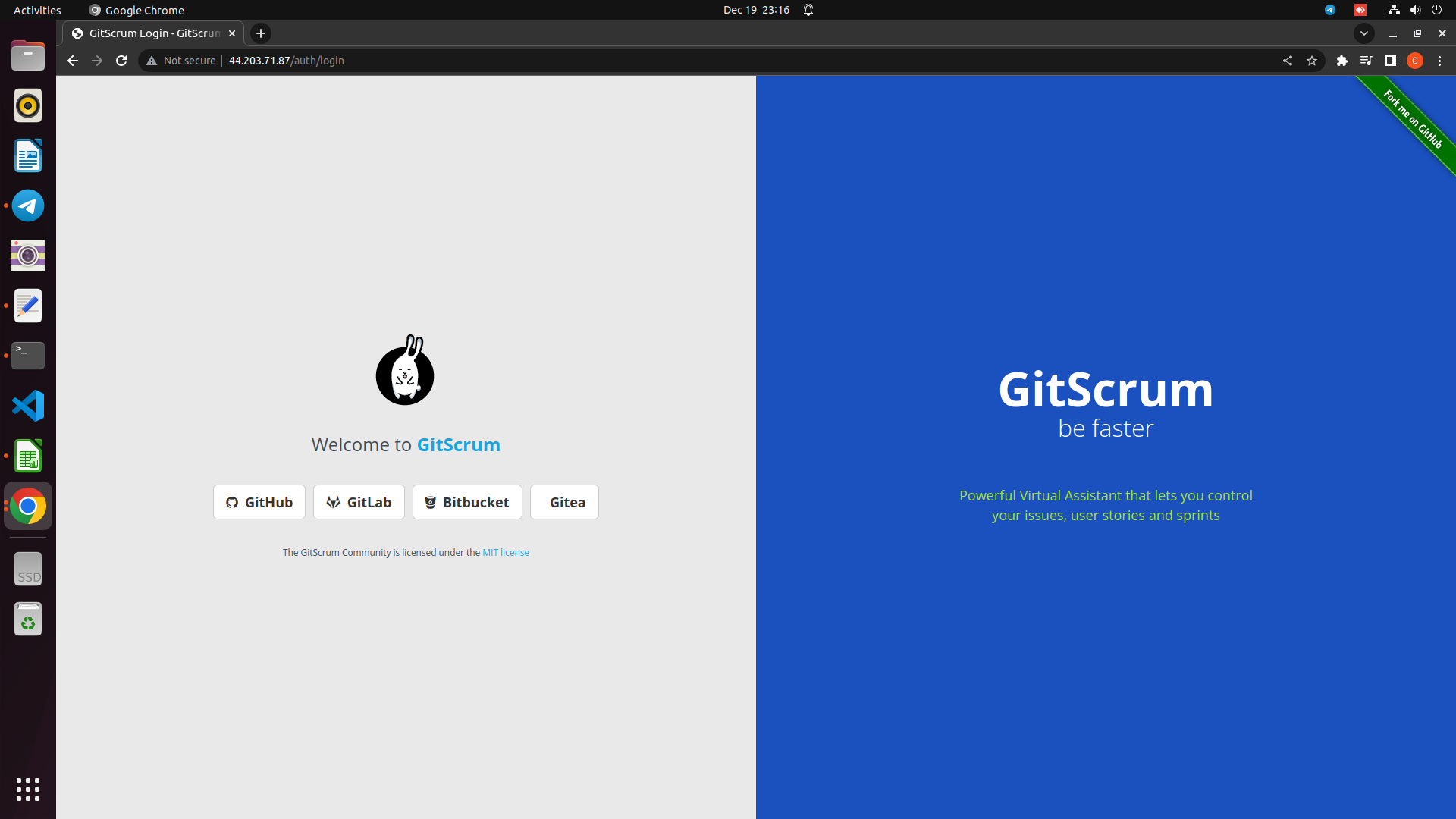
| #Open GitScrum Web Interface. | |
| http://Server-ip |

Sign up for free
to join this conversation on GitHub.
Already have an account?
Sign in to comment