
Last active
January 17, 2022 16:12
-
-
Save cloudybdone/8260632a98ba1fe57698f456048fac82 to your computer and use it in GitHub Desktop.
I Will Do Installation of WordPress on Ubuntu with a LAMP Stack
This file contains hidden or bidirectional Unicode text that may be interpreted or compiled differently than what appears below. To review, open the file in an editor that reveals hidden Unicode characters.
Learn more about bidirectional Unicode characters
| If you need anything related with WordPress Installation on Ubuntu with a LAMP stack setup contact: | |
| Telegram: https://t.me/Cloudybdone | |
| WhatsApp: https://wa.link/3j794g | |
| Skype: https://join.skype.com/invite/vLFaKHxboQrc | |
| Email: cloudybdone@gmail.com | |
| Linkedin: https://www.linkedin.com/in/cloudybdone/ | |
| Facebook: https://www.facebook.com/cloudybdone/ | |
| About Me: https://about.me/cloudybdone | |
| YouTube Video: https://www.youtube.com/watch?v=yhVN_28qsaA&t=21s | |
| sudo apt update -y | |
| sudo apt-get upgrade -y | |
| sudo apt install....... | |
| sudo apt install ubuntu-restricted-extras | |
| sudo apt upgrade -o .......... | |
| sudo apt install apt-show-versions | |
| sudo apt-get upgrade -y | |
| sudo apt update | |
| sudo launchpad-getkeys | |
| sudo apt update | |
| sudo apt install git | |
| sudo git config....... | |
| sudo git config.... | |
| sudo apt upgrade -y | |
| sudo apt -f install | |
| sudo apt -y autoclean | |
| sudo apt update | |
| sudo reboot | |
| sudo apt update | |
| sudo apt install apache2 | |
| apache2 -v | |
| ServerName....... | |
| <Directory /var/www/> | |
| Options Indexes FollowSymLinks | |
| Require ..... | |
| </Directory> | |
| sudo service apache2 start | |
| sudo service apache2 status | |
| sudo ufw allow ssh | |
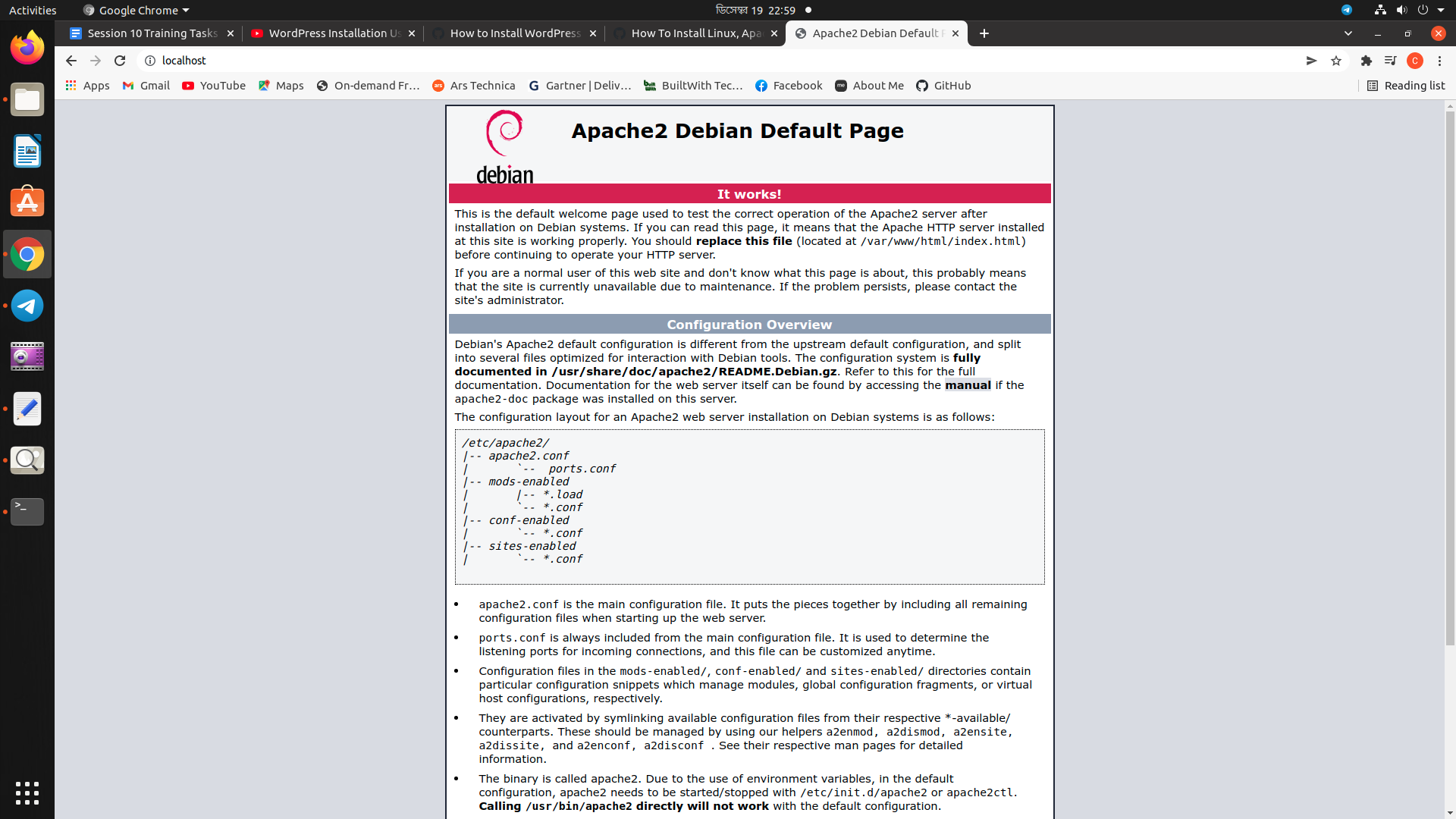
| # Visit: http://localhost/ | |
| # Install MariaDB & check version, start,stop & restart Apache | |
| sudo -i | |
| apt install mariadb-client-10.3 | |
| mysql_secure_installation | |
| systemctl daemon-reload | |
| systemctl status mariadb | |
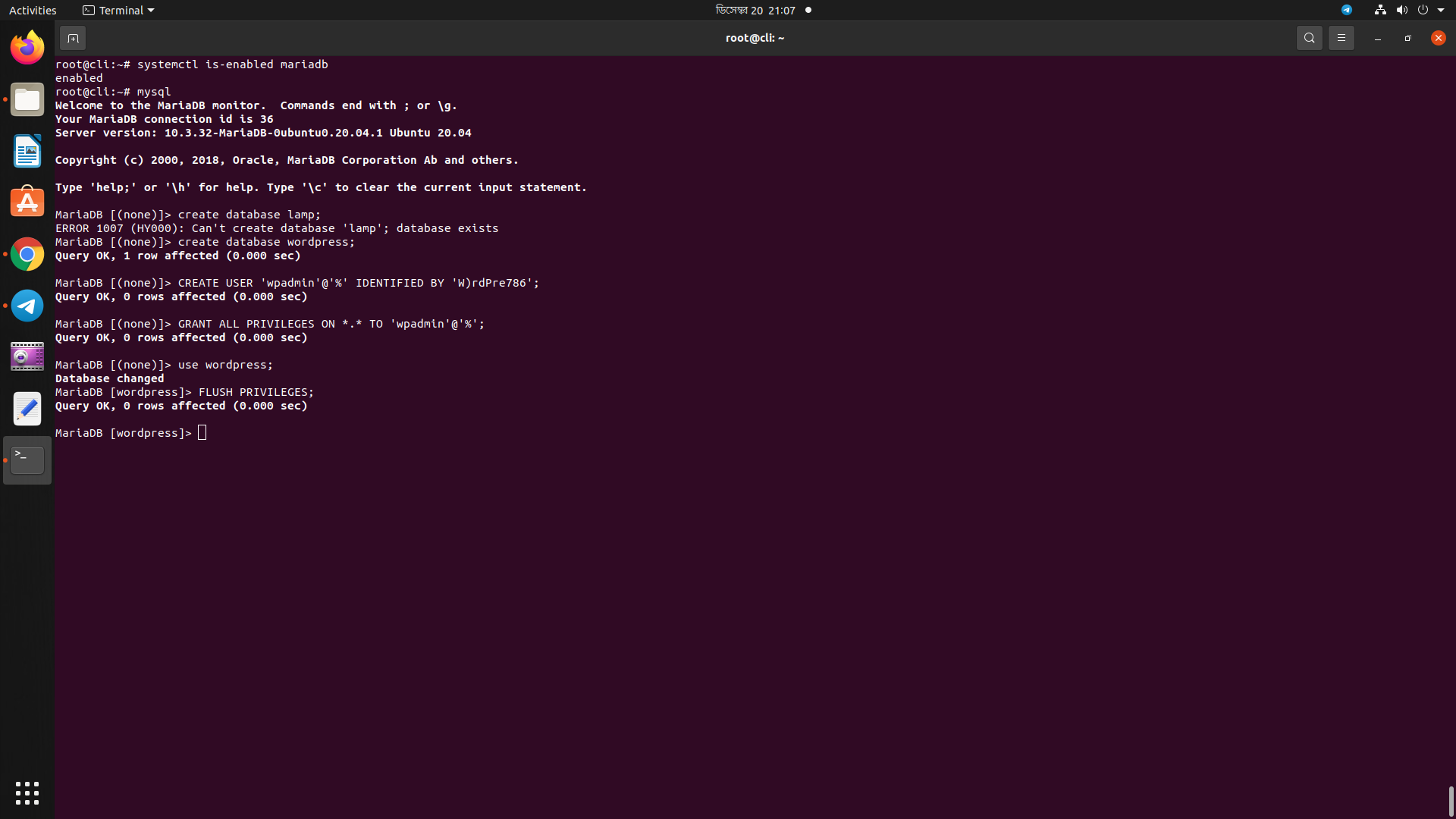
| systemctl is-enabled mariadb | |
| mysql | |
| create database... | |
| CREATE USER 'netadmin'@'%' ..... | |
| use lamp; | |
| systemctl restart mysql | |
| apt upgrade -y | |
| # Install PHP & check version | |
| sudo apt-get install software...... | |
| sudo apt install php7.4-fpm php7.4-common php7.4.............. | |
| php --version | |
| sudo systemctl restart apache2 | |
| sudo systemctl reload........ | |
| # Install PHPmyAdmin | |
| sudo apt update | |
| sudo apt install phpmyadmin | |
| sudo apt-get....... | |
| Include /etc........... | |
| sudo service apache2 restart | |
| # visit: http://localhost/phpmyadmin/ | |
| Use user= testadmin | |
| pass= Round12% | |
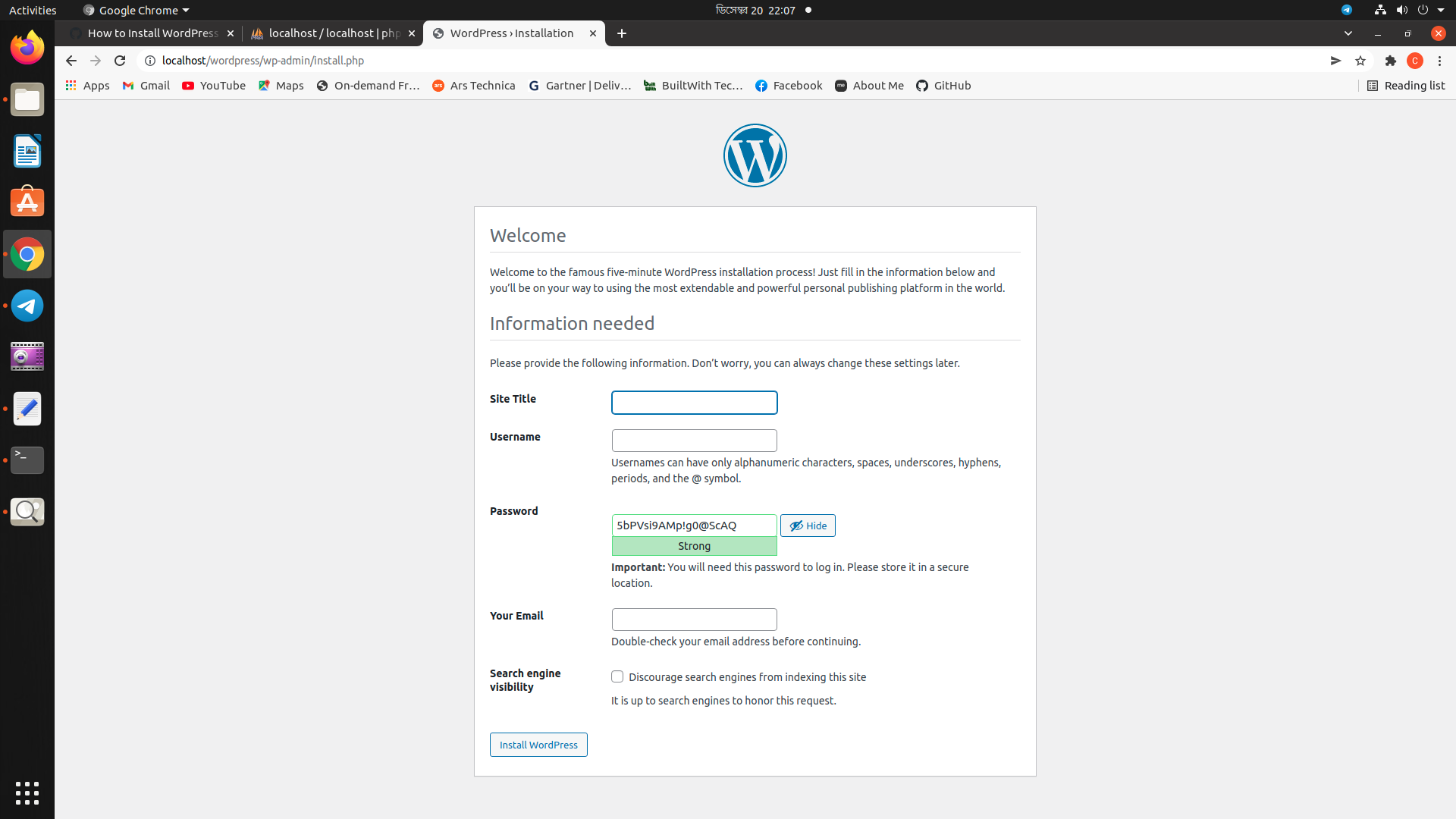
| # INstall WordPRess | |
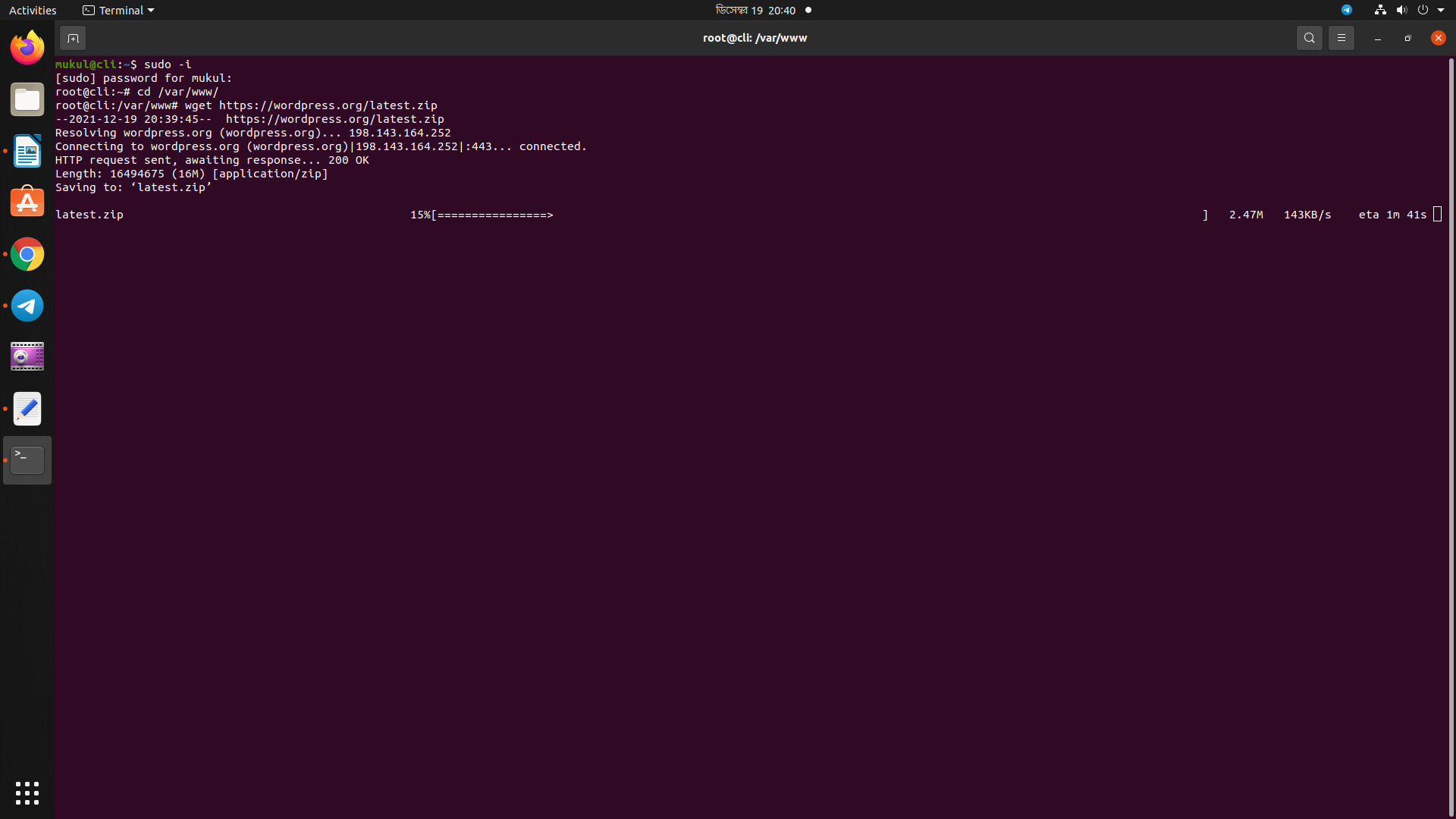
| wget https://wordpress.org..... | |
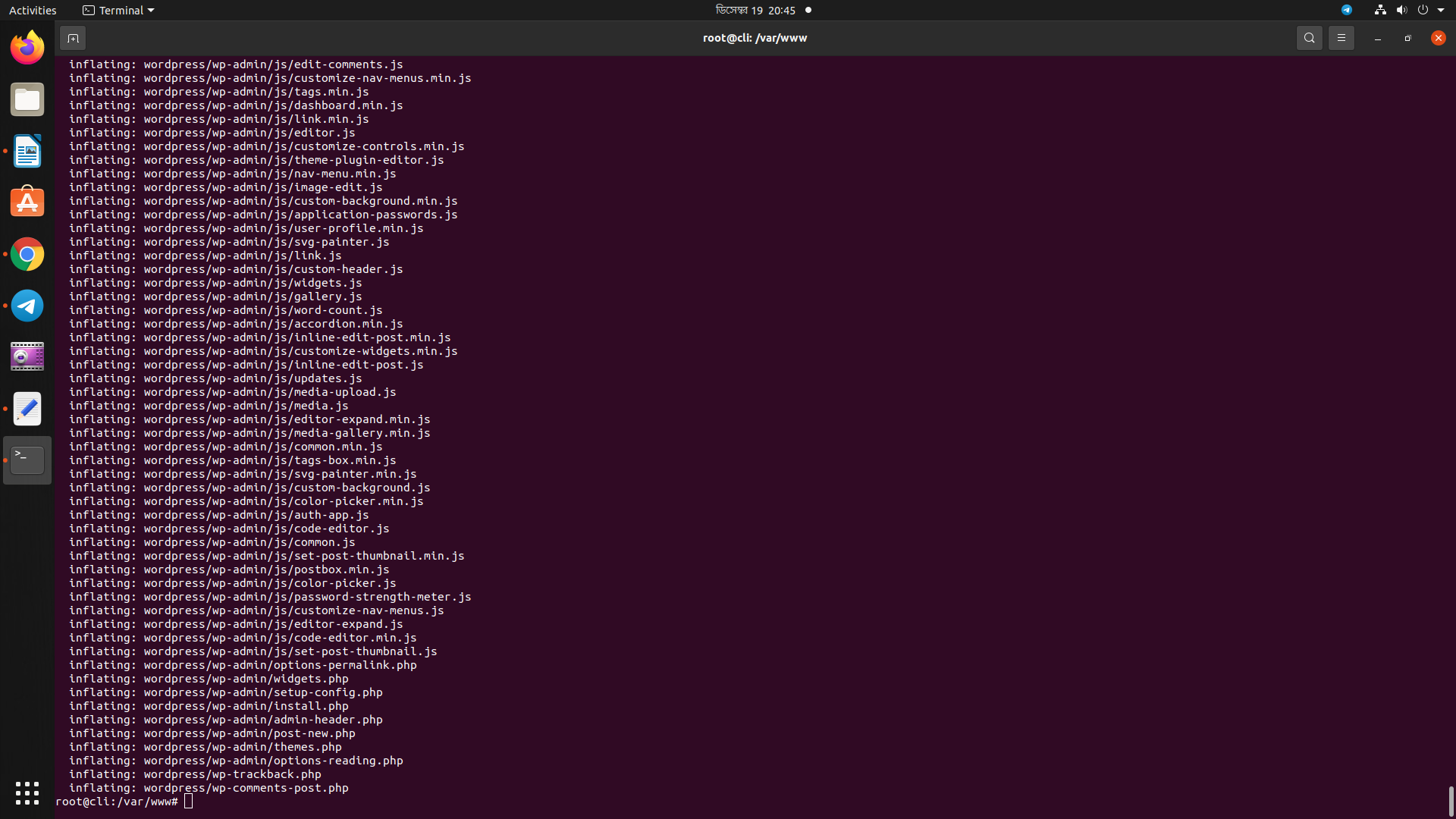
| unzip latest.zip | |
| cd html | |
| cp -r wp-........ | |
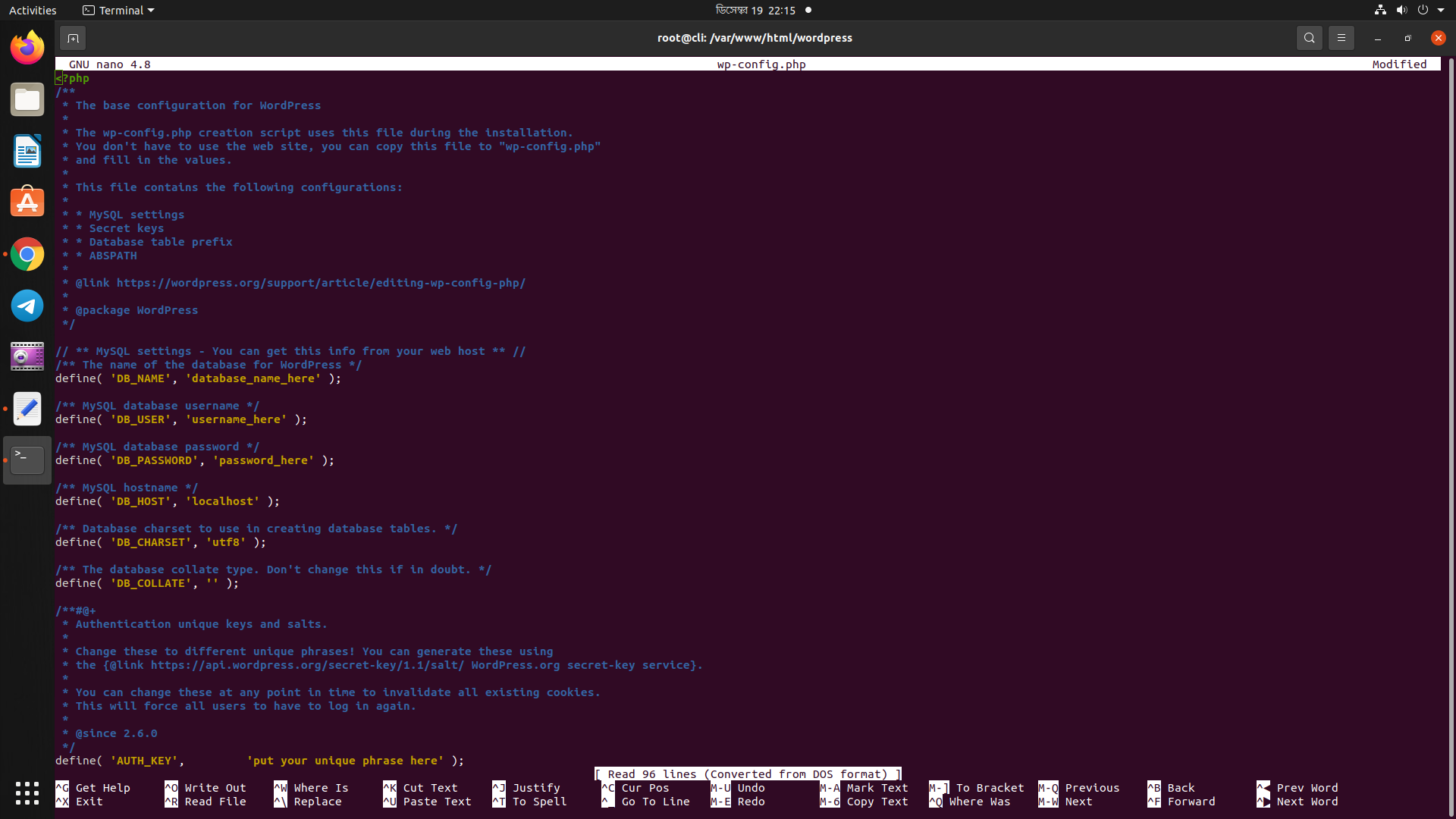
| nano wp-config.php | |
| define( 'DB_NAME', 'wordpress' ); | |
| define( 'DB_USER....... | |
| /** MySQL database password */ | |
| define( 'DB_PASSWORD', 'W@rdPre786' ); | |
| service apache2 restart | |
| service mariadb restart | |
| service......... | |
| service apache2 reload | |
| nano /etc/apache......... | |
| <VirtualHost *:9080> | |
| ServerName localhost | |
| ServerAdmin webmaster@localhost | |
| DocumentRoot /var....... | |
| <Directory /var/www/html/> | |
| </Directory> | |
| CustomLog ${APACHE_LOG....... | |
| sudo service apache2 restart | |
| sudo service ...... | |
| # visit http://localhost/ |

cloudybdone
commented
Dec 20, 2021
Author
Author
Author
Author
Author
Author
Sign up for free
to join this conversation on GitHub.
Already have an account?
Sign in to comment