CC Switch 是一个跨平台的 AI CLI 配置管理工具,可用于集中管理 Claude Code、Codex、Gemini CLI、OpenCode 等工具的模型提供商(Provider)配置。它把 Base URL、API Key、模型名称等信息统一保存,让你在多个 CLI 工具或多套 Provider 之间一键切换,避免反复修改环境变量或配置文件。
CC Switch 是开源项目,源码托管在 GitHub:farion1231/cc-switch。
- 打开 Releases 页面。
- 在最新版本的资源列表中,根据自己的操作系统选择对应的安装包:
- macOS:
.dmg - Windows:
.msi - Linux:
.AppImage/.deb
- macOS:
- 下载完成后按系统正常方式安装,并至少打开一次 CC Switch,方便后续一键导入识别到本机已安装。
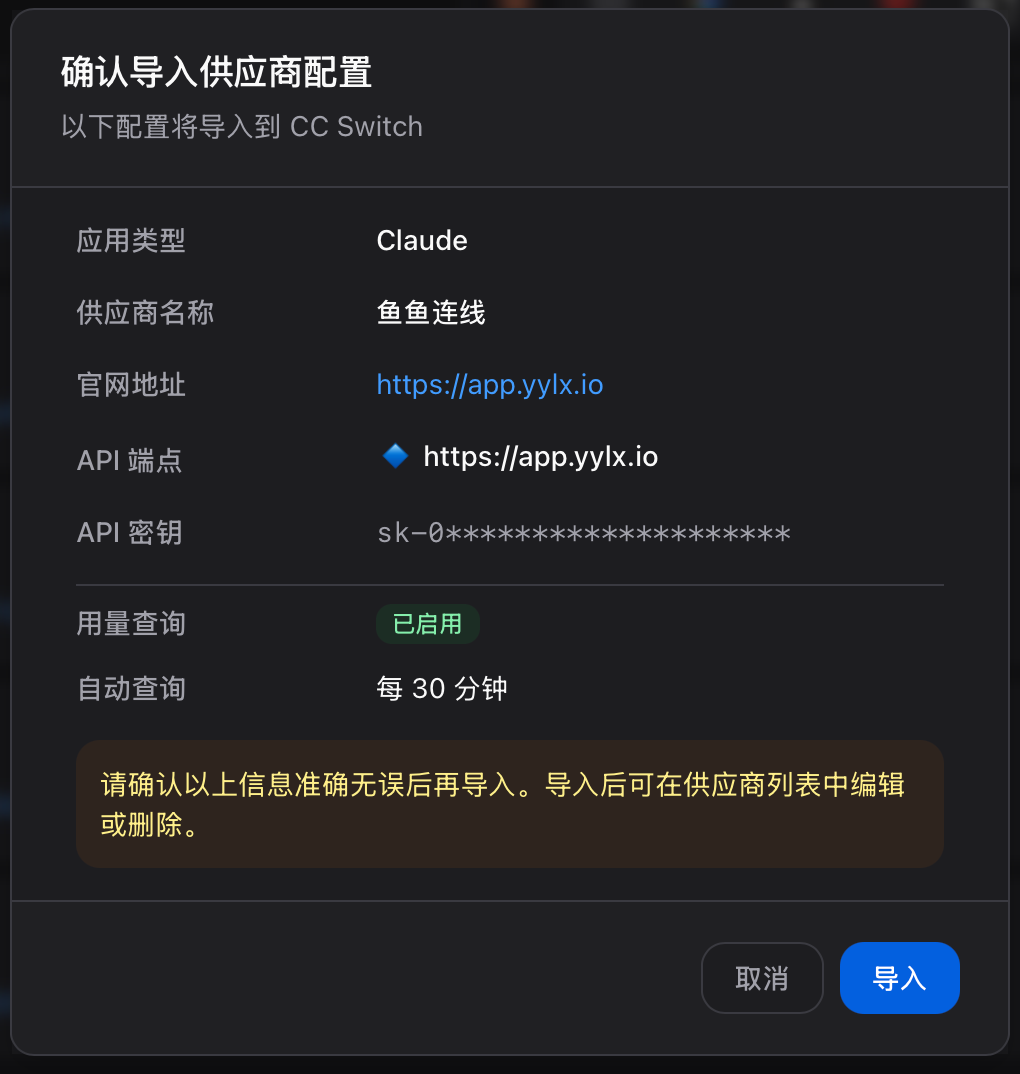
推荐使用一键导入,一键即可把 Provider 配置直接写入本机 CC Switch,无需手动填写配置信息。
- 确认本机已经安装并打开过 CC Switch。
- 进入 yylx.io 控制台的 API 密钥 页面。
- 找到要给 CC Switch 使用的 Key。
- 点击该行右侧的「导入到 CCS」。
- 浏览器或系统可能会询问是否允许打开 CC Switch,确认并导入。

Warning
一键导入会把当前 API Key 写入本机 CC Switch 配置。请只在自己的电脑上操作,不要在共享电脑或远程临时环境中导入。
| 字段 | 填写内容 |
|---|---|
| 预设供应商 | 自定义配置 |
| 供应商名称 | yylx.io |
| 官方链接 | https://app.yylx.io |
| API Key | 在 yylx.io 控制台创建的 Key |
| API 请求地址 | https://app.yylx.io(不要勾选 「完整URL」) |