
Last active
January 29, 2022 19:20
-
-
Save ctesta01/cd848ba3ec42f6bdce2f36af4c81793a to your computer and use it in GitHub Desktop.
Using Good Color Names for Color Variables in R
This file contains hidden or bidirectional Unicode text that may be interpreted or compiled differently than what appears below. To review, open the file in an editor that reveals hidden Unicode characters.
Learn more about bidirectional Unicode characters
| # Using Appropriate Color Names in R | |
| # | |
| # Often times the right color palette and color choices can greatly elevate the | |
| # quality of a data visualization; the colourlovers.com website has long been | |
| # host to a great number of 5-color palettes which users can favorite and share. | |
| # Moreover, there is now an R package to interface with the colourlovers to | |
| # automatically pull the hex-codes of a specified palette into R. | |
| # | |
| # To take this to the next step of usability, there are times it's appropriate | |
| # to identify and name individiaul colors (ideally with memorable names) to | |
| # facilitate the programmer's referencing them more intuitively in the code for | |
| # data visualizations that make use of them. | |
| # | |
| # To that end, I think using something like the Name That Color | |
| # (https://chir.ag/projects/name-that-color/) service to create easy-to-read and | |
| # human-friendly color names for colors which are later regularly referenced in | |
| # code is a promising programming practice for programming visual designs. | |
| library(colourlovers) | |
| # pull a nice palette off the colourlovers api | |
| palette <- clpalette('629637') | |
| # in case I want to reference colors by "name", I have matched them | |
| # to an apt description using this "Name That Color" website: | |
| # https://chir.ag/projects/name-that-color/ | |
| radical_red <- str_c('#', palette$colors[[1]]) | |
| sweet_pink <- str_c('#', palette$colors[[2]]) | |
| apricot_peach <- str_c('#', palette$colors[[3]]) | |
| thistle_green <- str_c('#', palette$colors[[4]]) | |
| acapulco <- str_c('#', palette$colors[[5]]) | |
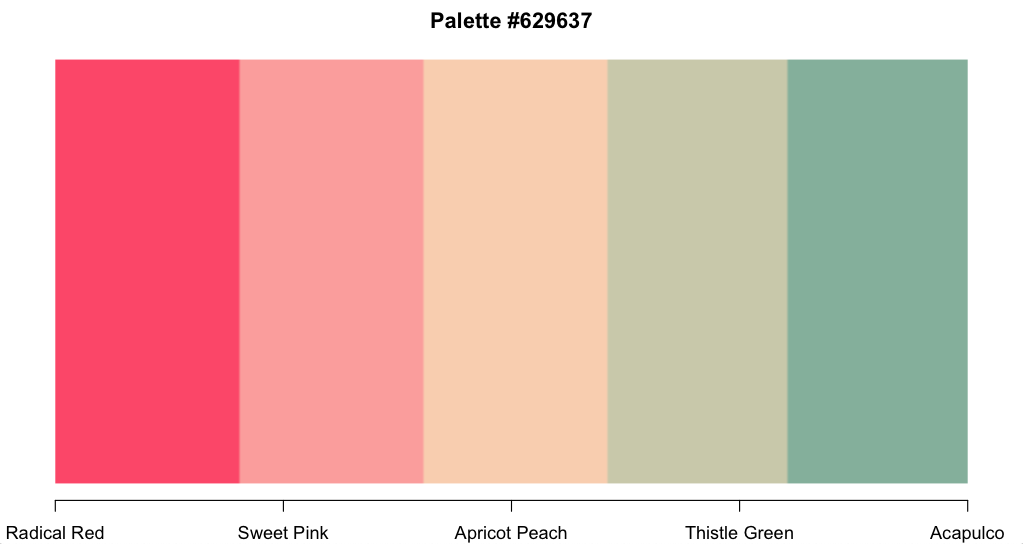
| # if you want, you can even over-write the names in the palette | |
| # object and then plot it to see if you like how the names match | |
| # the colors | |
| palette$colors[[1]] <- 'Radical Red' | |
| # ... | |
| plot(palette) |

ctesta01
commented
Jan 29, 2022
Author
Sign up for free
to join this conversation on GitHub.
Already have an account?
Sign in to comment