
As of the article writing, CockroachDB does not have a direct integration with Azure Event Hubs and this tutorial is an attempt to integrate CockroachDB CDC with Azure Event Hubs via our existing Kafka support.
- Using CockroachDB CDC with Confluent Cloud Kafka and Schema Registry
- SaaS Galore: Integrating CockroachDB with Confluent Kafka, FiveTran and Snowflake
- CockroachDB CDC using Minio as cloud storage sink
- CockroachDB CDC using Hadoop Ozone S3 Gateway as cloud storage sink
Azure Event Hubs is a critical part of the Azure ecosystem. We're in the early stages of adopting Azure and while we focus on the official integration, I'd like to provide workarounds in the mean time.
This tutorial is using enterprise changefeeds; you will need an enterprise license, access to a CockroachDB Dedicated cluster or enable billing in your CockroachDB Serverless cluster to activate enterprise features like CDC to Kafka.
- Deploy Azure Event Hubs
- Deploy a CockroachDB cluster with enterprise changefeeds
- Verify
You will need an Azure Event Hubs account, you can sign up for a free account using the following link
Once you're done, follow the steps outlined in this quickstart to create an instance of Azure Event Hubs.
High level steps:
- Create a Resource Group
- Create an Event Hub Namespace
- Create an Event Hub
- Add a SAS policy to an Event Hub
Once complete, create the deployment
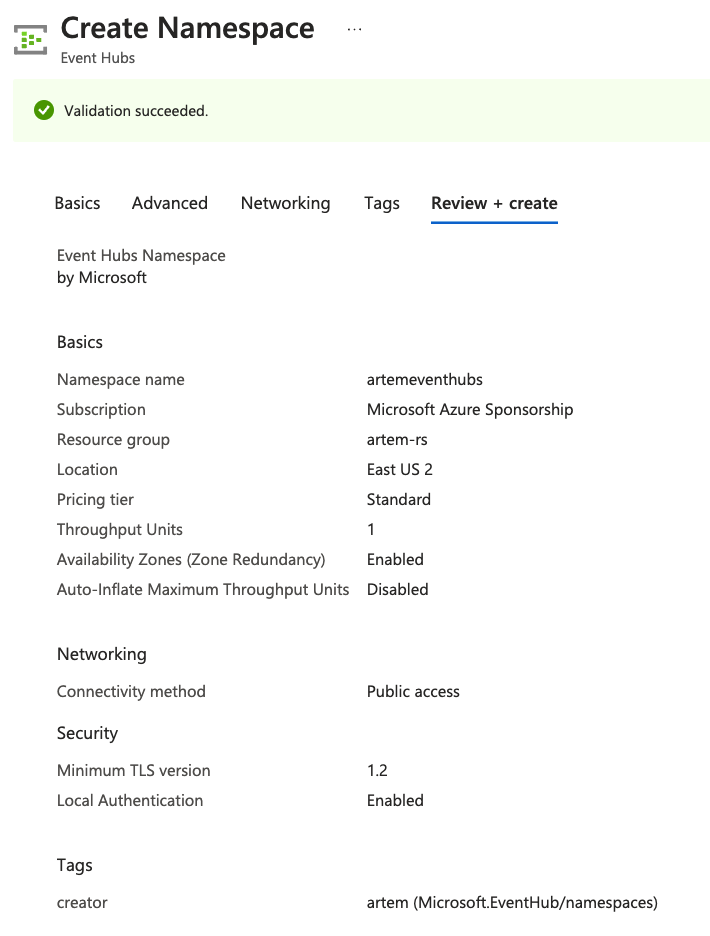
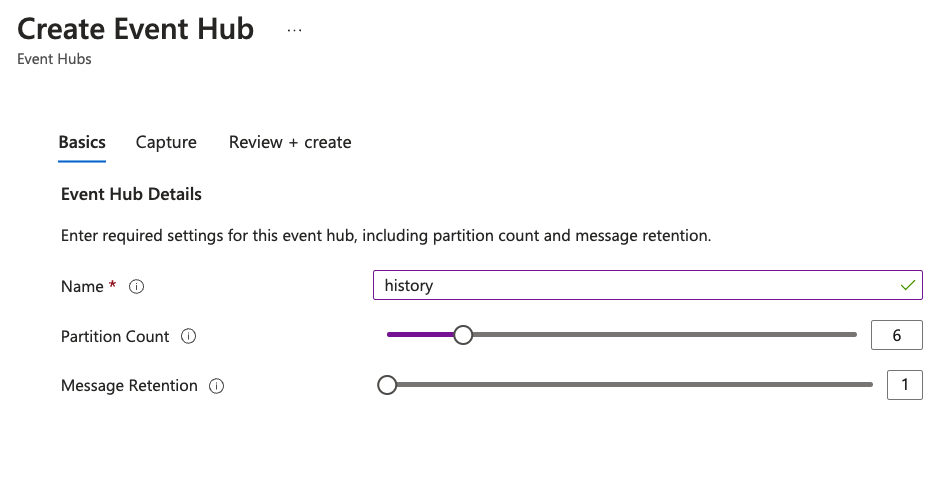
The steps are equivalent to creating topics in Kafka, i.e.:
confluent kafka topic create stock --partitions 6
confluent kafka topic create history --partitions 6
I ended up with an Event Hubs namespace called artemeventhubs and Event Hubs named stock and history.

Once created, you need a SAS Policy to access your event hubs
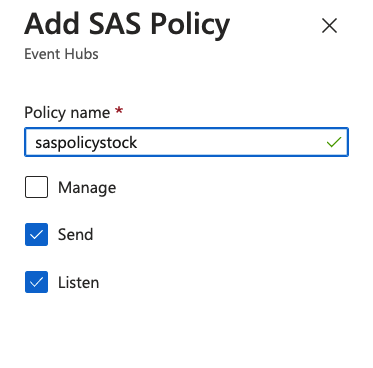
Capture the SAS policy details as we will need that for the next step. You need to click on the SAS policy to open the details dialog. As of now, it seems every event hub has its own associated SAS policy. If I figure out a way to use the same policy for more than one topic, I will highlight it.
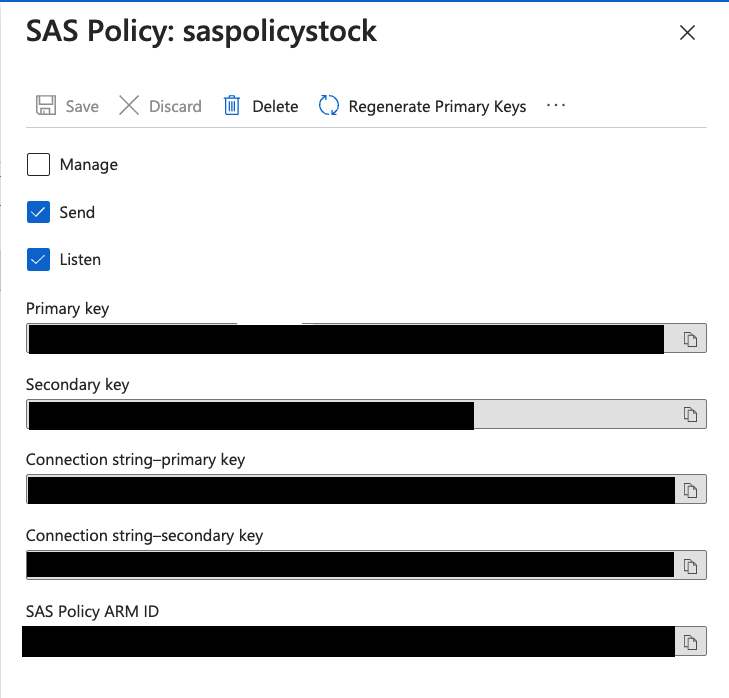
In the SAS Policy Details, capture the "Connection string-primary key"
Endpoint=sb://artemeventhubs.servicebus.windows.net/;SharedAccessKeyName=saspolicytpcc;SharedAccessKey=<REDACTED>;EntityPath=historyYou can spin up a Dedicated cluster using the following directions. My cluster is a 3 node cluster in AWS with AZ failure tolerance in us-east-1.
To enable CDC we need to execute the following command:
SET CLUSTER SETTING kv.rangefeed.enabled = true;Event Hubs supports Kafka protocol with port 9093, we can use the connection string url from the SAS policy and protocol kafka://. The equivalent of kafka://<confluent cloud kafka endpoint url>:9092 in Event Hubs is kafka://artemeventhubs.servicebus.windows.net:9093. The sasl_user and sasl_password section is where it gets tricky. I owe a huge thanks to the following article for providing answers for the associated fields. sasl_user will be set to $ConnectionString just as the article says. sasl_password however, is a bit tricky. Considering CockroachDB expects a url-encoded secret key, it took me several tries before I got it right. The trick is to url-encode the entire connection string from the SAS Policy. I'm consistently relying on the following service to url-encode these values.
CREATE CHANGEFEED FOR TABLE history INTO "kafka://artemeventhubs.servicebus.windows.net:9093?tls_enabled=true&sasl_enabled=true&sasl_user=$ConnectionString&sasl_password=Endpoint%3Dsb%3A%2F%2Fartemeventhubs.servicebus.windows.net%2F%3BSharedAccessKeyName%3Dsaspolicytpcc%3BSharedAccessKey<REDACTED>EntityPath%3Dhistory&sasl_mechanism=PLAIN" WITH updated, format = json; job_id
----------------------
801162005835612162
(1 row)
NOTICE: changefeed will emit to topic history
Time: 235ms total (execution 215ms / network 20ms)The only thing that remains is generating a workload. We are going to use the TPC-C workload bundled with Cockroach binary. In a new terminal window, run the following two commands:
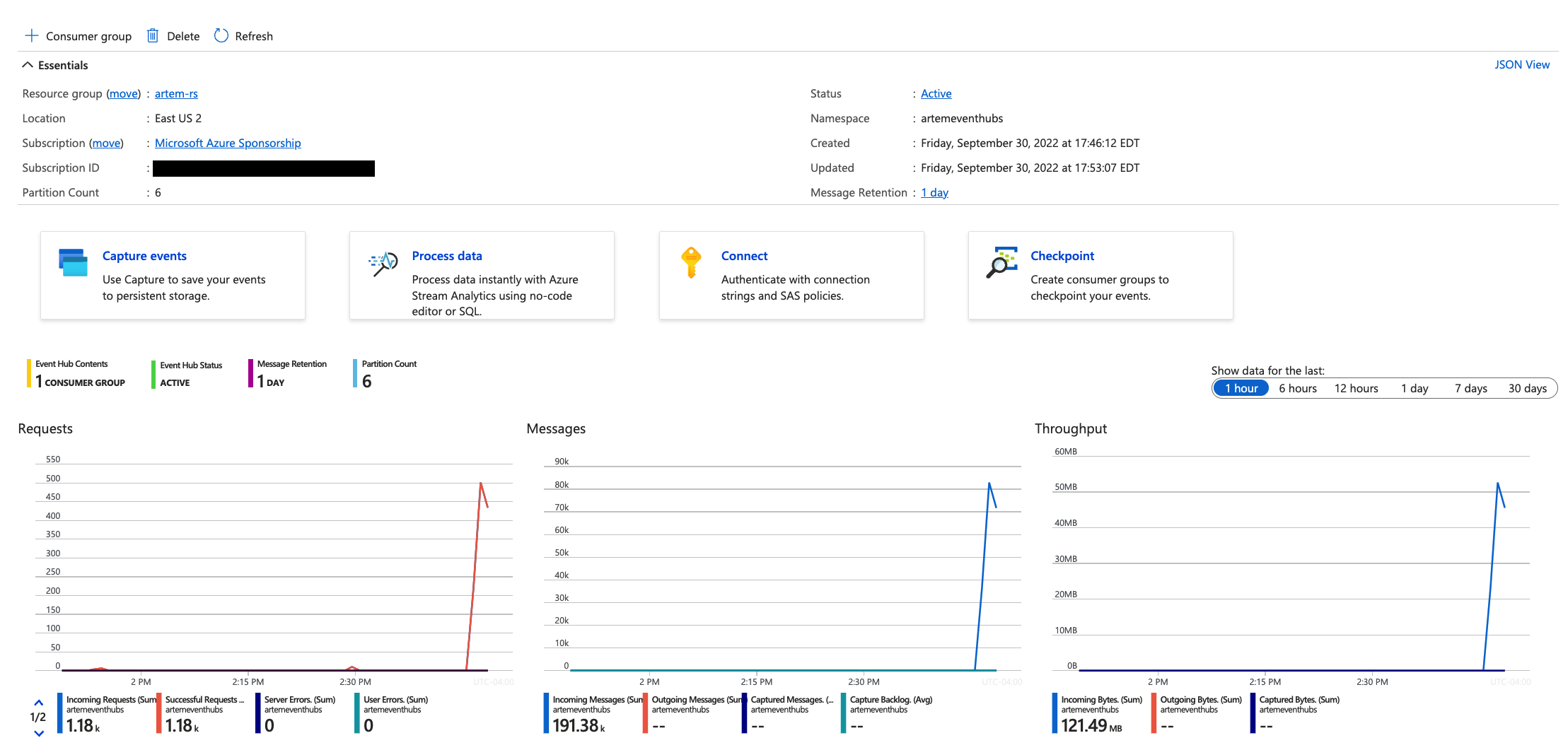
cockroach workload fixtures import tpcc --warehouses=10 "postgresql://<user>@<Cockroach Cloud Dedicated url>:26257/tpcc?sslmode=verify-full&sslrootcert=/path/certs/cluster-ca.crt" cockroach workload run tpcc --warehouses=10 --ramp=3m --duration=1h "postgresql://<user>@<Cockroach Cloud Dedicated url>:26257/tpcc?sslmode=verify-full&sslrootcert=/path/certs/cluster-ca.crt"The only thing that's left is to confirm the messsages are sent to Azure Event Hubs. In the Azure Console, navigate to the individual event hubs. You can see the changing message counters:
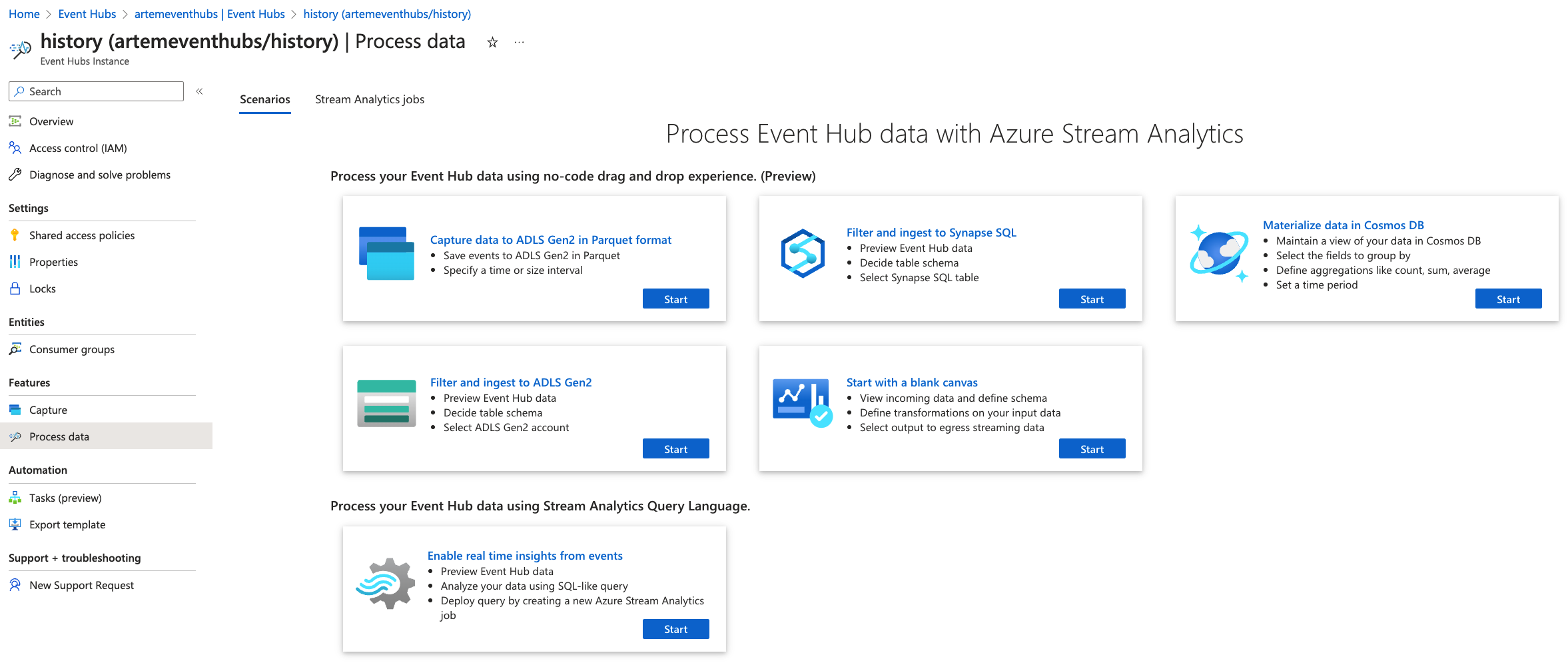
The simplest way to view messages in the Event Hubs is to click "Process data" option on the event hub page, then select "Enable real time insights from events" option.
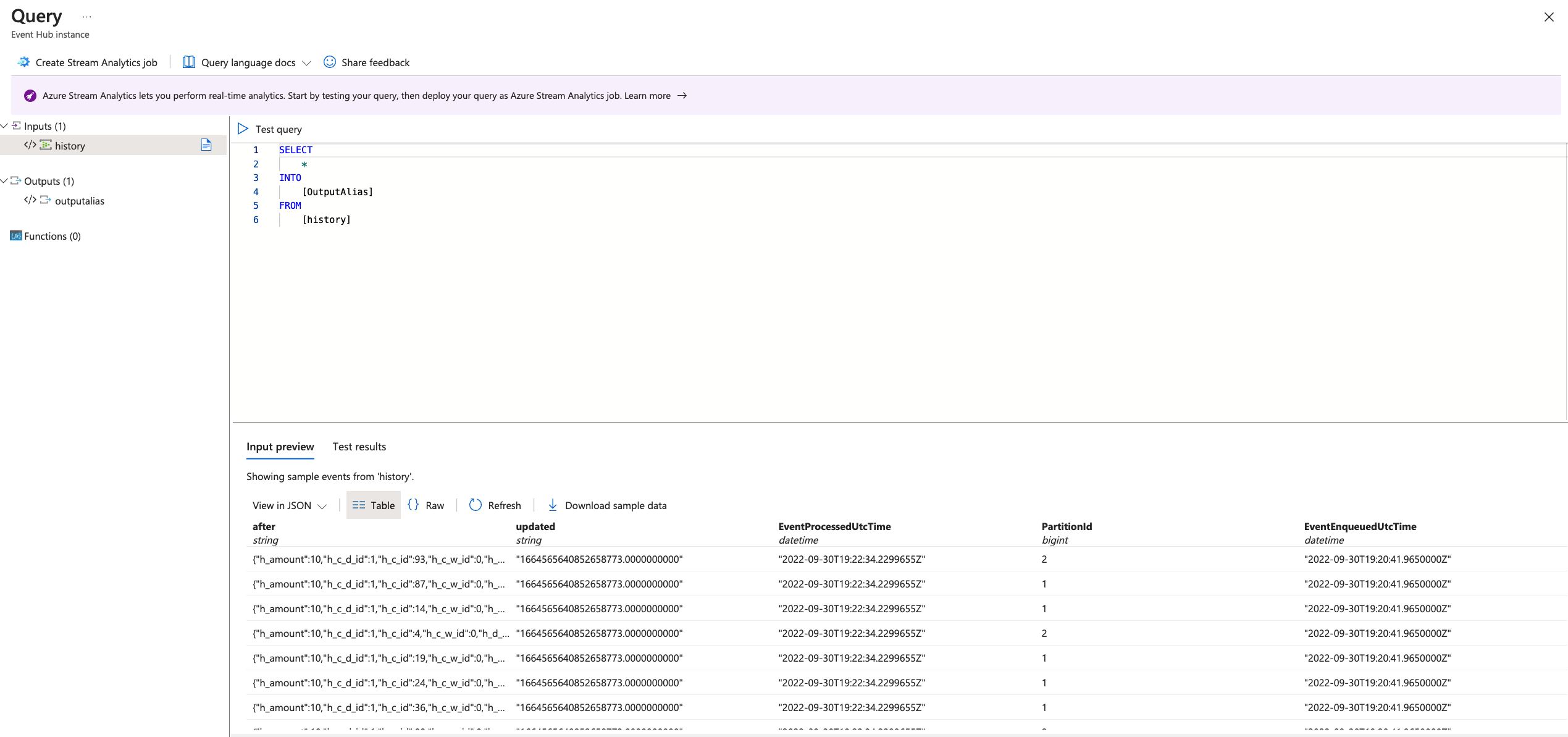
There, a SQL Editor window will open and load messages:
And this is how you can leverage existing CockroachDB capability with non-standard services like Azure Event Hubs. Hopefully you've found this as a viable solution until Event Hubs is a first class citizen in CockroachDB.