
-
-
Save dcangulo/6c68b25033ca9f9dc6b4080fbf53e9b5 to your computer and use it in GitHub Desktop.
| <?php | |
| /* | |
| Plugin Name: CRUD Operations | |
| Plugin URI: https://www.davidangulo.xyz/portfolio/ | |
| Description: A simple plugin that allows you to perform Create (INSERT), Read (SELECT), Update and Delete operations. | |
| Version: 1.0.0 | |
| Author: David Angulo | |
| Author URI: https://www.davidangulo.xyz/ | |
| License: GPL2 | |
| */ | |
| register_activation_hook( __FILE__,"crudOperationsTable"); | |
| function crudOperationsTable() { | |
| global $wpdb; | |
| $charset_collate = $wpdb->get_charset_collate(); | |
| $table_name = $wpdb->prefix . "userstable"; | |
| $sql = "CREATE TABLE `$table_name` ( | |
| `user_id` int(11) NOT NULL AUTO_INCREMENT, | |
| `name` varchar(220) DEFAULT NULL, | |
| `email` varchar(220) DEFAULT NULL, | |
| PRIMARY KEY(user_id) | |
| ) ENGINE=MyISAM DEFAULT CHARSET=latin1; | |
| "; | |
| if($wpdb->get_var("SHOW TABLES LIKE '$table_name'") != $table_name) { | |
| require_once(ABSPATH . "wp-admin/includes/upgrade.php"); | |
| dbDelta($sql); | |
| } | |
| } | |
| add_action('admin_menu','addAdminPageContent'); | |
| function addAdminPageContent() { | |
| add_menu_page('CRUD','CRUD','manage_options',__FILE__,'crudAdminPage','dashicons-wordpress'); | |
| } | |
| function crudAdminPage() { | |
| global $wpdb; | |
| $table_name = $wpdb->prefix . "userstable"; | |
| if(isset($_POST["newsubmit"])) { | |
| $name = $_POST["newname"]; | |
| $email = $_POST["newemail"]; | |
| $wpdb->query("INSERT INTO $table_name(name,email) VALUES('$name','$email')"); | |
| echo "<script>location.replace('admin.php?page=crud.php');</script>"; | |
| } | |
| if(isset($_POST["uptsubmit"])) { | |
| $id = $_POST["uptid"]; | |
| $name = $_POST["uptname"]; | |
| $email = $_POST["uptemail"]; | |
| $wpdb->query("UPDATE $table_name SET name='$name',email='$email' WHERE user_id='$id'"); | |
| echo "<script>location.replace('admin.php?page=crud.php');</script>"; | |
| } | |
| if(isset($_GET["del"])) { | |
| $del_id = $_GET["del"]; | |
| $wpdb->query("DELETE FROM $table_name WHERE user_id='$del_id'"); | |
| echo "<script>location.replace('admin.php?page=crud.php');</script>"; | |
| } | |
| ?> | |
| <div class="wrap"> | |
| <h2>CRUD Operations</h2> | |
| <table class="wp-list-table widefat striped"> | |
| <thead> | |
| <tr> | |
| <th width="25%">User ID</th> | |
| <th width="25%">Name</th> | |
| <th width="25%">Email Address</th> | |
| <th width="25%">Actions</th> | |
| </tr> | |
| </thead> | |
| <tbody> | |
| <form action="" method="post"> | |
| <tr> | |
| <td><input type="text" value="AUTO_GENERATED" disabled></td> | |
| <td><input type="text" id="newname" name="newname"></td> | |
| <td><input type="text" id="newemail" name="newemail"></td> | |
| <td><button id="newsubmit" name="newsubmit" type="submit">INSERT</button></td> | |
| </tr> | |
| </form> | |
| <?php | |
| $result = $wpdb->get_results("SELECT * FROM $table_name"); | |
| foreach ($result as $print) { | |
| echo " | |
| <tr> | |
| <td width='25%'>$print->user_id</td> | |
| <td width='25%'>$print->name</td> | |
| <td width='25%'>$print->email</td> | |
| <td width='25%'><a href='admin.php?page=crud.php&upt=$print->user_id'><button type='button'>UPDATE</button></a> <a href='admin.php?page=crud.php&del=$print->user_id'><button type='button'>DELETE</button></a></td> | |
| </tr> | |
| "; | |
| } | |
| ?> | |
| </tbody> | |
| </table><br><br> | |
| <?php | |
| if(isset($_GET["upt"])) { | |
| $upt_id = $_GET["upt"]; | |
| $result = $wpdb->get_results("SELECT * FROM $table_name WHERE user_id='$upt_id'"); | |
| foreach($result as $print) { | |
| $name = $print->name; | |
| $email = $print->email; | |
| } | |
| echo " | |
| <table class='wp-list-table widefat striped'> | |
| <thead> | |
| <tr> | |
| <th width='25%'>User ID</th> | |
| <th width='25%'>Name</th> | |
| <th width='25%'>Email Address</th> | |
| <th width='25%'>Actions</th> | |
| </tr> | |
| </thead> | |
| <tbody> | |
| <form action='' method='post'> | |
| <tr> | |
| <td width='25%'>$print->user_id <input type='hidden' id='uptid' name='uptid' value='$print->user_id'></td> | |
| <td width='25%'><input type='text' id='uptname' name='uptname' value='$print->name'></td> | |
| <td width='25%'><input type='text' id='uptemail' name='uptemail' value='$print->email'></td> | |
| <td width='25%'><button id='uptsubmit' name='uptsubmit' type='submit'>UPDATE</button> <a href='admin.php?page=crud.php'><button type='button'>CANCEL</button></a></td> | |
| </tr> | |
| </form> | |
| </tbody> | |
| </table>"; | |
| } | |
| ?> | |
| </div> | |
| <?php | |
| } | |
| //Visit the tutorial for more information | |
| //https://www.davidangulo.xyz/website-development/how-to-create-crud-operations-plugin-in-wordpress/ |


I have this problem too.
this msg will be displayed when i click on delete button...what does it mean
and secondly, i m little bit confuse about this line can u plz explain it to me
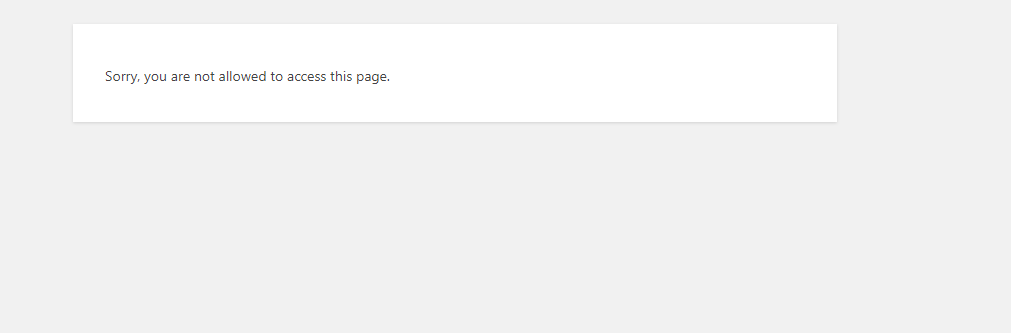

For anyone in the future coming upon this. You can replace this echo "<script>location.replace('admin.php?page=crud.php');</script>"; with this echo "<script type='text/javascript'> window.location=document.location.href; </script>"; or something like it. or change it how it appears in the browser when you initially go to it. echo "<script>location.replace('admin.php?page=crud%2Fcrud.php');</script>"; for me. Not sure why it's adding the extra. Update: change add_menu_page('CRUD','CRUD','manage_options',__FILE__,'crudAdminPage','dashicons-wordpress'); to add_menu_page(__('CRUD', 'crud'), __('CRUD', 'crud'), 'manage_options', 'crud', 'crudAdminPage','dashicons-wordpress',); also update echo "<script>location.replace('admin.php?page=crud');</script>";. Removing the .php.
this msg will be displayed when i click on delete button...what does it mean
and secondly, i m little bit confuse about this line can u plz explain it to me