Created
December 8, 2016 12:23
-
-
Save dominicthomas/1a268f3a113b490f751d9fb30cdb5875 to your computer and use it in GitHub Desktop.
Enables you to set a max height for a linear layout while also using wrap content.. this means the layout will be collapsable but also have height constraints!
This file contains hidden or bidirectional Unicode text that may be interpreted or compiled differently than what appears below. To review, open the file in an editor that reveals hidden Unicode characters.
Learn more about bidirectional Unicode characters
| public class MaxHeightLinearLayout extends LinearLayout { | |
| private int maxHeightDp; | |
| public MaxHeightLinearLayout(Context context) { | |
| super(context); | |
| } | |
| public MaxHeightLinearLayout(Context context, AttributeSet attrs) { | |
| super(context, attrs); | |
| final TypedArray a = context.getTheme().obtainStyledAttributes(attrs, R.styleable.MaxHeightLinearLayout, 0, 0); | |
| try { | |
| maxHeightDp = a.getInteger(R.styleable.MaxHeightLinearLayout_maxHeightDp, 0); | |
| } finally { | |
| a.recycle(); | |
| } | |
| } | |
| public MaxHeightLinearLayout(Context context, AttributeSet attrs, int defStyleAttr) { | |
| super(context, attrs, defStyleAttr); | |
| } | |
| @Override | |
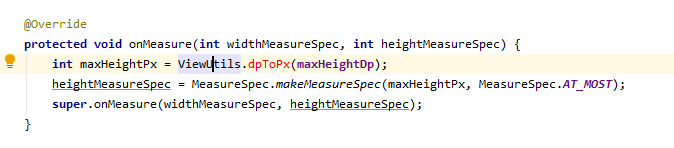
| protected void onMeasure(int widthMeasureSpec, int heightMeasureSpec) { | |
| int maxHeightPx = ViewUtils.dpToPx(maxHeightDp); | |
| heightMeasureSpec = MeasureSpec.makeMeasureSpec(maxHeightPx, MeasureSpec.AT_MOST); | |
| super.onMeasure(widthMeasureSpec, heightMeasureSpec); | |
| } | |
| public void setMaxHeightDp(int maxHeightDp) { | |
| this.maxHeightDp = maxHeightDp; | |
| invalidate(); | |
| } | |
| } | |
| ========================= | |
| <MaxHeightLinearLayout | |
| android:orientation="horizontal" | |
| android:layout_width="match_parent" | |
| android:layout_height="wrap_content" | |
| android:id="@+id/buttonsLayout" | |
| app:maxHeightDp="50"> | |
| <ImageButton | |
| android:layout_width="0dp" | |
| android:layout_height="match_parent" | |
| android:id="@+id/button1" | |
| android:background="@null" | |
| android:scaleType="centerInside" | |
| android:layout_weight="1" | |
| android:padding="5dp"/> | |
| <ImageButton | |
| android:layout_width="0dp" | |
| android:layout_height="match_parent" | |
| android:id="@+id/button2" | |
| android:background="@null" | |
| android:layout_weight="1" | |
| android:scaleType="centerInside" | |
| android:padding="5dp"/> | |
| <MaxHeightLinearLayout> | |
| ========================= | |
| <resources> | |
| <declare-styleable name="MaxHeightLinearLayout"> | |
| <attr name="maxHeightDp" format="integer" /> | |
| </declare-styleable> | |
| </resources> |


Simple though great. Much appreciated. I have customized it and use it in my code. Thank you!

public class ViewUtils {

	public static int pxToDp(int px) {
		DisplayMetrics displayMetrics = App.getAppContext().getResources().getDisplayMetrics();
		return Math.round(px / (displayMetrics.xdpi / DisplayMetrics.DENSITY_DEFAULT));
	}

	public static int dpToPx(int dp) {
		DisplayMetrics displayMetrics = App.getAppContext().getResources().getDisplayMetrics();
		return Math.round(dp * (displayMetrics.xdpi / DisplayMetrics.DENSITY_DEFAULT));
	}

}

I adapted this for FrameLayout and Kotlin:
class MaxHeightFrameLayout(context: Context, attrs: AttributeSet?) : FrameLayout(context, attrs) {
    private var maxHeightPx = 0

    init {
        val a = context.theme.obtainStyledAttributes(attrs, R.styleable.MaxHeightLinearLayout, 0, 0)
        maxHeightPx = try {
            a.getInteger(R.styleable.MaxHeightLinearLayout_maxHeightPx, 0)
        } finally {
            a.recycle()
        }
    }

    override fun onMeasure(widthMeasureSpec: Int, heightMeasureSpec: Int) {
        super.onMeasure(widthMeasureSpec, MeasureSpec.makeMeasureSpec(maxHeightPx, MeasureSpec.AT_MOST))
    }

    fun setMaxHeightPx(maxHeightPx: Int) {
        this.maxHeightPx = maxHeightPx
        invalidate()
    }
}
Same things in styles.xml:
<resources>
    <declare-styleable name="MaxHeightLinearLayout">
        <attr name="maxHeightDp" format="integer" />
    </declare-styleable>
</resources>
Thanks! great solution
Sign up for free
to join this conversation on GitHub.
Already have an account?
Sign in to comment
ViewUtils.dpToPx(maxHeightDp) causing error