
If you're using a high-end bluetooth headset on your Macbook Pro it's likely your mac is using an audio codec which favors battery efficiency over high quality. This results in a drastic degradation of sound, the SBC codec is the likely culprit, read more about it here.
- Play a song on your headphones
- Option (⌥) click the Bluetooth button at the top of your screen

- If you're using AAC or aptX, you can stop here—those are the highest quality codecs.
UPDATE: It looks like Apple has silently dropped support for aptX, leaving only AAC
You'll need to download Apple's Bluetooth Explorer in order to change codecs.
-
Head over to Apple's Developer Downloads
-
Search for
additional toolsand downloadAdditional Tools for XCode 11.dmg
-
Open the
dmg, and openBluetooth Explorer
-
Click on
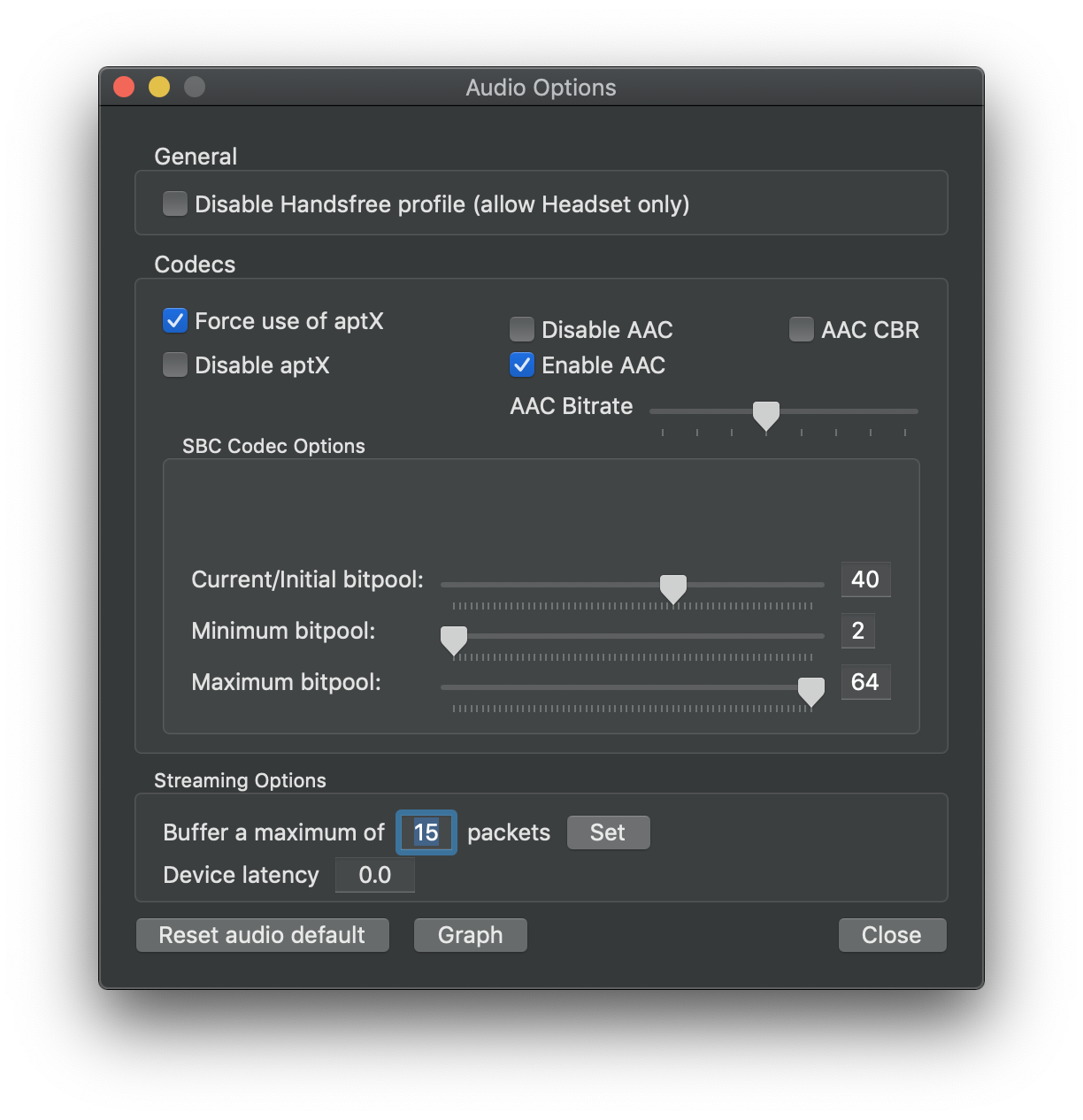
Tools > Audio Optionsand change your audio codec to the following settings:- Enable AAC
- Force use of aptX
-
Disconnect your Bluetooth headset, reconnect it, and while some music is playing, inspect your codec. It should now show either AAC or aptX.

You can increase the AAC bitrate in Audio Options but be sure to keep an eye on the graphs. The retransmission percentage is roughly equivalent to packet loss, and if you increase the bitrate too high your audio will start cutting out:
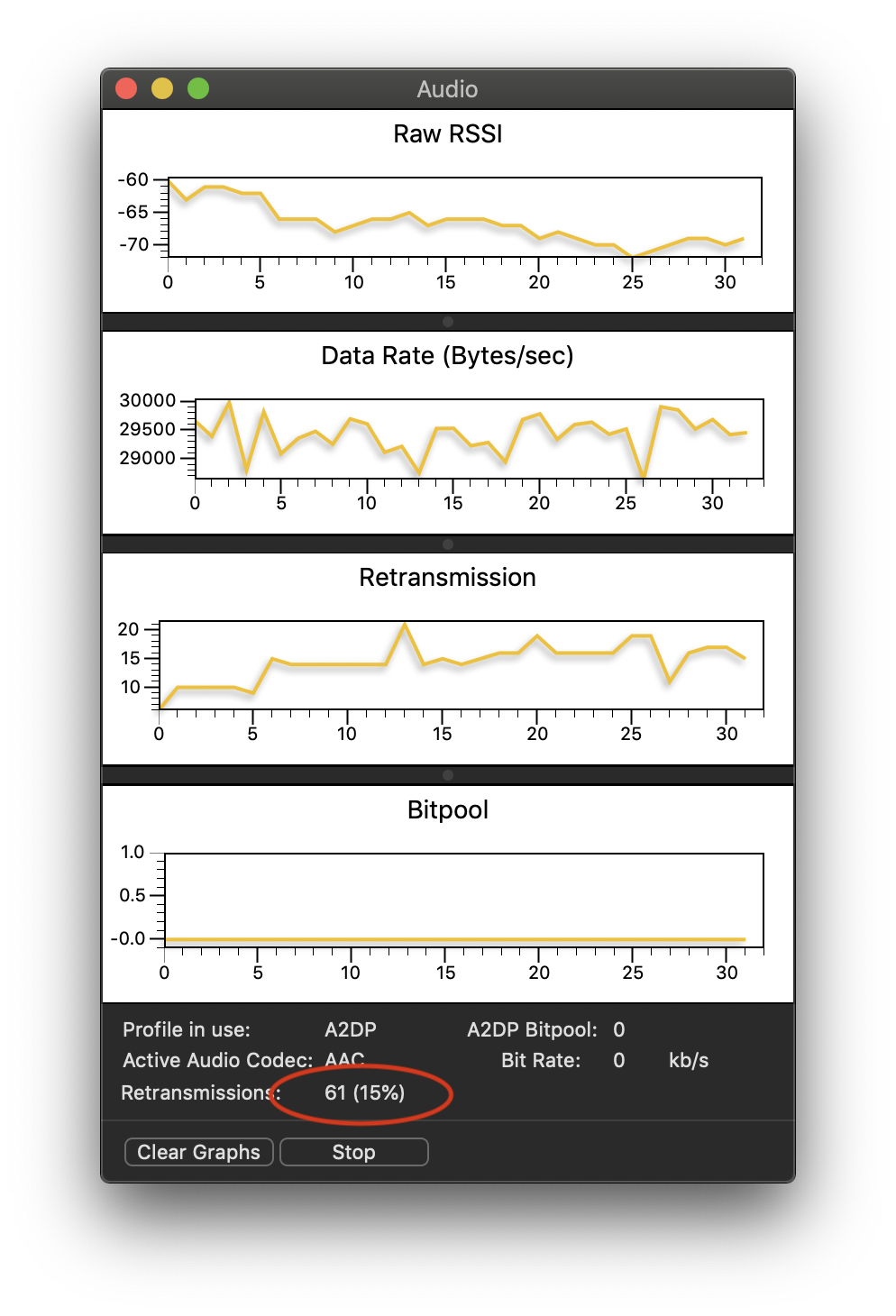
The retransmission rate is a function of distance and interference, and you'll need to disconnect/reconnect on each attempt before you find the sweet spot.


After extensive research, I found that Apple has systematically removed native support for the aptX Bluetooth codec from its operating systems, beginning with macOS Catalina (10.15) and continuing through all subsequent versions, including Monterey, Ventura, and Sonoma [1][2].
This means that regardless of the terminal commands used or developer tools accessed, a Mac running Sonoma cannot natively transmit audio using any variant of the aptX codec. The operating system's Bluetooth stack no longer includes the necessary software to encode and send an aptX audio stream. This Gist and many older guides found online refer to methods that are now deprecated and will not work on modern systems [3].
Another user on the Apple Support Community, after extensive troubleshooting on a MacBook Air M2 with Sonoma, concluded:
This sentiment is echoed across numerous sources, confirming that the issue is not a bug but a deliberate decision by Apple.
With aptX removed, macOS Sonoma natively supports the following primary Bluetooth audio codecs:
For most users, AAC (Advanced Audio Coding) is the highest-quality codec available natively on macOS. If your headphones support AAC, your Mac should automatically select it to provide a good listening experience. You can verify the active codec using the Console application as described in the comments on this Gist.
Since native software solutions are impossible, it seems that the only effective method to use aptX on a Mac running Sonoma is to bypass the internal Bluetooth hardware and software entirely. This might be achieved by using an external USB Bluetooth audio transmitter.