
Last active
April 14, 2023 03:09
-
-
Save efturtle/7d0e86bb314d93f3973460c3289ade25 to your computer and use it in GitHub Desktop.
PowerShell color scheme ComoVerLucesitas
This file contains hidden or bidirectional Unicode text that may be interpreted or compiled differently than what appears below. To review, open the file in an editor that reveals hidden Unicode characters.
Learn more about bidirectional Unicode characters
| { | |
| "background": "#D4D4D8", | |
| "black": "#9ca3af", | |
| "blue": "#CA8A04", | |
| "brightBlack": "#0F766E", | |
| "brightBlue": "#308CBA", | |
| "brightCyan": "#B91C1C", | |
| "brightGreen": "#9A3412", | |
| "brightPurple": "#AE636B", | |
| "brightRed": "#BE185D", | |
| "brightWhite": "#854D0E", | |
| "brightYellow": "#0F766E", | |
| "cursorColor": "#14B8A6", | |
| "cyan": "#713F12", | |
| "foreground": "#262626", | |
| "green": "#2AB250", | |
| "name": "ComoVerLucesitas", | |
| "purple": "#8b5cf6", | |
| "red": "#831843", | |
| "selectionBackground": "#9CA3AF", | |
| "white": "#A16207", | |
| "yellow": "#FFD16F" | |
| }, |

Author
efturtle
commented
Apr 14, 2023
Author
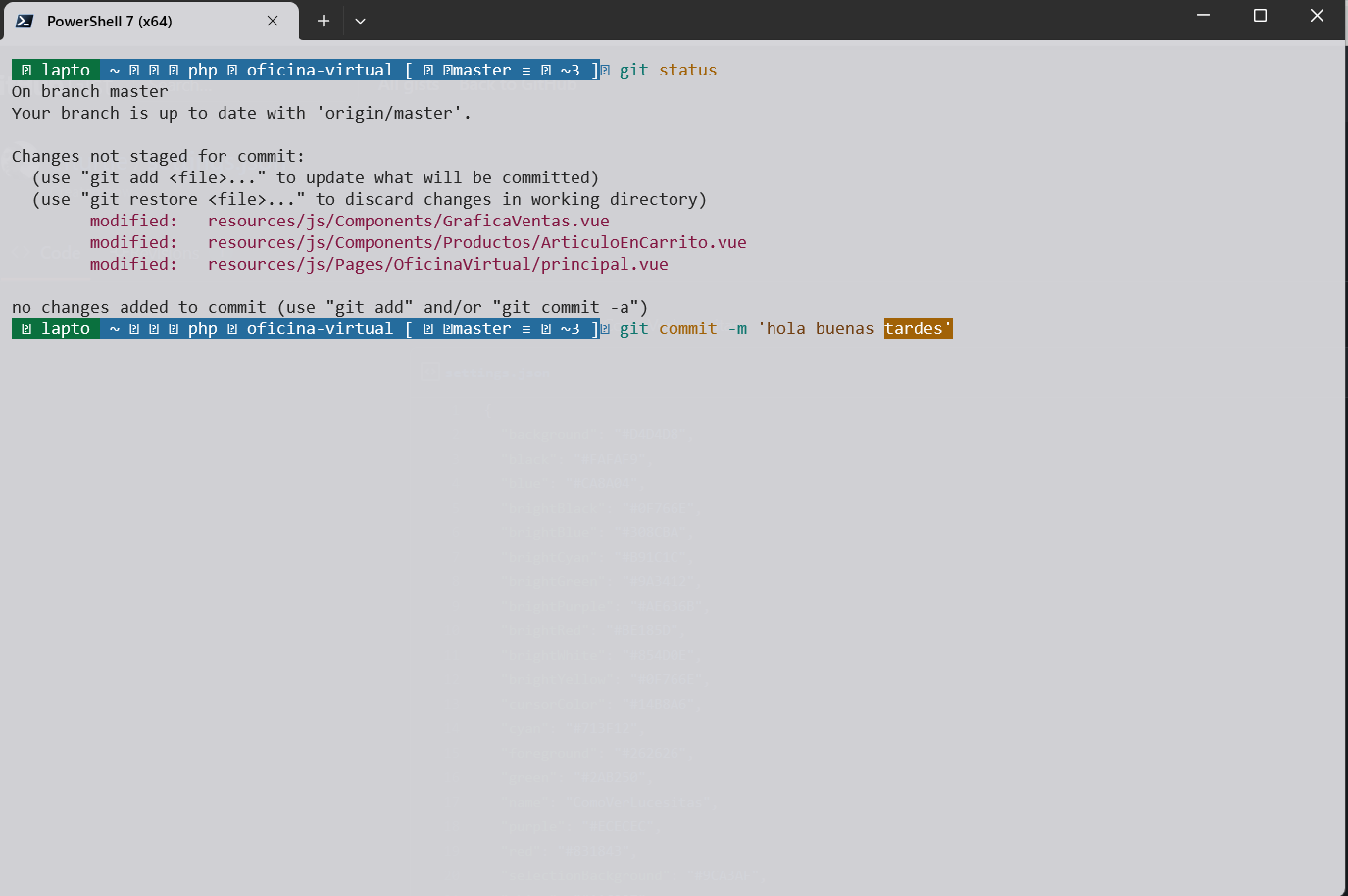
light theme powershell color scheme
Sign up for free
to join this conversation on GitHub.
Already have an account?
Sign in to comment