
Nice choice 😄 terraform-hcloud-kube-hetzner is basically the gold standard for a fully code-driven Hetzner dev platform.
Below is a complete, opinionated setup guide to get a development-ready Hetzner Cloud environment using Terraform only (infra + Kubernetes).
By the end, you’ll have:
- Hetzner Cloud infra (servers, networks, firewalls, LB)
- A Kubernetes cluster (k3s)
- Private networking + public ingress
- Automatic node bootstrapping
- Ready for CI/CD, dev workloads, previews, etc.

- terraform-hcloud-kube-hetzner
- Repo: https://github.com/mysticaltech/terraform-hcloud-kube-hetzner
This project wraps best-practice Hetzner patterns into Terraform modules.
Install these first:
terraform >= 1.4
kubectl
helm
ssh
Optional but recommended:
jq
direnv- Hetzner Cloud Console → Security → API Tokens
- Create Read & Write token
Export it:
export HCLOUD_TOKEN=your_token_heregit clone https://github.com/mysticaltech/terraform-hcloud-kube-hetzner.git
cd terraform-hcloud-kube-hetznerProject structure (important to understand):
.
├── terraform/
│   ├── modules/
│   ├── main.tf
│   ├── variables.tf
│   └── outputs.tf
├── example/
│   └── k3s/
└── README.md
You’ll work mostly inside example/k3s.
cd example/k3s
cp terraform.tfvars.example terraform.tfvarshcloud_token = env("HCLOUD_TOKEN")
cluster_name = "dev-cluster"
k3s_version = "v1.29.1+k3s1"
ssh_public_key = "~/.ssh/id_rsa.pub"
location = "fsn1"
control_plane_nodepools = [
{
name = "control"
server_type = "cx21"
count = 1
}
]
agent_nodepools = [
{
name = "workers"
server_type = "cx31"
count = 2
}
]
enable_ingress_nginx = true
enable_cert_manager = true
enable_metrics_server = true💡 Dev tip
cx21is enough for control planecx31gives comfortable dev headroom- You can scale nodepools later via Terraform
terraform init
terraform plan
If everything looks good:
terraform apply⏱️ Takes ~5–10 minutes.
Terraform will:
- Create servers
- Setup private network
- Install k3s
- Configure firewalls
- Deploy ingress + cert-manager
After apply:
terraform output -raw kubeconfig > ~/.kube/config
chmod 600 ~/.kube/config
Verify:
kubectl get nodesYou should see:
control-plane
worker-1
worker-2
🎉 You now have a real Kubernetes cluster.
Already included:
- NGINX Ingress
- Cert-Manager
Example test app:
apiVersion: apps/v1
kind: Deployment
metadata:
  name: hello
spec:
  replicas: 1
  selector:
    matchLabels:
      app: hello
  template:
    metadata:
      labels:
        app: hello
    spec:
      containers:
        - name: hello
          image: nginx
Ingress example:
apiVersion: networking.k8s.io/v1
kind: Ingress
metadata:
  name: hello
  annotations:
    cert-manager.io/cluster-issuer: letsencrypt-prod
spec:
  ingressClassName: nginx
  tls:
  - hosts:
    - hello.yourdomain.com
    secretName: hello-tls
  rules:
  - host: hello.yourdomain.com
    http:
      paths:
      - path: /
        pathType: Prefix
        backend:
          service:
            name: hello
            port:
number: 80Scale workers:
agent_nodepools = [
  {
    name        = "workers"
    server_type = "cx31"
    count       = 4
  }
]
Then:
terraform applyUpgrade k3s:
k3s_version = "v1.30.0+k3s1"Terraform handles rolling updates.
Once cluster is up:
helm install argocd argo/argo-cd
helm install prometheus prometheus-community/kube-prometheus-stack
helm install loki grafana/loki-stack
This turns it into a proper dev platform.
✅ Everything is code
✅ Easy teardown (terraform destroy)
✅ Cheap compared to managed clouds
✅ Production-like Kubernetes
✅ Scales cleanly
This is basically “EKS-like dev infra for 1/10th the cost”.
I can:
- Harden this for staging / production
- Add GitHub Actions CI runners
- Add Hetzner Load Balancer
- Convert it into a mono-repo Terraform layout
- Add remote state (S3 / Terraform Cloud)
Just tell me what you want to layer on top 👌
what all will be included and everything setup done using this way will be purely by code? what else would be needed:
Are following needed after this: 🔥 Egress / NAT konfigurieren 🔥 CSI installieren 🔥 Ingress korrekt anpassen 🔥 StorageClass default setzen 🔥 PVC Tests
Great questions — you’re thinking about real completeness, not just “it applies, ship it” 👍 Short version: yes, this approach is ~95% pure code, and most of what you listed is already handled. The rest are intentional choices, not missing pieces.
Let’s break it down cleanly.
Yes. With terraform-hcloud-kube-hetzner:
- Infrastructure → Terraform
- Kubernetes bootstrap → Terraform + cloud-init
- Core add-ons → Terraform (Helm providers)
- Cluster lifecycle → Terraform (scale, upgrade, destroy)
There is no click-ops after initial API token creation.
The only optional manual step is:
- Using
kubectl/helmfor app workloads (which you’d normally automate later via ArgoCD).
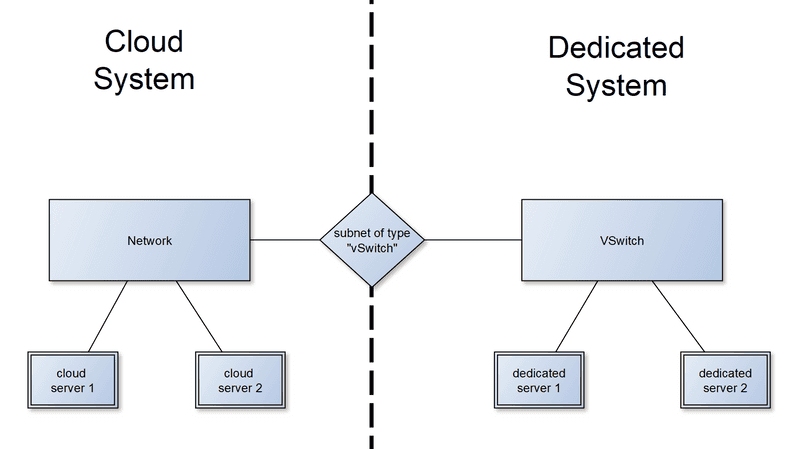

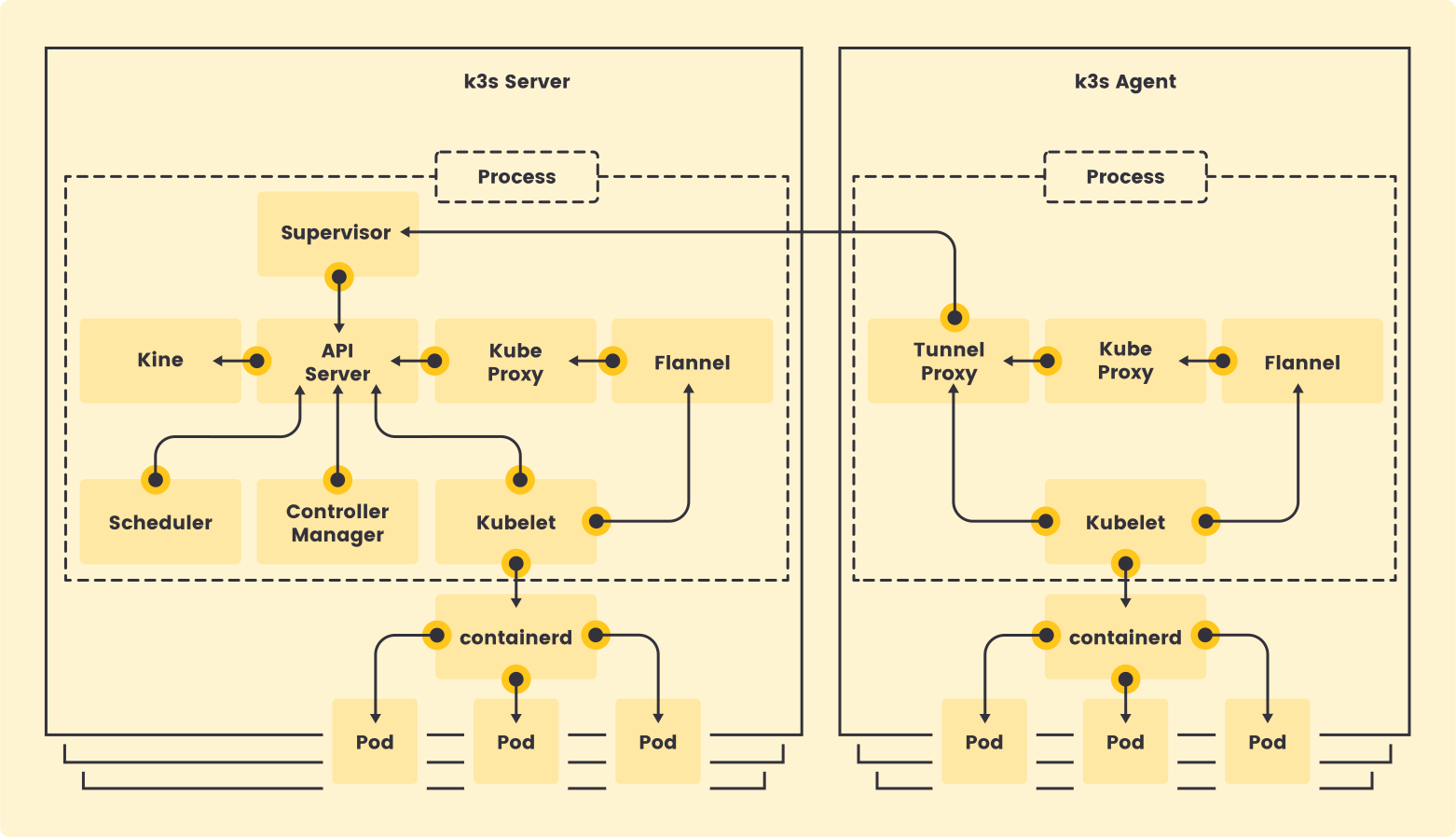
✅ Servers (control plane + workers) ✅ Private network (VPC-like) ✅ Firewalls ✅ SSH keys ✅ Public + private IP layout
✅ k3s installed ✅ Flannel CNI ✅ kubeconfig output ✅ Node bootstrapping ✅ Cluster upgrades via version pin
✅ NGINX Ingress ✅ cert-manager ✅ metrics-server
Status: 🟡 Implicitly handled
- Hetzner Cloud gives automatic outbound internet access
- Nodes NAT through Hetzner’s network by default
- No extra NAT Gateway needed for dev/staging
You only need custom egress if:
- You want static egress IPs
- You want egress restrictions / firewalling
- You run air-gapped workloads
➡️ Dev setup: nothing to do ➡️ Prod hardening: optional firewall rules
Status: ❌ NOT installed by default (by design)
k3s ships with local-path-provisioner, which is:
- Node-local
- Not HA
- Not suitable for real storage
For real storage you need Hetzner CSI:
What to add (still 100% code):
hcloud-csiHelm chart- API token secret
- StorageClasses
➡️ This is expected and correct — storage is workload-specific.
Status: 🟢 Mostly done
NGINX Ingress:
- Installed
- Exposed
- Works out of the box
You may want to adjust:
- LoadBalancer type (LB vs NodePort)
- Annotations
- TLS defaults
- ExternalTrafficPolicy
➡️ Dev: already good ➡️ Prod: tweak values.yaml (still Terraform/Helm)
Status: ❌ Only after CSI install
Once CSI is installed:
- You must explicitly mark a StorageClass as default
Example:
storageclass.kubernetes.io/is-default-class: "true"This is intentional — Terraform won’t guess your storage preference.
➡️ Required if you want PVCs without explicit SC.
Status: ❌ Not included (and shouldn’t be)
PVC tests are:
- Validation
- Environment-specific
- App-level concerns
But yes — you should test:
kind: PersistentVolumeClaim
apiVersion: v1
spec:
  accessModes: ["ReadWriteOnce"]
  resources:
    requests:
      storage: 5Gi
➡️ This is a sanity check, not infra.
| Item | Needed? | Included? | Reason |
|---|---|---|---|
| Egress / NAT | ❌ Dev | ✅ Implicit | Hetzner default |
| CSI | ✅ | ❌ | Storage is workload-specific |
| Ingress | 🟡 | ✅ | May need tuning |
| Default StorageClass | ✅ | ❌ | Must be explicit |
| PVC Tests | 🟡 | ❌ | Validation step |
These are next-layer, not gaps:
- GitOps (ArgoCD / Flux)
- Backup (Velero + S3)
- Monitoring (Prometheus / Grafana)
- Logging (Loki)
- Secrets (SOPS / External Secrets)
- NetworkPolicies
- Pod Security Standards
All still 100% code.
✔ Yes — this setup is fully Infrastructure-as-Code ✔ No manual cluster setup ✔ Your checklist is correct thinking, not red flags ✔ CSI + StorageClass are the only must-adds
If you want, next I can:
- Add Hetzner CSI via Terraform
- Turn this into prod-grade baseline
- Show a full GitOps flow
Just tell me where you want to go next 🚀