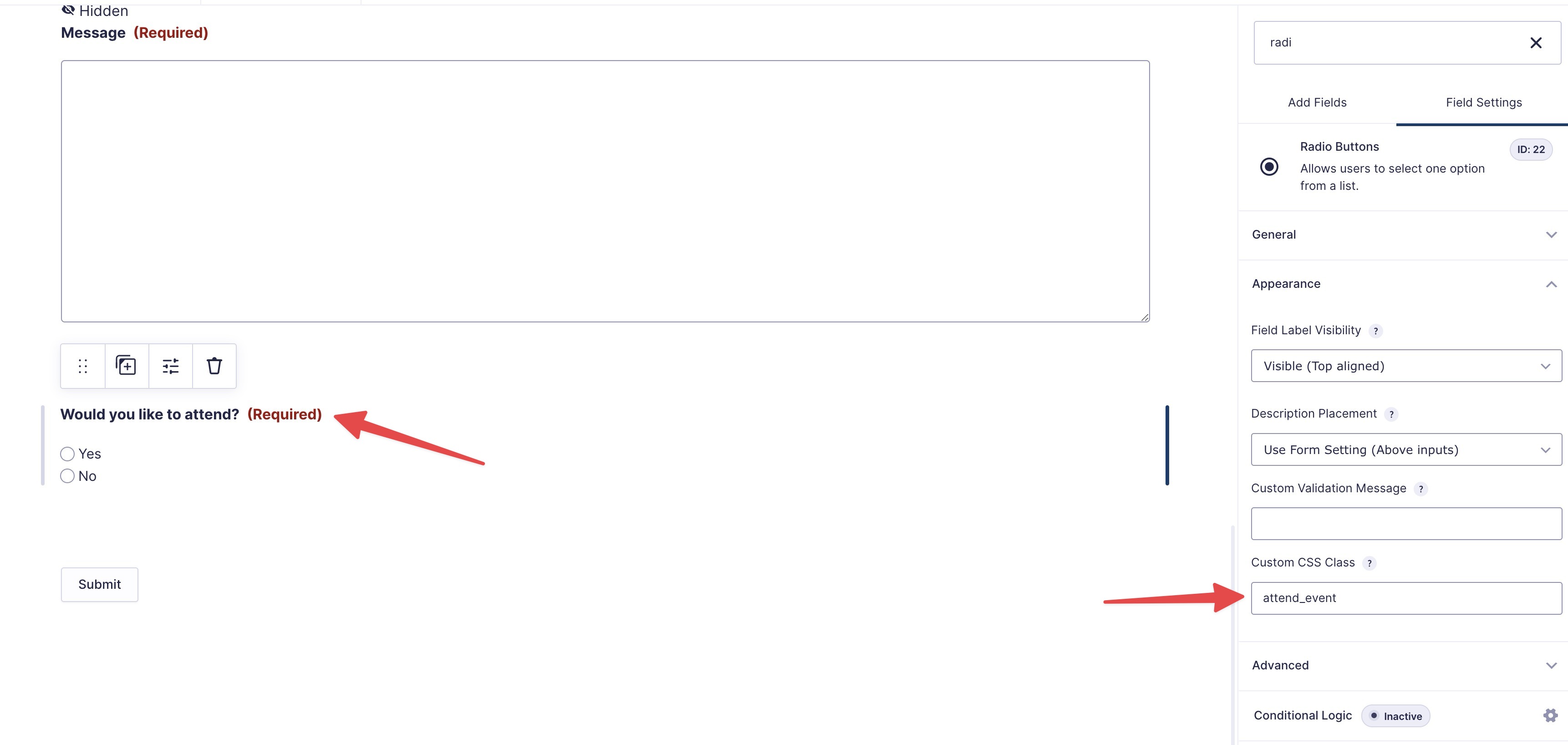
First add a custom CSS class (attend_event) on the radio button "Field Settings → Appearance → Custom CSS Class" like the following screenshot.
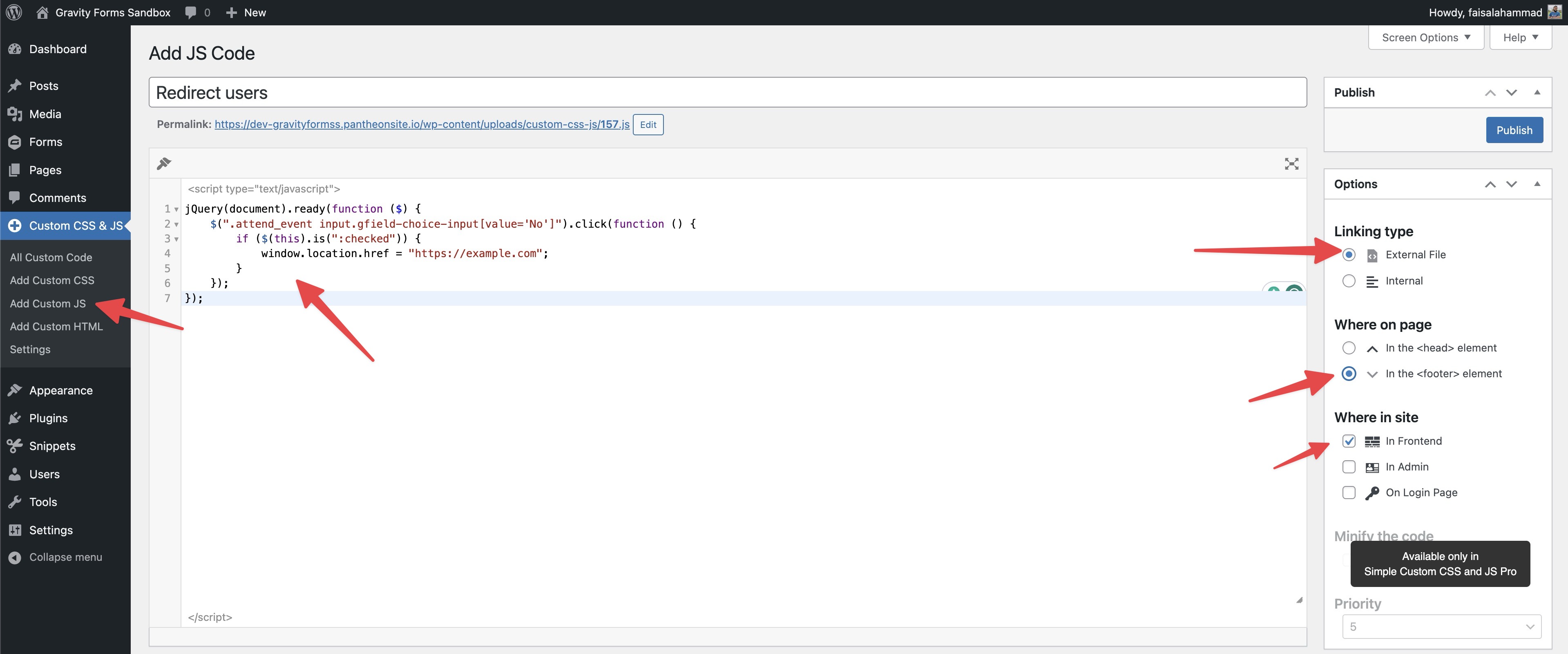
Now add the following jQuery code to the child theme or use the Simple Custom CSS and JS plugin. Now go to the "Custom CSS & JS → Add Custom JS" and add the code like the following screenshot.
jQuery(document).ready(function ($) {
    $(".attend_event input.gfield-choice-input[value='No']").click(function () {
      if ($(this).is(":checked")) {
        window.location.href = "https://example.com";
      }
    });
});
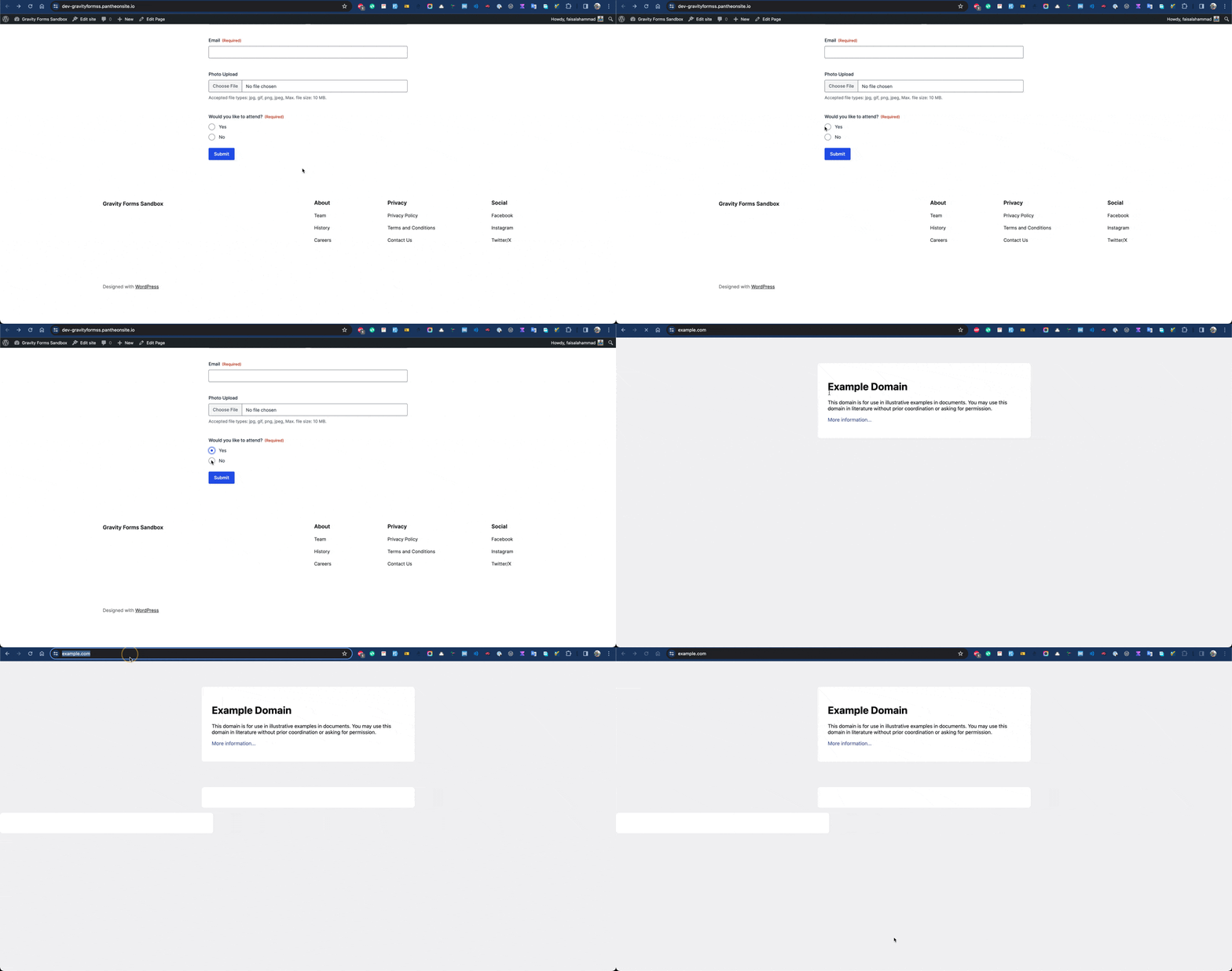
If you check, you'll see the users redirect to the example.com whenever they select the "No" option from the radio button.