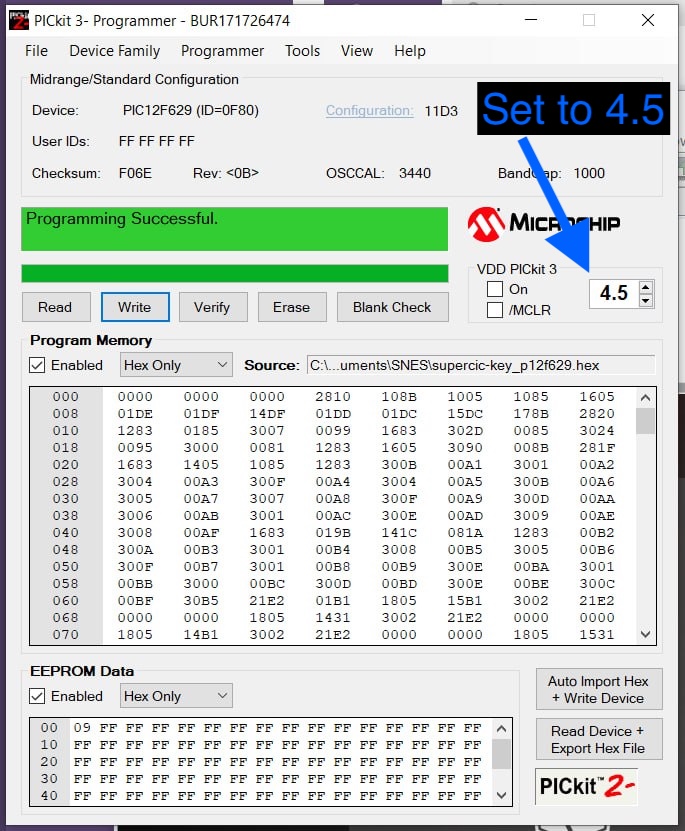
Download PICkitminus by jaka-fi, an “enhanced” version of the original Microchip PICkit2 software which supports more devices than the original.
Download the SuperCIC hex code from Project SN2SNES, extract the file supercic-key_p12f629.hex from the archive and save it for later.
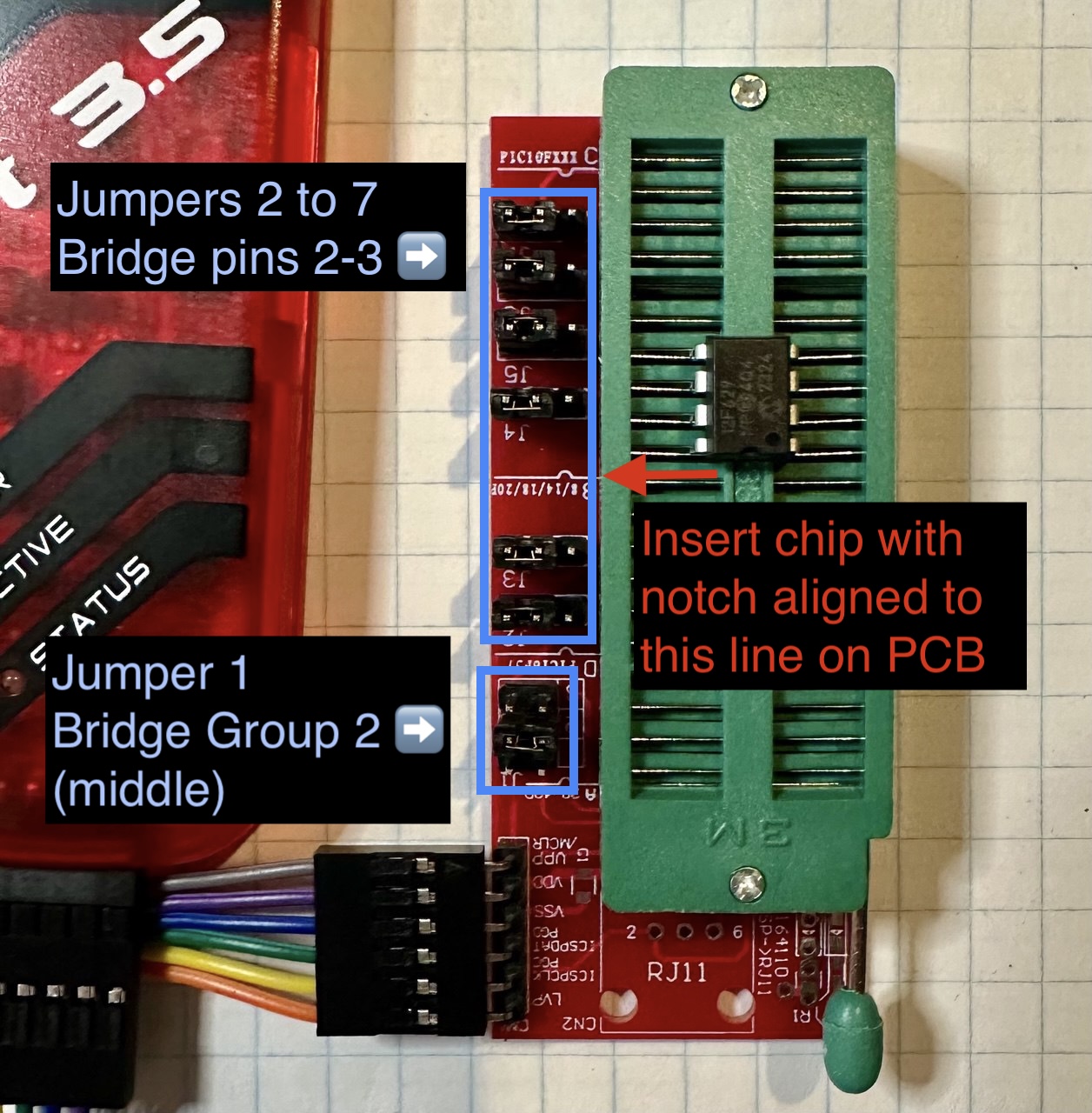
If you have the socket adapter for the PIC chip, set it up as follows:
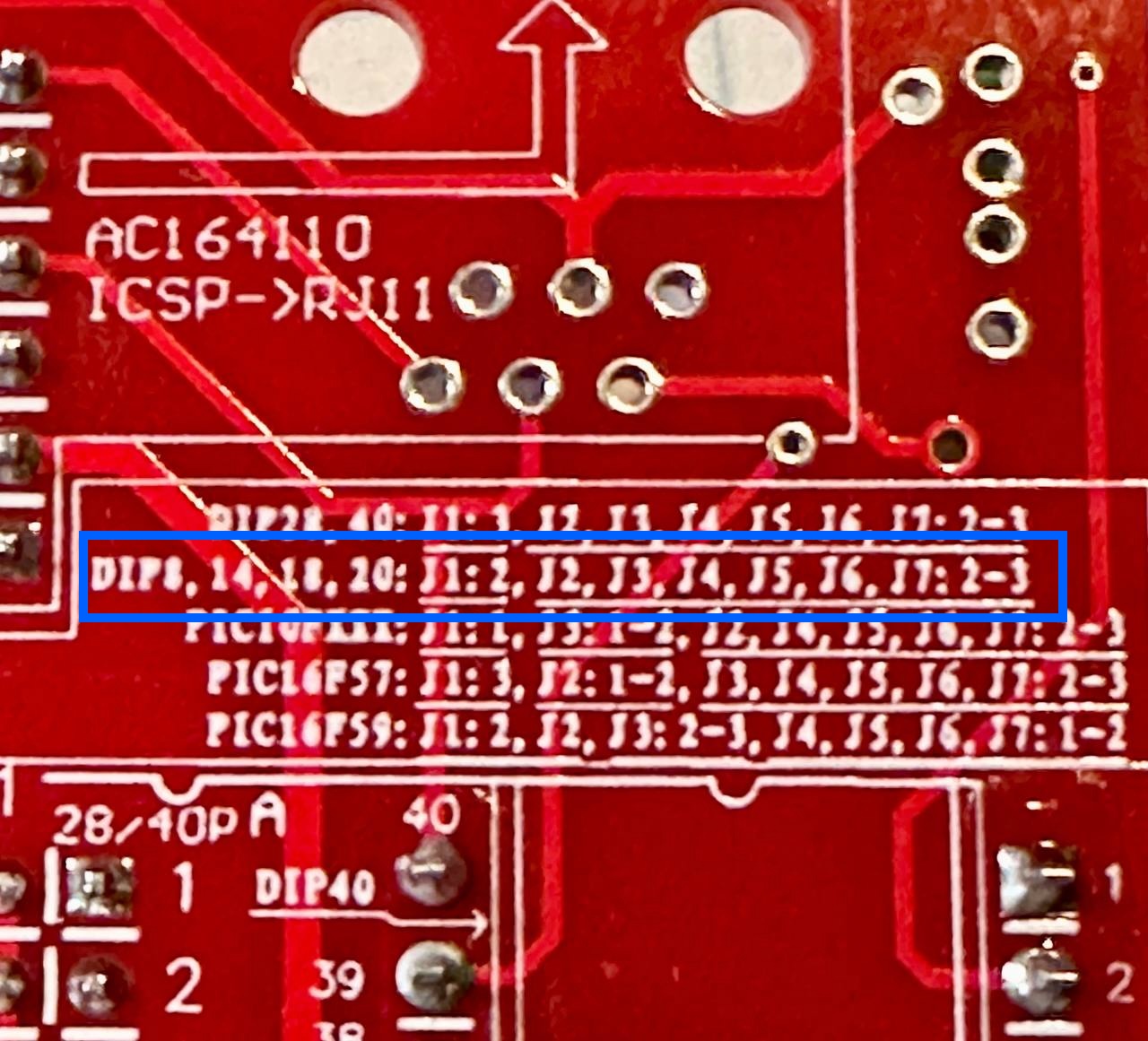
- Bridge Jumper 1 pins labelled "2" (middle group)
- Bridge Jumpers 2-7 to set the all to the "2-3" setting.
- Ensure the PIC12F629 chip is seated correctly. Align the chip's notch with the line on the PCB labelled "8/14/16/20" for DIP chips.
If you don't have a socket adapter, connect your PICkit pins to the PIC12F629 like this:
PICkit  -> PIC12F629
1 (Vpp) -> Pin 4
2 (Vdd) -> Pin 1
3 (Vss) -> Pin 8
4 (ISCPDAT) -> Pin 7
5 (ISCPCLK) -> Pin 6
6 (LVP/Aux) Not used.
Plug the PICkit 3 programmer into your PC via USB cable.
Install & run the PICKitminus software, then:
- Click
File->Import hexin the software and select thesupercic-key_p12f629.hexfile you extracted earlier. - Set the VDD setting to 4.5
- Click the
Writebutton to program the chip. When complete, you should see a "Programming Successful" message.