
- Dowload Putty
- Dowload Xming X Server
Install all of them and using putty remotely access to raspberry pi. We need to configure something.Type following command to edit a config file.
sudo nano /etc/ssh/ssh_config
following item need to change..
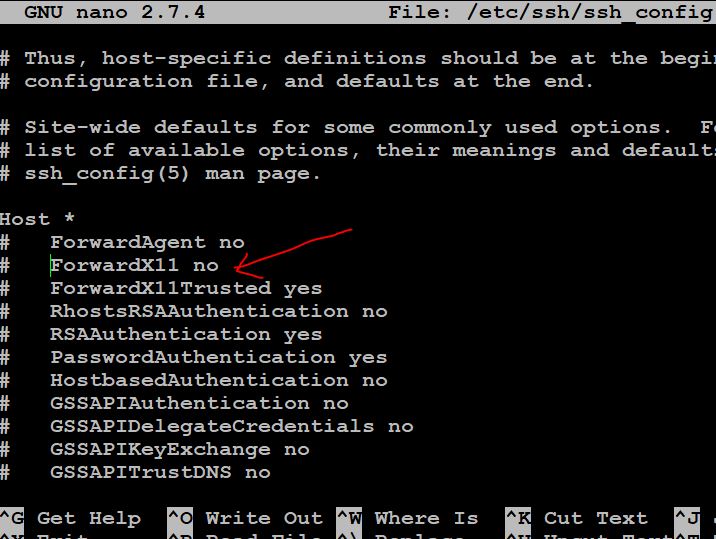
jsut edit like following and save it..
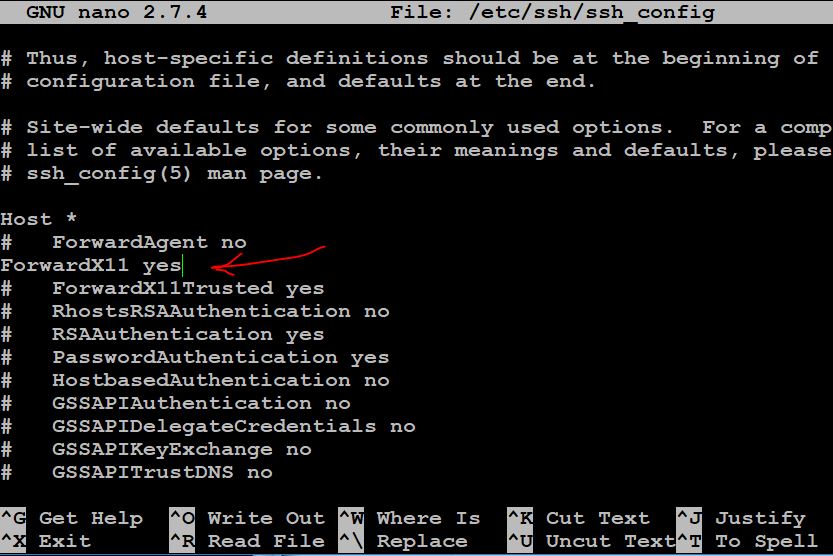
exit putty and donload following item and install in on windows.
After that open Putty and now we need to enable X11 from following directory, just before log in to raspbian.
  |-Putty
  |  |-Connection
| | |-X11 
Now log in to raspberry pi.All done.
test:
for opening xclock , type xclock &
for opening libreoffice , type libreoffice &
for opening thonny python ide , type thonny &
Cheers!