
Created
August 10, 2022 23:53
-
-
Save ivan/cbb333d48e19bf8fc025c599dccbd542 to your computer and use it in GitHub Desktop.
cygwin .zshrc to make mintty change background color after each time you start zsh
This file contains hidden or bidirectional Unicode text that may be interpreted or compiled differently than what appears below. To review, open the file in an editor that reveals hidden Unicode characters.
Learn more about bidirectional Unicode characters
| # This goes in ~/.zshrc | |
| typeset -A bgcolor_to_next_color | |
| bgcolor_to_next_color=( | |
| # The darkest IBM Carbon colors from https://huetone.ardov.me/ | |
| 22,22,22 7,25,8 | |
| 7,25,8 8,26,28 | |
| 8,26,28 6,23,39 | |
| 6,23,39 0,17,65 | |
| 0,17,65 28,15,48 | |
| 28,15,48 42,10,24 | |
| 42,10,24 45,7,9 | |
| 45,7,9 22,22,22 # loop around to the beginning | |
| ) | |
| set-next-mintty-bgcolor() { | |
| current_color=$(grep '^BackgroundColour=' ~/.minttyrc) | |
| current_color=${current_color/BackgroundColour=/} | |
| next_color=${bgcolor_to_next_color[$current_color]} | |
| if [[ $next_color = "" ]]; then | |
| next_color=22,22,22 | |
| fi | |
| sed -i -r "s/BackgroundColour=$current_color/BackgroundColour=$next_color/g" ~/.minttyrc | |
| } | |
| quietly-set-next-mintty-bgcolor() { | |
| # Don't print e.g. "[2] 4262" | |
| setopt local_options no_monitor | |
| # & to run without slowing down startup by 80ms | |
| set-next-mintty-bgcolor & | |
| # Don't print "[2] + done set-next-mintty-bgcolor" | |
| disown | |
| } | |
| quietly-set-next-mintty-bgcolor |

Author
ivan
commented
Aug 10, 2022
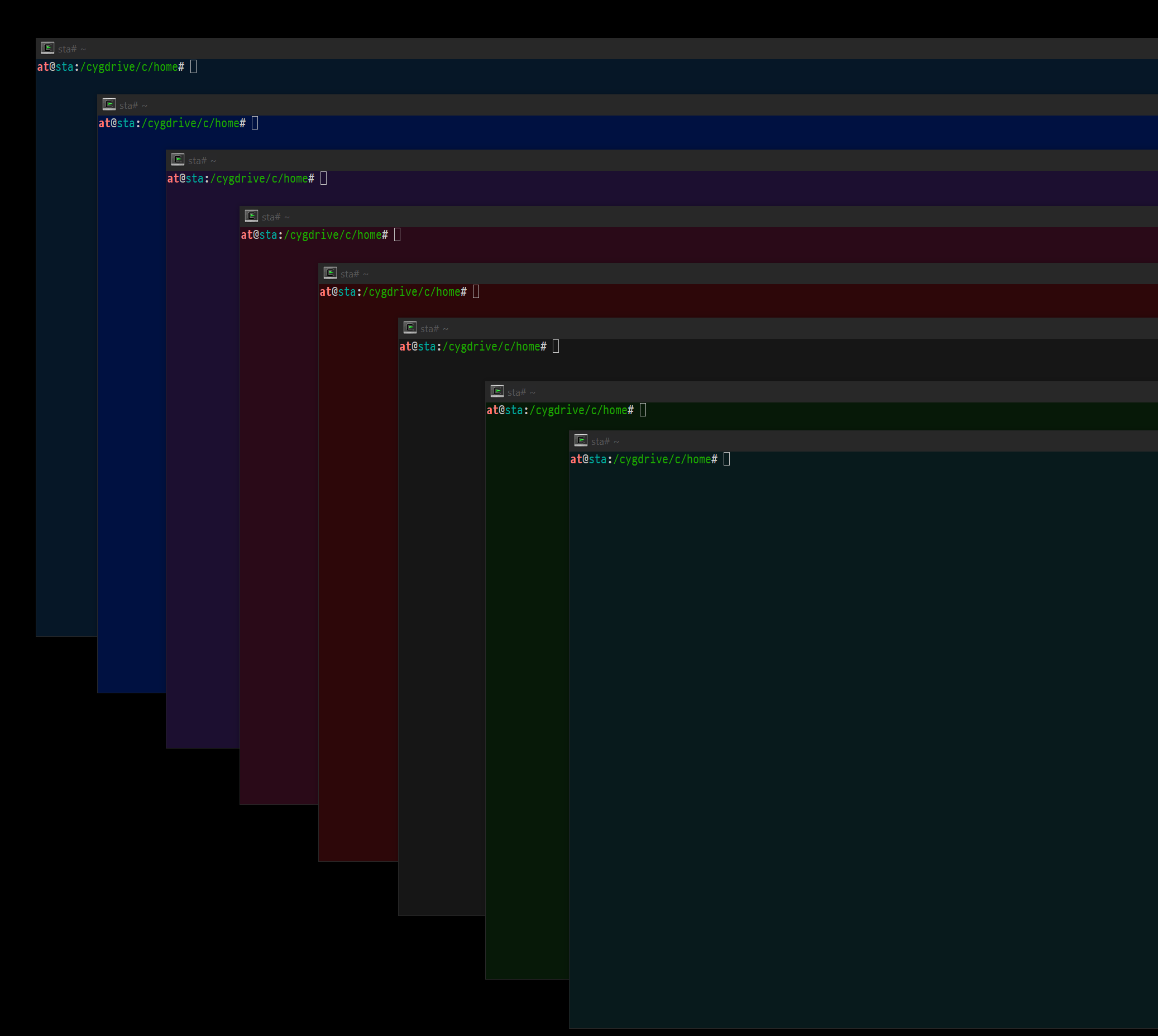
Author
Padding= in ~/.minttyrc can also be useful in not having terminals visually bleed into each other:
In your ~/.minttyrc file add a line that says:
Padding=8
This adds an 8px border on the inside of the window frame for all subsequently launched mintty terminals. Of course you can change the 8 to whatever size appeals to your eyes.
https://stackoverflow.com/questions/51675382/set-border-width-for-mintty-window-on-cygwin-windows-10
Sign up for free
to join this conversation on GitHub.
Already have an account?
Sign in to comment