
External links:
API Url:
Contents:
Register for a test account here.
You will receive an email with details about MERCHANT_ID, a TRADE_PASSWORD and login credentials for Beta TMS.
On login to Beta TMS, you will be asked to reset the password.
Now, under Settings -> Certificate, you can enter the TRADE_PASSWORD to generate the ceritificate (or TOKEN) for making requests to the API.
Set the TOKEN as the global token for Nihaopay.
Nihaopay.token = TOKENYou can see all your test transactions by visiting Beta TMS under Transaction management -> Transaction History.
Initialize a credit card object to be used for transaction.
credit_card = Nihaopay::CreditCard.new(number: '6221558812340000',
                                       expiry_year: 2017,
                                       expiry_month: 11,
                                       cvv: '123')
=> #<Nihaopay::CreditCard:0x007f97673ee788 @number="6221558812340000", @expiry_year=2017, @expiry_month=11, @cvv="123">
express_pay = Nihaopay::Transactions::Purchase.start(1000, credit_card, client_ip: '192.168.1.15')
=> #<Nihaopay::Transactions::Purchase:0x007f974b87e788 @token=TOKEN, @transaction_id="20170117085050008054", @type=nil, @status="success", @captured=true, @currency="JPY", @reference="944d6005b9a1475e84d91692ec40e0e6", @amount=2039, @note=nil, @time=2017-01-18 06:55:55 UTC>NOTE: client_ip is a required parameter.
If you have multiple merchants, then you can build a Nihaopay::Shop object and create transactions using it.
nihaopay_merchant = Nihaopay::Merchant.new(TOKEN)
=> #<Nihaopay::Merchant:0x007f942ee4b4b0 @token=TOKEN>

nihaopay_merchant.purchase(amount, credit_card, client_ip: '192.168.1.15')Use a purchased express_pay transaction for refund.
refunded = express_pay.refund
=> #<Nihaopay::Transactions::Refund:0x007f9769176698 @transaction_id="20170117085057000524", @status="success", @refunded=true, @refund_transaction_id="20170117085050008054", @time=2017-01-18 06:55:55 UTC># app/controllers/nihaopay_payments_controller.rb
def initiate
nihaopay_merchant = Nihaopay::Merchant.new(TOKEN)
response = nihaopay_merchant.ali_pay(1000, 'JPY', { reference: UNQIUE_REFERENCE_ID,
ipn_url: 'https://domain.com/path/to/ipn/',
callback_url: 'https://domain.com/path/to/callback/' })
@html = response.body
end
def callback
end
def ipn
endMake a JS request to initiate action and replace the whole HTML with response body.
# app/views/initiate.js.haml
= "$('html').html(\"#{escape_javascript(@html)}\");".html_safe
This will take you to AliPay payment screen.
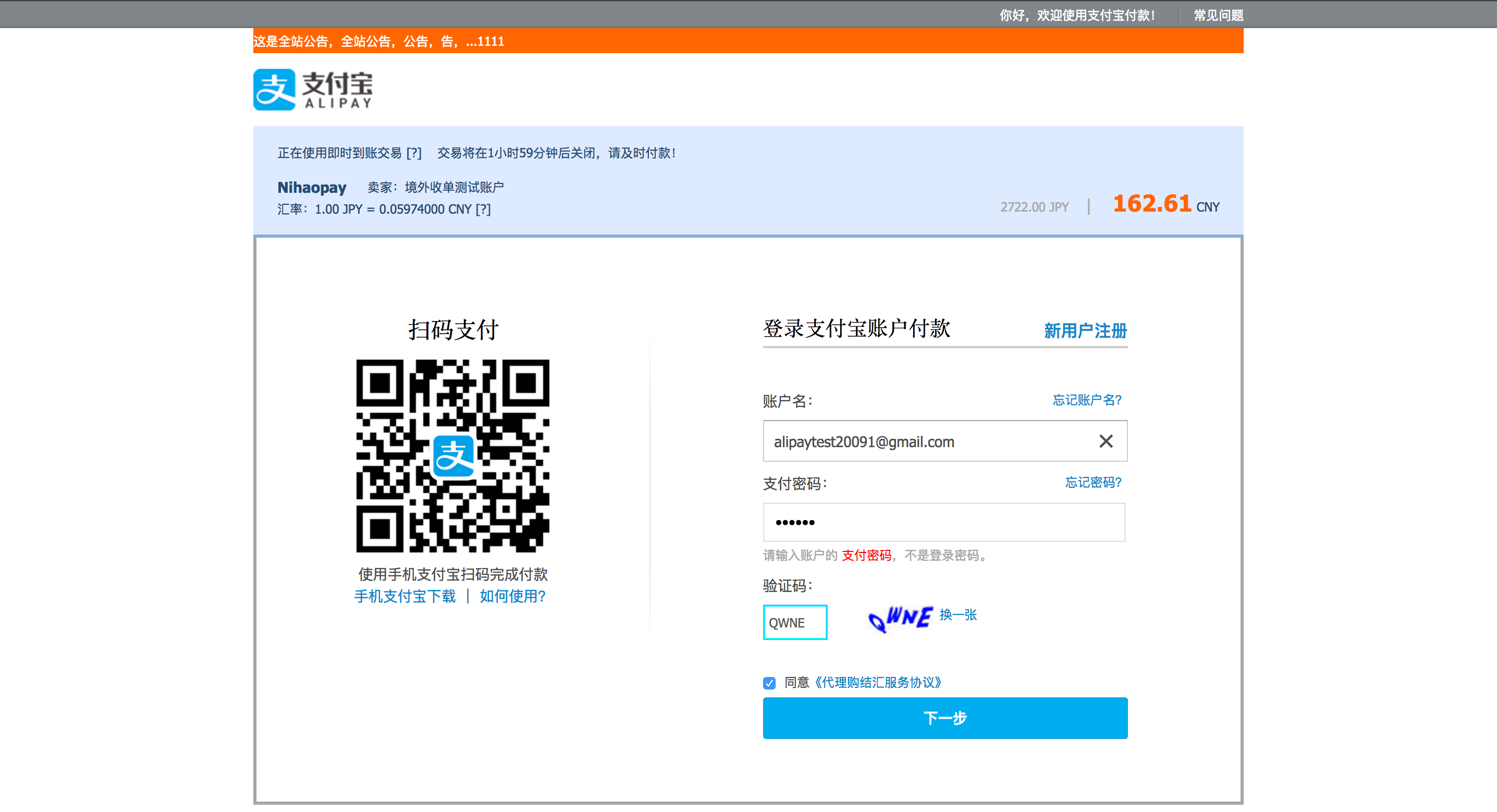
Enter following details:
- Account: alipaytest20091@gmail.com
- Login Password: 111111
Enter captcha and click "Next Step". You will be taken to another screen where you will be asked to enter payment password. Use 111111 as payment password and click "Confirm Payment".
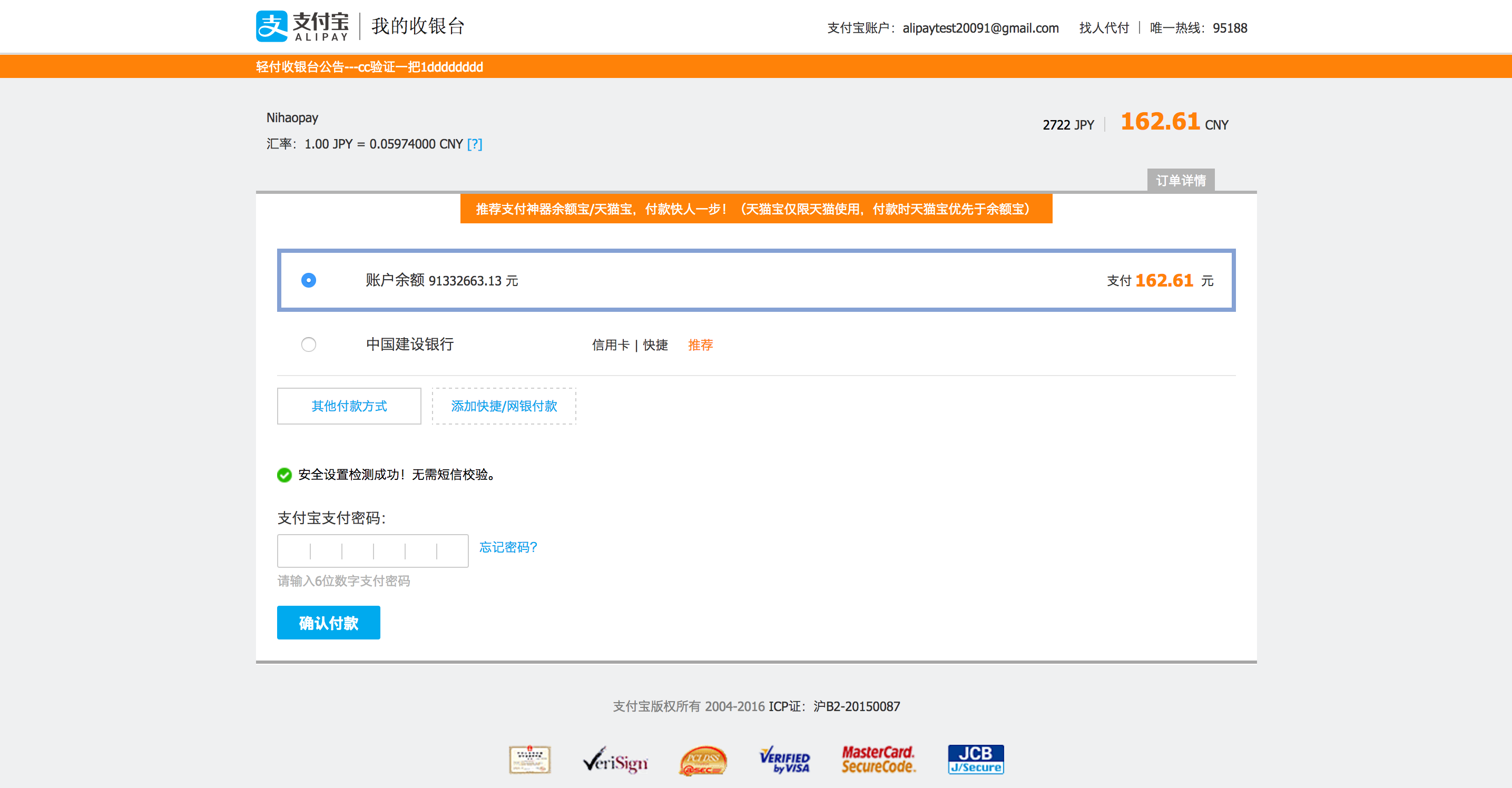
On successful payment, you will receive a POST request on your callback action with following params:
{"id"=>"20170629055617012551", "amount"=>"1000", "currency"=>"JPY", "reference"=>"1498715776", "status"=>"success", "time"=>"2017-06-29T05:59:37Z", "note"=>"null", "verify_sign"=>"0d664170cf7d0f4c2beec0c045d9f1f6"}