Skip to content

Instantly share code, notes, and snippets.

@liebespaar93
Last active September 18, 2023 07:34
Show Gist options
  • Select an option

  • Save liebespaar93/0590fb2eb01aeb38d8f57a25933b8f65 to your computer and use it in GitHub Desktop.

Select an option

Save liebespaar93/0590fb2eb01aeb38d8f57a25933b8f65 to your computer and use it in GitHub Desktop.
Preferences
" ============================================================================
" Netrw Directory Listing (netrw v172)
" /Preferences
" Sorted by name
" Sort sequence: [\/]$,\<core\%(\.\d\+\)\=\>,\.h$,\.c$,\.cpp$,\~\=\*$,*,\.o$,\.obj$,\.info$,\.swp
" Quick Help: <F1>:help -:go up dir D:delete R:rename s:sort-by x:special
" ==============================================================================
../
./
README.md
config.yml
simple_template.yml

참조 목록입니다.

이모티콘 설명

  • 🔮 : 필수적 참고
  • 🍭 : 선택적 참고

설명 지문 부분

  • '=' : 이전까지가 결과를 작성하는 변수명
  • '&' : 그리고
  • '|' : 또는
  • '?' : 앞의 지문을 이해를 돕기 위한 설명
  • '[]' : 위의 내용을 합쳐 작성하기 위한 그룹화

협업

git 설정

  1. 상태 파일

  2. GPG 인증 설정

    window : gnupg

  3. 대용량

  4. 코드 정리

    • mac
      • option + shift + f 버튼으로 코드 정리
    • window
      • alt + shift + f 버튼으로 코드 정리

github community 설정

🚀 Github 공식 커뮤니티

  1. .github/ISSUE_TEMPLATE/ 탬플릿 설정
    이슈 형식 맞추기 *.yml or *.md
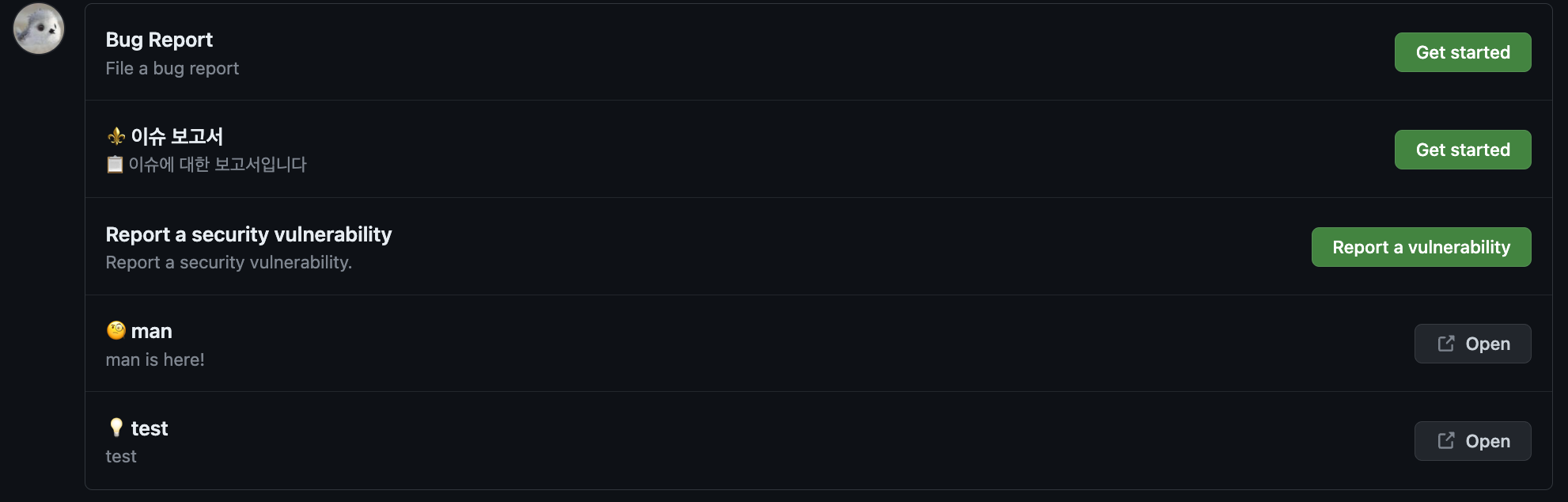
    참고 링크 : 🌑 Git Docs

    • config.yml 파일 예시
    image
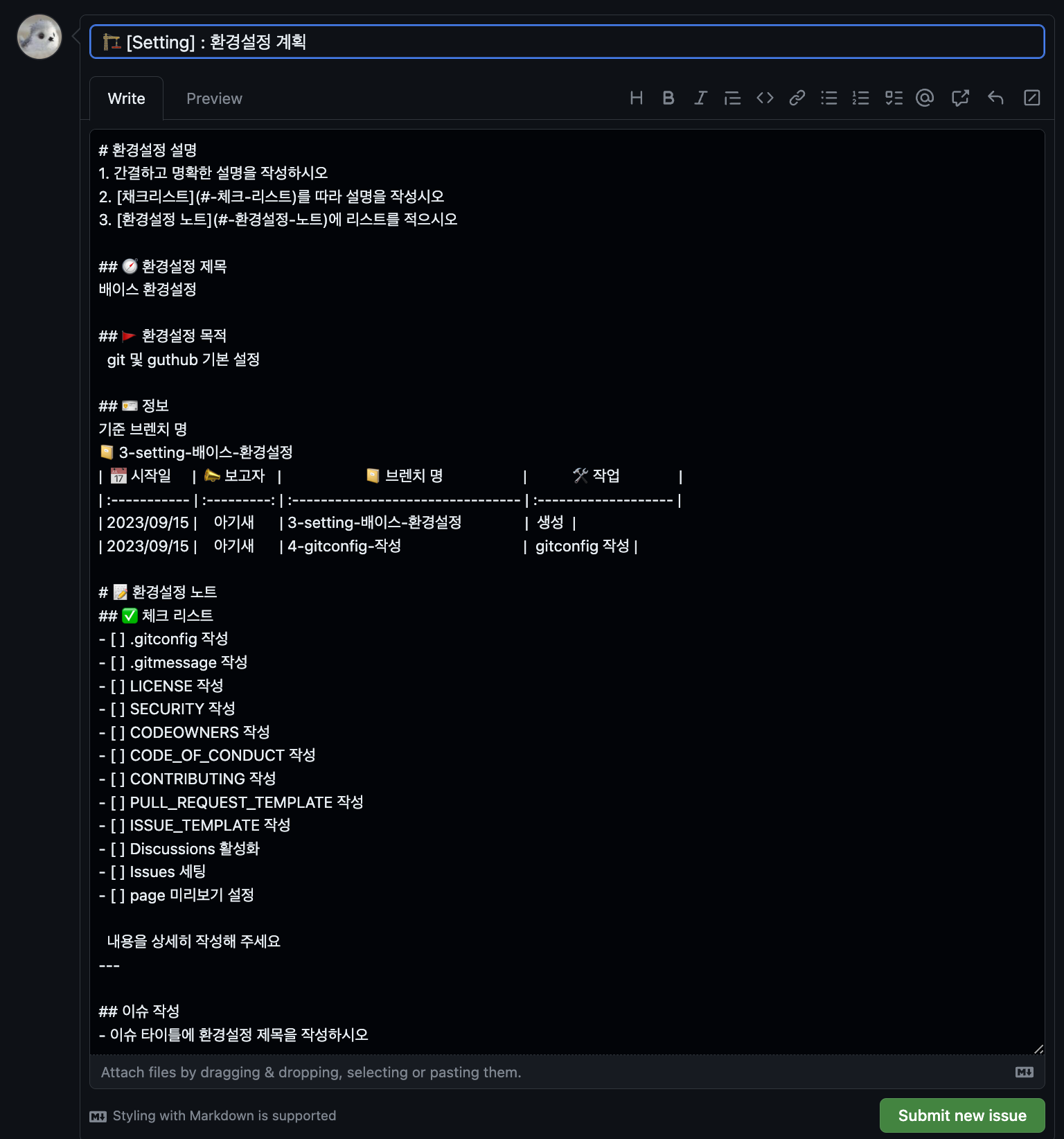
    • *.md 파일 예시
      image

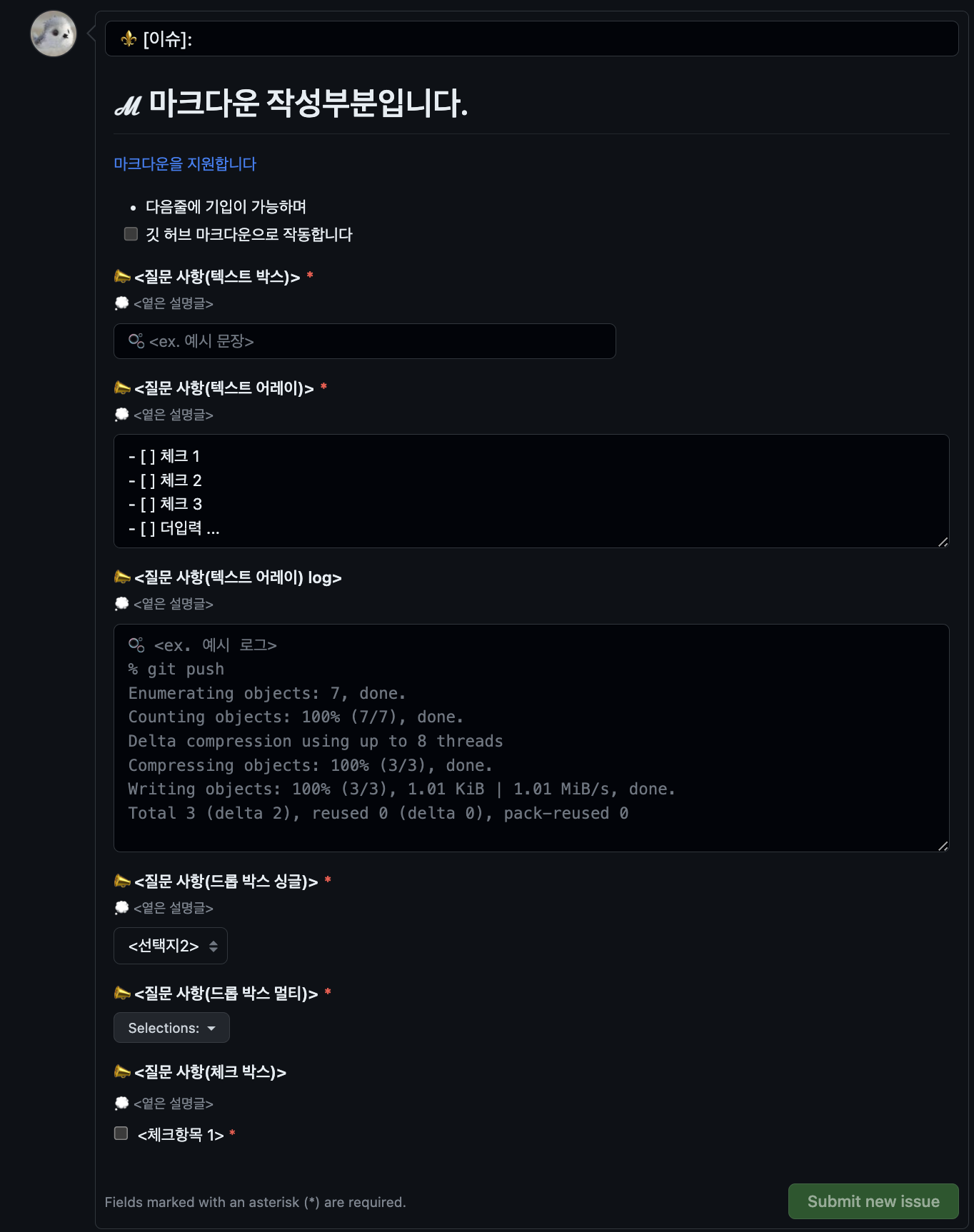
    • *.yml 파일 예시
      yml예시

vscode 플러그인

  1. 코드 스타일

  2. 깃 관리

blank_issues_enabled: false
contact_links:
- name: <이모티콘> <링크 이름1>
url: <링크 주소1>
about: <링크 설명1>
- name: <이모티콘> <링크 이름2>
url: <링크 주소2>
about: <링크 설명2>
blank_issues_enabled: false
name: "⚜ 이슈 보고서"
description: "📋 이슈에 대한 보고서입니다"
title: "⚜ 이슈: "
labels: ["🌑 깃허브", "🤖 봇"]
projects: ["github/1", "bot/1"]
assignees:
- github
body:
- type: markdown
attributes:
value: |
# ℳ 마크다운 작성부분입니다.
[마크다운을 지원합니다](#)
- 다음줄에 기입이 가능하며
- [ ] 깃 허브 마크다운으로 작동합니다
- type: input
id: input_id
attributes:
label: 📣 <질문 사항(텍스트 박스)>
description: 💭 <옅은 설명글>
placeholder: 🫧 <ex. 예시 문장>
validations:
required: true
- type: textarea
id: textarea_id
attributes:
label: 📣 <질문 사항(텍스트 어레이)>
description: 💭 <옅은 설명글>
placeholder: |
🫧 <ex. 예시 지문>
- [ ] 체크 1
- [ ] 체크 2
value: |
- [ ] 체크 1
- [ ] 체크 2
- [ ] 체크 3
- [ ] 더입력 ...
render: ''
validations:
required: true
- type: textarea
id: textarea_id_log
attributes:
label: 📣 <질문 사항(텍스트 어레이) log>
description: 💭 <옅은 설명글>
placeholder: |
🫧 <ex. 예시 로그>
% git push
Enumerating objects: 7, done.
Counting objects: 100% (7/7), done.
Delta compression using up to 8 threads
Compressing objects: 100% (3/3), done.
Writing objects: 100% (3/3), 1.01 KiB | 1.01 MiB/s, done.
Total 3 (delta 2), reused 0 (delta 0), pack-reused 0
render: 'shell'
validations:
required: false
- type: dropdown
id: dropdown_id_single
attributes:
label: 📣 <질문 사항(드롭 박스 싱글)>
description: 💭 <옅은 설명글>
multiple: false
options:
- <선택지1>
- <선택지2>
- <선택지3>
default: 1
validations:
required: true
- type: dropdown
id: dropdown_id_mult
attributes:
label: 📣 <질문 사항(드롭 박스 멀티)>
multiple: true
options:
- <선택지1>
- <선택지2>
- <선택지3>
validations:
required: true
- type: checkboxes
id: checkboxes_id
attributes:
label: 📣 <질문 사항(체크 박스)>
description: 💭 <옅은 설명글>
options:
- label: <체크항목 1>
required: true
Sign up for free to join this conversation on GitHub. Already have an account? Sign in to comment