
a. persiapan pertama project
-
StatefulWidget: State widget yang digunakan. -
Variable animasi : variable untuk menentukan animasi page dan widget.
  late AnimationController _animationController;
  late AnimationController _mapAnimationController;
final PageController _pageController = PageController();- variable style
const Color mainBlack = Color(0xFF383838);
const Color lightGrey = Color(0xFF707070);
const Color lighterGrey = Color(0xFFA0A0A0);
const Color white = Color(0xFFFFFFFF);
dan membutuhkan inisiasi di initState dan dispose
  @override
  void initState() {
    super.initState();
    _animationController = AnimationController(
      vsync: this,
      duration: Duration(milliseconds: 1000),
    );
    _mapAnimationController = AnimationController(
      vsync: this,
      duration: Duration(milliseconds: 1000),
    );
  }

  @override
  void dispose() {
    _animationController.dispose();
    _mapAnimationController.dispose();
    super.dispose();
}-
Stack: Widget yang digunakan untuk menumpuk widget di dimensi z. Urutan widget yang di tumpuk dari bawah (widget di baris pertama) ke atas (widget di baris akhir). -
SafeArea: widget yang memberikan padding yang cukup untuk menghindari intrusi oleh sistem operasi. -
GestureDetector: Memberikan function gesture bagi widget di dalamnya. -
PageView: Widget yang menganimasikan lebih dari satu widget menjadi halaman.
susunan Widgetnya :
 -> Stack
 [
    -> SafeArea
        -> GestureDetector
            -> Stack
            [
                ->PageView []
            ]
]Scaffold(
body: Stack(
children: <Widget>[
SafeArea(
child: GestureDetector(
child: Stack(
alignment: Alignment.center,
children: <Widget>[
PageView(
controller: _pageController,
physics: ClampingScrollPhysics(),
children: <Widget>[
],
),
],
),
),
),
],
),
),b. ChangeNotifier untuk menerima informasi offset dan page secara update
class PageOffsetNotifier with ChangeNotifier {
  double _offset = 0;
  double _page = 0;

  PageOffsetNotifier(PageController pageController) {
    pageController.addListener(() {
      _offset = pageController.offset;
      _page = pageController.page!;
      notifyListeners();
    });
  }

  double get offset => _offset;

  double get page => _page;
}
kelas [PageOffsetNotifier] akan meminta
[PageController]. Kemudia menyimpan offset dan page saat itu
c. Menampilkan gambar pada aplikasi
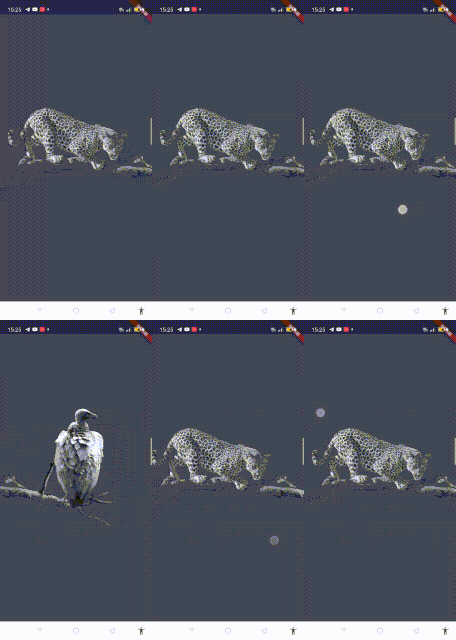
untuk struktur widget-nya :
-> ChangeNotifierProvider
    -> ListenableProvider.value
        -> Scaffold
            -> Stack
            [
                -> SafeArea
                    -> GestureDetector
                        -> Stack
                        [
                            -> PageView
                            [
                                -> LeopardPage "Stateless"
                                -> VulturePage "Stateless"
                            ]
                            -> LeopardImage "Stateless"
                            -> VultureImage "Stateless"
                        ]
            ]
return ChangeNotifierProvider(
create: (_) => PageOffsetNotifier(_pageController),
child: ListenableProvider.value(
value: _animationController,
child: Scaffold(
body: Stack(
children: <Widget>[
SafeArea(
child: GestureDetector(
child: Stack(
alignment: Alignment.center,
children: <Widget>[
PageView(
controller: _pageController,
physics: ClampingScrollPhysics(),
children: <Widget>[
LeopardPage(),
VulturePage(),
],
),
AppBar(),
LeopardImage(),
VultureImage(),
],
),
),
),
],
),
),
));Untuk LeopardPage dan VulturePage dapan di simpan dulu dengan [Container].
Untuk LeopardImage dan VultureImage:
LeopardImage :
class LeopardImage extends StatelessWidget {
  @override
  Widget build(BuildContext context) {
    return Consumer2<PageOffsetNotifier, AnimationController>(
      builder: (context, notifier, animation, child) {
        return Positioned(
          left: -0.85 * notifier.offset,
          width: MediaQuery.of(context).size.width * 1.6,
          child: child!,
        );
      },
      child: IgnorePointer(
        child: Image.asset('assets/leopard.png'),
      ),
    );
  }
}
VultureImage :
class VultureImage extends StatelessWidget {
  @override
  Widget build(BuildContext context) {
    return Consumer2<PageOffsetNotifier, AnimationController>(
      builder: (context, notifier, animation, child) {
        return Positioned(
          left: (1.2 * (MediaQuery.of(context).size.width)) -
              (0.85 * notifier.offset),
          child: child!,
        );
      },
      child: IgnorePointer(
        child: Padding(
          padding: const EdgeInsets.only(bottom: 90.0),
          child: Image.asset(
            'assets/vulture.png',
            height: MediaQuery.of(context).size.height / 3,
          ),
        ),
      ),
    );
  }
}
Consumer2<PageOffsetNotifier, AnimationController> : Consumer akan mengambil nila dari kelas [PageOffsetNotifier] dan juga [AnimationController] yang di ambil dari [ListenableProvider.value] (dengan value dari animationController).
IgnorePointer : Widget yang dibungkus tidak dapat ditekan/digeser. Widget benar - benar di "ignore".
Positioned : Widget yang menentukan posisi gambar. Offset pada posisi yang akan membuat seolah gambar tersebut menyesuaikan pada halamannya, padahal gambar itu yang bergerak.
d. Menambahkan AppBar

Bukan synatx ribet. Hanya begini saja.
class AppBarSy extends StatelessWidget {
  @override
  Widget build(BuildContext context) {
    return Positioned(
      top: 0,
      left: 0,
      right: 0,
      child: Padding(
        padding: const EdgeInsets.symmetric(vertical: 16, horizontal: 24),
        child: Row(
          children: <Widget>[
            Text(
              'SY',
              style: TextStyle(fontWeight: FontWeight.bold, fontSize: 18),
            ),
            Spacer(),
            Icon(Icons.menu),
          ],
        ),
      ),
    );
  }
}
Dan tambah di atas LeopardImage() (Di bawah PageView)
....
  AppBarSy(),
  LeopardImage(),
  VultureImage(),
....
e. Text animasi di PageView
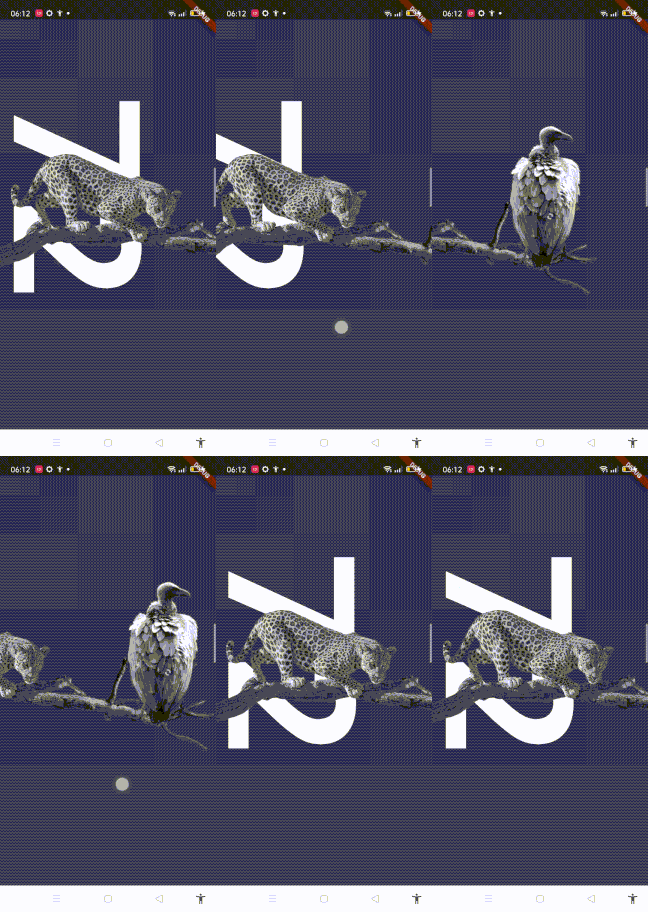
Method yang digunakan :
double topMargin(BuildContext context) =>
    MediaQuery.of(context).size.height > 700 ? 128 : 64;

double mainSquareSize(BuildContext context) =>
    MediaQuery.of(context).size.height / 2;
Kemudan untuk widget text :
class The72Text extends StatelessWidget {
  @override
  Widget build(BuildContext context) {
    return Consumer<PageOffsetNotifier>(
      builder: (context, notifier, child) {
        return Transform.translate(
          offset: Offset(-40 - 0.5 * notifier.offset, 0),
          child: child,
        );
      },
      child: RotatedBox(
        quarterTurns: 1,
        child: SizedBox(
          width: mainSquareSize(context),
          child: FittedBox(
            alignment: Alignment.topCenter,
            fit: BoxFit.cover,
            child: Text(
              '72',
              style: TextStyle(fontWeight: FontWeight.bold),
            ),
          ),
        ),
      ),
    );
  }
}
Transform.translate : Sama seperti widget positioned, tapi niali yang diminta adalah [Offset] yang membutuhkan dimensi x dan y.
RotatedBox : merotasi widget
FittedBox : Menskalakan dan memposisikan widget dalam FittedBox sendiri sesuai [fit]
dan untuk LeopardPage :
class LeopardPage extends StatelessWidget {
  @override
  Widget build(BuildContext context) {
    return Column(
      crossAxisAlignment: CrossAxisAlignment.start,
      children: <Widget>[
        SizedBox(height: topMargin(context)),
        The72Text(),
        SizedBox(height: 32),
      ],
    );
  }
}
f. deskripsi animasi menjadi transparant
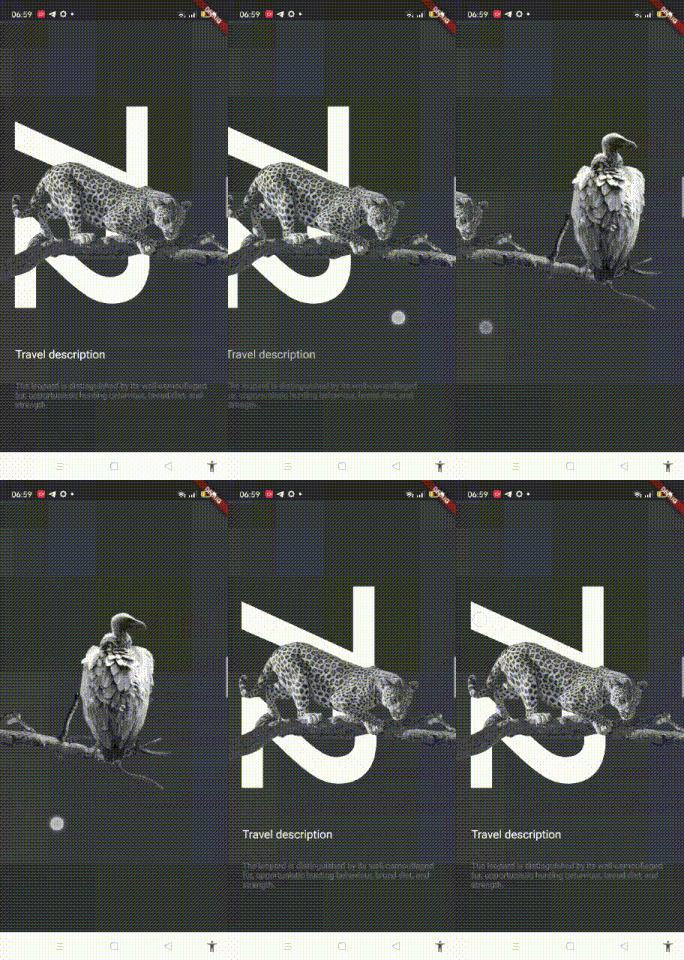
Widget yang dibagi menjadi 2 itu [TravelDescriptionLabel] dan [LeopardDescription] .
widget untuk descripsinya :
import 'dart:math' as math;

class LeopardDescription extends StatelessWidget {
  @override
  Widget build(BuildContext context) {
    return Consumer<PageOffsetNotifier>(
      builder: (context, notifier, child) {
        return Opacity(
          opacity: math.max(0, 1 - 4 * notifier.page),
          child: child,
        );
      },
      child: Column(
        mainAxisAlignment: MainAxisAlignment.start,
        crossAxisAlignment: CrossAxisAlignment.start,
        children: [
          // Title Descripsi
          Padding(
            padding: const EdgeInsets.only(left: 24),
            child: Text(
              'Travel description',
              style: TextStyle(fontSize: 18),
            ),
          ),
          SizedBox(height: 32),
          // Isi Descripsi
          Padding(
            padding: const EdgeInsets.symmetric(horizontal: 24),
            child: Text(
              'The leopard is distinguished by its well-camouflaged fur, opportunistic hunting behaviour, broad diet, and strength.',
              style: TextStyle(fontSize: 13, color: lightGrey),
            ),
          ),
        ],
      ),
    );
  }
}
Setelah itu tambahkan ke LeopardPage :
  children: <Widget>[
    SizedBox(height: topMargin(context)),
    The72Text(),
    SizedBox(height: 32),
    // Descripsi Widget
    SizedBox(height: 32),
    LeopardDescription(),
  ],
g. animasi backgroud lingkaran pada VulturePage
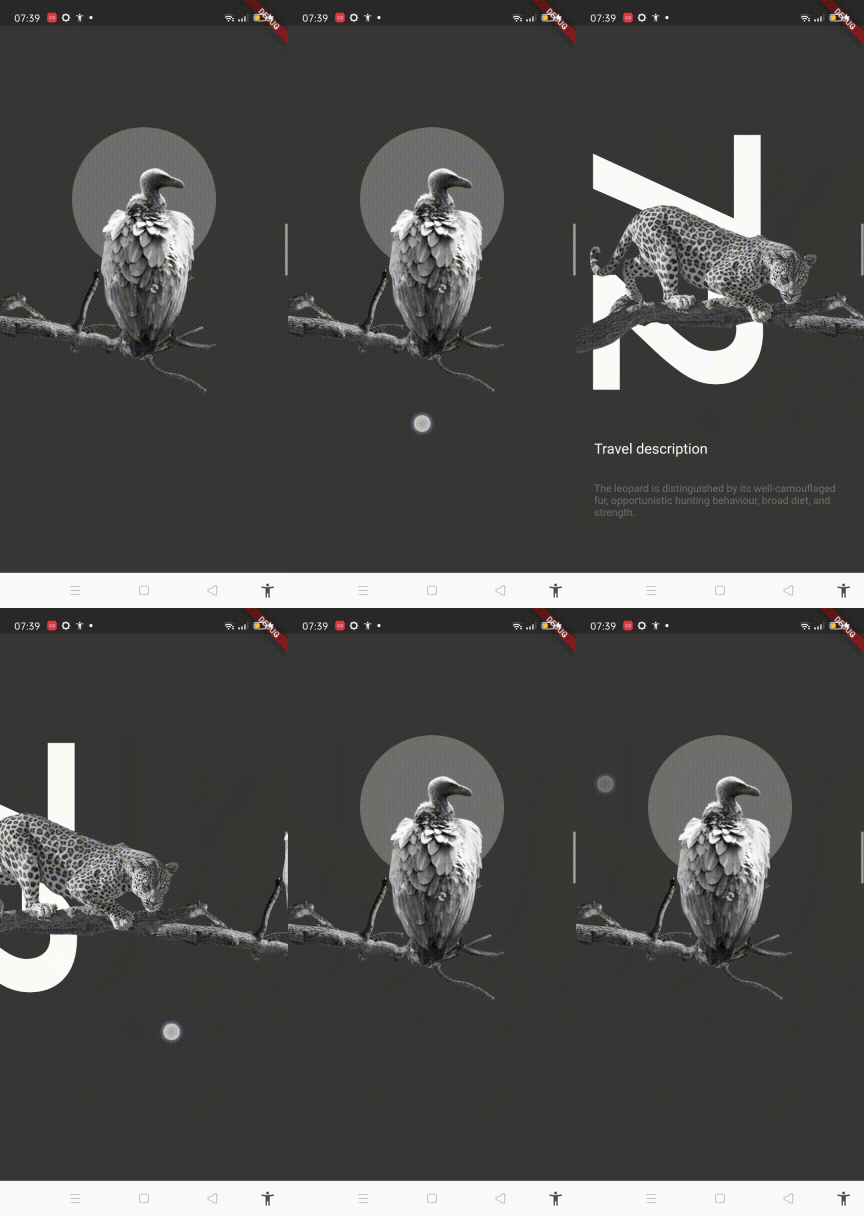
untuk bagian VulutrePage :
class VulturePage extends StatelessWidget {
  @override
  Widget build(BuildContext context) {
      return Stack(
      children: [
        Align(
          alignment: Alignment.center,
          child: VultureCircle(),
        ),
        TravelDetailsLabel()
      ],
    );
  }
}
dan untuk bagian VulutreCircle() :
class VultureCircle extends StatelessWidget {
  @override
  Widget build(BuildContext context) {
    return Consumer2<PageOffsetNotifier, AnimationController>(
      builder: (context, notifier, animation, child) {
        double multiplier;
        if (animation.value == 0) {
          multiplier = math.max(0, 4 * notifier.page - 3);
        } else {
          multiplier = math.max(0, 1 - 6 * animation.value);
        }

        double size = MediaQuery.of(context).size.width * 0.5 * multiplier;
        return Container(
          margin: const EdgeInsets.only(bottom: 250),
          decoration: BoxDecoration(
            shape: BoxShape.circle,
            color: lightGrey,
          ),
          width: size,
          height: size,
        );
      },
    );
  }
}
h. Menambahkan page Indicator.
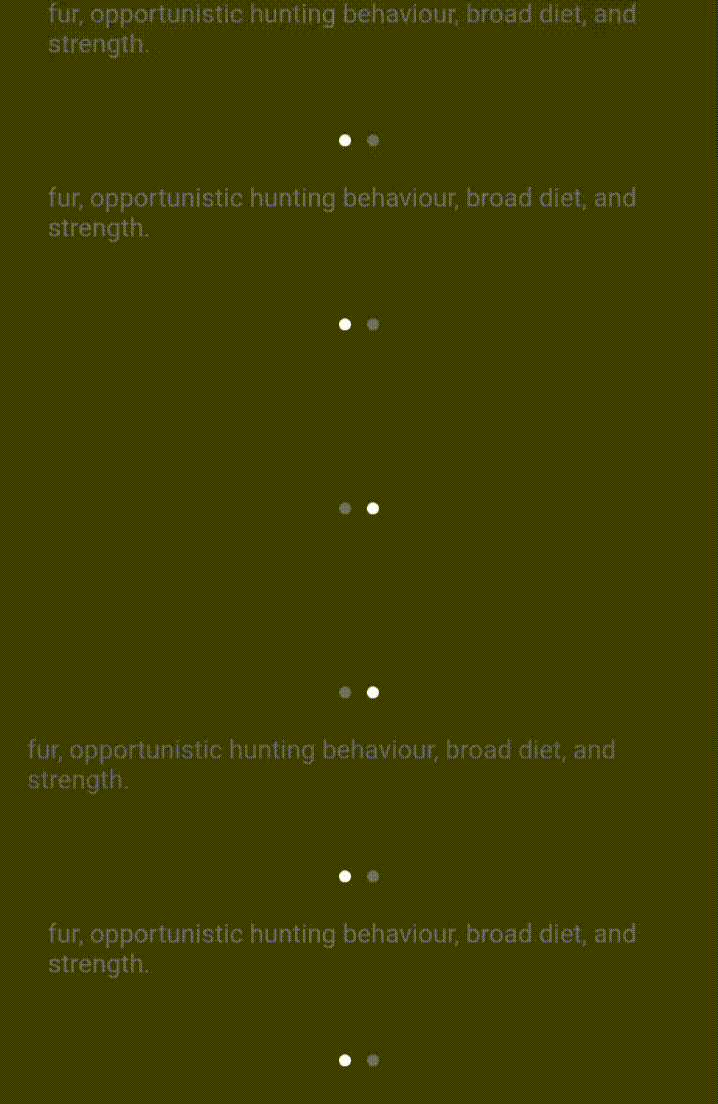
Dot / titik akan berubah menyesuikan posisi page.
class PageIndicator extends StatelessWidget {
  final int pageLength;
  const PageIndicator(this.pageLength);
  @override
  Widget build(BuildContext context) {
    Color dotCollor(int round, PageOffsetNotifier notifier) =>
        round == notifier.page.round() ? white : lightGrey;
    return
        Consumer<PageOffsetNotifier>(
      builder: (context, notifier, _) {
        return Align(
          alignment: Alignment.bottomCenter,
          child: Padding(
            padding: const EdgeInsets.only(bottom: 24),
            child: Row(
              mainAxisAlignment: MainAxisAlignment.center,
              children: <Widget>[
                for (int i = 0; i < pageLength; i++) ...{
                  Flex(
                    direction: Axis.horizontal,
                    children: [
                      Container(
                        decoration: BoxDecoration(
                          shape: BoxShape.circle,
                          color: dotCollor(i, notifier),
                        ),
                        height: 6,
                        width: 6,
                      ),
                      if (i < pageLength - 1) ...{SizedBox(width: 8)}
                    ],
                  )
                }
              ],
            ),
          ),
        );
      },
    );
  }
}
Dan tambah di bawah VultureImage()
....
  AppBarSy(),
  LeopardImage(),
  VultureImage(),
  PageIndicator(2),
....
i. Travel details title
Title dengan animasi opasity
setelah di geser.
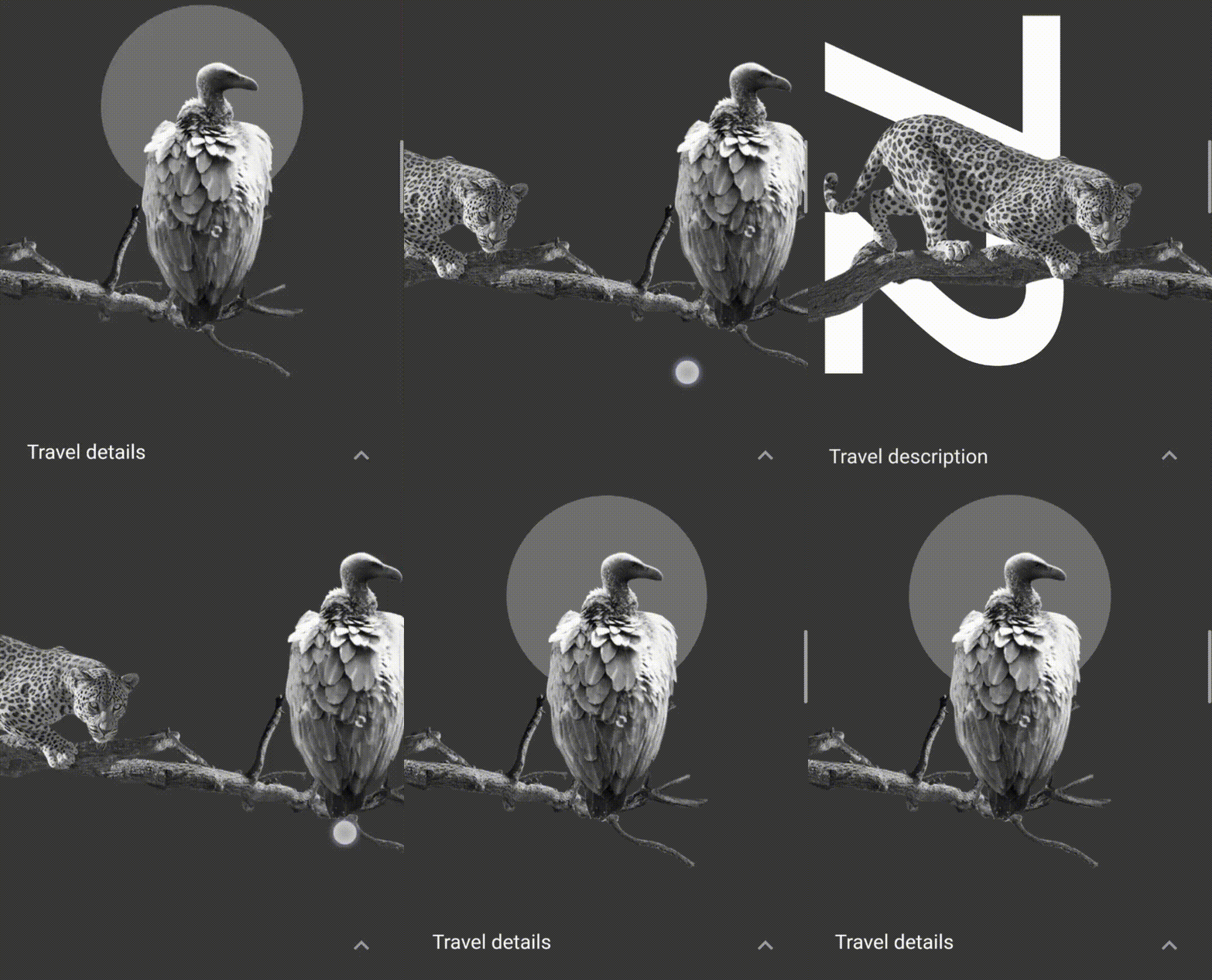
Untuk catatan, widget ini bisa di taruh di dalam PageView (di bawah PageIndicator) dan di dalam VultureImage
class TravelDetailsLabel extends StatelessWidget {
  @override
  Widget build(BuildContext context) {
    return Consumer2<PageOffsetNotifier, AnimationController>(
      builder: (context, notifier, animation, child) {
        double multiplier;
        if (animation.value == 0) {
          multiplier = math.max(0, 4 * notifier.page - 3);
        } else {
          multiplier = math.max(0, 1 - 6 * animation.value);
        }

        double size = MediaQuery.of(context).size.width * 0.5 * multiplier;

        return Positioned(
          top: topMargin(context) +
              (1 - animation.value) * (mainSquareSize(context) + 32 - 4),
          left: 24 + MediaQuery.of(context).size.width - notifier.offset,
          child: Opacity(
            // ! Use this if this widget outside VulturePage
            // opacity: math.max(0, 4 * notifier.page - 3),
            // ? Use this if widget inside VulturePage and want title and cirle
            // ? disapper together.
            opacity: math.max(0, size / 180),
            child: child,
          ),
        );
      },
      child: Text(
        'Travel details',
        style: TextStyle(fontSize: 18),
      ),
    );
  }
}
class VulturePage extends StatelessWidget {
@override
Widget build(BuildContext context) {
return Stack(
children: [
Align(
alignment: Alignment.center,
child: VultureCircle(),
),
TravelDetailsLabel()
],
);
}
}i. travel detail content
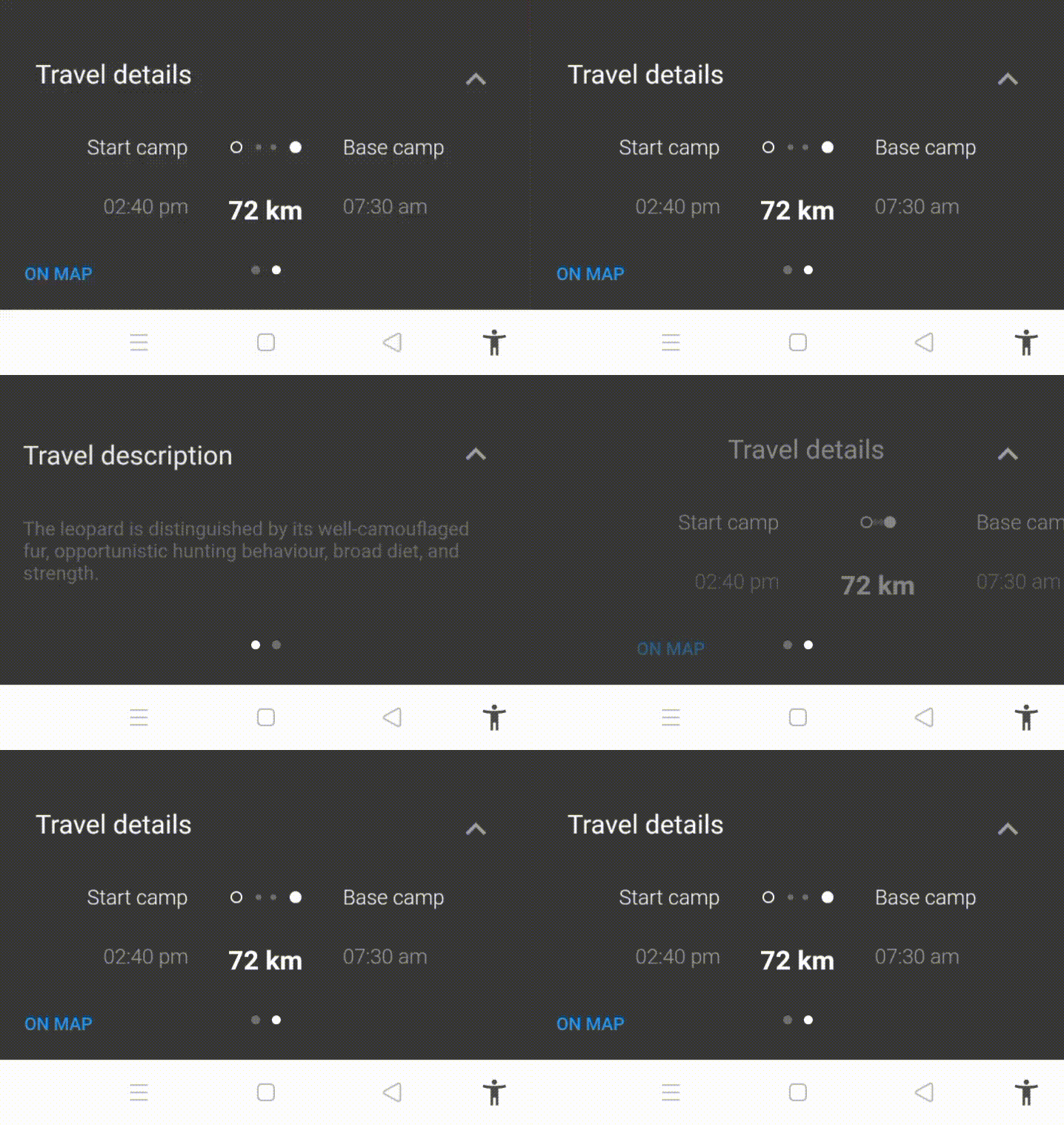
method margin untuk dot widget.
double dotsTopMargin(BuildContext context) =>
    topMargin(context) + mainSquareSize(context) + 32 + 16 + 32 + 4;
notifier untuk map animasi nanti
class MapAnimationNotifier with ChangeNotifier {
  final AnimationController animationController;

  MapAnimationNotifier(this.animationController) {
    animationController.addListener(_onAnimationControllerChanged);
  }

  double get value => animationController.value;

  void forward() => animationController.forward();

  void _onAnimationControllerChanged() {
    notifyListeners();
  }

  @override
  void dispose() {
    animationController.removeListener(_onAnimationControllerChanged);
    super.dispose();
  }
}
Widget yang di butuhkan
// title 'start camp' bagian kiri
class StartCampLabel extends StatelessWidget {
  @override
  Widget build(BuildContext context) {
    return Consumer<PageOffsetNotifier>(
      builder: (context, notifier, child) {
        double opacity = math.max(0, 4 * notifier.page - 3);
        return Positioned(
          top: topMargin(context) + mainSquareSize(context) + 32 + 16 + 32,
          width: (MediaQuery.of(context).size.width - 48) / 3,
          left: opacity * 24.0,
          child: Opacity(
            opacity: opacity,
            child: child,
          ),
        );
      },
      child: Align(
        alignment: Alignment.centerRight,
        child: Text(
          'Start camp',
          style: TextStyle(fontSize: 14, fontWeight: FontWeight.w300),
        ),
      ),
    );
  }
}

// waktu. posisi : bagian kiri
class StartTimeLabel extends StatelessWidget {
  @override
  Widget build(BuildContext context) {
    return Consumer<PageOffsetNotifier>(
      builder: (context, notifier, child) {
        double opacity = math.max(0, 4 * notifier.page - 3);
        return Positioned(
          top: topMargin(context) + mainSquareSize(context) + 32 + 16 + 32 + 40,
          width: (MediaQuery.of(context).size.width - 48) / 3,
          left: opacity * 24.0,
          child: Opacity(
            opacity: opacity,
            child: child,
          ),
        );
      },
      child: Align(
        alignment: Alignment.centerRight,
        child: Text(
          '02:40 pm',
          style: TextStyle(
              fontSize: 14, fontWeight: FontWeight.w300, color: lighterGrey),
        ),
      ),
    );
  }
}

// base camp bagian kanan
class BaseCampLabel extends StatelessWidget {
  @override
  Widget build(BuildContext context) {
    return Consumer2<PageOffsetNotifier, AnimationController>(
      builder: (context, notifier, animation, child) {
        double opacity = math.max(0, 4 * notifier.page - 3);
        return Positioned(
          top: topMargin(context) +
              32 +
              16 +
              4 +
              (1 - animation.value) * (mainSquareSize(context) + 32 - 4),
          width: (MediaQuery.of(context).size.width - 48) / 3,
          right: opacity * 24.0,
          child: Opacity(
            opacity: opacity,
            child: child,
          ),
        );
      },
      child: Align(
        alignment: Alignment.centerLeft,
        child: Text(
          'Base camp',
          style: TextStyle(
            fontSize: 14,
            fontWeight: FontWeight.w300,
          ),
        ),
      ),
    );
  }
}

// waktu. bagian kanan
class BaseTimeLabel extends StatelessWidget {
  @override
  Widget build(BuildContext context) {
    return Consumer2<PageOffsetNotifier, AnimationController>(
      builder: (context, notifier, animation, child) {
        double opacity = math.max(0, 4 * notifier.page - 3);
        return Positioned(
          top: topMargin(context) +
              32 +
              16 +
              44 +
              (1 - animation.value) * (mainSquareSize(context) + 32 - 4),
          width: (MediaQuery.of(context).size.width - 48) / 3,
          right: opacity * 24.0,
          child: Opacity(
            opacity: opacity,
            child: child,
          ),
        );
      },
      child: Align(
        alignment: Alignment.centerLeft,
        child: Text(
          '07:30 am',
          style: TextStyle(
            fontSize: 14,
            fontWeight: FontWeight.w300,
            color: lighterGrey,
          ),
        ),
      ),
    );
  }
}

// jarak perjalanan (km)
class DistanceLabel extends StatelessWidget {
  @override
  Widget build(BuildContext context) {
    return Consumer<PageOffsetNotifier>(
      builder: (context, notifier, child) {
        double opacity = math.max(0, 4 * notifier.page - 3);
        return Positioned(
          top: topMargin(context) + mainSquareSize(context) + 32 + 16 + 32 + 40,
          width: MediaQuery.of(context).size.width,
          child: Opacity(
            opacity: opacity,
            child: child,
          ),
        );
      },
      child: Center(
        child: Text(
          '72 km',
          style: TextStyle(
            fontSize: 18,
            fontWeight: FontWeight.bold,
            color: white,
          ),
        ),
      ),
    );
  }
}

// widget dot (sebagai jarak ke-2 title)
class HorizontalTravelDots extends StatelessWidget {
  @override
  Widget build(BuildContext context) {
    return Consumer2<PageOffsetNotifier, AnimationController>(
      builder: (context, notifier, animation, child) {
        if (animation.value == 1) {
          return Container();
        }
        double spacingFactor;
        double opacity;
        if (animation.value == 0) {
          spacingFactor = math.max(0, 4 * notifier.page - 3);
          opacity = spacingFactor;
        } else {
          spacingFactor = math.max(0, 1 - 6 * animation.value);
          opacity = 1;
        }
        return Positioned(
          top: dotsTopMargin(context),
          left: 0,
          right: 0,
          child: Center(
            child: Opacity(
              opacity: opacity,
              child: Stack(
                alignment: Alignment.center,
                children: <Widget>[
                  Container(
                    margin: EdgeInsets.only(left: spacingFactor * 10),
                    decoration: BoxDecoration(
                      shape: BoxShape.circle,
                      color: lightGrey,
                    ),
                    height: 4,
                    width: 4,
                  ),
                  Container(
                    margin: EdgeInsets.only(right: spacingFactor * 10),
                    decoration: BoxDecoration(
                      shape: BoxShape.circle,
                      color: lightGrey,
                    ),
                    height: 4,
                    width: 4,
                  ),
                  Container(
                    margin: EdgeInsets.only(right: spacingFactor * 40),
                    decoration: BoxDecoration(
                      shape: BoxShape.circle,
                      border: Border.all(color: white),
                    ),
                    height: 8,
                    width: 8,
                  ),
                  Container(
                    margin: EdgeInsets.only(left: spacingFactor * 40),
                    decoration: BoxDecoration(
                      shape: BoxShape.circle,
                      color: white,
                    ),
                    height: 8,
                    width: 8,
                  ),
                ],
              ),
            ),
          ),
        );
      },
    );
  }
}

// tombol map
class MapButton extends StatelessWidget {
  @override
  Widget build(BuildContext context) {
    return Positioned(
      left: 8,
      bottom: 0,
      child: Consumer<PageOffsetNotifier>(
        builder: (context, notifier, child) {
          double opacity = math.max(0, 4 * notifier.page - 3);
          return Opacity(
            opacity: opacity,
            child: child,
          );
        },
        child: TextButton(
          child: Text(
            'ON MAP',
            style: TextStyle(fontSize: 12),
          ),
          onPressed: () {
// Method untuk show map nanti
            final notifier =
                Provider.of<MapAnimationNotifier>(context, listen: false);
            notifier.value == 0
                ? notifier.forward()
                : notifier.animationController.reverse();
          },
        ),
      ),
    );
  }
}
untuk susunan widget nya
// lable wdget
    TravelDetailsLabel(),
// travel detail content
    StartCampLabel(),
    StartTimeLabel(),
    BaseCampLabel(),
    BaseTimeLabel(),
    DistanceLabel(),
    HorizontalTravelDots(),
    MapButton(),
j. dot horizontal to vertical animation
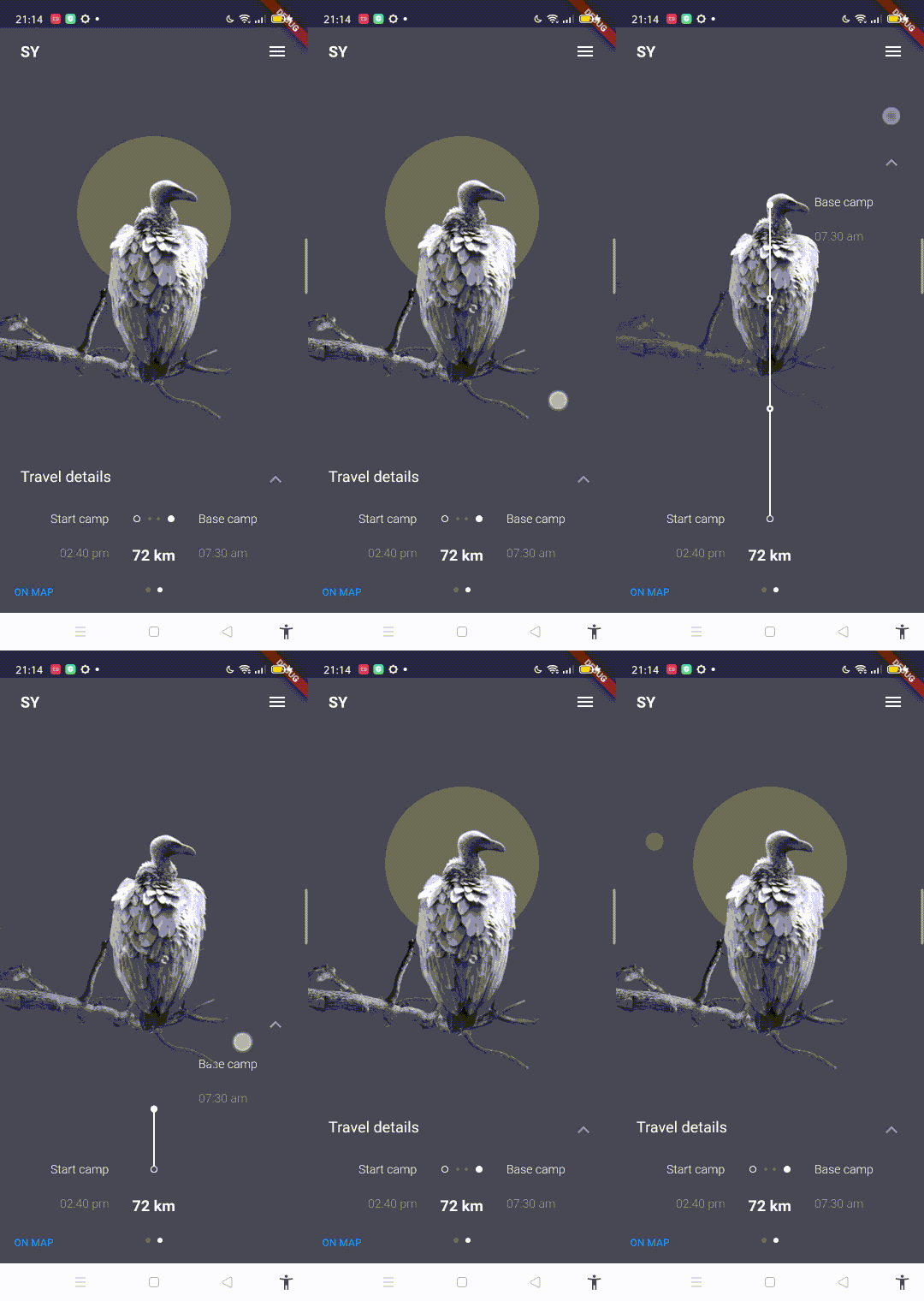
tambah notifer MapAnimationNotifier di ListenableProvider.value
.....
      child: ListenableProvider.value(
        value: _animationController,
        // ! addd change notifier first
        child: ChangeNotifierProvider(
          create: (_) => MapAnimationNotifier(_mapAnimationController),
          child: Scaffold(
.......
method maxHeight dan bottom
double maxHeight(BuildContext context) => mainSquareSize(context) + 32 + 24;

double bottom(BuildContext context) =>
    MediaQuery.of(context).size.height - dotsTopMargin(context) - 8;
method di gesture detector
    void _handleDragUpdate(DragUpdateDetails details) {
    _animationController.value -= details.primaryDelta! / maxHeight(context);
  }

  void _handleDragEnd(DragEndDetails details) {
    if (_animationController.isAnimating ||
        _animationController.status == AnimationStatus.completed) return;

    final double flingVelocity =
        details.velocity.pixelsPerSecond.dy / maxHeight(context);
    if (flingVelocity < 0.0)
      _animationController.fling(velocity: math.max(2.0, -flingVelocity));
    else if (flingVelocity > 0.0)
      _animationController.fling(velocity: math.min(-2.0, -flingVelocity));
    else
      _animationController.fling(
          velocity: _animationController.value < 0.5 ? -2.0 : 2.0);
  }
....
child: GestureDetector(
onVerticalDragUpdate: _handleDragUpdate,
onVerticalDragEnd: _handleDragEnd,
.....widget dot vertical
class VerticalTravelDots extends StatelessWidget {
  @override
  Widget build(BuildContext context) {
    return Consumer2<AnimationController, MapAnimationNotifier>(
      builder: (context, animation, notifier, child) {
        if (animation.value < 1 / 6 || notifier.value > 0) {
          return Container();
        }
        double startTop = dotsTopMargin(context);
        double endTop = topMargin(context) + 32 + 16 + 8;

        double top = endTop +
            (1 - (1.2 * (animation.value - 1 / 6))) *
                (mainSquareSize(context) + 32 - 4);

        double oneThird = (startTop - endTop) / 3;

        return Positioned(
          top: top,
          bottom: bottom(context) - mediaPadding.vertical,
          child: Center(
            child: Stack(
              alignment: Alignment.bottomCenter,
              children: <Widget>[
                Container(
                  width: 2,
                  height: double.infinity,
                  color: white,
                ),
                Positioned(
                  top: top > oneThird + endTop ? 0 : oneThird + endTop - top,
                  child: Container(
                    decoration: BoxDecoration(
                      shape: BoxShape.circle,
                      border: Border.all(color: white, width: 2.5),
                      color: mainBlack,
                    ),
                    height: 8,
                    width: 8,
                  ),
                ),
                Positioned(
                  top: top > 2 * oneThird + endTop
                      ? 0
                      : 2 * oneThird + endTop - top,
                  child: Container(
                    decoration: BoxDecoration(
                      shape: BoxShape.circle,
                      border: Border.all(color: white, width: 2.5),
                      color: mainBlack,
                    ),
                    height: 8,
                    width: 8,
                  ),
                ),
                Align(
                  alignment: Alignment(0, 1),
                  child: Container(
                    decoration: BoxDecoration(
                      shape: BoxShape.circle,
                      border: Border.all(color: white, width: 1),
                      color: mainBlack,
                    ),
                    height: 8,
                    width: 8,
                  ),
                ),
                Align(
                  alignment: Alignment(0, -1),
                  child: Container(
                    decoration: BoxDecoration(
                      shape: BoxShape.circle,
                      color: white,
                    ),
                    height: 8,
                    width: 8,
                  ),
                ),
              ],
            ),
          ),
        );
      },
    );
  }
}
Untuk arrow icon di sebelah TravelDetailsLabel()
class ArrowIcon extends StatelessWidget {
  @override
  Widget build(BuildContext context) {
    return Consumer<AnimationController>(
      builder: (context, animation, child) {
        return Positioned(
          top: topMargin(context) +
              (1 - animation.value) * (mainSquareSize(context) + 32 - 4),
          right: 24,
          child: child!,
        );
      },
      child: Icon(
        Icons.keyboard_arrow_up,
        size: 28,
        color: lighterGrey,
      ),
    );
  }
}
....
LeopardImage(),
VultureImage(),
PageIndicator(2),
ArrowIcon(),
VerticalTravelDots()
.....update untuk VultureImage dan LeopardImage agar ada effect scale dan opacity ketika horizontal line muncul
Positioned(
    ....
child: Transform.scale(
  scale: 1 - 0.1 * animation.value,
  child: Opacity(
    opacity: 1 - 0.6 * animation.value,
    child: child,
  ),
)
....
k. show icon in VerticalTravelDots widget
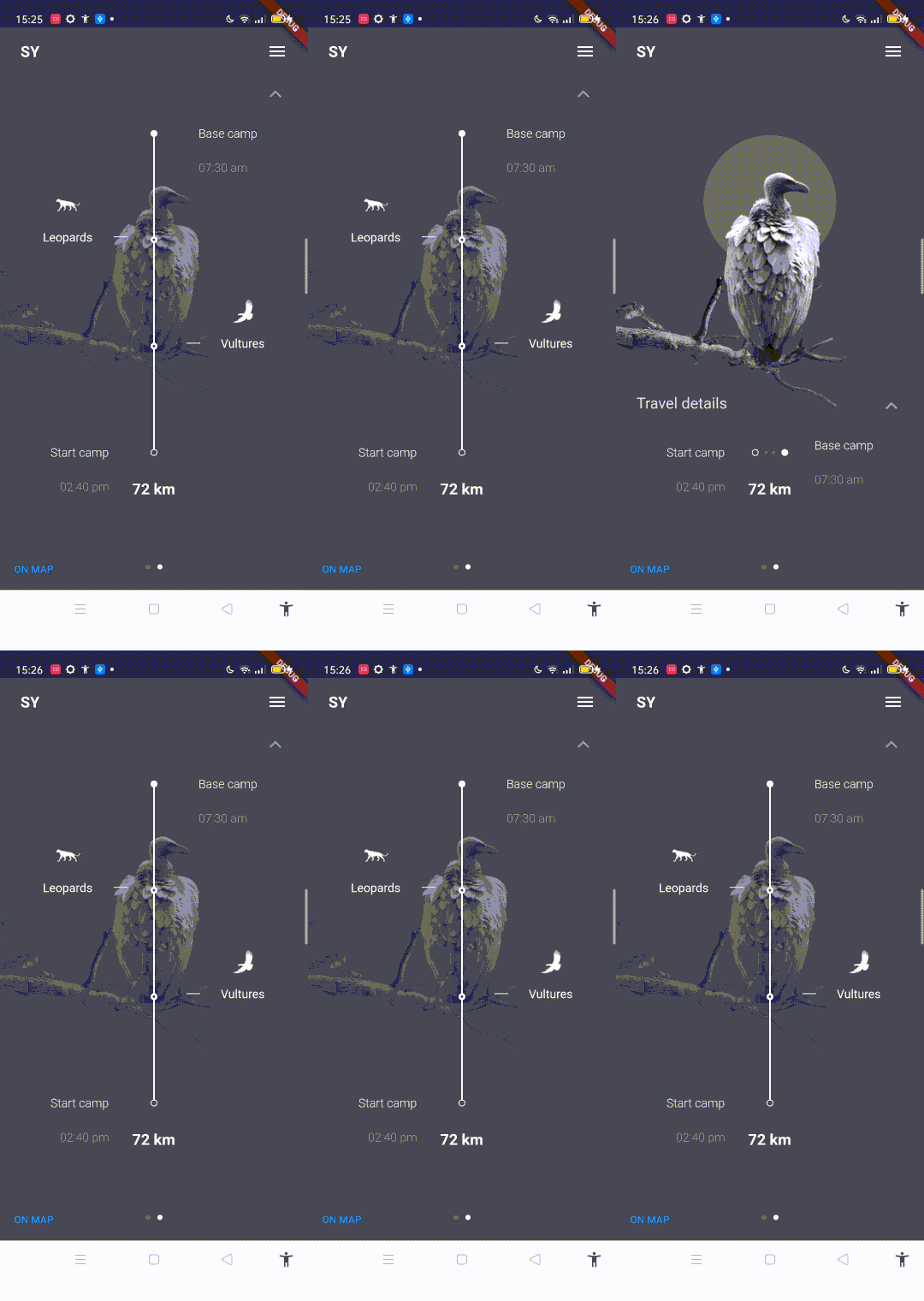
Widget vulutre icon.
class VultureIconLabel extends StatelessWidget {
  @override
  Widget build(BuildContext context) {
    return Consumer2<AnimationController, MapAnimationNotifier>(
      builder: (context, animation, notifier, child) {
        double startTop =
            topMargin(context) + mainSquareSize(context) + 32 + 16 + 32 + 4;
        double endTop = topMargin(context) + 32 + 16 + 8;
        double oneThird = (startTop - endTop) / 3;
        double opacity;
        if (animation.value < 2 / 3) {
          opacity = 0;
        } else if (notifier.value == 0) {
          opacity = 3 * (animation.value - 2 / 3);
        } else if (notifier.value < 0.33) {
          opacity = 1 - 3 * notifier.value;
        } else {
          opacity = 0;
        }

        return Positioned(
          top: endTop + 2 * oneThird - 28 - 16 - 7,
          right: 10 + opacity * 16,
          child: Opacity(
            opacity: opacity,
            child: child,
          ),
        );
      },
      child: SmallAnimalIconLabel(
        isVulture: true,
        showLine: true,
      ),
    );
  }
}
Widget leopard logo
class LeopardIconLabel extends StatelessWidget {
  @override
  Widget build(BuildContext context) {
    return Consumer2<AnimationController, MapAnimationNotifier>(
      builder: (context, animation, notifier, child) {
        double opacity;
        if (animation.value < 3 / 4) {
          opacity = 0;
        } else if (notifier.value == 0) {
          opacity = 4 * (animation.value - 3 / 4);
        } else if (notifier.value < 0.33) {
          opacity = 1 - 3 * notifier.value;
        } else {
          opacity = 0;
        }
        return Positioned(
          top: endTop(context) + oneThird(context) - 28 - 16 - 7,
          left: 10 + opacity * 16,
          child: Opacity(
            opacity: opacity,
            child: child,
          ),
        );
      },
      child: SmallAnimalIconLabel(
        isVulture: false,
        showLine: true,
      ),
    );
  }
}
icon label di taruh di bawah VerticalTravelDots()
...
  VerticalTravelDots(),
  VultureIconLabel(),
  LeopardIconLabel(),
...
l. Memunculkan Map ketika "ON MAP" di tekan
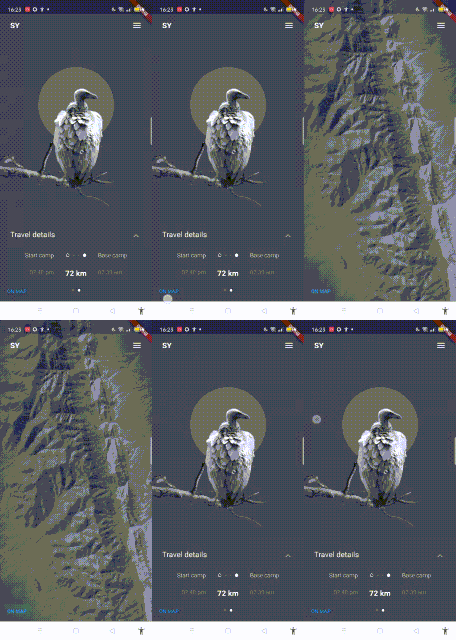
Method untuk menghilangkan beberapa widget yang akan di bungkus.
class MapHider extends StatelessWidget {
  final Widget child;

  const MapHider({Key? key, required this.child}) : super(key: key);

  @override
  Widget build(BuildContext context) {
    return Consumer<MapAnimationNotifier>(
      builder: (context, notifier, child) {
        return Opacity(
          opacity: math.max(0, 1 - (2 * notifier.value)),
          child: child,
        );
      },
      child: child,
    );
  }
}
Widget yang di bungkus MapHider() :
1: PageView
....
  MapHider(
      child: PageView(
....

2: Image.asset leopard dan vulture
....
  child: MapHider(
    child: IgnorePointer(
      child: Image.asset('assets/leopard.png'),

child: MapHider(
  child: IgnorePointer(
    child: Padding(
    padding: const EdgeInsets.only(bottom: 90.0),
    child: Image.asset('assets/vulture.png',

3: PageIndicator
...
MapHider(
  child: Consumer<PageOffsetNotifier>(
...

4: ArrowIcon() or keyboard_arrow_up
....
child: MapHider(
  child: Icon( Icons.keyboard_arrow_up,
....
....
children: <Widget>[
// Tambahkan di atas.
MapImage(),
SafeArea(
....m. Isi content di map
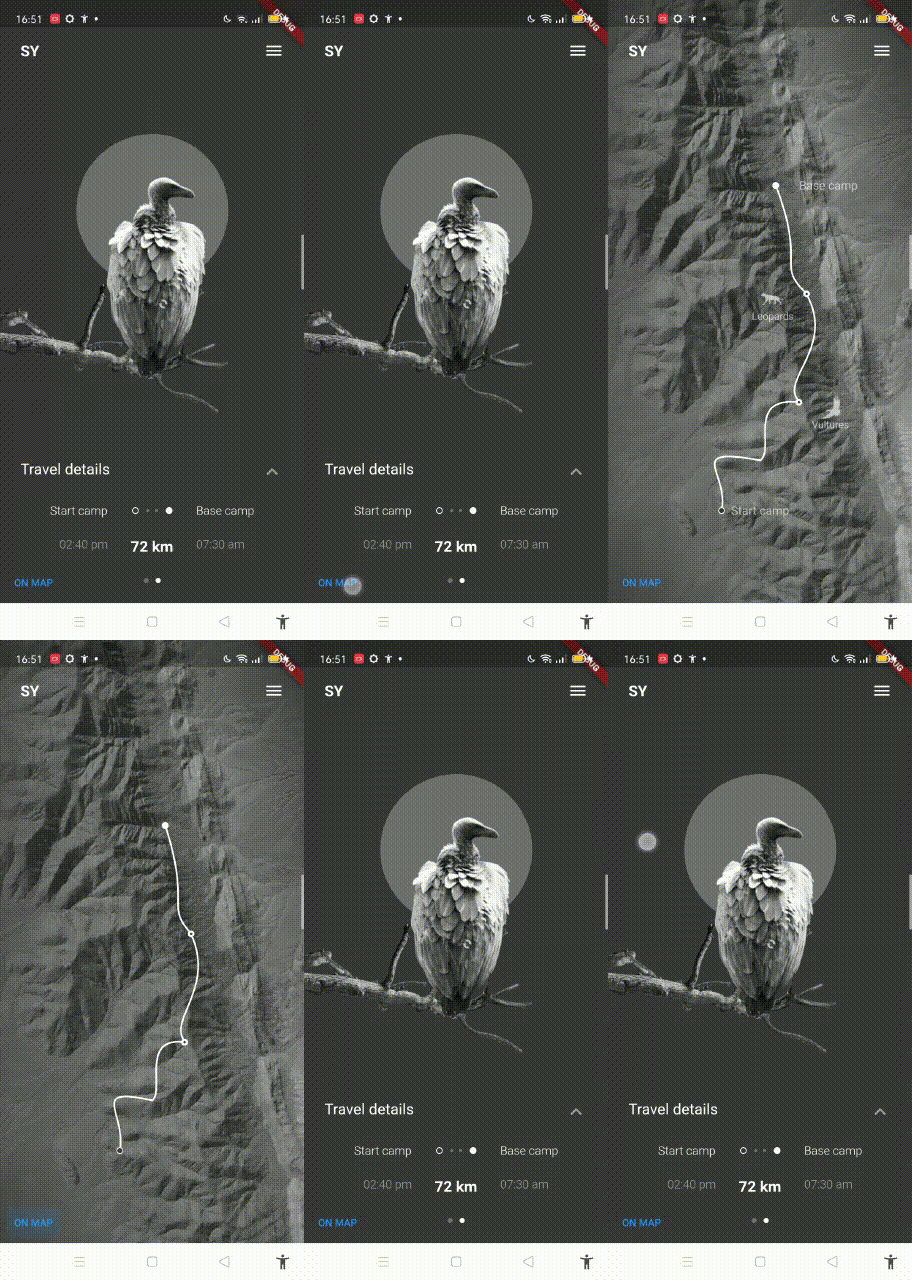
Jalur animasi opacity di map
class CurvedRoute extends StatelessWidget {
  @override
  Widget build(BuildContext context) {
    return Consumer<MapAnimationNotifier>(
      builder: (context, animation, child) {
        if (animation.value == 0) {
          return Container();
        }
        double startTop =
            topMargin(context) + mainSquareSize(context) + 32 + 16 + 32 + 4;
        double endTop = topMargin(context) + 32 + 16 + 8;
        double oneThird = (startTop - endTop) / 3;
        double width = MediaQuery.of(context).size.width;

        return Positioned(
          top: endTop,
          bottom: bottom(context) - mediaPadding.vertical,
          left: 0,
          right: 0,
          child: CustomPaint(
          painter: CurvePainter(animation.value),
            child: Center(
              child: Stack(
                alignment: Alignment.bottomCenter,
                children: <Widget>[
                  Positioned(
                    top: oneThird,
                    right: width / 2 - 4 - animation.value * 60,
                    child: Container(
                      decoration: BoxDecoration(
                        shape: BoxShape.circle,
                        border: Border.all(color: white, width: 2.5),
                        color: mainBlack,
                      ),
                      height: 8,
                      width: 8,
                    ),
                  ),
                  Positioned(
                    top: 2 * oneThird,
                    right: width / 2 - 4 - animation.value * 50,
                    child: Container(
                      decoration: BoxDecoration(
                        shape: BoxShape.circle,
                        border: Border.all(color: white, width: 2.5),
                        color: mainBlack,
                      ),
                      height: 8,
                      width: 8,
                    ),
                  ),
                  Align(
                    alignment: Alignment(0, 1),
                    child: Container(
                      margin: EdgeInsets.only(right: 100 * animation.value),
                      decoration: BoxDecoration(
                        shape: BoxShape.circle,
                        border: Border.all(color: white, width: 1),
                        color: mainBlack,
                      ),
                      height: 8,
                      width: 8,
                    ),
                  ),
                  Align(
                    alignment: Alignment(0, -1),
                    child: Container(
                      margin: EdgeInsets.only(left: 40 * animation.value),
                      decoration: BoxDecoration(
                        shape: BoxShape.circle,
                        color: white,
                      ),
                      height: 8,
                      width: 8,
                    ),
                  ),
                ],
              ),
            ),
          ),
        );
      },
    );
  }
}
Untuk jalurnya.
class CurvePainter extends CustomPainter {
  final double animationValue;
  late double width;

  CurvePainter(this.animationValue);

  double interpolate(double x) {
    return width / 2 + (x - width / 2) * animationValue;
  }

  @override
  void paint(Canvas canvas, Size size) {
    var paint = Paint();
    width = size.width;
    paint.color = white;
    paint.style = PaintingStyle.stroke;
    paint.strokeWidth = 2;
    var path = Path();

//    print(interpolate(size, x))
    var startPoint = Offset(interpolate(width / 2 + 20), 4);
    var controlPoint1 = Offset(interpolate(width / 2 + 60), size.height / 4);
    var controlPoint2 = Offset(interpolate(width / 2 + 20), size.height / 4);
    var endPoint = Offset(interpolate(width / 2 + 55 + 4), size.height / 3);

    path.moveTo(startPoint.dx, startPoint.dy);
    path.cubicTo(controlPoint1.dx, controlPoint1.dy, controlPoint2.dx,
        controlPoint2.dy, endPoint.dx, endPoint.dy);

    startPoint = endPoint;
    controlPoint1 = Offset(interpolate(width / 2 + 100), size.height / 2);
    controlPoint2 = Offset(interpolate(width / 2 + 20), size.height / 2 + 40);
    endPoint = Offset(interpolate(width / 2 + 50 + 2), 2 * size.height / 3 - 1);

    path.cubicTo(controlPoint1.dx, controlPoint1.dy, controlPoint2.dx,
        controlPoint2.dy, endPoint.dx, endPoint.dy);

    startPoint = endPoint;
    controlPoint1 =
        Offset(interpolate(width / 2 - 20), 2 * size.height / 3 - 10);
    controlPoint2 =
        Offset(interpolate(width / 2 + 20), 5 * size.height / 6 - 10);
    endPoint = Offset(interpolate(width / 2), 5 * size.height / 6 + 2);

    path.cubicTo(controlPoint1.dx, controlPoint1.dy, controlPoint2.dx,
        controlPoint2.dy, endPoint.dx, endPoint.dy);

    startPoint = endPoint;
    controlPoint1 = Offset(interpolate(width / 2 - 100), size.height - 80);
    controlPoint2 = Offset(interpolate(width / 2 - 40), size.height - 50);
    endPoint = Offset(interpolate(width / 2 - 50), size.height - 4);

    path.cubicTo(controlPoint1.dx, controlPoint1.dy, controlPoint2.dx,
        controlPoint2.dy, endPoint.dx, endPoint.dy);

    canvas.drawPath(path, paint);
  }

  @override
  bool shouldRepaint(CurvePainter oldDelegate) {
    return oldDelegate.animationValue != animationValue;
  }
}
base camp dan start camp title di map
class MapBaseCamp extends StatelessWidget {
  @override
  Widget build(BuildContext context) {
    return Consumer<MapAnimationNotifier>(
      builder: (context, notifier, child) {
        double opacity = math.max(0, 4 * (notifier.value - 3 / 4));
        return Positioned(
          top: topMargin(context) + 32 + 16 + 4,
          width: (MediaQuery.of(context).size.width - 48) / 3,
          right: 30.0,
          child: Opacity(
            opacity: opacity,
            child: child,
          ),
        );
      },
      child: Align(
        alignment: Alignment.centerLeft,
        child: Text(
          'Base camp',
          style: TextStyle(
            fontSize: 14,
            fontWeight: FontWeight.w400,
          ),
        ),
      ),
    );
  }
}

class MapStartCamp extends StatelessWidget {
  @override
  Widget build(BuildContext context) {
    return Consumer<MapAnimationNotifier>(
      builder: (context, notifier, child) {
        double opacity = math.max(0, 4 * (notifier.value - 3 / 4));
        return Positioned(
          top: startTop(context) - 4,
          width: (MediaQuery.of(context).size.width - 48) / 3,
          child: Opacity(
            opacity: opacity,
            child: child,
          ),
        );
      },
      child: Align(
        alignment: Alignment.center,
        child: Text(
          'Start camp',
          style: TextStyle(
            fontSize: 14,
            fontWeight: FontWeight.w400,
          ),
        ),
      ),
    );
  }
}
leopard logo di map
class MapLeopards extends StatelessWidget {
  @override
  Widget build(BuildContext context) {
    return Consumer<MapAnimationNotifier>(
      builder: (context, notifier, child) {
        double opacity = math.max(0, 4 * (notifier.value - 3 / 4));
        return Positioned(
          top: topMargin(context) + 32 + 16 + 4 + oneThird(context),
          child: Opacity(
            opacity: opacity,
            child: child,
          ),
        );
      },
      child: Padding(
        padding: const EdgeInsets.only(left: 30),
        child: SmallAnimalIconLabel(
          isVulture: false,
          showLine: false,
        ),
      ),
    );
  }
}
vulture logo di map
class MapVultures extends StatelessWidget {
  @override
  Widget build(BuildContext context) {
    return Consumer<MapAnimationNotifier>(
      builder: (context, notifier, child) {
        double opacity = math.max(0, 4 * (notifier.value - 3 / 4));
        return Positioned(
          top: topMargin(context) + 32 + 16 + 4 + 2 * oneThird(context),
          right: 50,
          child: Opacity(
            opacity: opacity,
            child: child,
          ),
        );
      },
      child: SmallAnimalIconLabel(
        isVulture: true,
        showLine: false,
      ),
    );
  }
}
Widget untuk logo binatangnya
class SmallAnimalIconLabel extends StatelessWidget {
  final bool isVulture;
  final bool showLine;

  const SmallAnimalIconLabel(
      {Key? key, required this.isVulture, required this.showLine})
      : super(key: key);

  @override
  Widget build(BuildContext context) {
    return Row(
      crossAxisAlignment: CrossAxisAlignment.end,
      children: <Widget>[
        if (showLine && isVulture)
          Container(
            margin: EdgeInsets.only(bottom: 8),
            width: 16,
            height: 1,
            color: white,
          ),
        SizedBox(width: 24),
        Column(
          children: <Widget>[
            Image.asset(
              isVulture ? 'assets/vultures.png' : 'assets/leopards.png',
              width: 28,
              height: 28,
            ),
            SizedBox(height: showLine ? 16 : 0),
            Text(
              isVulture ? 'Vultures' : 'Leopards',
              style: TextStyle(fontSize: showLine ? 14 : 12),
            )
          ],
        ),
        SizedBox(width: 24),
        if (showLine && !isVulture)
          Container(
            margin: EdgeInsets.only(bottom: 8),
            width: 16,
            height: 1,
            color: white,
          ),
      ],
    );
  }
} LeopardIconLabel(),
// Map content
CurvedRoute(),
MapBaseCamp(),
MapLeopards(),
MapVultures(),
MapStartCamp(),