
Practicing how to use localization in a project.
a. Download Codetour in VS Code.
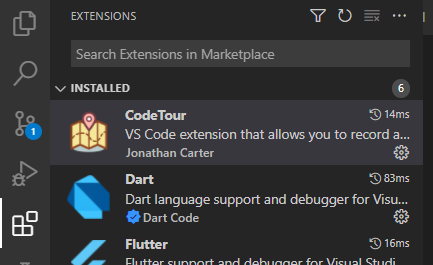
b. open CodeTour in explorer
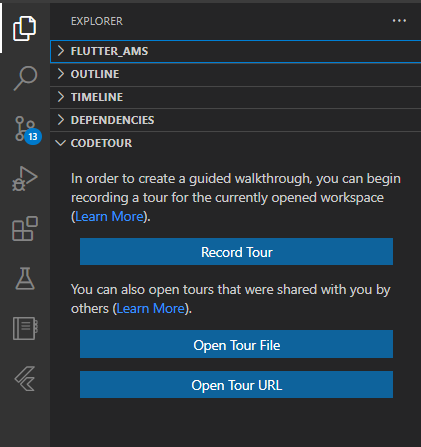
c. Click "Open Tour File"
a. in file pubspec.yaml, flutter_localizations and add generate
dependencies:
  flutter:
    sdk: flutter

  flutter_localizations: # Add this line
    sdk: flutter         # Add this line

  # Add generator to Flutter Localization.
  generate: true         # Add this line
b. add new yaml file in project name l10n.yaml, and fill the file like code below:
arb-dir: assets/l10n #required
template-arb-file: app_en.arb #required
output-localization-file: app_localizations.dart #required
untranslated-messages-file: untranslated_file.txt # optional line
c. crete assets folder. Inside this folder, add file name app_en.arb and app_id.arb inside folder l10n.
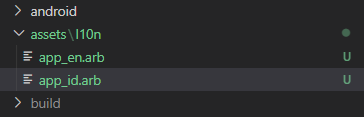
Note : This file create following configuration which been create in file
l10n.yaml
arb-dir: for set file's of localization
template-arb-file: template name of file localization
output-localization-file: generated code for wording localization after debug appsuntranslated-messages-file: file for untransalated wording
For more information about l10n.yaml configuration click here
d. add wording in app_en (for English) and app_id (for Indonesian).
Note : Make sure the key for wording in app_en and app_id is the same. If there is 1 key that does not have a partner from the 2 files, it will be put into untranslated_file.txt.
Example: adding hello world in 2 different language
app_en.arb
{
  "helloWorld": "Hello world",
}
app_en.arb
{
  "helloWorld": "Hello Dunia",
}
| app_en.arb | app_id.arb |
|---|---|
| { "helloWorld": "Hello Word" } |
{ "helloWorld": "Halo Dunia" } |
Note : In Here, developer kan added description for the wording. Just add in one file wherever it is. The description doesn't be show in application.
{
    "helloWorld": "Hello World!",
    "@helloWorld": {
      "description": "The conventional newborn programmer greeting"
    }
}
e. Change MyApp widget in main.dart to following code :
import 'package:flutter_localizations/flutter_localizations.dart';

class MyApp extends StatelessWidget {
  const MyApp({Key? key}) : super(key: key);

  // This widget is the root of your application.
  @override
  Widget build(BuildContext context) {
    return const MaterialApp(
      title: 'Localizations Sample App',
      localizationsDelegates: [
        GlobalMaterialLocalizations.delegate,
        GlobalWidgetsLocalizations.delegate,
        GlobalCupertinoLocalizations.delegate,
      ],
      supportedLocales: [
        Locale('en', ''), // English, no country code
        Locale('id', ''),, // Indonesia, no country code
      ],
      home: MyHomePage(title: 'Flutter Demo Home Page'),
    );
  }
}
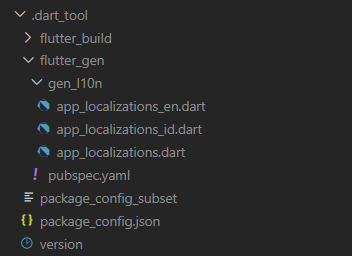
then running the project so that the generate code will appear:
f. call localization with folowing code :
final _wording = AppLocalization.of(context);

_wording.helloWorld