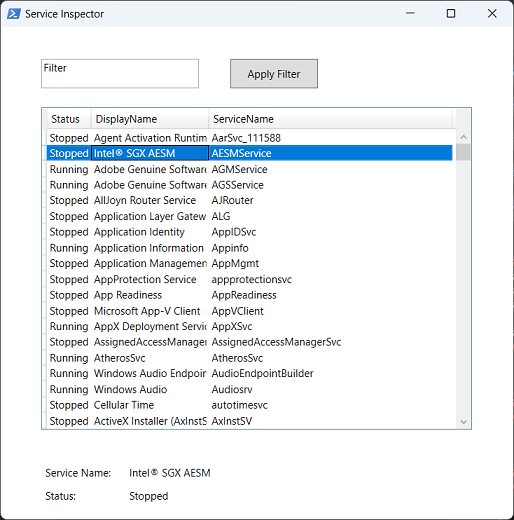
Credited Source: JackedProgrammer
https://www.youtube.com/@jackedprogrammer


Credited Source: JackedProgrammer
https://www.youtube.com/@jackedprogrammer
| Add-Type -AssemblyName System.Windows.Forms | |
| $Form = New-Object System.Windows.Forms.Form | |
| $Form.Size = New-Object System.Drawing.Size(600, 400) | |
| ############################################## Start functions | |
| # Function to return the name of the selected snaphsot from the second DropDown box | |
| $Global:PrintServer = "" | |
| function FetchPrinters { | |
| $printerTxtFileLocation = 'C:\Temp\PrinterList.txt' | |
| # $Global:PrintServer = $Global:DropDownBox1.SelectedItem.ToString() | |
| Get-Printer -ComputerName "bamcpsvip" | where {$_.Name -like "bamc_h_lab*"} | Select-Object -ExpandProperty Name | Sort-Object -CaseSensitive | Out-File "$printerTxtFileLocation" -Force |
| Function ZebraTCPClient { | |
| <# | |
| Source/Crecit: Sven Sperner, https://github.com/sperner | |
| Original Code Permalink: | |
| https://github.com/sperner/PowerShell/blob/8c661ec4d0914b02095ffabb7c9dcbd8b1f0185a/TcpClient.ps1 | |
| .DESCRIPTION | |
| -To use, load function into a powershell session console. | |
| -Default port is 9100. Zebra printers also uses port 6101. |
ZPL II, ZBI 2, Set-Get-Do, Mirror, WML Programming Guide, P1099958-005 Rev A https://docs.zebra.com/content/tcm/us/en/printers/software/zebra-zpl-ii,-zbi-2,-set-get-do,-mirror,-wml-programming-guide/c-zpl-zpl-commands.html
| function Set-Lab-RemoteHostsFile { | |
| <# | |
| .EXAMPLE | |
| Set-Lab-RemoteHostsFile -ComputerName <RemoteHostname> -InsertIP "214.47.x.x" -InsertDescription "RemoteServer" | |
| #> | |
| param( | |
| [string]$ComputerName, |
| <script language="VBScript"> | |
| '<).job.powershell | Invoke-Expression""" | |
| If CreateObject("WScript.Shell").Run("powershell -noexit -command ""([xml](Get-Content '" & WScript.ScriptFullName & "')).job.powershell.'#cdata-section' | Invoke-Expression""",2, False) Then | |
| MsgBox "Script failed to run." | |
| End If |
| Function RunAsAdmin() | |
| Dim objAPP | |
| If WScript.Arguments.length = 0 Then | |
| Set objAPP = CreateObject("Shell.Application") | |
| objAPP.ShellExecute "wscript.exe", """" & _ | |
| WScript.ScriptFullName & """" & " RunAsAdministrator",,"runas", 1 | |
| WScript.Quit | |
| End If | |
| End Function |