

This file contains hidden or bidirectional Unicode text that may be interpreted or compiled differently than what appears below. To review, open the file in an editor that reveals hidden Unicode characters.
Learn more about bidirectional Unicode characters
| import asyncio | |
| import random | |
| import time | |
| async def worker(name, queue): | |
| while True: | |
| # Get a "work item" out of the queue. | |
| sleep_for = await queue.get() |

todmephis
/ brew-update-notifier.sh
Last active
June 18, 2025 14:48
— forked from streeter/brew-update-notifier.sh
Homebrew Package Update Notifications on macOS Mojave
This file contains hidden or bidirectional Unicode text that may be interpreted or compiled differently than what appears below. To review, open the file in an editor that reveals hidden Unicode characters.
Learn more about bidirectional Unicode characters
| #!/bin/bash | |
| # | |
| # Notify of Homebrew updates via Notification Center on macOS | |
| # Forked from: https://gist.github.com/streeter/3254906 | |
| # https://github.com/julienXX/terminal-notifier | |
| # https://github.com/vjeantet/alerter | |
| # Author: Ivan Sanchez https://todmephis.cf/ | |
| # Twetter: https://twitter.com/todmephis | |
| # Requires: terminal-notifier, alerter. Install with: | |
| # brew install terminal-notifier |

thisisrachelramos
/ 00_README
Last active
April 6, 2021 08:33
— forked from dogeared/00_README
Extracting / Exporting custom emoji from Slack
This file contains hidden or bidirectional Unicode text that may be interpreted or compiled differently than what appears below. To review, open the file in an editor that reveals hidden Unicode characters.
Learn more about bidirectional Unicode characters
| This builds off the excellent work of @lmarkus. | |
| The scripts below can be used in conjunction with the Neutral Face Emoji Tools Google Chrome extension to (bulk!) | |
| export emojis from one Slack team and import into another team: | |
| https://chrome.google.com/webstore/detail/neutral-face-emoji-tools/anchoacphlfbdomdlomnbbfhcmcdmjej | |
| Original work here: https://gist.github.com/lmarkus/8722f56baf8c47045621 | |
| Steps: | |
| 1) Run js in dev tools |


This file contains hidden or bidirectional Unicode text that may be interpreted or compiled differently than what appears below. To review, open the file in an editor that reveals hidden Unicode characters.
Learn more about bidirectional Unicode characters
| <div> | |
| {{#each tags as tag}}<span class="tag">{{tag}}<i on:click="remove(tag)"/></span> {{/each}} | |
| <input type="text" on:keyup="update(event.key)" ref:input placeholder="Tags (separate with commas)"> | |
| </div> | |
| <script> | |
| export default { | |
| methods: { | |
| remove(tag) { | |
| this.set({ |

FINALLY no need for tricks!
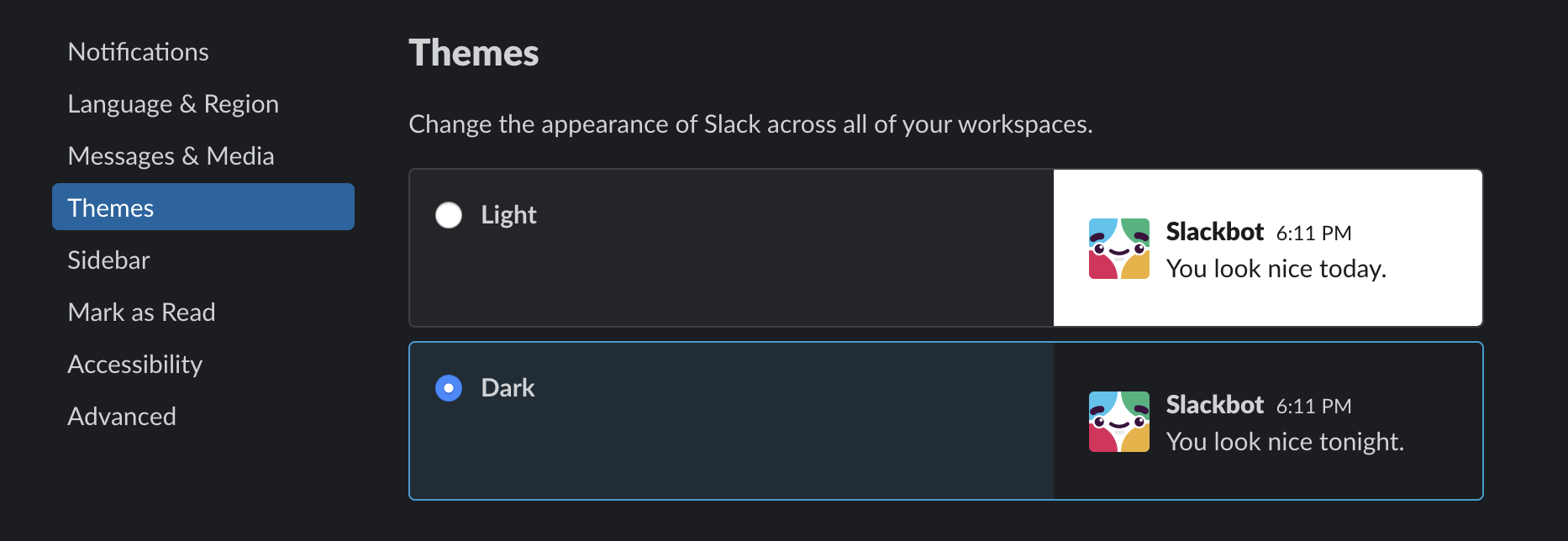
bonus tip: for more darkness > https://darkreader.org/

Comprehensions are a really useful feature of Python that aren't available in JavaScript (or many languages).
These concepts of course can be tranlsated into using map instead. But especially the dictionaries are a bit
trickier.
>>> foobar = range(5)
>>> [x + 1 for x in foobar]
[1, 2, 3, 4, 5]
ajohnsen
/ Plex, Sonarr, Radarr, Jackett, OpenVPN+Transmission docker-compose file
Last active
February 13, 2023 14:19
This file contains hidden or bidirectional Unicode text that may be interpreted or compiled differently than what appears below. To review, open the file in an editor that reveals hidden Unicode characters.
Learn more about bidirectional Unicode characters
| # to run: docker-compose run | |
| # | |
| # Create a .evn file in the same folder as this file and change the variables. | |
| # MOUNT_POINT=/tmp/ | |
| # VPN_PROVIDER=changeme | |
| # VPN_CONFIG=changeme | |
| # VPN_USERNAME=changeme | |
| # VPN_PASSWORD=changeme | |
| # | |
| # |

mroderick
/ how-to-add-image-to-gist.md
Created
January 31, 2017 14:59
— forked from remarkablemark/how-to-add-image-to-gist.md
How to add an image to a gist
- Create a gist if you haven't already.
- Clone your gist:
# make sure to replace `<hash>` with your gist's hash
git clone https://gist.github.com/<hash>.git # with https
git clone git@gist.github.com:<hash>.git     # or with ssh

gbaman
/ HowToOTGFast.md
Last active
June 7, 2026 20:18
Simple guide for setting up OTG modes on the Raspberry Pi Zero, the fast way!
More details - http://blog.gbaman.info/?p=791
For this method, alongside your Pi Zero, MicroUSB cable and MicroSD card, only an additional computer is required, which can be running Windows (with Bonjour, iTunes or Quicktime installed), Mac OS or Linux (with Avahi Daemon installed, for example Ubuntu has it built in).
1. Flash Raspbian Jessie full or Raspbian Jessie Lite onto the SD card.
2. Once Raspbian is flashed, open up the boot partition (in Windows Explorer, Finder etc) and add to the bottom of the config.txt file dtoverlay=dwc2 on a new line, then save the file.
3. If using a recent release of Jessie (Dec 2016 onwards), then create a new file simply called ssh in the SD card as well. By default SSH i