
-
-
Save ofgulban/285ef3df135a9fadd7cf7dca984b7409 to your computer and use it in GitHub Desktop.
| """Extract a smaller volume from a bigger volume. | |
| NOTE: The affine matrix is not manipulated. Therefore, the extracted volume | |
| cannot be positioned properly in the initial volume (e.g. in ITKSNAP). | |
| """ | |
| import os | |
| import numpy as np | |
| from nibabel import load, Nifti1Image, save | |
| nii = load('/path/to/image.nii.gz') | |
| suffix = 'extract' | |
| # extraction ranges | |
| x_idx_range = slice(450, 980) | |
| y_idx_range = slice(490, 900) | |
| z_idx_range = slice(160, 690) | |
| # ----------------------------------------------------------------------------- | |
| print('Extracting...') | |
| roi = np.asarray(nii.dataobj[x_idx_range, y_idx_range, z_idx_range]) | |
| print('Saving...') | |
| img = Nifti1Image(roi, affine=nii.affine) | |
| basename, ext = nii.get_filename().split(os.extsep, 1) | |
| out_name = '{}_{}.{}'.format(basename, suffix, ext) | |
| save(img, out_name) | |
| print('Finished.') |


Hi, I would prefer if you can ask here if you dont mind
Thank you very much for your response.
Sure, let me try to explain.
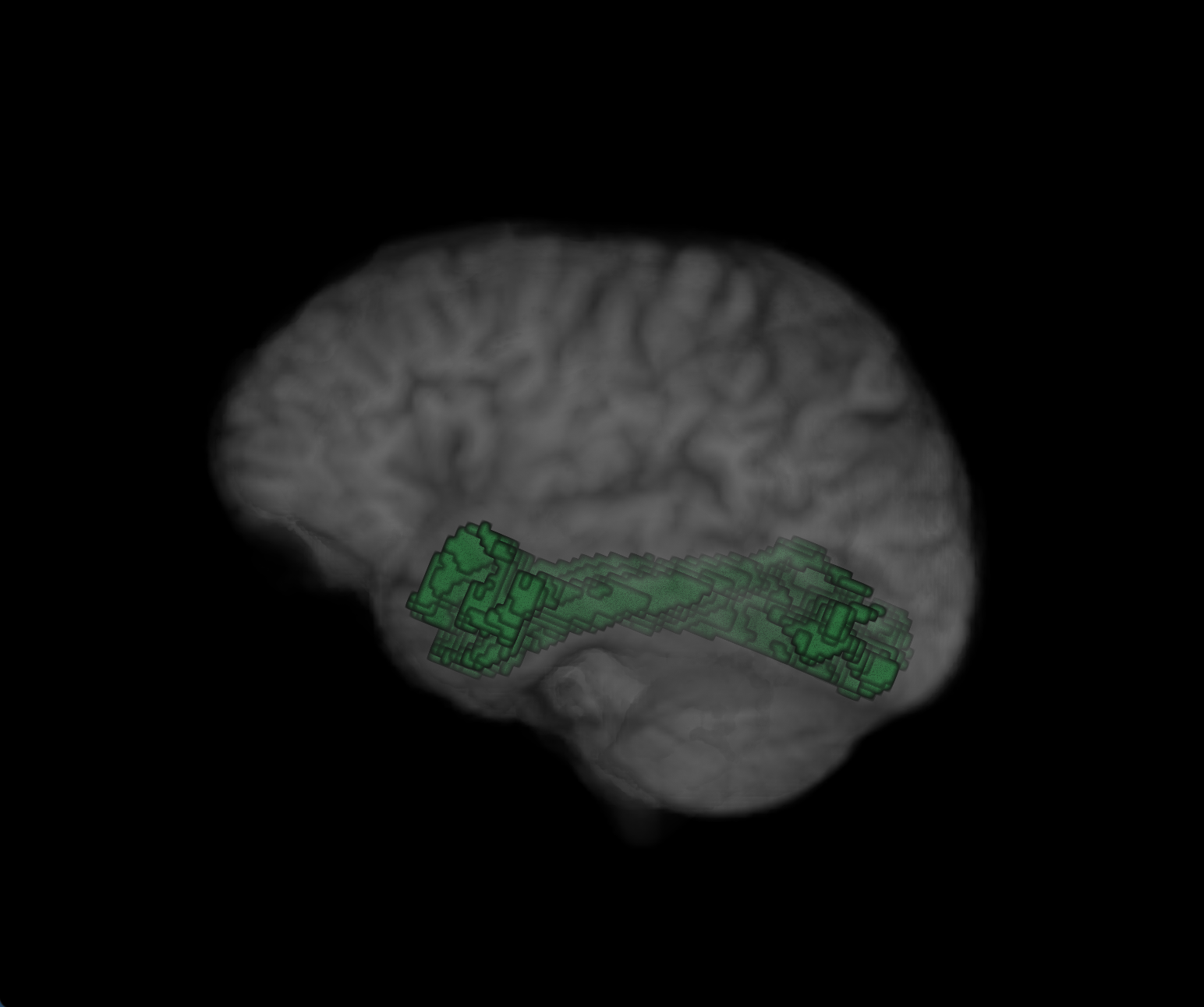
I would like to subsegment a ROI (cf. screenshot a, green) into 5 segments.
The ROI's image dimensions are 140 x 140 x 92.
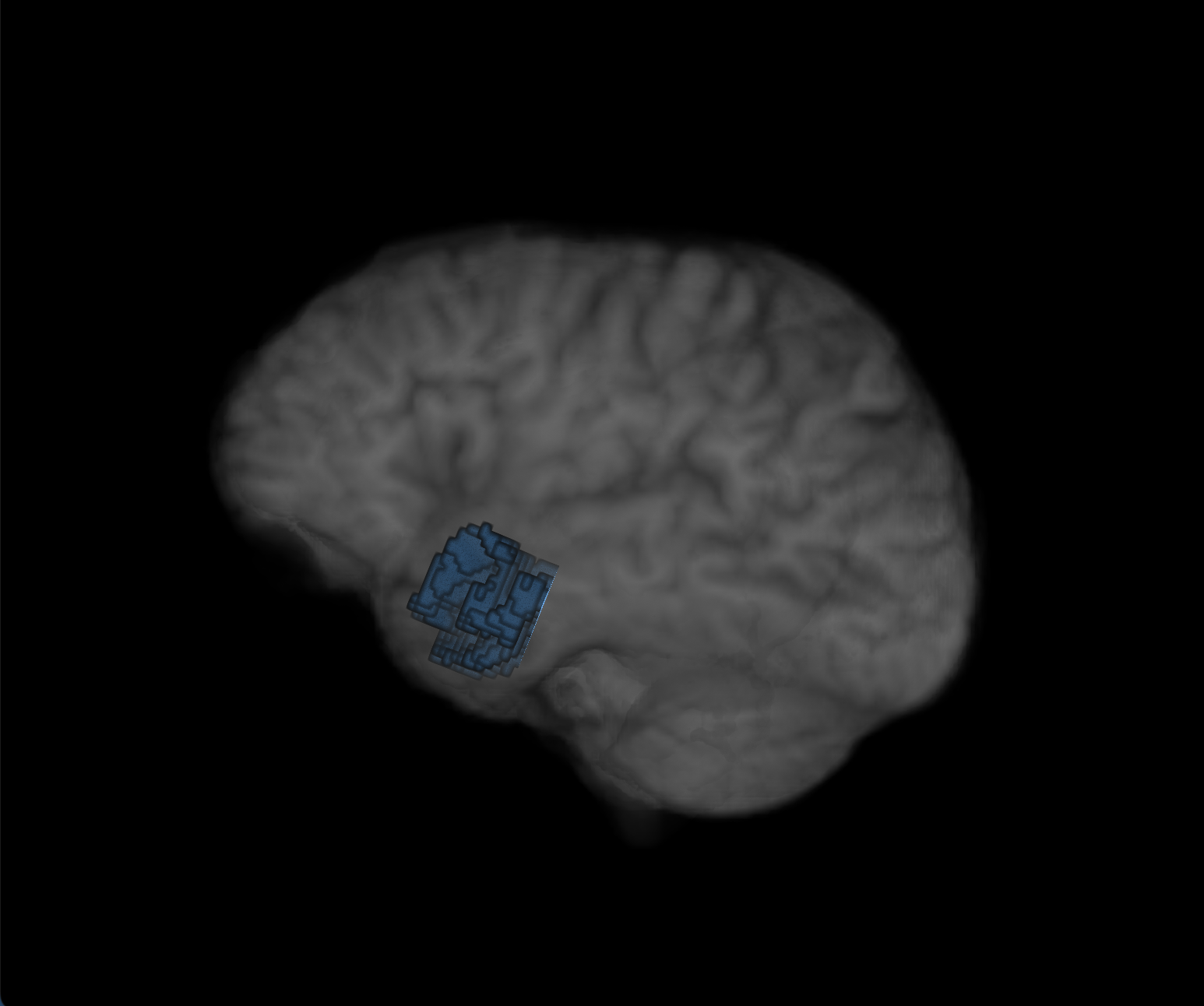
To start, I extracted segment 1/5 (or 1/x) of the image by defining
# extraction ranges x_idx_range = slice(0, 140) y_idx_range = slice(0, 70) z_idx_range = slice(0, 92)
This works fine and results in what I imagined, see screenshot b (blue extracted subsegment).
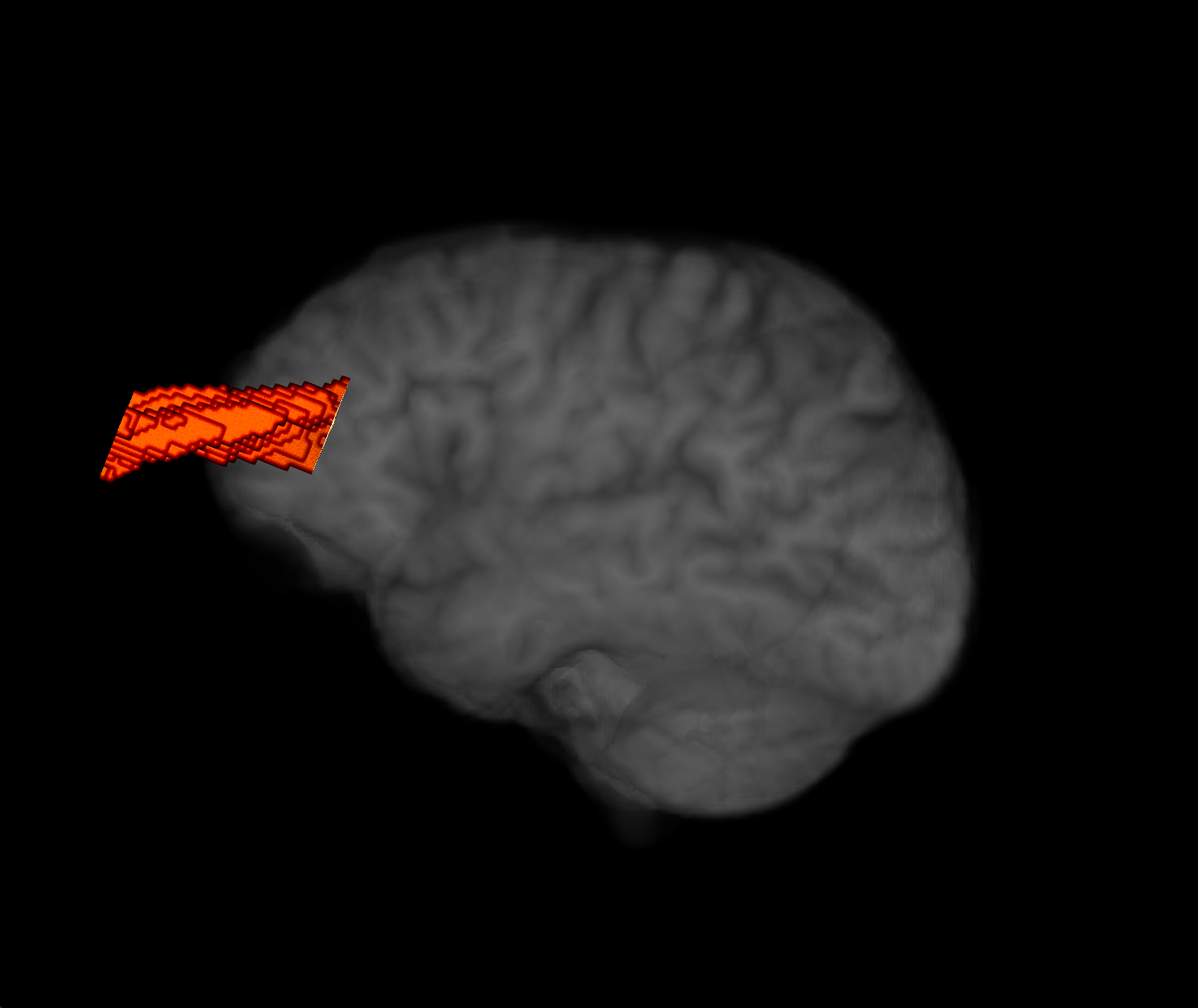
However, I would like to continue subsegmentation and further subsegment the original ROI image to obtain segment 2/5 (or n/x) by changing y_idx_range = slice(0, 70). Unfortunately, when I try this and modify it to e.g. y_idx_range = slice(70, 100), the extracted segment gets repositioned in space and doesn't match the original coordinates, cf. screenshot c (red subsegment).
Can you please advise on how to specify # extraction ranges in order to be able to segment a ROI along its main axis, e.g. y-axis without moving the extracted volume to a different coordinate system origin?
I'd be very thankful and happy to answer further q's if this is unclear.
Best,
Lucius
Dear @LucSam ,
Thanks for your question, this is an important detail. This mismatch occurs because in the code because I do not manipulate the nifti affine matrix reducing the data array. Proper way of handling this is to adjust the 4th column of the affine matrix (see nii.affine) to account for the data array reduction in terms of rigid translations.
Actually, I do not use this nii_extract_roi.py code myself often anymore. I only use if in cases where I cannot load the data in my RAM (i.e. too many voxels, large coverage, very high resolution data).
I recommend you to use fslroi program from FSL. You can see the following python wrapper I have written to use fslroi to reduce my voxel data dimensions while accounting for the adjustment in the affine matrices of the nifti headers: nii_extract_roi.py
Let me know if this is helpful or not,
Faruk
Hi, thank you very much for your reply.
That was indeed helpful, best,
Lucius
Great! Good luck with your work 🚀

Hello, Thanks for providing your code.
I want to extract several sub volumes from the entire volume, my image (nifti) is of size (1000,1000,500) and I would like to extract sub volumes of 100^3
Thanks
Hi, thank you for providing this helpful tool.
I am currently using it and have a few questions, regarding unwanted repositioning of the extracted ROI in relation to the defined extraction ranges. I'd be happy to discuss further via mail or so.
Best, Lucius