
Simulator for Computer Vision based on Unreal Engine 4. Main docs.
Compiled binaries for Windows, Linux and MacOS available. Binaries are containing UnrealCV along with one of five prepackaged scenes (4 indoor, 1 outdoor).
RealisticRendering scene is also available via Docker:
`nvidia-docker run --name rr --rm -p 9000:9000 --env="DISPLAY" --volume="/tmp/.X11-unix:/tmp/.X11-unix:rw" qiuwch/rr:0.3.8`
- Mac: Run
[ProjectName].app - Linux: Run
./[ProjectName]/Binaries/Linux/[ProjectName] - Windows: Run
[ProjectName]/[ProjectName].exe
Hit `` to open console:
| Command | Task |
|---|---|
| vset /viewmode [viewmode_name] | Set ViewMode to (lit, normal, depth, object_mask) |
| vget /camera/0/lit | Save image to disk and return filename |
| vset /camera/0/location [x] [y] [z] | Set camera location |
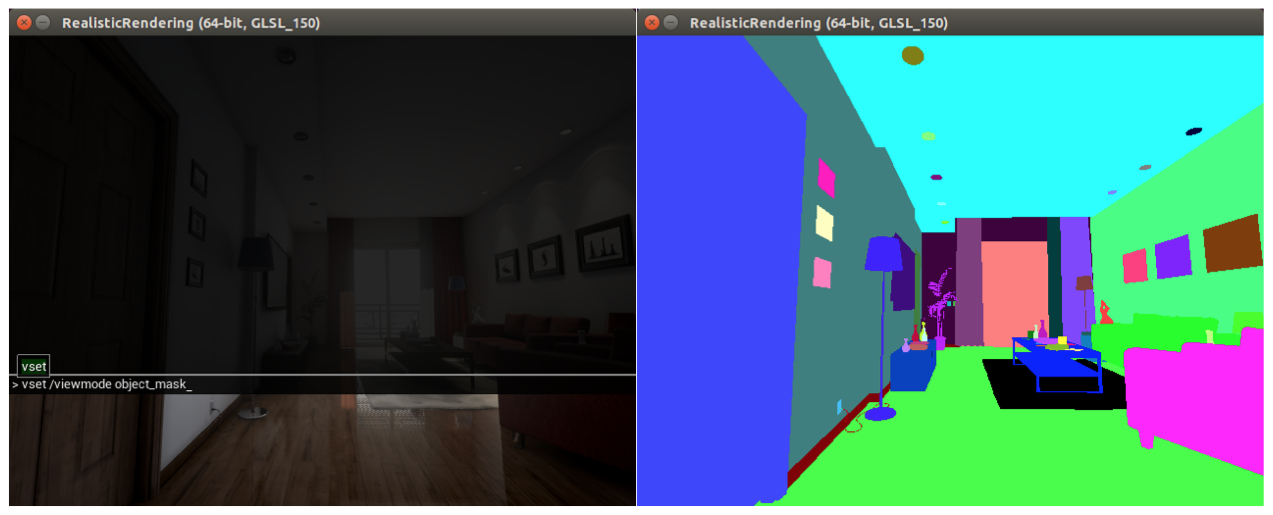
You run the same commands via Python:
pip install unrealcv
from unrealcv import client
client.connect() # Connect to the game
if not client.isconnected(): # Check if the connection is successfully established
  print 'UnrealCV server is not running. Run the game from http://unrealcv.github.io first.'
else:
  filename = client.request('vget /camera/0/lit')
  filename = client.request('vget /camera/0/depth depth.exr')
The basics of using UnrealCV.
Generate an image dataset with ground truth.
Show how to use images from a video game for testing faster-RCNN.
How to install UnrealCV plugin into UE4.
How to combine UnrealCV and OpenAI Gym interface for reinforcement learning