
Following the last entry of one of the first blogs I had more than a decade ago, about: Patch, Compile and Install TP-LINK PCI Modem Module Motorola SM56 Data Fax for Linux Kernel 2.6.36, I share how to compile the driver for the Dual Band AC 1300Mbps USB3.0 WiFi Adapter.

Below we see the information it gives us when using it in Windows and we look for the same driver for GNU / Linux systems
Driver: Realtek 8812BU Wireless LAN 802.11ac USB NIC Files: 'C:\Windows\system32\DRIVERS\rtwlanu.sys' 'C:\Windows\system32\DRIVERS\vwifibus.sys' Version: 1030.38.0712.2019
Name: Realtek RTL88x2bu [AC1200 Techkey] Driver: rtl88x2bu File: 88x2bu.ko
~ $ inxi -Fxz
System:    Kernel: 5.4.0-156-generic x86_64 bits: 64 compiler: gcc v:
9.4.0 Desktop: Cinnamon 5.2.7
            Distro: Linux Mint 20.3 Una base: Ubuntu 20.04 focal
Machine:   Type: Desktop System: Acer product: Aspire M5800/M3800 v: N/A
serial: <filter>
            Mobo: Acer model: EG43M serial: <filter> BIOS: American
Megatrends v: P01-A1 date: 04/02/2009
CPU:       Topology: Quad Core model: Intel Core2 Quad Q8200 bits: 64
type: MCP arch: Penryn rev: A L2 cache: 2048 KiB
            flags: lm nx pae sse sse2 sse3 sse4_1 ssse3 bogomips: 18666
            Speed: 2000 MHz min/max: 2003/2336 MHz Core speeds (MHz): 1:
2000 2: 2000 3: 2000 4: 2000
Graphics:  Device-1: Advanced Micro Devices [AMD/ATI] Turks XT [Radeon
HD 6670/7670] vendor: Hightech Information System
            driver: radeon v: kernel bus ID: 01:00.0
            Display: x11 server: X.Org 1.20.13 driver: ati,radeon
unloaded: fbdev,modesetting,vesa resolution: 1920x1080~60Hz
            OpenGL: renderer: AMD TURKS (DRM 2.50.0 / 5.4.0-156-generic
LLVM 12.0.0) v: 3.3 Mesa 21.2.6 direct render: Yes
Audio:     Device-1: Intel 82801JI HD Audio vendor: Acer Incorporated
ALI driver: snd_hda_intel v: kernel bus ID: 00:1b.0
            Device-2: AMD Turks HDMI Audio [Radeon HD 6500/6600 / 6700M
Series] vendor: Hightech Information System
            driver: snd_hda_intel v: kernel bus ID: 01:00.1
            Sound Server: ALSA v: k5.4.0-156-generic
Network:   Device-1: Intel 82567V-2 Gigabit Network vendor: Acer
Incorporated ALI driver: e1000e v: 3.2.6-k port: cc00
            bus ID: 00:19.0
            IF: enp0s25 state: down mac: <filter>
            Device-2: Realtek USB3.0 802.11ac 1200M Adapter type: USB
driver: usb-network bus ID: 1-1:2
            Device-3: TP-Link TL-WN821N Version 5 RTL8192EU type: USB
driver: rtl8xxxu bus ID: 2-4:3
            IF: wlx503eaa94c46a state: up mac: <filter>
            IF-ID-1: virbr0 state: down mac: <filter>
            IF-ID-2: virbr0-nic state: down mac: <filter>
Drives:    Local Storage: total: 465.76 GiB used: 320.47 GiB (68.8%)
            ID-1: /dev/sda vendor: Western Digital model:
WDS500G2B0A-00SM50 size: 465.76 GiB
RAID:      Hardware-1: Intel SATA Controller [RAID mode] driver: ahci v:
3.0 bus ID: 00:1f.2
Partition: ID-1: / size: 394.99 GiB used: 320.47 GiB (81.1%) fs: ext4
dev: /dev/sda1
            ID-2: swap-1 size: 22.02 GiB used: 0 KiB (0.0%) fs: swap
dev: /dev/sda5
Sensors:   System Temperatures: cpu: 45.0 C mobo: N/A gpu: radeon temp:
47 C
            Fan Speeds (RPM): N/A
Info:      Processes: 240 Uptime: 26m Memory: 7.76 GiB used: 1.14 GiB
(14.6%) Init: systemd runlevel: 5 Compilers: gcc: 9.4.0
Shell: bash v: 5.0.17 inxi: 3.0.38You can compile the driver using the following steps:
- First, make sure you have the necessary dependencies installed by running the following commands:
sudo apt update
sudo apt install -y build-essential dkms git bc- Next, clone the driver repository from GitHub:
git clone https://github.com/fastoe/RTL8812BU- Change to the driver directory:
cd RTL8812BU- Depending on your kernel version, you may need to check out a specific branch of the repository.
For kernel 5.11 or later, use the
v5.13.1branch:
git checkout v5.13.1- For kernel 5.10, use the
v5.6.1branch:
git checkout v5.6.1-
For kernel 5.9 and previous versions, you can use the
masterbranch. -
Compile and install the driver by running the following commands:
make
sudo make install- Reboot your system to load the new driver:
sudo rebootAfter these steps, your Realtek 8812BU Wireless LAN 802.11ac USB NIC should be working on your Linux system.
| Image 1 3 | Image 2 4 |
|---|---|
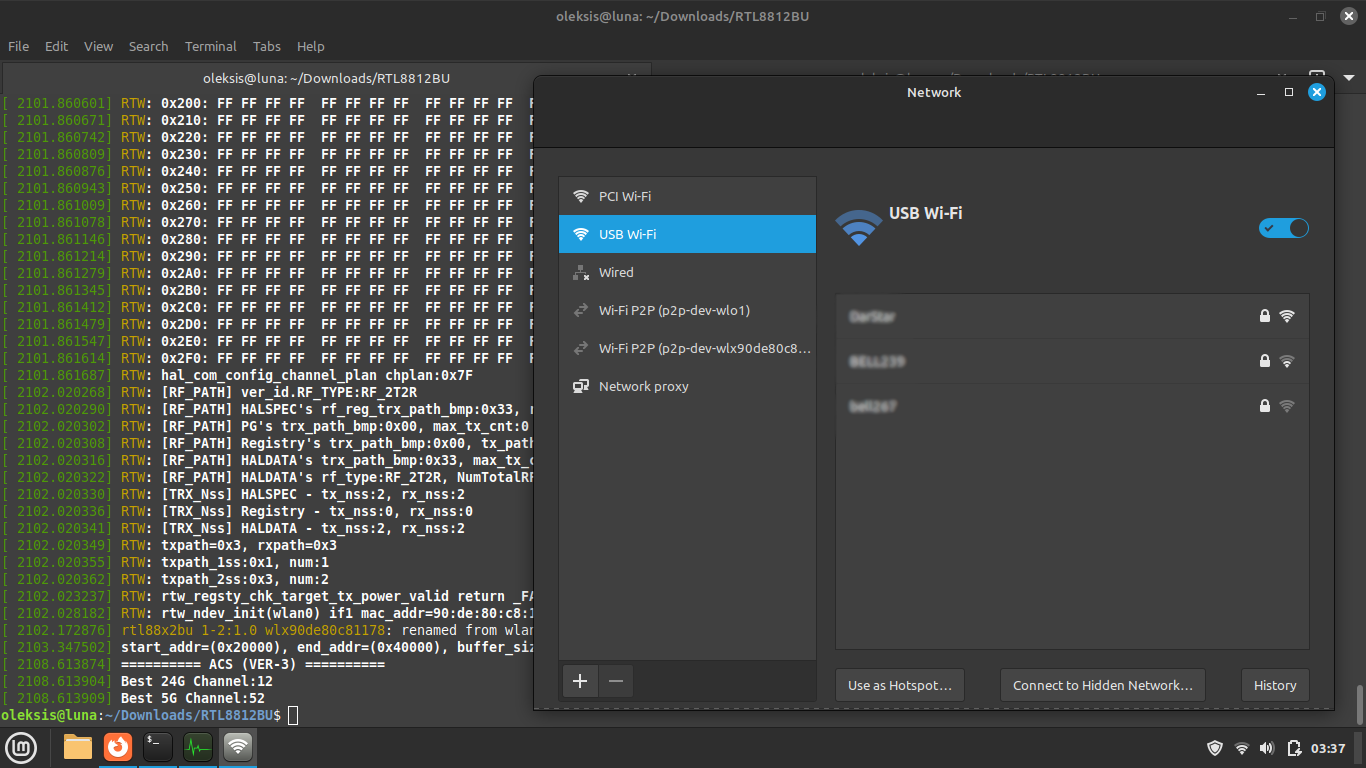 |
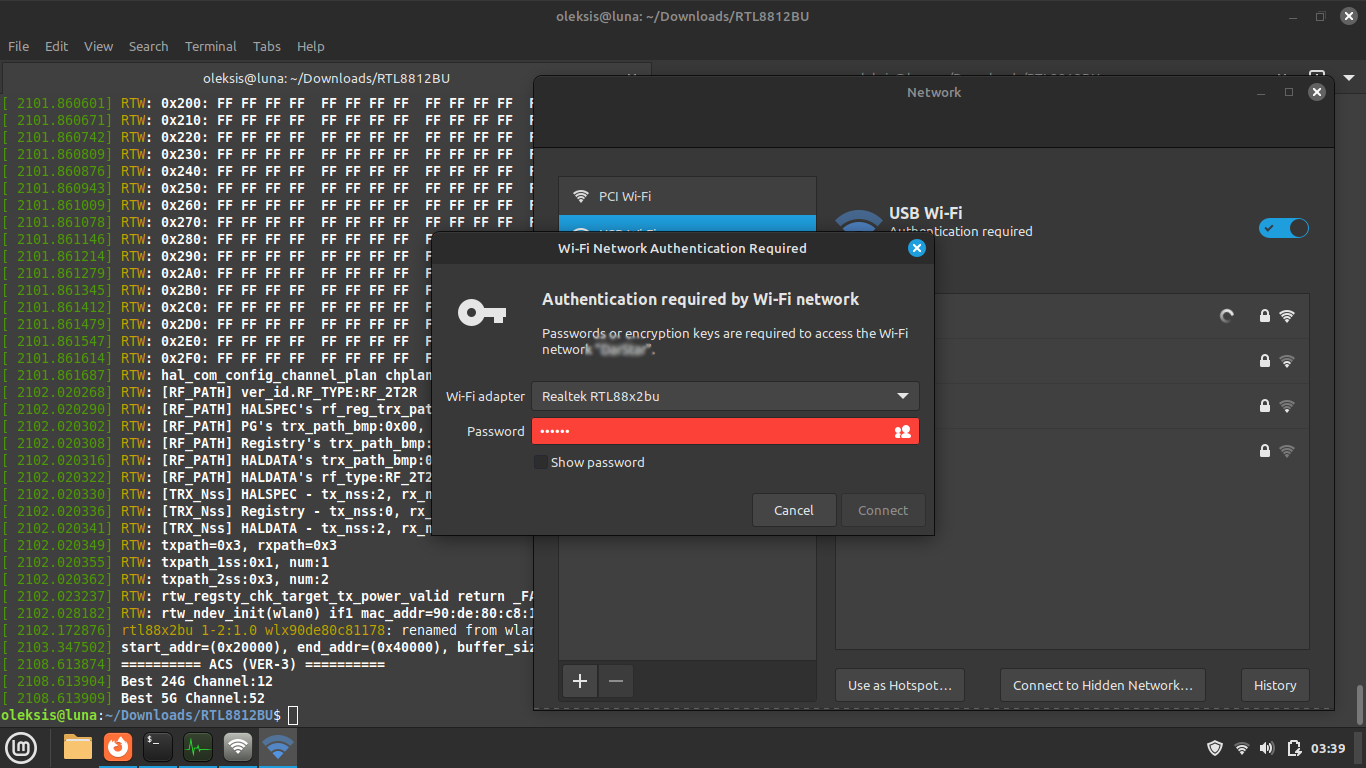 |
 |
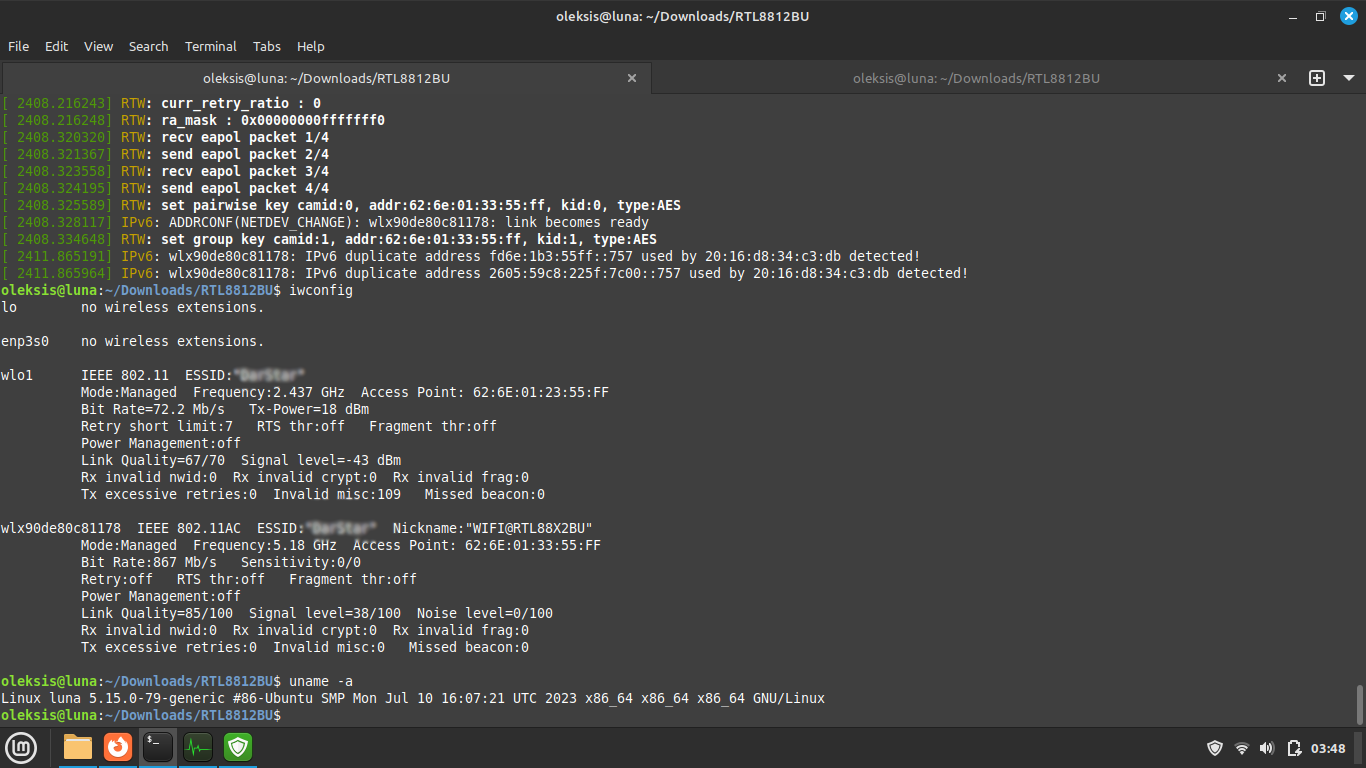 |
- Fix: "installed (WARNING! Diff between built and installed module!)"
user@desktop ~/Downloads/rtl8814au $ dkms status
user@desktop ~/Downloads/rtl8814au $ sudo dkms remove rtl8814au/5.8.5.1 -k 5.4.0-150-generic- Logs
user@desktop ~ $ dmesg- GitHub - fastoe/RTL8812BU: Realtek RTL8812BU Driver for Linux.
- Realtek 802.11ac USB Wi-Fi Linux Driver Installation
- How to Install RTL8812BU USB WiFi Dongle on Linux - Fastoe
- GitHub - morrownr/88x2bu-20210702: Linux Driver for USB WiFi Adapters
- https://github.com/morrownr/USB-WiFi/blob/main/home/USB_WiFi_Adapters_that_are_supported_with_Linux_in-kernel_drivers.md
- https://forums.linuxmint.com/viewtopic.php?t=376909
- https://forums.linuxmint.com/viewtopic.php?t=389185
- https://www.youtube.com/watch?v=85mRPuKnlXs
- https://blog.abysm.org/2020/03/realtek-802-11ac-usb-wi-fi-linux-driver-installation/
- https://github.com/aircrack-ng/rtl8814au
- https://forums.linuxmint.com/viewtopic.php?t=246435
- https://askubuntu.com/a/1015179