
Created
June 28, 2020 07:25
-
-
Save paulz/d711c284905f08bec560e2233e276353 to your computer and use it in GitHub Desktop.
Finder Service Open Application
This file contains hidden or bidirectional Unicode text that may be interpreted or compiled differently than what appears below. To review, open the file in an editor that reveals hidden Unicode characters.
Learn more about bidirectional Unicode characters
| # Open File or Folder with an application | |
| # | |
| # Create Automator new Quick Action workflow with these 3 actions: | |
| # 1. Workflow receives "files or folders" in "any application | |
| # 2. Get Specified Finder Items - used for debugging | |
| # 3. Run Apple Script | |
| # | |
| # Paste script below and change Atom.app to any other appp | |
| # Test shell script command works in terminal | |
| # Test Automator workflow by adding items in step 2 | |
| # | |
| on run {input, parameters} | |
| set fileOrfolderToOpen to POSIX path of input | |
| do shell script "open -a Atom.app " & fileOrfolderToOpen | |
| return input | |
| end run |

Author
Author
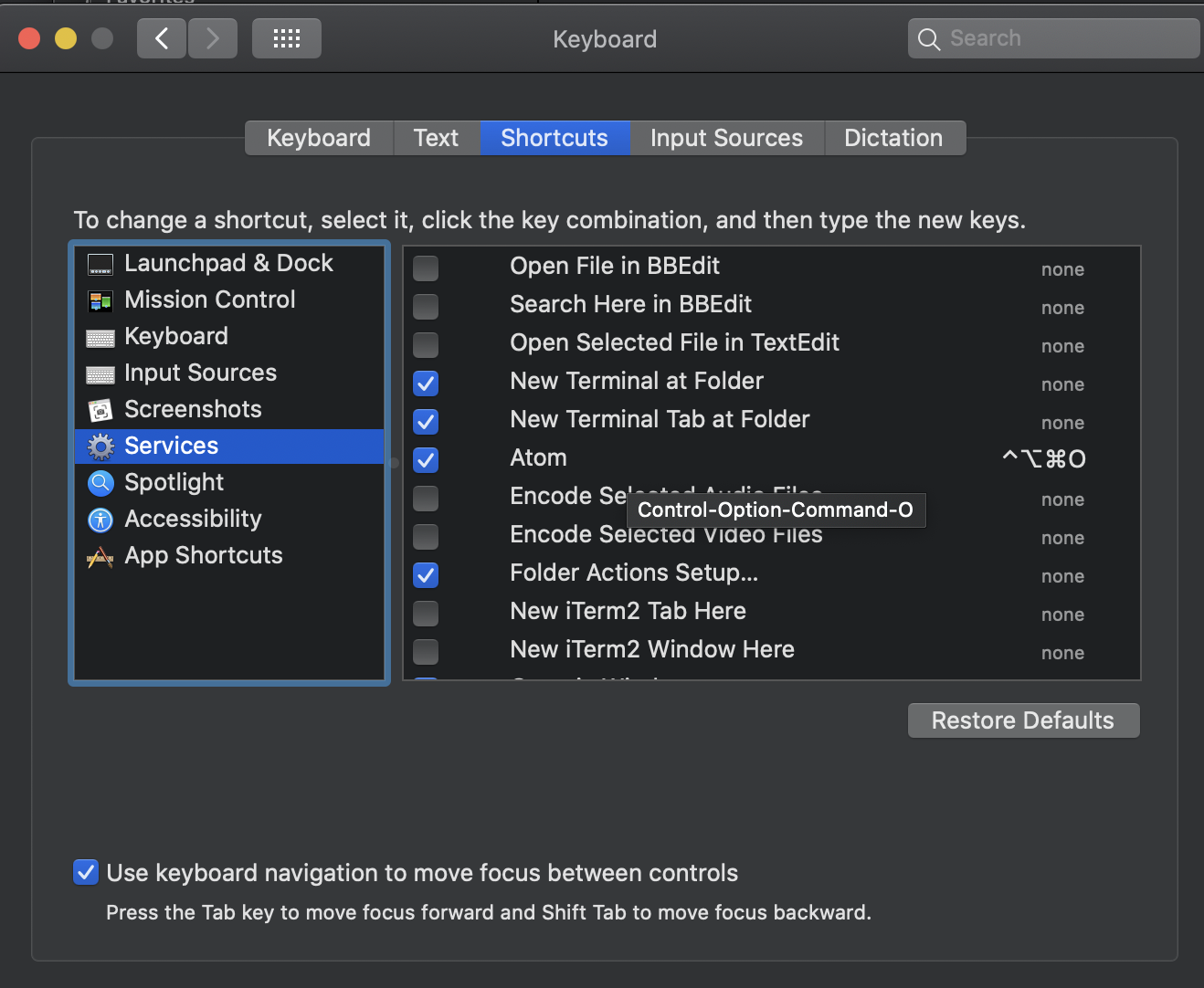
add a keyboard shortcut, such as Cmd-Option-Ctrl-O to new Service in System Preferences
Sign up for free
to join this conversation on GitHub.
Already have an account?
Sign in to comment
Automator will save workflow in
~/Library/Services