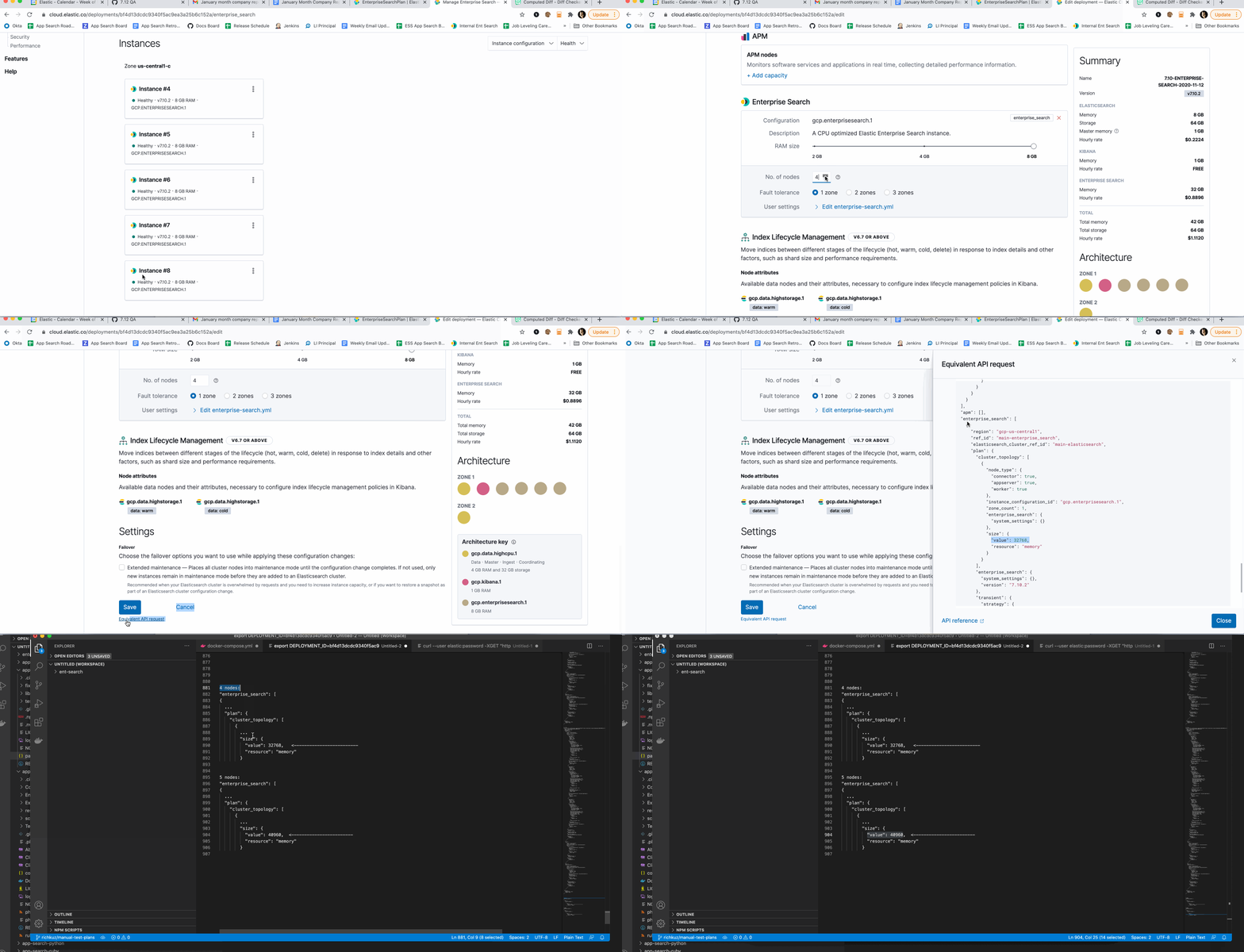
You can increase or decrease how many Enterprise Search nodes you have running on Elastic Cloud using the ECE API.
For example, if your website traffic follows a predictable pattern and you know you'll experience increased load at specific times during the day, you can run a cron job to predictably size up and size down your cluster.
Resizing a cluster via API using curl follows this general pattern:
export DEPLOYMENT_ID=bf4d13dcdc9340f5ac...  # Your Cloud deployment ID from the Cloud Deployments page
export ECE_API_KEY=VlU4MDFIY0JxVld3M...     # Generate an API key under Cloud, Features, API Keys

curl -k -X PUT -H "Authorization: ApiKey $ECE_API_KEY" https://cloud.elastic.co/api/v1/deployments/$DEPLOYMENT_ID -H 'content-type: application/json' -d '{
... plan template changes payload ...
}'
To easily determine the plan changes payload, use the Elastic Cloud Deployments UI to prepare the changes you want to make to your cluster. Click the "Equivalent API request" link below the "Save" button to copy the corresponding JSON plan template.
The Elastic Cloud API does not offer a JSON attribute such as node_count or node_size to set the number of Enterprise Search nodes. Instead, the API accepts a value for the total memory of the Enterprise Search deployment. Each node has a fixed size, e.g. 8GB, configurable as a separate parameter in your Deployment plan. Elastic Cloud computes how many nodes you will require to meet your specified total memory.
For example, here is a snippet of an Enterprise Search deployment plan being resized to 4 nodes. Each node is 8GB.
...
"enterprise_search": [
{
  ...
  "plan": {
    "cluster_topology": [
      {
        ...
        "size": {
          "value": 32768,   <-------------------------
          "resource": "memory"
        }
For comparison, here is the same deployment resized to 5 nodes:
...
"enterprise_search": [
{
  ...
  "plan": {
    "cluster_topology": [
      {
        ...
        "size": {
          "value": 40960,  <------------------------
          "resource": "memory"
        }