
- doesn't mutate the original array
- returns a new array of the same size as the original array
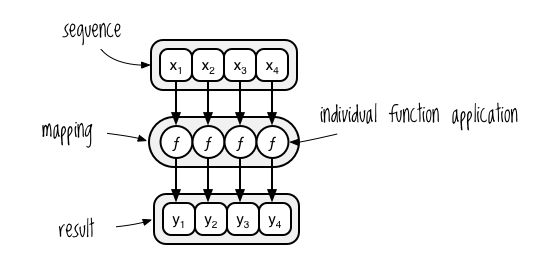
We will be working on the following array:
const arr = [1, 2, 3];
console.log(`original: ${arr}`); // original: 1,2,3| .forEach() | .map() | |
|---|---|---|
| returns | by default always returns "undefined" | by default always returns a new array |
| use when... | When you’re not trying to change the data in your array but instead want to just do something with it — like saving it to a database or logging it out. | When changing or altering data. It is much faster than .forEach() |
Let's demo:
const newArr = arr.forEach(el => {
  return  el * 3
});
console.log(newArr); // undefined
If we want to double each number in the arr without making changes to it, we have to create a new empty array and push changed elements in it:
const someNewArr = [];
arr.forEach(el => {
  someNewArr.push(el * 2)
  return someNewArr
});

console.log(`forEach-pushed: ${someNewArr}`); // forEach-pushed: 2,4,6
If we want for any reason to mutate original array:
arr.forEach((el, i) => {
  return arr[i] = el * 2
});

console.log(`forEach-mutated: ${arr}`); // forEach-mutated: 2,4,6The only proper way of going through an array and making changes to it without actually changing the original array is using .map():
const updatedArr = arr.map(el => {
  return el * 2
});

console.log(`mapped: ${updatedArr}`); // mapped: 4,8,12
In case you are wondering how we got 4, 8 and 12, remember we mutated original array earlier.
Also don't forget that with .map, you have to return a value out, or else your new array will be filled with a bunch of undefineds.