
Last active
April 1, 2023 14:53
-
-
Save sanjarcode/75832d862033194cfb9c710a2fd3e2f4 to your computer and use it in GitHub Desktop.
Activity Logger OCR
This file contains hidden or bidirectional Unicode text that may be interpreted or compiled differently than what appears below. To review, open the file in an editor that reveals hidden Unicode characters.
Learn more about bidirectional Unicode characters
| Pillow==9.3.0 | |
| pyocr==0.8.3 |
This file contains hidden or bidirectional Unicode text that may be interpreted or compiled differently than what appears below. To review, open the file in an editor that reveals hidden Unicode characters.
Learn more about bidirectional Unicode characters
| # instructions: place images in same directory as this file. Run the file. | |
| from PIL import Image | |
| import pyocr | |
| import pyocr.builders | |
| import os | |
| # Print the list of png files | |
| def get_images_list(): | |
| # Get the list of all files in the current directory | |
| all_files = os.listdir() | |
| # Filter the list to include only png files | |
| png_files = [file for file in all_files if file.endswith('.png')] | |
| return sorted(png_files) | |
| def crop_image(img, top = 0, right = 0, bottom = 0, left = 0): | |
| img = Image.open(img) | |
| width, height = img.size | |
| img = img.crop((left, top, width - right, height - bottom)) | |
| return img | |
| def get_text_from_image(img, name = "\b"): | |
| # Use pyocr to extract text from the cropped image | |
| tools = pyocr.get_available_tools() | |
| tool = tools[0] | |
| # Set the OCR language | |
| lang = 'eng' | |
| # Use pyocr builders to configure the OCR | |
| builder = pyocr.builders.TextBuilder(tesseract_layout=6) | |
| # Extract text from the image | |
| result = tool.image_to_string( | |
| img, | |
| lang=lang, | |
| builder=builder | |
| ) | |
| # Print the extracted text | |
| return result | |
| # Create a file to store the extracted text | |
| output_file = open('output.html', 'a') | |
| for image in get_images_list(): | |
| cropped_image = crop_image(image, 250, 0, 350, 0) # whatsApp status top and bottom UI cropped | |
| scanned_text = get_text_from_image(cropped_image, image) | |
| # Print the extracted text | |
| to_print = f"<blockquote>{scanned_text.strip()}</blockquote>" | |
| print(to_print) | |
| # Append the extracted text to the output file | |
| output_file.write(f"{to_print.strip()}\n") | |
| output_file.close() | |
| # Print the contents of the output file | |
| with open('output.html', 'r') as file: | |
| print(f"\n\nOutput file contents:\n{file.read()}") |

Author
Author
This script is not needed at all. Select "text" statuses and copy option is already available on WhatsApp.
Multiple statuses can be selected too.
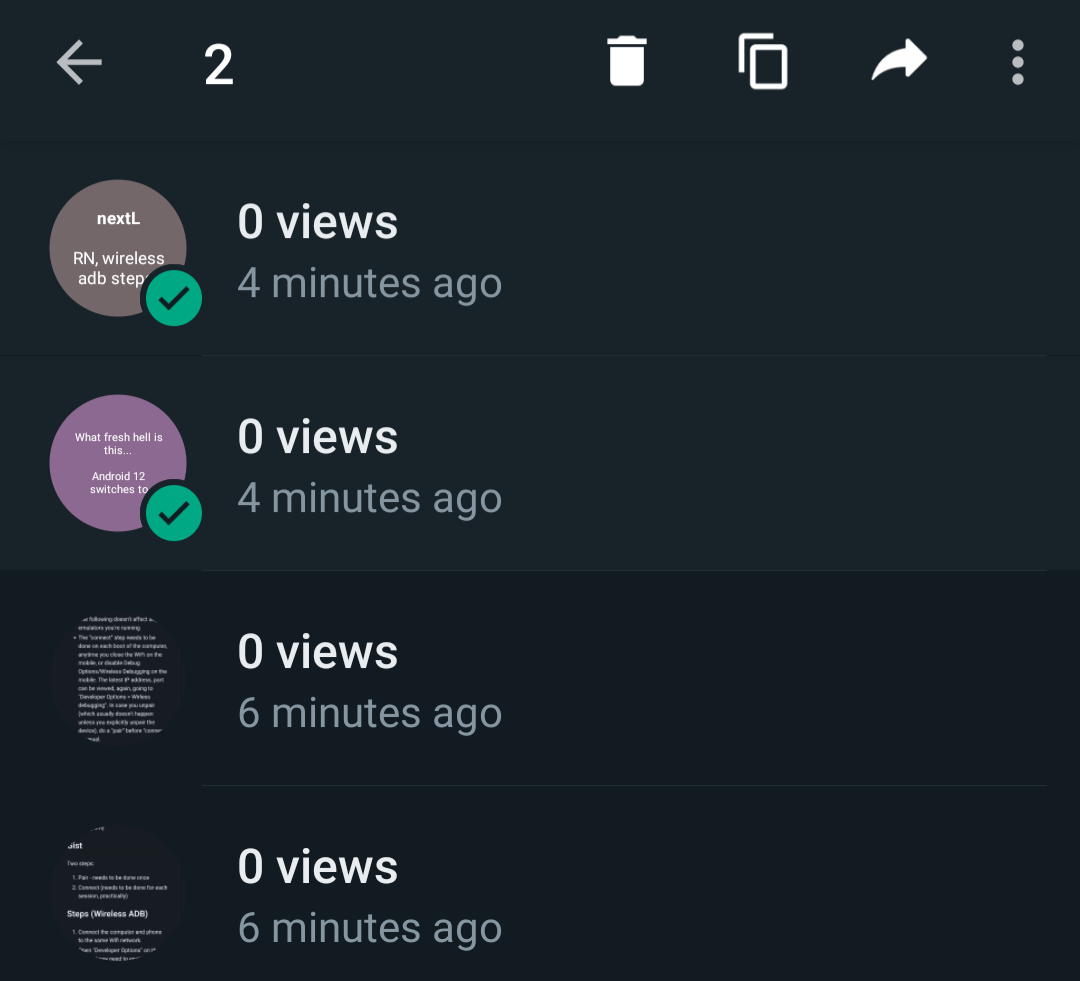
Avoid any non text statuses, as the copy option disappears then.
Sign up for free
to join this conversation on GitHub.
Already have an account?
Sign in to comment
Updated. Had stopped working due to bz2 error. import pytesseract was failing.