
Last active
October 14, 2022 19:35
-
-
Save santisq/edba1d1a8b63ad3131746702d4b371a9 to your computer and use it in GitHub Desktop.
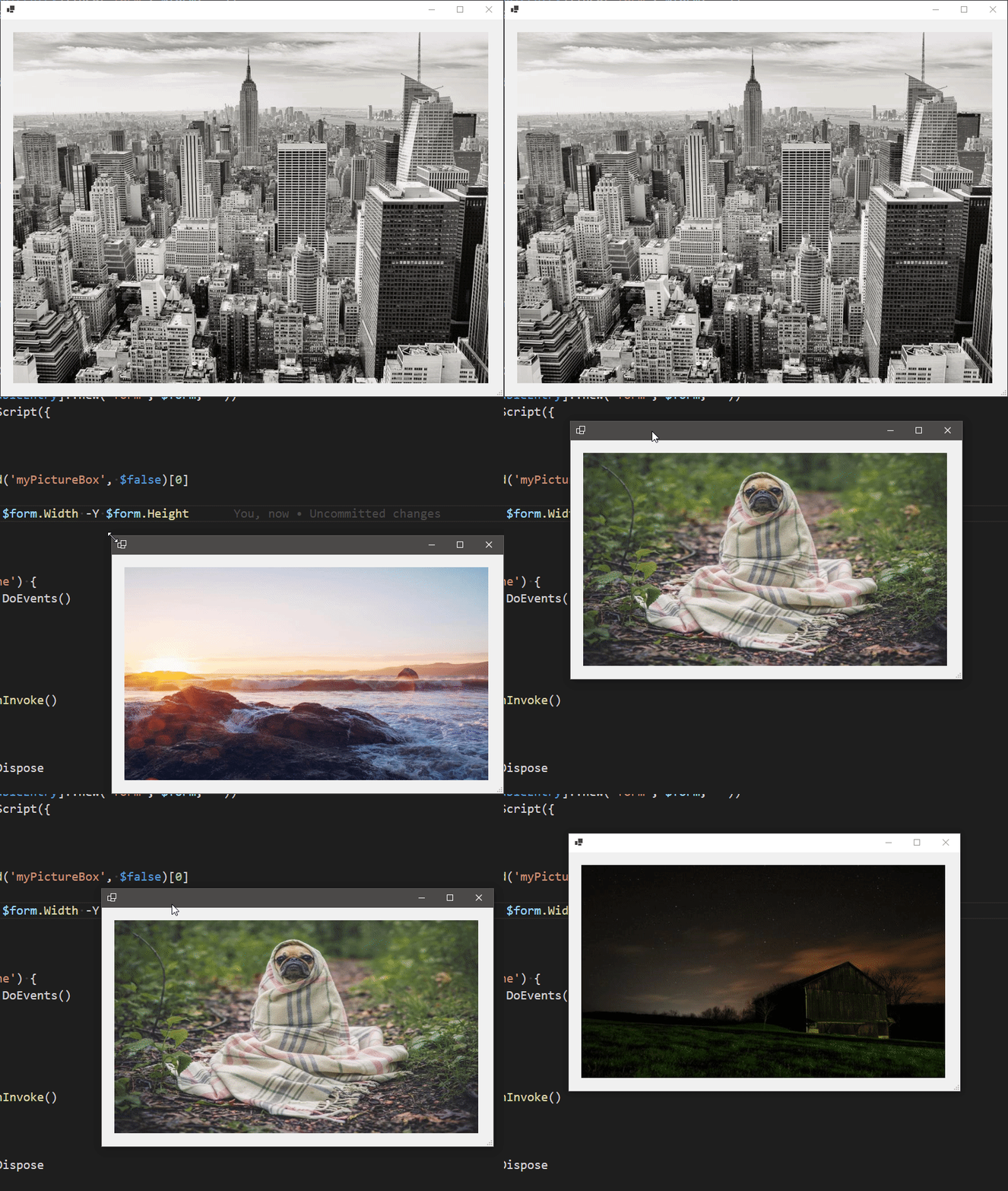
simple Windows Forms Slide Show
This file contains hidden or bidirectional Unicode text that may be interpreted or compiled differently than what appears below. To review, open the file in an editor that reveals hidden Unicode characters.
Learn more about bidirectional Unicode characters
| using namespace System.Windows.Forms | |
| using namespace System.Drawing | |
| using namespace System.IO | |
| using namespace System.Management.Automation.Runspaces | |
| Add-Type -AssemblyName System.Drawing, System.Windows.Forms | |
| [Application]::EnableVisualStyles() | |
| $tracker = @{} | |
| function GetRandomPicture { | |
| param($X, $Y) | |
| try { | |
| [MemoryStream] $memStream = (Invoke-WebRequest "https://picsum.photos/$x/$y").Content | |
| [Image]::FromStream($memStream) | |
| } | |
| finally { | |
| if($memStream) { $memStream.Dispose() } | |
| } | |
| } | |
| $form = [Form]@{ | |
| ClientSize = [Size]::new(1280, 720) | |
| StartPosition = 'CenterScreen' | |
| } | |
| $pictureBox = [PictureBox]@{ | |
| Name = 'myPictureBox' | |
| Anchor = 'top, left' | |
| SizeMode = [PictureBoxSizeMode]::StretchImage | |
| Location = [Point]::new(20, 20) | |
| Size = [Size]::new($form.Width - 60, $form.Height - 80) | |
| Image = GetRandomPicture -X $form.Width -Y $form.Height | |
| } | |
| $form.Controls.Add($pictureBox) | |
| $form.Add_Resize({ | |
| $pictureBox.Size = [Size]::new($this.Width - 60, $this.Height - 80) | |
| }) | |
| $iss = [initialsessionstate]::CreateDefault2() | |
| $iss.Commands.Add([SessionStateFunctionEntry]::new('GetRandomPicture', $function:GetRandomPicture)) | |
| $iss.Variables.Add([SessionStateVariableEntry]::new('form', $form, '')) | |
| $ps = [powershell]::Create($iss).AddScript({ | |
| $timer = [Windows.Forms.Timer]@{ | |
| Interval = 3000 | |
| } | |
| $pictureBox = $form.Controls.Find('myPictureBox', $false)[0] | |
| $timer.Add_Tick({ | |
| $pictureBox.Image = GetRandomPicture -X $form.Width -Y $form.Height | |
| }) | |
| $timer.Enabled = $true | |
| while($form.DialogResult -eq 'None') { | |
| [Windows.Forms.Application]::DoEvents() | |
| } | |
| $form.DialogResult | |
| }) | |
| $form.Add_Shown({ | |
| $this.Activate() | |
| $tracker['AsyncResult'] = $ps.BeginInvoke() | |
| }) | |
| $null = $form.ShowDialog() | |
| $ps.EndInvoke($tracker['AsyncResult']) | |
| $form, $ps | ForEach-Object Dispose |
This file contains hidden or bidirectional Unicode text that may be interpreted or compiled differently than what appears below. To review, open the file in an editor that reveals hidden Unicode characters.
Learn more about bidirectional Unicode characters
| using namespace System.Windows.Forms | |
| using namespace System.Drawing | |
| using namespace System.Management.Automation.Runspaces | |
| Add-Type -AssemblyName System.Drawing, System.Windows.Forms | |
| [Application]::EnableVisualStyles() | |
| $tracker = @{} | |
| # Get the paths of all the pictures in the `pictures` folder | |
| $pictures = (Get-ChildItem .\pictures -Filter *.png).FullName | |
| # basic form | |
| $form = [Form]@{ | |
| ClientSize = [Size]::new(1280, 720) | |
| StartPosition = 'CenterScreen' | |
| } | |
| # basic picturebox, note it includes a `Name` so it's easier to find | |
| # from inside the `powershell` instance | |
| $pictureBox = [PictureBox]@{ | |
| Name = 'myPictureBox' | |
| Anchor = 'top, left' | |
| SizeMode = [PictureBoxSizeMode]::StretchImage | |
| Location = [Point]::new(20, 20) | |
| Size = [Size]::new($form.Width - 60, $form.Height - 80) | |
| Image = [Drawing.Image]::FromFile($pictures[0]) | |
| } | |
| $form.Controls.Add($pictureBox) | |
| # event to resize the picturebox when the form is resized | |
| $form.Add_Resize({ | |
| $pictureBox.Size = [Size]::new($this.Width - 60, $this.Height - 80) | |
| }) | |
| # initialize a `powershell` instance where we can handle the the Slide Show | |
| # in PowerShell we require to perform this action from a different thread, | |
| # else the form will freeze every 3000 milliseconds | |
| $ps = [powershell]::Create().AddScript({ | |
| param($pictures, $form) | |
| [ref] $ref = 1 | |
| $timer = [Windows.Forms.Timer]@{ | |
| Interval = 3000 | |
| } | |
| # find the pictureBox in the Form controls | |
| $pictureBox = $form.Controls.Find('myPictureBox', $false)[0] | |
| # this Tick Event swaps the pictures when triggered | |
| $timer.Add_Tick({ | |
| $pictureBox.Image = [Drawing.Image]::FromFile($pictures[$ref.Value++ % $pictures.Count]) | |
| }) | |
| # Start the Timer | |
| $timer.Enabled = $true | |
| # this `while` loop keeps this thread running until the form is closed | |
| while($form.DialogResult -eq 'None') { | |
| # we perform `Application.DoEvents()` so the form is updated on each loop iteration, | |
| # without it we wouldn't see the picturebox updated | |
| [Windows.Forms.Application]::DoEvents() | |
| } | |
| $form.DialogResult | |
| # here we pass the list of paths and the form instance itself to this thread | |
| }).AddParameters(@{ pictures = $pictures; form = $form }) | |
| # when the form is shown | |
| $form.Add_Shown({ | |
| # bring it to front | |
| $this.Activate() | |
| # and add this AsyncResult to the `$trackers` hashtable | |
| $tracker['AsyncResult'] = $ps.BeginInvoke() | |
| }) | |
| # display the form (this blocks the current thread) | |
| $null = $form.ShowDialog() | |
| # when the form is closed, stop the runspace | |
| $ps.EndInvoke($tracker['AsyncResult']) | |
| # and dispose everything | |
| $form, $ps | ForEach-Object Dispose |

Author
santisq
commented
Aug 29, 2022
Sign up for free
to join this conversation on GitHub.
Already have an account?
Sign in to comment